
مقدمة
The MAONO AU-PM325T is a professional condenser microphone designed for high-quality audio capture. Featuring a 25mm large diaphragm and a cardioid polar pattern, it is suitable for various applications including podcasting, music recording, live streaming, gaming, and vocal performances. This manual provides essential information for setting up, operating, and maintaining your microphone.
محتويات الحزمة
يرجى التأكد من أن جميع العناصر المدرجة أدناه متضمنة في الحزمة الخاصة بك:
- Condenser Microphone (1)
- حامل الصدمات (1)
- Table Stand (1)
- Pop Filter (1)
- Wind Foam (1)
- XLR-3.5mm Cable (1)
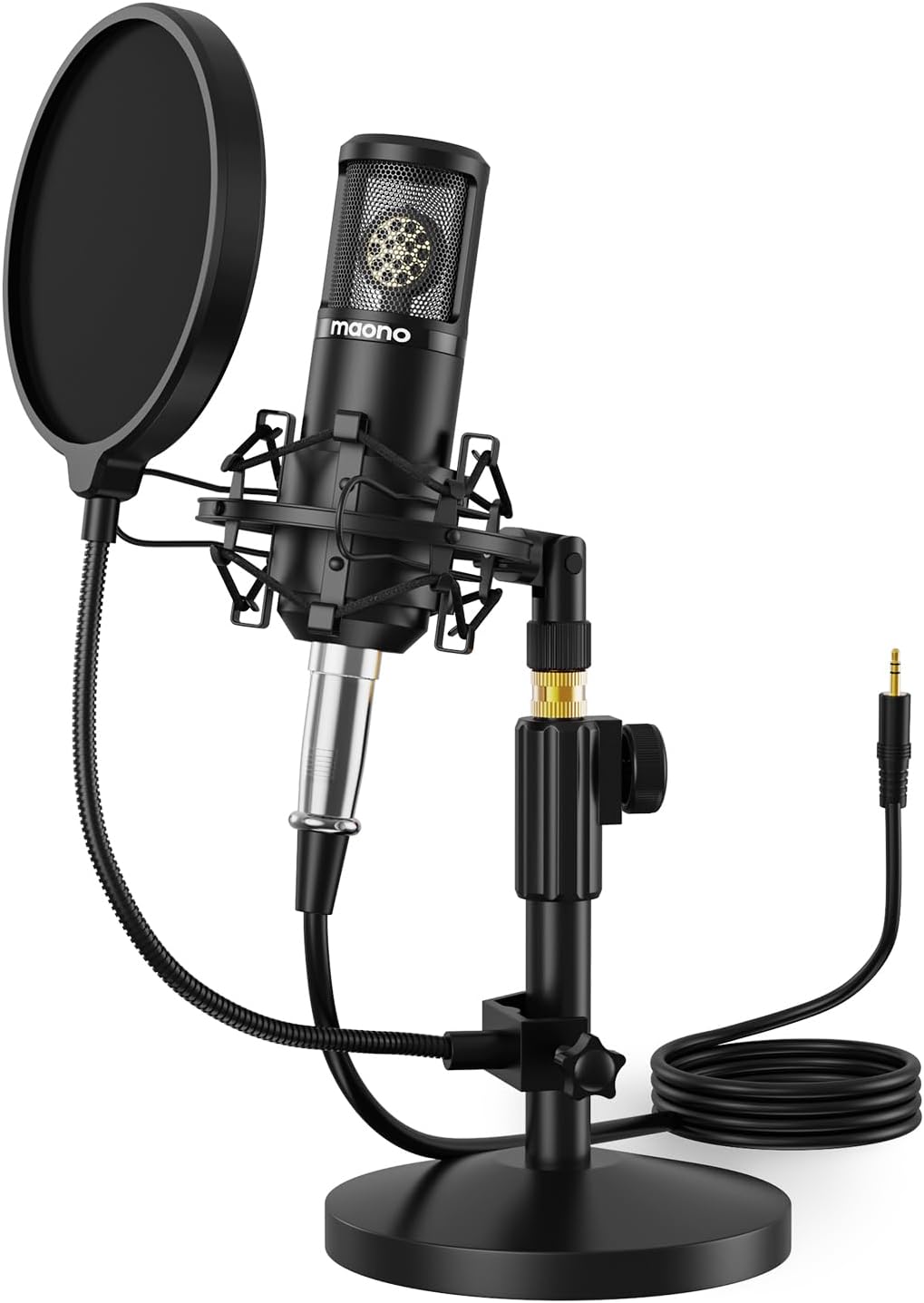
Image: The MAONO AU-PM325T microphone with its shock mount, pop filter, table stand, and connecting cable.
سمات
- غشاء كبير 25 مم: Equipped with a professional sound chipset and a 25mm electret condenser transducer, providing exquisite sound quality with a flat frequency response of 20Hz-20kHz. Ideal for detailed audio capture.
- Plug & Play Connectivity: Features an XLR to 3.5mm connection for easy compatibility with computers and smartphones. Offers strong output, no distortion, and low power consumption.
- البناء المعدني الكامل: Built with high-quality metal materials for durability and protection of internal components. The stable all-metal base and height-adjustable metal tube provide robust support.
- نمط قطبي قلبي: Designed to reduce the pickup of surrounding noise, focusing on sound directly in front of the microphone for an immersive recording experience.
- Noise Reduction Accessories: Includes a shock mount to minimize vibration-induced noise, and a pop filter and wind foam to reduce wind and plosive sounds, ensuring clear vocal recordings.

الصورة: لقطة مقربة view of the MAONO AU-PM325T microphone's 25mm large diaphragm, highlighting its studio-quality sound capability.
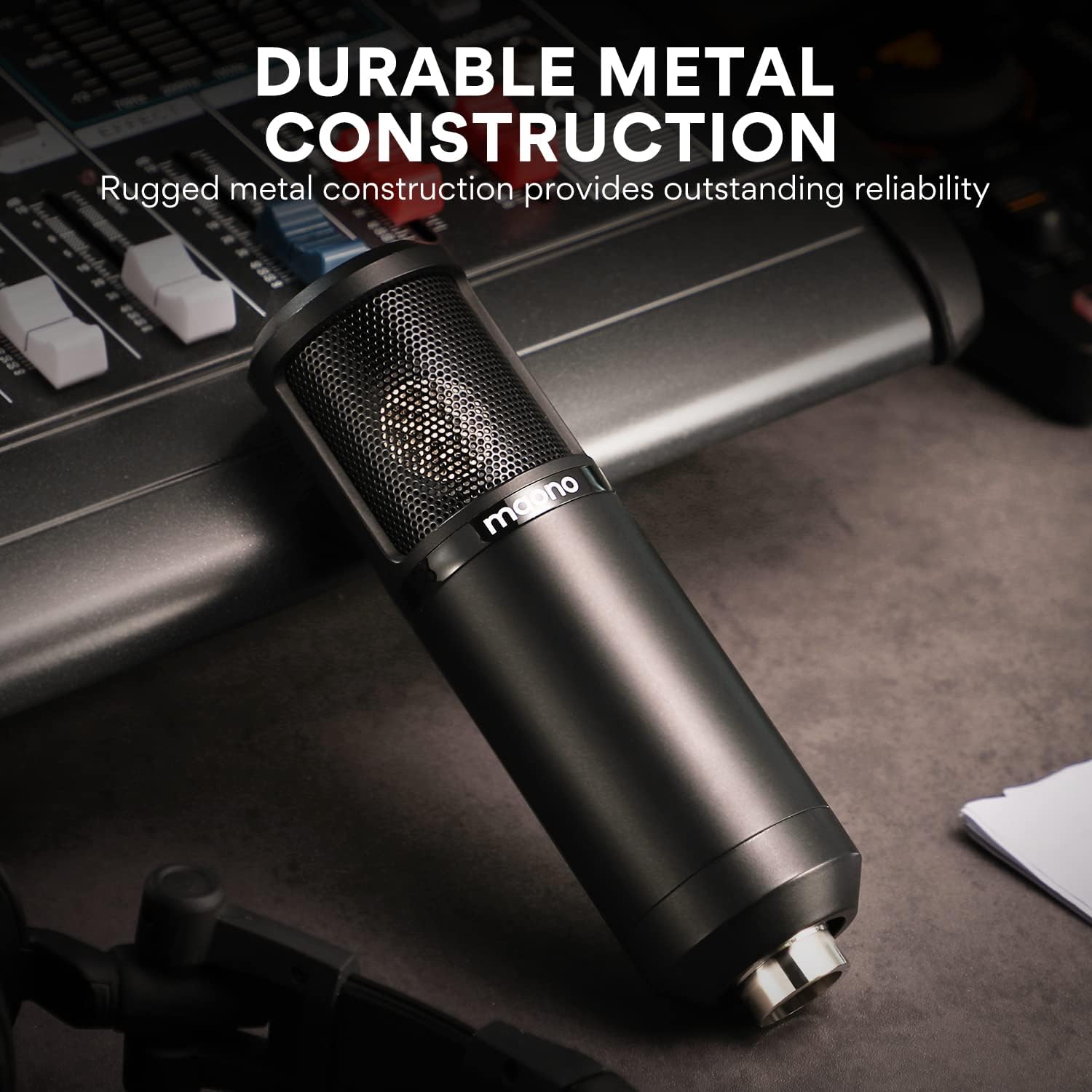
Image: The MAONO AU-PM325T microphone showcasing its durable full metal construction, designed for reliability.
دليل الإعداد
- Assemble the Table Stand: Securely attach the microphone to the provided table stand. Ensure the stand is stable on a flat surface.
- قم بتركيب قاعدة امتصاص الصدمات: Mount the microphone into the shock mount. The shock mount helps isolate the microphone from physical vibrations that can cause unwanted noise.
- Attach Pop Filter and Wind Foam:
- Slide the wind foam over the microphone capsule to reduce plosives and wind noise.
- Attach the pop filter to the stand and position it approximately 2-3 inches in front of the microphone. This further minimizes plosive sounds (like 'p' and 'b').
- Connect the XLR-3.5mm Cable:
- Connect the XLR end of the cable to the microphone's XLR port.
- Connect the 3.5mm end of the cable to your computer's microphone input, smartphone's audio jack (with adapter if needed), or an audio interface.
- التمركز: For optimal sound capture, position the microphone directly in front of the sound source (e.g., your mouth) within a few inches. The cardioid polar pattern is most sensitive to sounds from the front.

Image: The MAONO AU-PM325T microphone set up with its stand, shock mount, and pop filter, connected to a laptop, demonstrating its plug-and-play compatibility with various devices including Windows, macOS, and audio interfaces.

Image: The MAONO AU-PM325T microphone connected to an audio interface, illustrating its use in a professional recording setup.
تعليمات التشغيل
Once the microphone is set up and connected to your device, follow these general guidelines for operation:
- تكوين البرنامج: Ensure your recording software, operating system settings, or communication application recognizes the MAONO AU-PM325T as the input device. Adjust input levels to prevent clipping or distortion.
- الوضع الأمثل: Maintain a consistent distance from the microphone, typically 6-12 inches, for balanced audio levels. Speak or sing directly into the front of the microphone, where the cardioid pattern is most effective.
- راقب مستوى الصوت لديك: If your audio interface or computer allows, monitor your audio with headphones to ensure desired sound quality and to identify any unwanted background noise.
- الاعتبارات البيئية: Record in a quiet environment to maximize the microphone's noise reduction capabilities. The cardioid pattern helps, but it cannot eliminate all ambient sound.

Image: A user recording vocals while playing a guitar, utilizing the MAONO AU-PM325T microphone for clear audio capture.

Image: The MAONO AU-PM325T microphone integrated into a home studio setup, connected to an audio mixer, demonstrating its use for professional recording.
صيانة
- تنظيف: استخدم قطعة قماش ناعمة وجافة لمسح جسم الميكروفون. تجنب استخدام المنظفات السائلة أو المذيبات، لأنها قد تتلف الطلاء أو المكونات الداخلية.
- Pop Filter and Wind Foam: The pop filter screen can be gently cleaned with a damp cloth if necessary. The wind foam can be hand-washed with mild soap and water, then air-dried completely before re-use.
- تخزين: When not in use, store the microphone in a dry, dust-free environment. Disassemble the pop filter and wind foam if storing for extended periods.
- التعامل: Handle the microphone with care. Avoid dropping it or exposing it to extreme temperatures or humidity, which can affect its performance and lifespan.
استكشاف الأخطاء وإصلاحها
| مشكلة | السبب المحتمل | حل |
|---|---|---|
| لا يوجد مخرج صوت |
|
|
| جودة صوت رديئة / ضوضاء خلفية |
|
|
| Microphone unstable on stand |
|
|
تحديد
| ميزة | التفاصيل |
|---|---|
| ماركة | ماونو |
| اسم الموديل | بي ام 325 تي |
| عامل شكل الميكروفون | غشاء كبير |
| النمط القطبي | أحادي الاتجاه (قلبي الشكل) |
| تكنولوجيا الاتصال | Auxiliary (XLR to 3.5mm) |
| نوع الموصل | 3.5 ملم جاك |
| حساسية الصوت | 45 ديسيبل |
| إشارة إلى نسبة الضوضاء | 78 ديسيبل |
| استجابة التردد | 20 هرتز - 20 كيلوهرتز |
| مصدر الطاقة | كهرباء سلكية |
| مادة | الألومنيوم |
| لون | أسود |
| وزن العنصر | 3.58 رطل |
| أبعاد الحزمة | 10.55 × 8.23 × 4.45 بوصة |
| الأجهزة المتوافقة | Audio Interface, Audio Mixer, Personal Computer, Smartphone |
| الاستخدامات الموصى بها | Singing, Gaming, Streaming, Voice Recording, Video Recording, Speech, Video Conference |
الضمان والدعم
للحصول على معلومات الضمان والدعم الفني، يرجى الرجوع إلى موقع MAONO الرسمي. webيمكنك زيارة الموقع الإلكتروني أو الاتصال بخدمة عملاء MAONO مباشرةً. احتفظ بإيصال الشراء لتقديم مطالبات الضمان.
You can visit the MAONO Store for more information: MAONO Official Store