
1. المقدمة
Thank you for choosing the CHiQ 22F650 22-inch FHD Monitor. This manual provides essential information for setting up, operating, and maintaining your monitor. Please read it thoroughly before use to ensure optimal performance and safety.
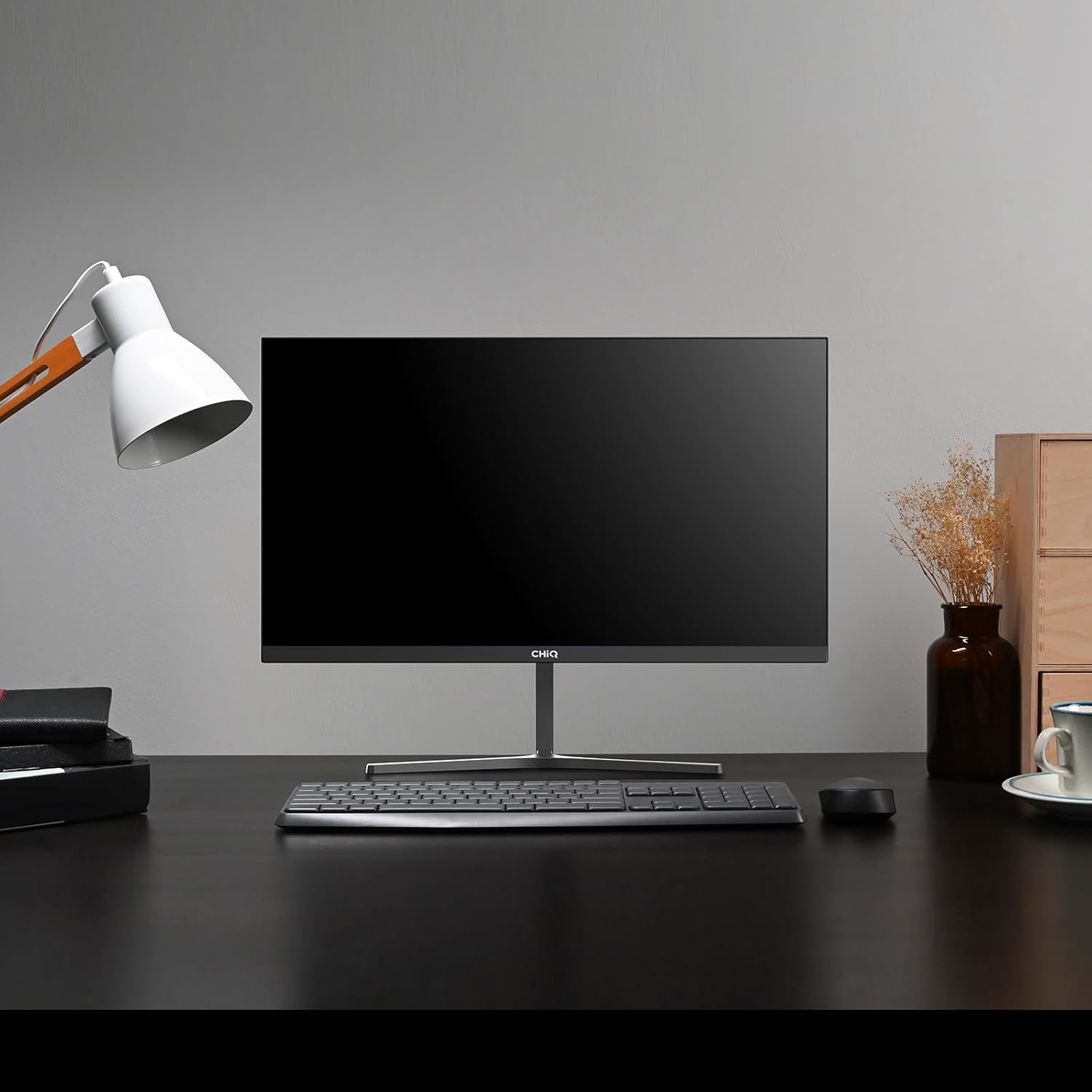
Image 1.1: The CHiQ 22F650 monitor set up on a desk.
The CHiQ 22F650 monitor features a 22-inch Full HD (1920 x 1080) display with a 100Hz refresh rate and AMD FreeSync technology for smooth visuals. Its ultra-thin, borderless design offers an immersive viewing experience, complemented by 100% sRGB color gamut and DC dimming for eye comfort.
2. معلومات السلامة
Please observe the following safety precautions to prevent damage to the monitor and ensure your safety:
- لا تعرض الشاشة للمطر أو الرطوبة أو درجات الحرارة القصوى.
- تأكد من التهوية الجيدة حول الشاشة. لا تسد فتحات التهوية.
- استخدم فقط محول الطاقة والكابلات المرفقة أو الموصى بها من قبل الشركة المصنعة.
- تجنب وضع أشياء ثقيلة على سلك الطاقة.
- افصل قابس الطاقة من المقبس إذا لم يتم استخدام الشاشة لفترة طويلة.
- لا تحاول إصلاح الشاشة بنفسك. قم بإحالة جميع أعمال الصيانة إلى فنيين مؤهلين.
3. محتويات العبوة
تأكد من وجود جميع العناصر في الحزمة الخاصة بك:
- شاشة CHiQ 22F650
- حامل الشاشة (القاعدة والرقبة)
- محول الطاقة والكابل
- كابل HDMI
- دليل المستخدم (هذا المستند)
4. التجميع والإعداد
4.1 تجميع الحامل
- قم بإزالة الشاشة بعناية من عبوتها، مع الحفاظ على الشاشة محمية.
- قم بتثبيت عنق الحامل على لوحة الشاشة.
- قم بتأمين قاعدة الحامل إلى عنق الحامل باستخدام المسمار المقدم.
The monitor features a quick detachable Y-shaped metal stand for easy assembly.
4.2 توصيل الشاشة
Connect the monitor to your computer or other devices using the available ports:
- HDMI: قم بتوصيل كابل HDMI من مخرج HDMI الخاص بالكمبيوتر إلى مدخل HDMI الخاص بالشاشة.
- VGA: قم بتوصيل كابل VGA من مخرج VGA الخاص بالكمبيوتر إلى مدخل VGA الخاص بالشاشة.
- صوتي: Connect headphones or external speakers to the 3.5mm headphone output jack.
- قوة: Connect the power adapter to the monitor's DC input and then plug it into a power outlet.

Image 4.1: Monitor connectivity ports (HDMI, VGA, Headphone Output).
4.3 ضبط زاوية الشاشة
The monitor's stand allows for tilt adjustment from +5° to -15° to achieve an optimal viewزاوية جي.

Image 4.2: Monitor tilt adjustment and VESA mount points.
4.4 التثبيت على الحائط وفقًا لمعيار VESA
The monitor is compatible with VESA 75x75mm wall mounts. To mount the monitor on a wall, remove the stand and attach a compatible VESA bracket (sold separately) to the mounting holes on the back of the monitor.
5. تعليمات التشغيل
5.1 تشغيل/إيقاف التشغيل
Press the power button located on the back of the monitor to turn it on or off.
5.2 قائمة العرض على الشاشة (OSD)
The monitor features joystick-type buttons on the rear for navigating the OSD menu. Use these buttons to adjust various display settings:
- السطوع / التباين: اضبط مستوى الإضاءة الكلي والفرق بين المناطق المضيئة والمظلمة.
- إعدادات الألوان: Modify color temperature, gamma, and individual RGB values.
- مصدر الإدخال: اختر يدويًا بين مدخلات HDMI و VGA.
- وضع الصورة: Choose from preset display modes (e.g., Standard, Game, Movie).
- صوتي: Adjust volume for the headphone output.

Image 5.1: Visual features of the CHiQ 22F650 monitor, including 100% sRGB and DC Dimming.
5.3 تقنية FreeSync
The CHiQ 22F650 monitor supports AMD FreeSync technology, which synchronizes the monitor's refresh rate with your graphics card's frame rate. This helps eliminate screen tearing and stuttering, providing a smoother gaming and viewing experience. FreeSync is typically enabled automatically when connected to a compatible AMD graphics card.
Video 5.1: This video demonstrates the smooth performance of the CHiQ 22F650 monitor, highlighting features like 100Hz refresh rate and FreeSync technology, and its ultra-thin design.
6. الصيانة
6.1 تنظيف الشاشة
- افصل الشاشة دائمًا عن مأخذ الطاقة قبل التنظيف.
- استخدم قطعة قماش ناعمة وخالية من الوبر برفق دampيُنظف بالماء أو بمنظف شاشات خفيف وغير كاشط.
- لا تقم برش المنظف مباشرة على الشاشة.
- امسح الشاشة بلطف لإزالة الغبار والبقع.
- للشاشة جasinج، استخدم قطعة قماش ناعمة وجافة.
6.2 التخزين
If storing the monitor for an extended period, place it in its original packaging in a dry, cool environment to protect it from dust and damage.
7. استكشاف الأخطاء وإصلاحها
إذا واجهت مشكلات مع شاشتك، فراجع المشكلات والحلول الشائعة التالية:
| مشكلة | السبب المحتمل | حل |
|---|---|---|
| لا توجد صورة على الشاشة | Power cable disconnected, video cable loose/disconnected, incorrect input source selected. | Check power and video cable connections. Ensure the correct input source (HDMI/VGA) is selected in the OSD menu. |
| الصورة ضبابية أو مشوهة | Incorrect resolution, faulty video cable. | Set the display resolution to 1920 x 1080. Try a different video cable. |
| الألوان غير صحيحة | Color settings in OSD, faulty video cable. | Adjust color settings in the OSD menu. Try a different video cable. |
| وميض الشاشة | Refresh rate mismatch, FreeSync issue, faulty cable. | Ensure your graphics card output matches the monitor's 100Hz refresh rate. Check FreeSync settings. Try a different video cable. |
| No audio from headphone output | Volume too low, incorrect audio output selected on computer. | Adjust volume in OSD. Ensure the monitor is selected as the audio output device on your computer. |
8. المواصفات
Detailed technical specifications for the CHiQ 22F650 monitor:
| ميزة | مواصفة |
|---|---|
| ماركة | تشيك |
| رقم الموديل | 22F650 |
| الشركة المصنعة | تشانغهونغ |
| حجم الشاشة | 22 بوصة |
| دقة | دقة عالية كاملة 1080 بكسل (1920 × 1080 بكسل) |
| نسبة العرض إلى الارتفاع | 16:9 |
| سطح الشاشة | Anti-glare / Anti-slip |
| نسبة التباين | 3000:1 |
| وقت الاستجابة | 6 ميلي ثانية |
| معدل التحديث | 100 هرتز |
| المزامنة التكيفية | فري سينك |
| نوع العرض | شاشة الكريستال السائل |
| Viewزاوية جي | 178 درجة |
| سطوع | 250 candelas per square meter |
| تحسين الصورة | DC Dimming, Anti-glare coating |
| الأبعاد (D x W x H) | 13.9 × 49.3 × 37.7 سم |
| وزن | 1.92 كيلوغرام |
| الاتصال | 1x HDMI, 1x VGA, 1x Headphone Output |
| VESA Mount | Wall mount (75x75mm) |
| المجلدtage | 220 فولت |
| لون | أسود |
Image 8.1: Product Information Sheet with technical data. For more details, visit the قاعدة بيانات EPREL.
Image 8.2: EU Energy Label for the CHiQ 22F650 monitor. For more details, visit the قاعدة بيانات EPREL.
9. الضمان والدعم
9.1 معلومات الضمان
CHiQ monitors are protected by a ضمان لمدة 3 سنواتيرجى الاحتفاظ بإثبات الشراء الخاص بك لاستخدامه في المطالبات بالضمان.
9.2 دعم العملاء
If you encounter any problems or have questions regarding your CHiQ 22F650 monitor, please do not hesitate to contact CHiQ customer service. An online hotline managed by professional staff is available on weekdays to assist you.
For further assistance, please visit the official CHiQ webيمكنك زيارة الموقع أو الرجوع إلى معلومات الاتصال المرفقة مع وثائق المنتج.