
1. المقدمة
شكرا لك على الشراءasing the VCHICS A22 Portable Mini Body Camera. This manual provides essential information for the proper setup, operation, and maintenance of your device. Please read it thoroughly before use to ensure optimal performance and longevity of the product.
محتويات الحزمة
- 1 x VCHICS A22 Mini Camera
- شنومكس x كابل بيانات أوسب
- 1 × دليل المستخدم باللغة الإنجليزية

Image 1.1: The VCHICS A22 Mini Body Camera package contents, including the camera, USB cable, and user manual.
2. انتهى المنتجview
The VCHICS A22 is a compact and versatile mini body camera designed for various recording needs. It features a durable plastic shell, simple operation, and advanced recording capabilities.
الميزات الرئيسية
- بناء متين: Robust plastic shell designed to withstand accidental drops.
- Simple One-Key Operation: Start recording instantly with a single button press.
- رؤية ليلية محسنة: Equipped with 4 x 940 IR night vision lights for clear recording in low-light conditions.
- Simultaneous Recording & Charging: Allows continuous operation without battery concerns.
- التسجيل المتكرر: Ensures no critical moments are missed by overwriting the oldest fileعندما يكون التخزين ممتلئًا.
- كشف الحركة: Automatically starts recording when movement is detected.
- فيديو عالي الوضوح: Supports 1080P and 720P video recording.
- استخدامات متعددة: Functions as a car DVR, sports DV, or web آلة تصوير.
- مساحة تخزين قابلة للتوسعة: Supports TF memory cards from 8GB to 256GB (FAT32 format).
- Rotatable Camera Head: 180-degree rotating camera head with a 160-degree ultra-wide angle lens.
- مشبك خلفي مغناطيسي: Strong magnetic clip for secure attachment.
- عمر بطارية طويل: Approximately 10 hours of continuous video recording at 720P 30fps on a full charge.
- Invisible Silent Recording: Records discreetly without visible indicators.
- تصوير: Supports taking photos during video recording.
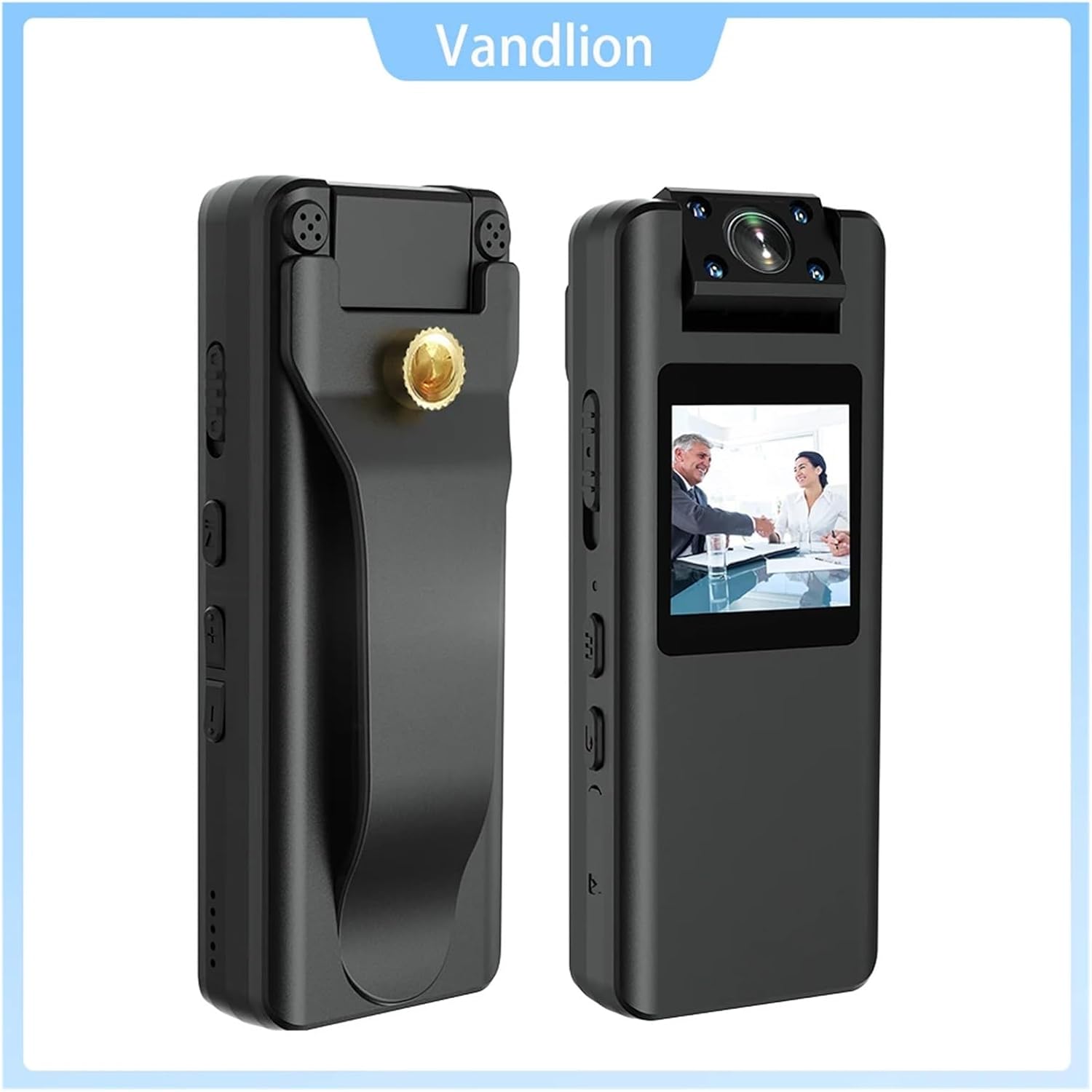
الصورة 2.1: الأمام والجانب views of the VCHICS A22 Mini Body Camera, highlighting its compact design and controls.
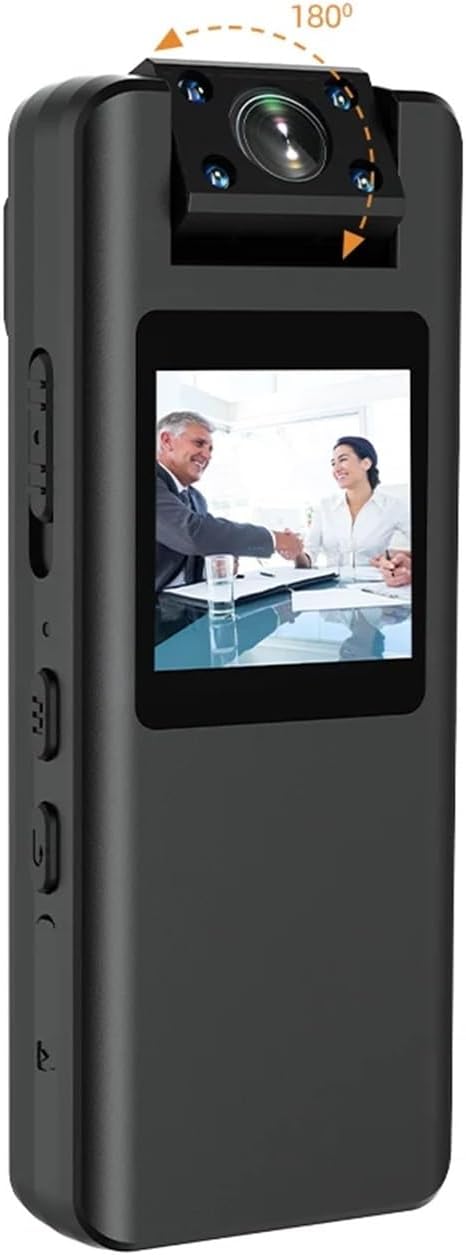
Image 2.2: The VCHICS A22 Mini Body Camera demonstrating its 180-degree rotatable camera head for flexible recording angles.
3. الإعداد
3.1 شحن الجهاز
Before first use, fully charge the camera. Connect the camera to a USB power adapter (not included) or a computer's USB port using the provided USB data cable. The LED indicator will show charging status and turn off when fully charged.
3.2 إدخال بطاقة الذاكرة الخارجية
The camera supports TF (microSD) cards from 8GB to 256GB. Ensure the card is formatted to FAT32. Gently insert the TF card into the designated slot until it clicks into place. To remove, push the card in again until it springs out.
3.3 ضبط وقت النظام
To synchronize the system time, connect the camera to a computer. Create a text file named `time.txt` in the root directory of the TF card. Open the file and enter the current date and time in the format `YYYYMMDDHHMMSS` (e.g., `20240302103000` for March 2, 2024, 10:30:00). Save the file ثم قم بإخراج الكاميرا بأمان. سيتم تحديث الوقت عند إعادة تشغيل الجهاز.
4. تعليمات التشغيل
4.1 تشغيل/إيقاف التشغيل
- تشغيل الطاقة: اضغط مع الاستمرار على زر الطاقة لعدة ثوانٍ حتى يضيء مؤشر الضوء.
- إيقاف التشغيل: اضغط مع الاستمرار على زر الطاقة لعدة ثوانٍ حتى ينطفئ مؤشر الضوء.
4.2 Video Recording (1080P/720P)
Once powered on, press the Video Record button to start recording. The indicator light will flash to indicate recording is in progress. Press the button again to stop recording and save the file.
4.3 التقاط الصور
In standby mode, press the Photo button to take a still image. The indicator light will flash once to confirm the photo has been taken and saved.
4.4 تسجيل الصوت
In standby mode, press the Audio Record button to start audio-only recording. The indicator light will flash differently (refer to device specific light patterns) to indicate audio recording. Press again to stop and save.
4.5 اكتشاف الحركة
To activate motion detection, refer to the specific button sequence or menu option on your device. Once enabled, the camera will automatically begin recording when movement is detected within its 5-meter range and stop when motion ceases.
4.6 الرؤية الليلية
The camera features 4 x 940 IR night vision lights. These lights activate automatically in low-light conditions or can be manually toggled via a dedicated button or menu setting (refer to device specific controls). This allows for clear video capture even in dark environments.

Image 4.1: Visual comparison of video quality captured by the VCHICS A22 camera during daytime and nighttime, demonstrating its night vision capability.
4.7 تسجيل الحلقة
The camera supports loop recording. When the TF card is full, the oldest video fileسيتم استبدال التسجيلات الجديدة تلقائيًا. هذا يضمن استمرار التسجيل دون حذف التسجيلات القديمة يدويًا. files.
4.8 Connecting to PC (Webكام /File تحويل)
Connect the camera to your computer using the USB data cable. The camera can function as a removable disk for file transfer or as a webcam. Select the desired mode on the camera's screen or through your computer's settings.
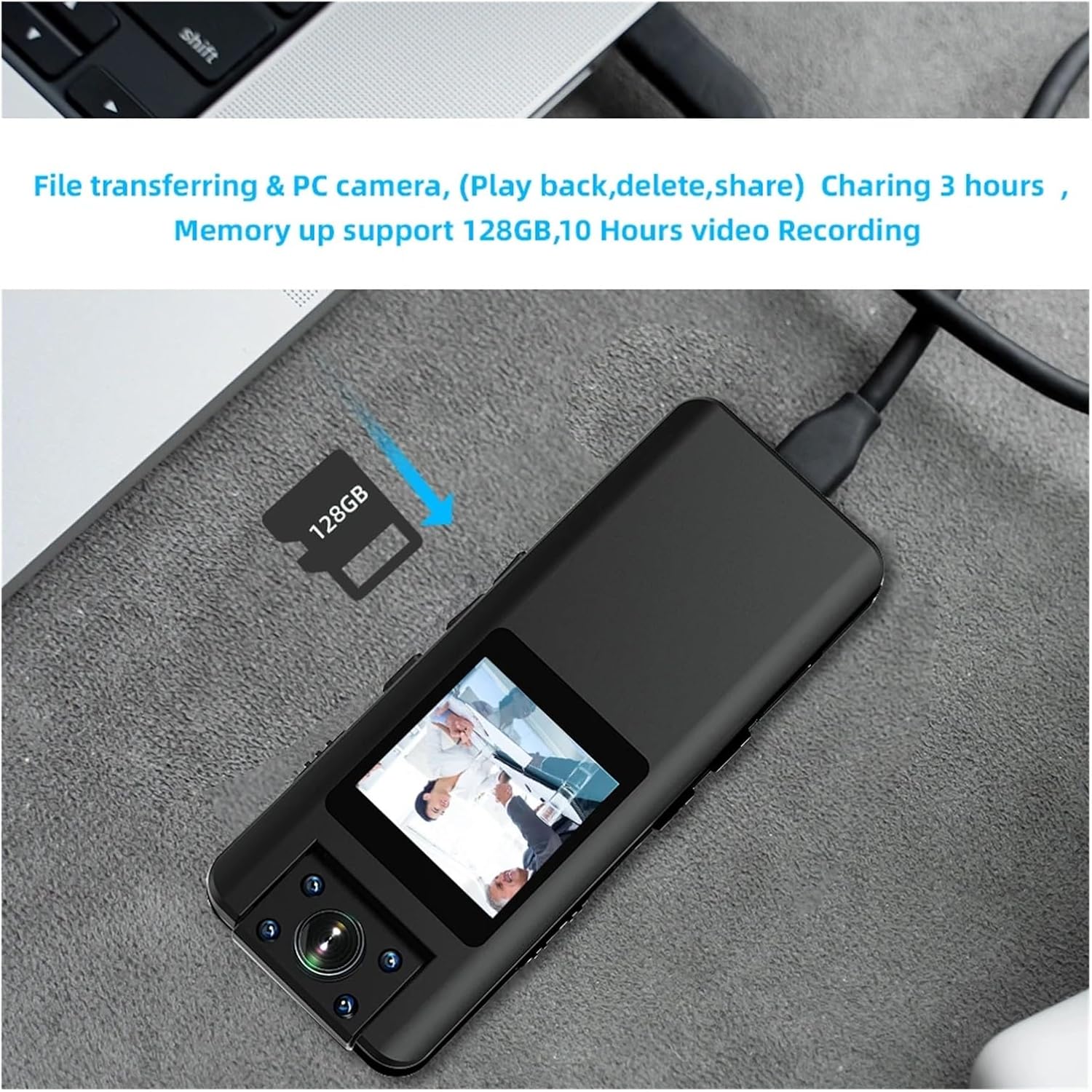
Image 4.2: The VCHICS A22 Mini Body Camera connected to a laptop, illustrating its capability for file transfer and use as a PC camera.
5. الصيانة
5.1 التنظيف
Wipe the camera body with a soft, dry cloth. Do not use liquid cleaners or solvents. For the lens, use a specialized lens cleaning cloth to avoid scratches.
5.2 التخزين
Store the camera in a cool, dry place away from direct sunlight, extreme temperatures, and high humidity. Remove the TF card if storing for extended periods.
5.3 العناية بالبطارية
To prolong battery life, avoid fully discharging the battery frequently. Charge the camera regularly, even if not in use, to maintain battery health. Do not expose the battery to high temperatures.
6. استكشاف الأخطاء وإصلاحها
6.1 الكاميرا لا تعمل
- تأكد من شحن البطارية. وصّل الجهاز بمصدر طاقة وحاول مرة أخرى.
- If the camera is unresponsive, try resetting it using a small pin in the reset hole (if available).
6.2 Recording Issues (No Recording/Corrupted Files)
- تأكد من إدخال بطاقة TF بشكل صحيح وما إذا كانت تحتوي على مساحة خالية كافية.
- Ensure the TF card is formatted to FAT32. Reformat if necessary (this will erase all data on the card).
- Try using a different TF card to rule out card issues.
6.3 جودة فيديو رديئة
- تأكد من أن عدسة الكاميرا نظيفة وخالية من البقع أو الغبار.
- Check lighting conditions. For low light, ensure night vision is active.
- Verify that the correct video resolution (1080P or 720P) is selected.
6.4 Camera Not Recognized by PC
- جرب منفذ USB مختلفًا أو كابل USB مختلفًا.
- Ensure the camera is powered on when connected to the PC.
- Check your computer's device manager for any driver issues.
7. المواصفات
| ميزة | مواصفة |
|---|---|
| ترميز الفيديو | ح.264 |
| تنسيق الفيديو | MOV (1920x1080P) |
| تنسيق الصورة | JPG |
| تنسيق الصوت | ويف |
| الأبعاد (الطول × العرض × الارتفاع) | 96 مم × 38 مم × 16 مم |
| موصل أوسب | ميكرو يو اس بي 2.0 |
| TF Memory Card Support | 8GB - 256GB (FAT32) |
| سعة البطارية | 3.8V/2200MA Lithium Battery |
| معدل الإطارات | 30 إطارًا في الثانية |
| كشف الحركة المسافة | 5 meters (straight line) |
| Photo Resolution Options | 40M/21M/12M/10M/8M/5M/2MHD/1.3M/VGA |
| Video Resolution Options | 1080 بكسل/720 بكسل |
| درجة حرارة التشغيل | -5 درجة مئوية إلى 45 درجة مئوية |
8. الضمان والدعم
For warranty information and technical support, please refer to the contact details provided with your purchase or visit the official VCHICS webالموقع. احتفظ بإيصال الشراء الخاص بك كإثبات للشراء في حالة مطالبات الضمان.
If you encounter any issues not covered in this manual, please contact our customer support team for assistance.