
مقدمة
Thank you for choosing the ACEMIC G6 2.4G Wireless Microphone Audio Transmitter and Receiver System. This system is designed to convert your traditional dynamic XLR microphone into a wireless setup, offering freedom of movement and high-quality audio transmission. It is ideal for various applications including live performances, presentations, and studio recording. Please read this manual thoroughly to ensure proper setup and operation.

Image: The ACEMIC G6 wireless transmitter (TX) and receiver (RX) units.
المنتج انتهىview
محتويات الحزمة
- 1 x ACEMIC G6 Wireless Transmitter (TX)
- 1 x ACEMIC G6 Wireless Receiver (RX)
- 1 × كابل شحن USB-C مزدوج
- 1 × دليل المستخدم
الميزات الرئيسية
- 2.4G Wireless Technology: Provides stable and reliable audio transmission.
- XLR Plug-on Design: Easily converts dynamic XLR microphones to wireless.
- 6 Selectable Channels: Allows for multiple units to operate simultaneously without interference.
- التوافق الواسع: Works with dynamic microphones, audio mixers, and PA systems.
- عمر بطارية طويل: Built-in rechargeable lithium polymer batteries offer up to 10 hours of continuous working time.
- نطاق نقل ممتد: يصل ارتفاعها إلى 100 قدم (30 متر) في المناطق المفتوحة.
- زمن انتقال منخفض: Audio latency of less than 5ms ensures real-time performance.
- صوت عالي الجودة: 24 بت/48 كيلو هرتزampling rate for clear sound reproduction.
- خفيفة الوزن وقابلة للحمل: Each unit weighs approximately 40g for easy handling.
- التشغيل بمفتاح واحد: Simple power on/off and mute/unmute functions.
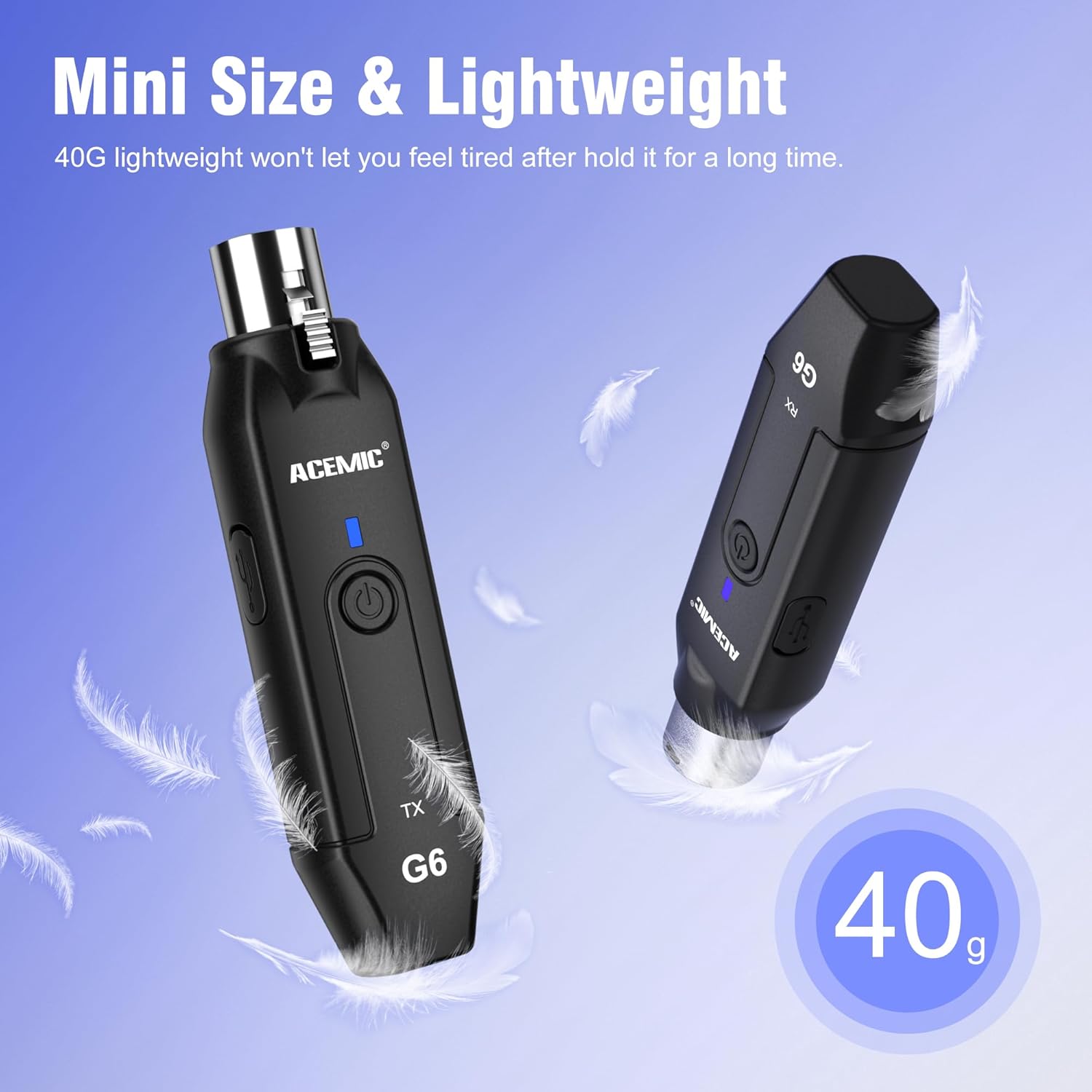
Image: The lightweight design of the ACEMIC G6, weighing 40 grams per unit.
تحديد المكونات
Each unit (Transmitter and Receiver) features:
- XLR Plug/Socket: For connecting to microphones or audio equipment.
- Lock Design (Transmitter): Secures the unit to the microphone.
- منفذ شحن من النوع C: لإعادة شحن البطارية الداخلية.
- زر الطاقة: Long press to power on/off, short press for mute/unmute.
- Power/Pairing Indicator: LED light indicating power status, charging status, and pairing status.

Image: The ACEMIC G6 system demonstrating one-key pairing and connectivity with various audio devices.
تعليمات الإعداد
1. الشحن الأولي
Before first use, fully charge both the transmitter and receiver. Use the provided dual USB-C charging cable to connect both units to a USB power adapter (not included). The status indicator will be red during charging and turn blue when fully charged. A full charge typically takes 3-4 hours.

Image: ACEMIC G6 units indicating charging status with LED lights.
2. تشغيل / إيقاف التشغيل
Long press the power button on both the transmitter (TX) and receiver (RX) for 3 seconds to turn them on or off. The power indicator will light up.
3. الاقتران
The transmitter and receiver are designed to automatically pair when powered on. If they do not connect automatically, or if you need to re-pair them:
- Ensure both units are powered off.
- Long press the power button on both units simultaneously for 5 seconds.
- The system will enter pairing mode, and the power indicator will flash.
- Once successfully paired, the power indicator will stay blue.
4. توصيل المعدات
- جهاز الإرسال (TX): Plug the XLR end of the transmitter directly into the XLR output of your dynamic microphone. Ensure it is securely locked.
- جهاز الاستقبال (RX): Plug the XLR end of the receiver into the XLR input of your audio mixer, PA system, or other audio interface.
Important Note: This system does not support phantom power. It is designed for use with dynamic microphones only. Do not attempt to use it with condenser microphones that require phantom power.

Image: A dynamic microphone made wireless with the ACEMIC G6 transmitter.
تعليمات التشغيل
وظيفة كتم الصوت
While the unit is powered on, a short press of the power button on either the transmitter or receiver will mute the audio. The power indicator will flash. Short press again to unmute, and the indicator will return to a solid blue.
Multiple Sets Operation
The ACEMIC G6 system supports 2-3 sets operating simultaneously in the same location. Each set will automatically select an available channel upon pairing to minimize interference.

Image: The ACEMIC G6 system supporting multiple wireless microphone setups simultaneously.
الأداء الأمثل
For best performance, ensure a clear line of sight between the transmitter and receiver. Avoid placing units near strong electromagnetic interference sources (e.g., Wi-Fi routers, microwave ovens) which may affect signal quality and range.
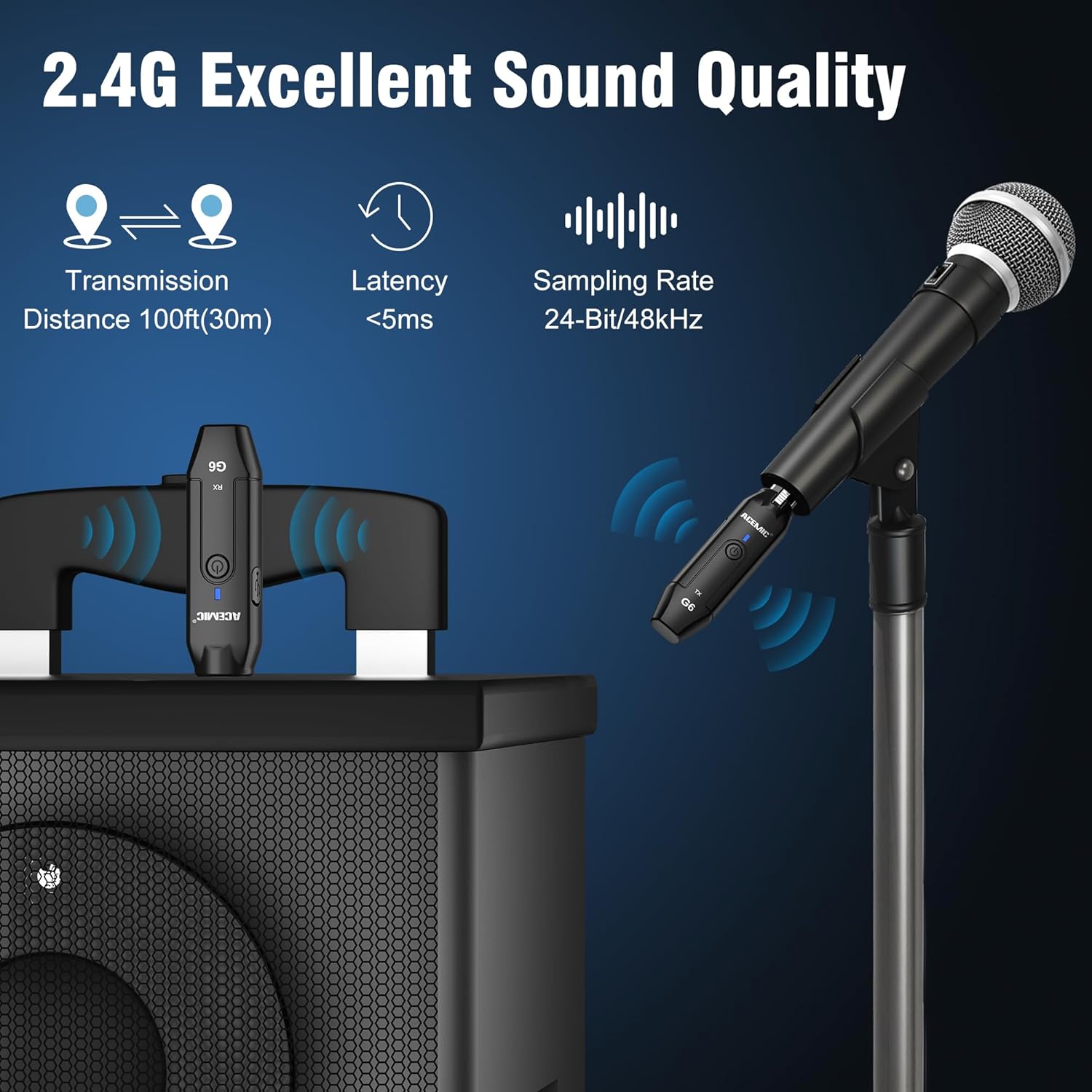
Image: Key performance specifications of the ACEMIC G6 system.
صيانة
العناية بالبطارية
- Recharge the units when the power indicator shows low battery (flashing red).
- تجنب استنزاف البطارية بالكامل بشكل متكرر لإطالة عمرها.
- If storing for an extended period, charge the units to approximately 50% every few months.
تنظيف
Wipe the units with a soft, dry cloth. Do not use liquid cleaners or solvents, as they may damage the device.
تخزين
قم بتخزين النظام في مكان بارد وجاف بعيدًا عن أشعة الشمس المباشرة ودرجات الحرارة القصوى.
استكشاف الأخطاء وإصلاحها
- لا يوجد صوت:
- Ensure both transmitter and receiver are powered on and paired (solid blue indicator).
- Check if the microphone is properly connected to the transmitter.
- Verify the receiver is correctly connected to your audio input device.
- Confirm the microphone is a dynamic type and does not require phantom power.
- Check volume levels on your mixer/PA system.
- تداخل/جودة صوت رديئة:
- Move closer to the receiver to reduce distance.
- تأكد من عدم وجود أي عوائق بين جهاز الإرسال وجهاز الاستقبال.
- Avoid operating near other 2.4G wireless devices (e.g., Wi-Fi routers, Bluetooth devices).
- Re-pair the units to allow them to select a different channel.
- الوحدات غير قابلة للاقتران:
- Ensure both units are fully charged.
- Follow the re-pairing instructions in the Setup section.
- عمر البطارية قصير:
- تأكد من شحن الوحدات بالكامل قبل الاستخدام.
- قد يتدهور أداء البطارية بمرور الوقت مع الاستخدام المكثف.
تحديد
| ميزة | مواصفة |
|---|---|
| نموذج | G6 |
| نطاق التردد | 2.4 جيجاهرتز |
| استجابة التردد | 20 هرتز-20 كيلو هرتز |
| مصدر الطاقة | تعمل بالبطارية (تتضمن بطاريتان ليثيوم بوليمر) |
| سعة بطارية الليثيوم | 600mAh (each unit) |
| وقت العمل المستمر | تصل إلى 10 ساعة |
| وقت الشحن | 3-4 ساعات |
| مسافة الإرسال | يصل ارتفاعها إلى 100 قدمًا (30 مترًا) في المناطق المفتوحة |
| الكمون الصوتي | <5 مللي ثانية |
| Sampمعدل لينغ | 24 بت / 48kHz |
| إشارة إلى نسبة الضوضاء | 48 ديسيبل |
| عدد القنوات | 6 |
| الأبعاد (الطول × العرض × الارتفاع) | 0.98 × 0.71 × 4.13 بوصة |
| وزن العنصر | 7 ounces (total for both units, approx. 40g each) |
| مادة | بلاستيك |
الضمان والدعم
ACEMIC products are designed for reliability and performance. This product comes with a standard manufacturer's warranty against defects in materials and workmanship. For specific warranty details, please refer to the warranty card included in your package or contact ACEMIC customer support.
If you encounter any issues or have questions regarding your ACEMIC G6 system, please contact our customer support team. You can find contact information on the ACEMIC official webالموقع أو من خلال بائع التجزئة الخاص بك.