
1. المقدمة
Thank you for choosing the Otovoda B-T51 2K Front Dash Cam. This manual provides essential information for the proper setup, operation, and maintenance of your device. Please read it thoroughly before use to ensure optimal performance and safety.
2. محتويات العبوة
تأكد من تضمين جميع العناصر المدرجة أدناه في الحزمة الخاصة بك:
- 1 x Otovoda B-T51 2K Front Dash Cam
- 1 x Car Charger (11.5ft)
- بطاقة MicroSD سعة 1 × 64 جيجا بايت
- 1 × دليل المستخدم
- 1 x Operation Video Card
- أداة فك سهلة واحدة
- 1 x Spare 3M Adhesive Pad
- 1 x Pin (for reset/card removal)
- 2 × ملصقات إلكتروستاتيكية

3. انتهى المنتجview
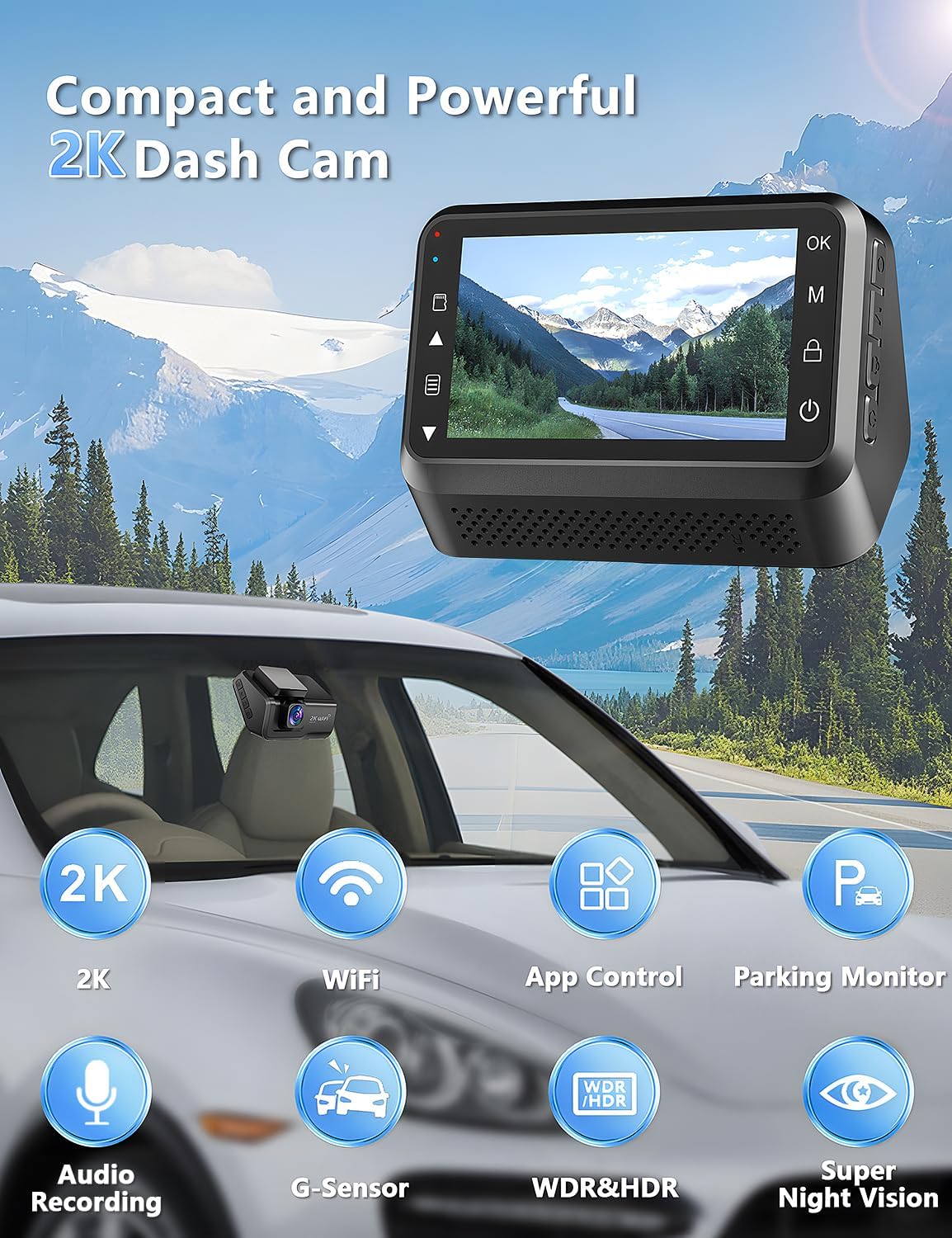
The Otovoda B-T51 is a compact and powerful dash camera designed for clear road recording. It features a 3-inch display and a 170-degree wide-angle lens.
المكونات الرئيسية:
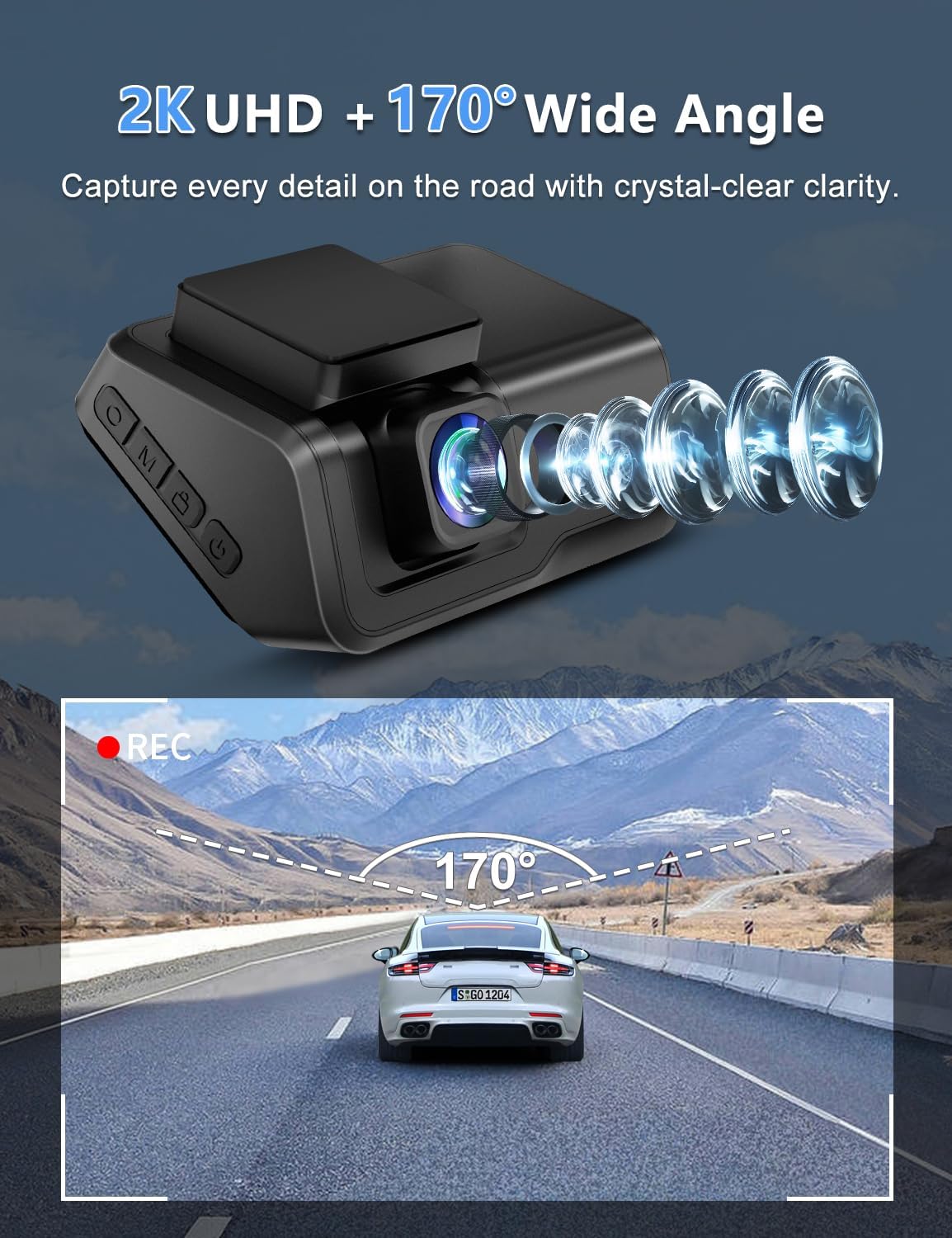
- عدسة: 2K resolution, 170° wide-angle, F1.8 large aperture, 6-layer glass.
- عرض: 3-inch LED screen for real-time viewالإعدادات والتكوين.
- أزرار التحكم: Located on the side for menu navigation and function control.
- منفذ كارت الذاكرة الصغيرة: Supports up to 256GB, 64GB card included.
- ميناء من النوع C: لتوصيل الطاقة.
- جبل: Adhesive pad for windshield mounting.
4. الإعداد والتثبيت
Follow these steps to install your dash cam:
- تجهيز الزجاج الأمامي: Clean the area on your car's windshield where you intend to mount the dash cam. Ensure it is free of dust and grease.
- تطبيق الملصق الكهروستاتيكي: Apply one of the provided electrostatic stickers to the cleaned area. This helps in stable mounting and easy removal without leaving residue.
- Attach Adhesive Pad: Peel off the protective film from the 3M adhesive pad on the dash cam mount and firmly press it onto the electrostatic sticker.
- توصيل الطاقة: Connect the Type-C power cable from the car charger to the dash cam. Route the cable neatly along the windshield and dashboard edges using the easy pry tool to tuck it away. Plug the car charger into your vehicle's cigarette lighter socket.
- أدخل بطاقة MicroSD: Insert the provided 64GB MicroSD card into the card slot on the dash cam. Ensure it clicks into place.

5. التشغيل الأساسي
تشغيل/إيقاف التشغيل:
- ستعمل كاميرا لوحة القيادة تلقائيًا وتبدأ التسجيل عند تشغيل محرك سيارتك.
- سيتم إيقاف تشغيله تلقائيًا عند إيقاف تشغيل المحرك.
- To manually power on/off, press and hold the power button located on the device.
تسجيل:
- Recording starts automatically when the device powers on.
- The 2K front camera captures video at a 170° wide-angle, ensuring comprehensive road coverage.
- Audio recording is also supported.
6. الميزات المتقدمة
WiFi and App Control:
Connect your dash cam to the exclusive Viidure APP (available for Android and iOS devices) via WiFi for real-time preview, smooth video downloads, easy editing, and sharing to social media platforms.

رؤية ليلية فائقة:
Equipped with an F1.8 large aperture, WDR (Wide Dynamic Range), and a 6-layer glass lens, the dash cam captures clear and sharp footage in low-light conditions, ensuring detailed number plates and road signs are visible day and night.

مراقبة مواقف السيارات على مدار 24 ساعة:
When your car is parked, this function automatically activates upon detecting motion or impact, locking the video to provide continuous protection against potential threats. Note: This feature requires a hardwire kit (ASIN: B0CP4WYYSX), which is not included.

G-Sensor and Loop Recording:
- مستشعر الجاذبية: يكتشف تلقائيًا الاهتزازات المفاجئة أو الاصطدامات ويقفل إطار الفيديو الحاليtage لمنع الكتابة فوقها، وتأمين الأدلة الحاسمة.
- التسجيل المتكرر: Ensures continuous recording by automatically overwriting the oldest unlocked files عندما تمتلئ بطاقة الذاكرة.

7. الصيانة
- تنظيف العدسة: Regularly clean the camera lens with a soft, lint-free cloth to ensure clear video quality.
- تنسيق بطاقة مايكرو: It is recommended to format the MicroSD card periodically (e.g., once a month) to maintain optimal recording performance and prevent data corruption. Back up any important fileقبل التنسيق.
- درجة حرارة التشغيل: The dash cam is designed to operate in temperatures from -30℃ to 80℃ (-22℉ to 176℉). Avoid exposing the device to extreme temperatures outside this range for prolonged periods.

8. استكشاف الأخطاء وإصلاحها
If you encounter any issues with your Otovoda B-T51 Dash Cam, please refer to the following common solutions:
- الجهاز لا يعمل: Ensure the car charger is properly connected to both the dash cam and the vehicle's power outlet. Check if the vehicle's ignition is on.
- مشاكل التسجيل: Verify that the MicroSD card is correctly inserted and formatted. If the card is full, loop recording should overwrite old files, but ensure no critical files are locked. Try formatting the card.
- مشاكل في اتصال الواي فاي: Ensure the dash cam's WiFi is enabled and your smartphone is within range. Re-enter the WiFi password if necessary.
- جودة الفيديو رديئة: Clean the camera lens. Check the recording resolution settings in the app.
- جهاز مراقبة مواقف السيارات لا يعمل: Confirm that the optional hardwire kit is correctly installed and connected, as this feature requires constant power.
9. المواصفات
| ميزة | مواصفة |
|---|---|
| ماركة | أوتوفودا |
| نموذج | ب-T51 |
| دقة التقاط الفيديو | 2K |
| Viewزاوية جي | 170 درجة |
| حجم العرض | 3 بوصة |
| تكنولوجيا الاتصال | واي فاي |
| حجم بطاقة الذاكرة المرفقة | 64 جيجا بايت (يدعم حتى 256 جيجا بايت) |
| المميزات الخاصة | 2-Year Warranty, Built-in WiFi, Built-in Microphone, App Control, Type-C Port, Compact Design, WDR, HDR, Super Night Vision, Loop Recording, G-sensor, Parking Monitor |
| درجة حرارة التشغيل | -30 ℃ إلى 80 ℃ (-22 ℉ إلى 176 ℉) |
| أبعاد المنتج | 3.8 x 8.2 x 5.3 cm ؛ 315 ز |
10. الضمان والدعم
Your Otovoda B-T51 Dash Cam comes with an extendable 2-Year Repair Warranty و أ Full Refund within 30 days of purchase. For any questions, missing accessories, or technical support, please contact us. We provide technical support and aim to respond within 24 hours, ensuring 100% satisfaction.
After Service Email Address: Dashcam@bestservices.vip
