
مقدمة
This manual provides detailed instructions for setting up and operating your Majority Frameo Snap10 WiFi Digital Picture Frame. This 10.1-inch digital frame allows you to display photos and videos shared via the Frameo app, offering a convenient way to share memories with family and friends. It features a touchscreen, 32GB of internal storage, auto-rotate functionality, and a motion sensor for efficient use.

The Majority Frameo Snap10 Digital Picture Frame, showcasing a family photo on its 10.1-inch screen.
ماذا يوجد في الصندوق
يرجى التحقق من محتويات الحزمة للتأكد من وجود جميع العناصر:
- Majority Frameo Snap10 Digital Picture Frame
- حامل
- محول الطاقة
- جهاز التحكم عن بعد
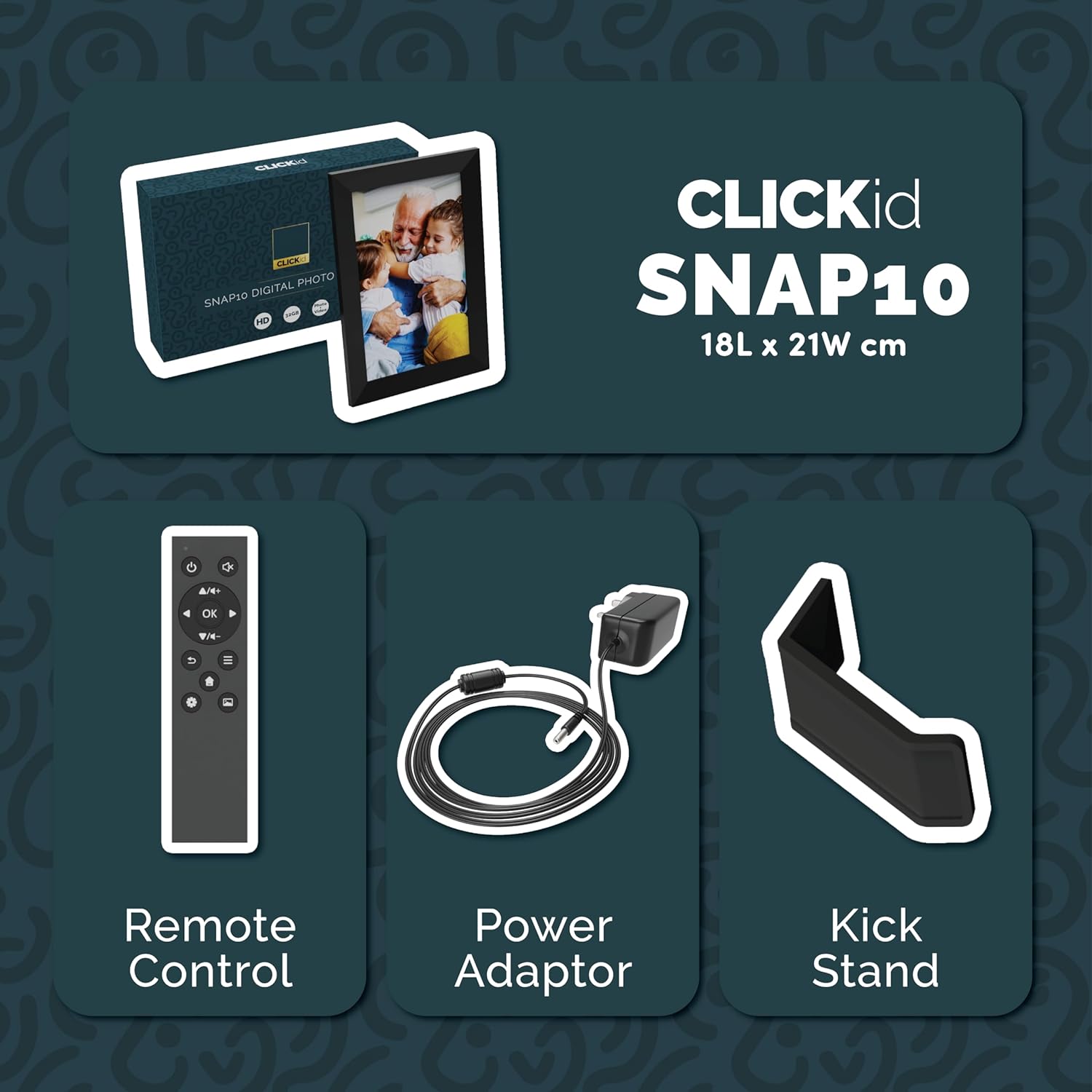
Included accessories: Remote Control, Power Adapter, and Kickstand.
دليل الإعداد
- فك الإطار: قم بإزالة إطار الصورة الرقمي وجميع الملحقات من العبوة بعناية.
- Attach the Kickstand: Insert the kickstand into the designated slot on the back of the frame. The frame supports both horizontal and vertical orientations.
- توصيل الطاقة: Plug the power adapter into the DC port on the back of the frame, then connect it to a power outlet. The frame will automatically power on.
- الإعداد الأولي: Follow the on-screen instructions to select your language, time zone, and connect to a Wi-Fi network.
- Install Frameo App: Download the "Frameo" app from your smartphone's app store (available for iOS and Android).
- Connect Frame to App: Open the Frameo app and create an account. On your digital frame, tap "Add Friend" to get a unique code. Enter this code into the Frameo app on your smartphone to link the devices.

The back of the frame features essential ports for power, USB, and Micro SD card.
تعليمات التشغيل
إرسال الصور والفيديوهات
Once your frame is connected to the Frameo app, you can easily send photos and short videos from your smartphone.
- افتح تطبيق Frameo على هاتفك الذكي.
- اختر الصور أو مقاطع الفيديو التي ترغب في إرسالها.
- Choose the connected digital frame as the recipient.
- Add a caption if desired, then tap "Send."

The Frameo app simplifies photo and video uploads from your smartphone.
استخدام شاشة اللمس
The 10.1-inch LCD touchscreen allows for intuitive navigation. Swipe left or right to browse photos, tap to view options, and pinch to zoom.
وظائف التحكم عن بعد
The included remote control provides convenient access to various frame functions from a distance.
- ملاحة: Use arrow keys to move through menus and photos.
- موافق / أدخل: قم بتأكيد التحديدات.
- خلف: العودة إلى الشاشة السابقة.
- تشغيل/إيقاف مؤقت: Control slideshows or video playback.
- مقدار: اضبط الصوت للفيديوهات.

جهاز تحكم عن بعد مرفق لسهولة التشغيل.
مستشعر الحركة
The integrated motion sensor can be enabled to automatically turn the display on when movement is detected and off when the area is vacant, conserving energy. This setting can be adjusted in the frame's system settings.
وظيفة التدوير التلقائي
The frame automatically adjusts the photo orientation (portrait or landscape) based on how the frame is positioned. Ensure the auto-rotate feature is enabled in the settings for optimal display.

The auto-rotate feature adjusts display based on frame orientation.
ميزات أكثرview
- شاشة لمس ال سي دي 10.1 بوصة: Provides a clear display and interactive control.
- سعة تخزين داخلية 32 جيجابايت: Ample space to store thousands of photos and videos.
- اتصال واي فاي: Enables seamless photo and video sharing from anywhere via the Frameo app.
- تكامل تطبيق Frameo: Manage your frame, send media, and invite friends/family to share their moments.
- مستشعر الحركة: Automatically turns the screen on/off to save energy.
- التدوير التلقائي: Adjusts photo orientation automatically.
- Weather and Calendar Display: Integrated widgets provide current weather and calendar information.
- فتحة لبطاقة ذاكرة: Supports Micro SD cards for additional storage or direct media import.
صيانة
- تنظيف: استخدم قطعة قماش ناعمة وجافة لتنظيف الشاشة والإطار. تجنب استخدام المنظفات الكاشطة أو البخاخات مباشرةً على الشاشة.
- تحديثات البرامج: The frame may receive automatic software updates via Wi-Fi. Ensure your frame is connected to the internet to receive the latest features and improvements.
- ادارة التخزين: إعادة بشكل دوريview your stored photos and videos. You can delete unwanted media directly from the frame or through the Frameo app to free up space.
استكشاف الأخطاء وإصلاحها
- الإطار لا يعمل:
- تأكد من توصيل محول الطاقة بشكل آمن بكل من الهيكل ومأخذ الطاقة العامل.
- لا يمكن الاتصال بشبكة Wi-Fi:
- Verify your Wi-Fi password. Ensure the frame is within range of your Wi-Fi router. Try restarting your router and the frame.
- الصور التي لا تظهر على الإطار:
- Confirm that the frame is connected to Wi-Fi and linked to your Frameo app account. Check the Frameo app to ensure photos were successfully sent. Allow some time for photos to download, especially large batches.
- Frame is stuck on a white screen with a loading bar:
- This may indicate a software issue. Try performing a soft reset by disconnecting the power for 30 seconds and then reconnecting. If the issue persists, a factory reset might be necessary (refer to the frame's settings for this option, noting it will erase all data).
- جهاز التحكم عن بعد لا يعمل:
- Check if the batteries in the remote control need replacement. Ensure there are no obstructions between the remote and the frame's IR receiver.
تحديد
| ماركة | غالبية |
| رقم الموديل | Snap10 |
| لون | أسود |
| حجم الشاشة | 10.1 بوصة |
| دقة | 800*1280 |
| نسبة العرض إلى الارتفاع | 2.10:1 |
| سعة تخزين الذاكرة | 32 جيجا بايت |
| تكنولوجيا الاتصال | واي فاي |
| طريقة التحكم | App, Touchscreen, Remote |
| مصدر الطاقة | كهرباء سلكية |
| وزن العنصر | 491 جرام |
| أبعاد المنتج (الطول × العرض) | 7.08 بوصة طول × 8.26 بوصة عرض |
الضمان والدعم
The Majority Frameo Snap10 Digital Picture Frame comes with a ضمان ممتد لمدة 2 سنوات. Registration is required to activate the extended warranty. Please refer to the product packaging or the manufacturer's webللحصول على تفاصيل حول كيفية تسجيل منتجك، يرجى زيارة الموقع الإلكتروني.
For technical support, troubleshooting assistance, or warranty claims, please contact Majority customer service through their official webالموقع أو معلومات الاتصال المقدمة في وثائق المنتج الخاص بك.
فيديو المنتج
This video demonstrates the ease of sharing photos and videos with the Frameo app and viewing them on the digital picture frame, highlighting its use for connecting family members.