
1. المقدمة
Thank you for choosing the MONODEAL DV68 Bone Conduction Headphones. These headphones are designed to provide a comfortable and safe listening experience, especially during sports and outdoor activities. Utilizing advanced bone conduction technology and Bluetooth 5.3, they deliver clear audio while keeping your ears open to ambient sounds. The integrated smart light enhances visibility and safety during nighttime use.
2. محتويات العبوة
يرجى التحقق من الحزمة للعناصر التالية:
- MONODEAL DV68 Bone Conduction Headphones
- كابل الشحن المغناطيسي
- دليل المستخدم
- Earplugs (optional, for enhanced sound isolation)
3. انتهى المنتجview
Familiarize yourself with the components of your MONODEAL DV68 headphones.
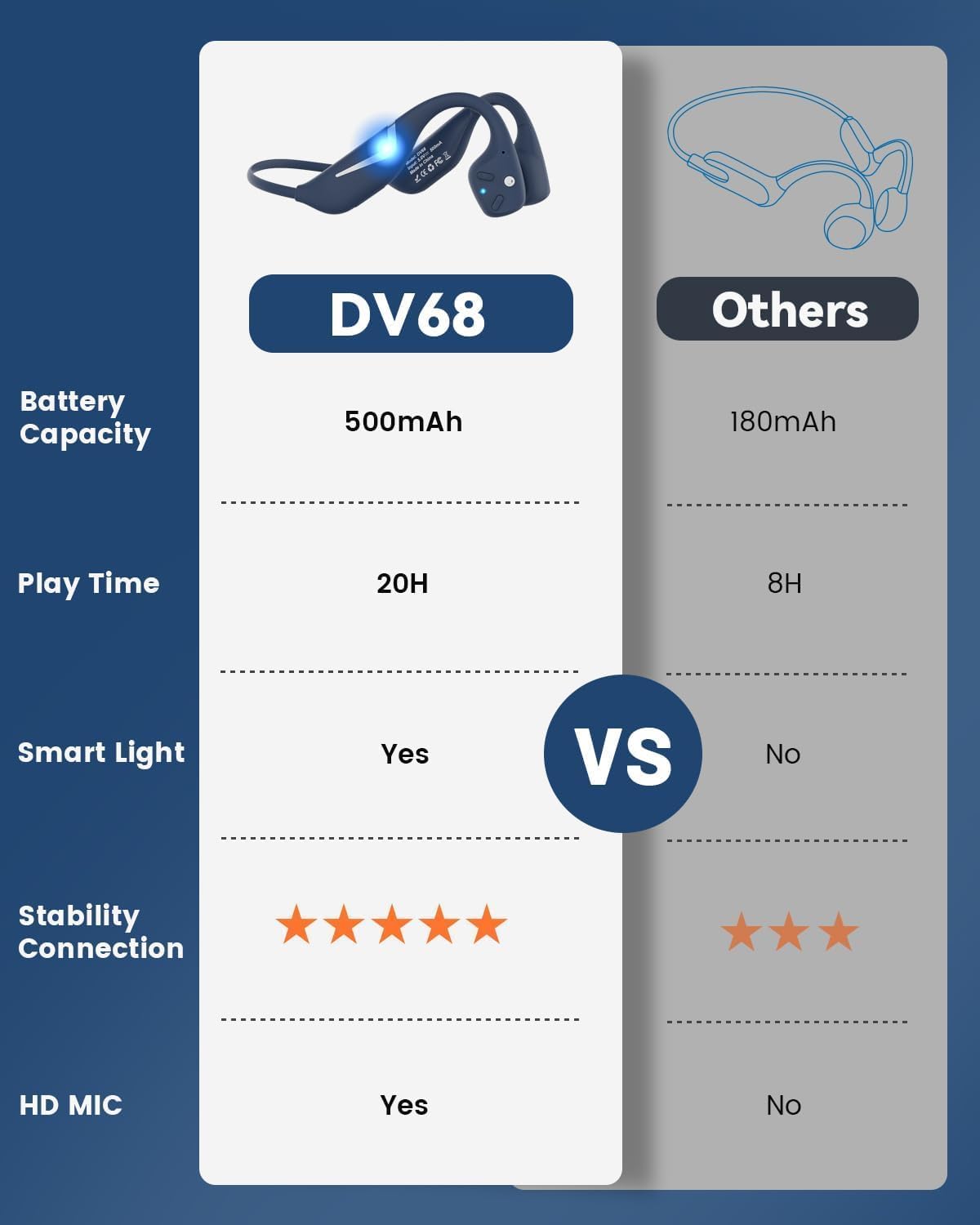
Figure 3.1: MONODEAL DV68 Bone Conduction Headphones, showing the overall design.

الشكل 3.2: انفجرت view illustrating the bone conduction transducer and built-in microphone.
3.1 عناصر التحكم والمنافذ
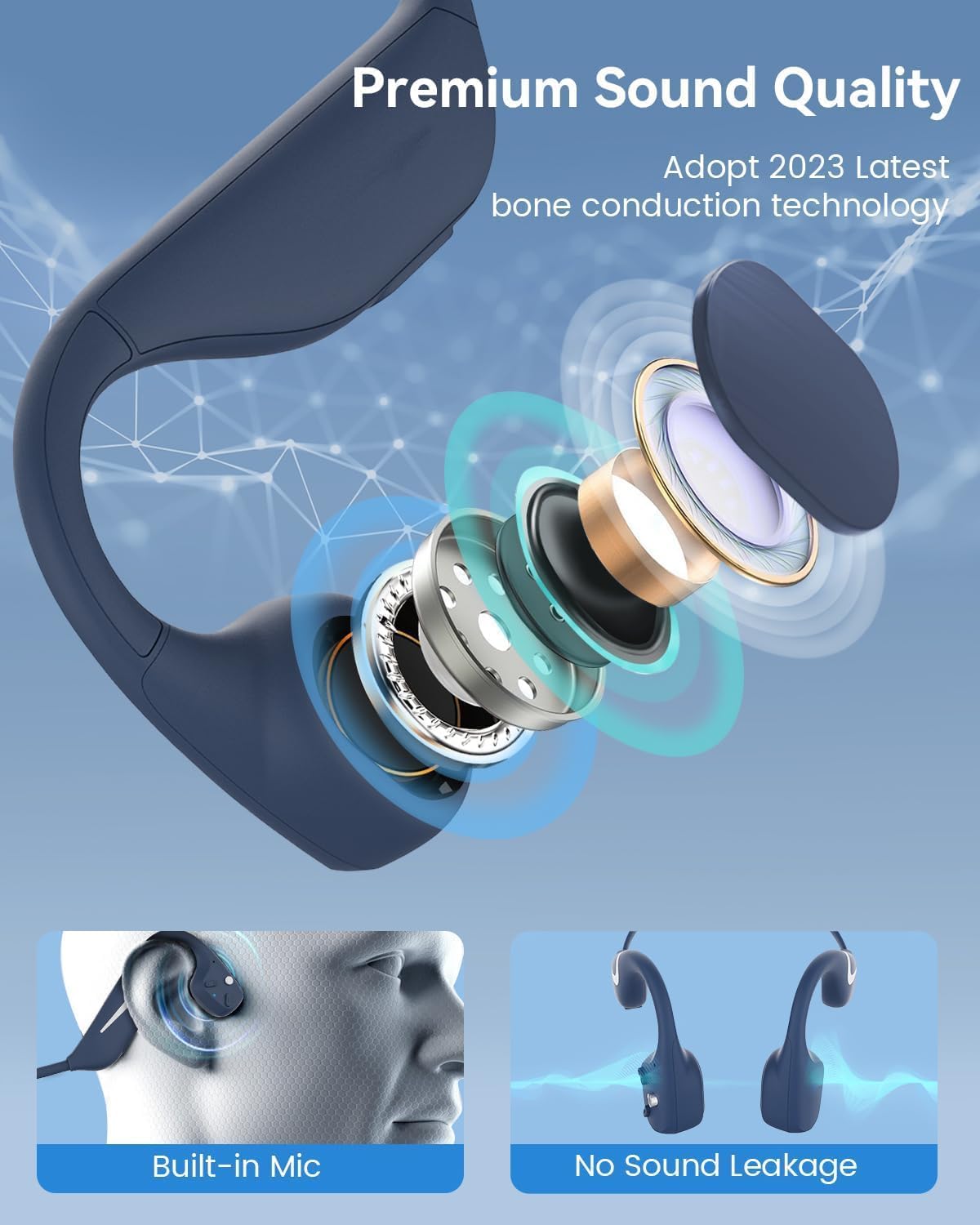
الشكل 3.3: الجانب view of the headphones highlighting the control buttons.

الشكل 3.4: الصورة عن قرب view of the magnetic charging port.
The headphones feature physical buttons for power, volume, and playback control. The magnetic charging port is located on one of the ear pieces for convenient charging.
4. المواصفات
| ميزة | مواصفة |
|---|---|
| رقم الموديل | دي في 68 |
| نسخة البلوتوث | 5.3 |
| سعة البطارية | 500 مللي أمبير |
| وقت اللعب | تصل إلى 20 ساعة |
| تصنيف مقاومة الماء | IP67 (Sweat, rain, and splash resistant) |
| وزن | 34 جرام |
| نطاق التردد | 20 هرتز - 20,000 هرتز |
| تكنولوجيا الاتصال | لاسلكي (بلوتوث) |
| نوع برنامج تشغيل الصوت | التوصيل العظمي |
| المميزات الخاصة | Smart LED Light, Built-in Microphone, Multipoint Pairing |

الشكل 4.1: انتهىview of key features including Open-Ear design, IP67 Waterproofing, 500mAh Battery, Bluetooth V5.3, Lightweight, HD Microphone, Multipoint Pairing, and RGB Light.
5. الإعداد
5.1 شحن سماعات الرأس
قبل الاستخدام الأول، اشحن سماعات الرأس بالكامل.
- قم بتوصيل كابل الشحن المغناطيسي بمنفذ الشحن الموجود في سماعات الرأس.
- قم بتوصيل الطرف الآخر من الكابل بمحول طاقة USB (غير متضمن) أو بمنفذ USB الخاص بالكمبيوتر.
- سيُظهر مؤشر LED حالة الشحن. يستغرق الشحن الكامل عادةً حوالي ساعة ونصف.

Figure 5.1: Illustration of 20-hour battery life and quick charge feature (10 minutes charging for 2 hours playtime).
5.2 اقتران بلوتوث
لتوصيل سماعات الرأس بجهاز:
- تأكد من إيقاف تشغيل سماعات الرأس.
- اضغط مع الاستمرار على زر الطاقة حتى يومض مؤشر LED باللونين الأحمر والأزرق، مما يشير إلى وضع الاقتران.
- على جهازك (الهاتف الذكي، الجهاز اللوحي، الكمبيوتر)، قم بتمكين البلوتوث وابحث عن الأجهزة المتاحة.
- Select "MONODEAL DV68" from the list of found devices.
- بمجرد الاتصال، سيتحول مؤشر LED إلى اللون الأزرق الثابت أو يومض باللون الأزرق ببطء.
The headphones support multipoint pairing, allowing connection to two devices simultaneously. Refer to your device's Bluetooth settings for managing multiple connections.
6. تعليمات التشغيل
6.1 تشغيل/إيقاف التشغيل
- تشغيل الطاقة: اضغط مع الاستمرار على زر الطاقة لمدة ثانيتين.
- إيقاف التشغيل: اضغط مع الاستمرار على زر الطاقة لمدة ثانيتين.
6.2 تشغيل الموسيقى
- تشغيل/إيقاف مؤقت: اضغط على الزر متعدد الوظائف مرة واحدة.
- المسار التالي: اضغط مع الاستمرار على زر رفع الصوت + لمدة ثانيتين.
- المسار السابق: اضغط مع الاستمرار على زر رفع الصوت لمدة ثانيتين.
- رفع الصوت: اضغط على زر الصوت +.
- اخفض الصوت: اضغط على زر التحكم في الصوت.
6.3 إدارة المكالمات
- الرد/إنهاء المكالمة: اضغط على الزر متعدد الوظائف مرة واحدة.
- رفض المكالمة: اضغط مع الاستمرار على الزر متعدد الوظائف لمدة ثانيتين.
- مساعد صوت: اضغط مرتين على الزر متعدد الوظائف.
6.4 Smart LED Light
The headphones feature a smart LED light for enhanced visibility during nighttime activities.
- تشغيل/إيقاف الضوء: Refer to the specific button combination in your quick start guide (usually a dedicated light button or a long press of a volume button).
- The light can cycle through different colors (e.g., blue, green, red) to increase your safety and visibility.

Figure 6.1: A runner demonstrating the smart LED light feature for night safety.
7. الصيانة
7.1 التنظيف
To maintain hygiene and product longevity:
- After sweating or intense workouts, gently wipe the headphones with a damp قطعة قماش أو مسح مبلل.
- تجنب استخدام المواد الكيميائية القاسية أو المنظفات الكاشطة.
7.2 التخزين
- قم بتخزين سماعات الرأس في مكان بارد وجاف، بعيدًا عن أشعة الشمس المباشرة ودرجات الحرارة القصوى.
- When not in use, it is recommended to store them in their original packaging or a protective case.
7.3 مقاومة الماء
The MONODEAL DV68 headphones are IP67 rated, meaning they are resistant to sweat, rain, and splashes. However, they are not suitable for swimming or submersion in water.

Figure 7.1: A person exercising with the headphones, demonstrating their IP67 water resistance against sweat and rain. Note: Not for swimming.
8. استكشاف الأخطاء وإصلاحها
إذا واجهت مشاكل مع سماعات الرأس، فيرجى الرجوع إلى الحلول الشائعة التالية:
- لا يوجد طاقة:
Ensure the headphones are fully charged. Connect them to the charging cable and a power source. - لا يمكن الاقتران:
Make sure the headphones are in pairing mode (LED flashing red and blue). Turn off Bluetooth on other nearby devices that may have previously connected. Try restarting both the headphones and your device. - لا يوجد صوت/مستوى صوت منخفض:
Check the volume levels on both the headphones and your connected device. Ensure the headphones are properly positioned on your cheekbones. If using earplugs, ensure they are correctly inserted. - اتصال متقطع:
Ensure your device is within the Bluetooth range (up to 15 meters) and there are no significant obstacles between the headphones and your device. Avoid strong electromagnetic interference. - ضعف جودة المكالمة:
Ensure the microphone is not obstructed. Move to an area with better network reception for your phone.
9. الضمان والدعم
9.1 معلومات الضمان
MONODEAL provides a ضمان لمدة 2 سنوات for the DV68 Bone Conduction Headphones from the date of purchase. This warranty covers manufacturing defects and ensures the product meets its specified performance. Please retain your proof of purchase for warranty claims.
9.2 دعم العملاء
For further assistance, technical support, or warranty inquiries, please contact MONODEAL customer service through the retailer where you purchased the product or visit the official MONODEAL webموقع لمعلومات الاتصال.