
مقدمة
This manual provides essential information for the safe and efficient use of your HP 15 Professional Slim High-Performance Laptop. Please read these instructions carefully before using your device. Keep this manual for future reference.
1. الإعداد الأولي
1.1 فتح العلبة وتوصيل الطاقة
Carefully remove the laptop and all accessories from the packaging. Connect the provided AC adapter to the laptop's power port and then to a power outlet. It is recommended to fully charge the battery before first use.

Image: The HP 15 laptop shown from the front, with the power adapter connected to the side. This illustrates the initial connection for charging.
1.2 التمهيد الأول وإعداد نظام التشغيل
Press the power button to turn on the laptop. Follow the on-screen instructions to complete the Windows 11 Home operating system setup. This includes selecting your region, connecting to a Wi-Fi network, and creating a user account.

Image: The HP 15 laptop open, displaying the Windows 11 desktop interface, indicating successful operating system initialization.
2. تشغيل الكمبيوتر المحمول
2.1 تشغيل/إيقاف التشغيل ووضع السكون
- تشغيل الطاقة: اضغط على زر الطاقة الموجود على لوحة المفاتيح.
- إيقاف التشغيل: انقر فوق زر البدء، ثم الطاقة، وحدد "إيقاف التشغيل".
- وضع السكون: Close the lid or click the Start button, then Power, and select "Sleep."
2.2 لوحة المفاتيح ولوحة اللمس
The laptop features a full-size island-style QWERTY keyboard and a multi-touch touchpad. Use the touchpad for navigation and gestures. Refer to Windows 11 settings for touchpad customization.
2.3 الاتصال
Your HP 15 laptop offers various connectivity options:
- واي فاي: Supports Realtek Killer Wi-Fi 6 (802.11ax) for high-speed wireless internet access.
- بلوتوث: Integrated Bluetooth 5.3 for connecting wireless peripherals like headphones and mice.
- منافذ USB:
- Two (2) USB 3.2 Gen 1.0 Type-A ports (5 Gbps signaling rate).
- One (1) USB 3.2 Gen 1.0 Type-C port (5 Gbps signaling rate, data transfer only; charging or external monitors not supported).
- HDMI: One (1) HDMI v1.4b output port for connecting to external displays.
- مقبس الصوت: One (1) headphone/microphone combo port.
الصورة: الجانب view of the HP 15 laptop, highlighting the various input/output ports for external device connectivity.
2.4 الصوت والكاميرا
- صوتي: Equipped with dual speakers for audio output and HD Audio support.
- آلة تصوير: Features an HP True Vision 720p HD camera with integrated dual array digital microphones, suitable for video calls and online meetings.

Image: The HP 15 laptop displaying a video conference call, demonstrating the use of the integrated camera and microphone.
3. الصيانة والعناية
3.1 تنظيف الكمبيوتر المحمول
- شاشة: استخدم قطعة قماش ناعمة وخالية من الوبر برفق دampاغسلها بالماء أو منظف الشاشة. لا ترش السائل مباشرة على الشاشة.
- لوحة المفاتيح والهيكل: استخدم قطعة قماش ناعمة وجافة. بالنسبة للأوساخ العنيدة، امسحها برفق.amp يمكن استخدام القماش، مما يضمن عدم دخول الرطوبة إلى الفتحات.
- الفتحات: Periodically check and gently clean the ventilation openings to prevent dust buildup, which can affect cooling.
3.2 العناية بالبطارية
To maximize battery lifespan, avoid extreme temperatures and prolonged full discharge or full charge states. For long-term storage, charge the battery to approximately 50%.
3.3 تحديثات البرامج
Regularly check for and install Windows updates and HP driver updates to ensure optimal performance, security, and compatibility. Access Windows Update via Settings > Windows Update.
3.4 الاعتبارات البيئية
This laptop is built with recycled materials, including ocean-bound plastic. Please dispose of the device and its components responsibly at the end of its life cycle, following local regulations for electronic waste.
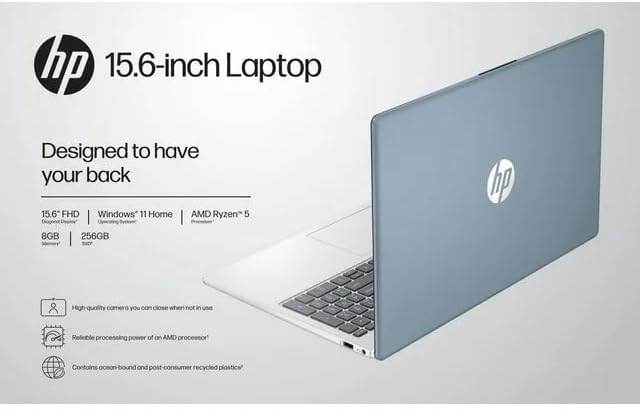
Image: The HP 15 laptop shown from the rear, illustrating its design and potential ventilation areas for maintenance.
4. استكشاف المشكلات الشائعة وإصلاحها
This section addresses common problems you might encounter. For more complex issues, refer to the HP support webموقع.
4.1 انقطاع الطاقة أو عدم تشغيل الكمبيوتر المحمول
- تأكد من توصيل محول التيار المتردد بشكل آمن بالكمبيوتر المحمول ومأخذ الطاقة العامل.
- تأكد من أن منفذ الطاقة يعمل عن طريق توصيل جهاز آخر.
- حاول استخدام منفذ طاقة مختلف.
- إذا كانت البطارية فارغة تمامًا، اتركها تشحن لمدة 30 دقيقة على الأقل قبل محاولة تشغيلها.
4.2 مشاكل العرض
- شاشة فارغة: قم بتوصيل شاشة خارجية عبر منفذ HDMI للتحقق مما إذا كانت المشكلة في شاشة الكمبيوتر المحمول أو في مخرج الرسومات.
- عرض قائمة: Adjust screen brightness using the function keys (usually F2/F3 or similar icons) or through Windows display settings.
- دقة غير صحيحة: Adjust the display resolution in Windows Settings > System > Display.
4.3 مشاكل الاتصال بشبكة Wi-Fi أو Bluetooth
- Ensure Wi-Fi and Bluetooth are enabled in Windows Settings > Network & internet or Devices > Bluetooth & devices.
- أعد تشغيل جهاز التوجيه/المودم الخاص بك لحل مشكلات Wi-Fi.
- Update wireless drivers through HP Support Assistant or Device Manager.
- Forget and reconnect to the Wi-Fi network or re-pair the Bluetooth device.
4.4 الصوت لا يعمل
- Check volume levels in Windows and ensure speakers are not muted.
- Verify that the correct audio output device is selected in Windows Sound settings.
- قم بتحديث برامج تشغيل الصوت.
- Test with headphones to determine if the issue is with the internal speakers or the audio output.
5. مواصفات المنتج
The following are the technical specifications for the HP 15 Professional Slim High-Performance Laptop (Model 15):
| ميزة | التفاصيل |
|---|---|
| اسم الموديل | إتش بي 15 |
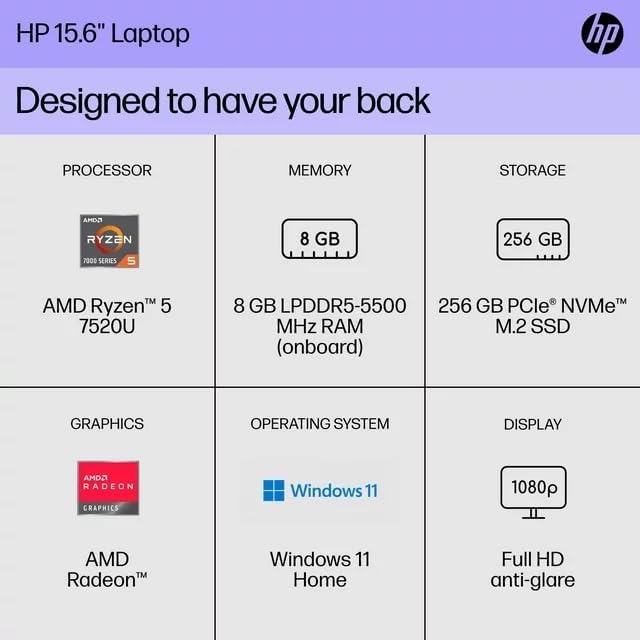
| المعالج | AMD Ryzen 5 7520U (up to 4.3 GHz max boost, 4 cores, 8 threads) |
| الرسومات | رسومات AMD Radeon (متكاملة) |
| الذاكرة (RAM) | ذاكرة عشوائية 8 جيجا بايت DDR4 SDRAM |
| تخزين | محرك أقراص الحالة الصلبة PCIe NVMe M.2 بسعة 256 جيجابايت |
| عرض | 15.6-inch diagonal, Full HD (1920 x 1080), micro-edge, anti-glare, 250 nits, 45% NTSC |
| نظام التشغيل | ويندوز 11 هوم |
| الاتصال اللاسلكي | Realtek Killer Wi-Fi 6 (2x2), Bluetooth 5.3 |
| الموانئ |
|
| آلة تصوير | كاميرا HP True Vision 720p HD مع ميكروفونات رقمية مزدوجة مدمجة |
| صوتي | Dual speakers, HD Audio |
| لوحة المفاتيح | Full-size island-style QWERTY keyboard |
| قوة الجهاز | محول التيار المتردد |
| رمز المنتج الموحد | 196337455771 |
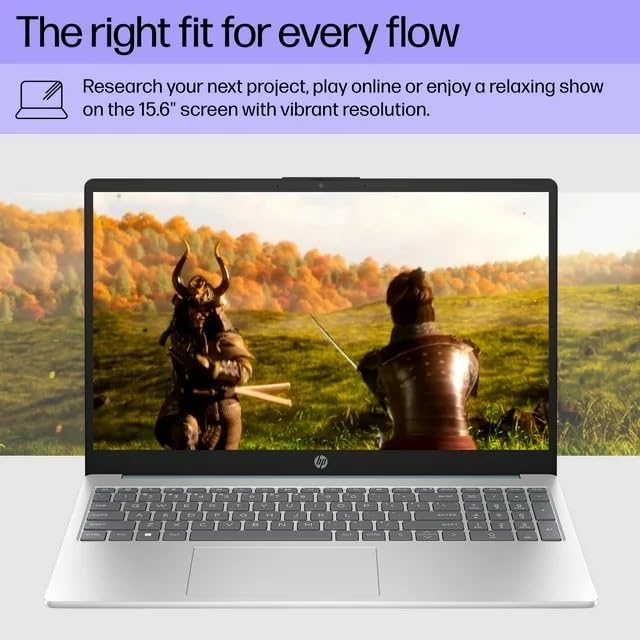
Image: A visual representation of the HP 15 laptop, complementing the detailed specifications listed.
6. معلومات الضمان
This HP 15 laptop is a renewed product and comes with a ضمان محدود لمدة 90 يومًا. This warranty covers defects in materials and workmanship under normal use. For specific terms and conditions, please refer to the warranty documentation included with your product or contact HP support.
7. دعم العملاء
For further assistance, technical support, or to download updated drivers and software, please visit the official HP support website. You can typically find support resources by searching for "HP Support" and your specific model number (HP 15) on their webموقع.
الموارد المتاحة على الإنترنت: https://support.hp.com