
مقدمة
The Wilson Rush Pro 4.0 tennis shoes are engineered to enhance dynamic court movement. This model features advancements in both midsole and outsole construction, building upon the Rush Pro 3.5 chassis. The design integrates a sleek silhouette with performance-driven technology to support players during intense racquet sports.
مميزات المنتج
- 4D Support Chassis 2.0: This evolved chassis construction is split into two distinct pieces. One piece is positioned under the foot to provide enhanced support and facilitate forward propulsion. The second piece runs laterally, contributing to additional stability and control during quick movements.
- Energy Cell: Located in the forefoot of the midsole, Energy Cell utilizes a lightweight EVA foam. This material is designed to optimize the transfer of body weight upon impact, resulting in more explosive propulsion for agile court play.
- نعل خارجي متين: The rubber sole provides reliable traction and durability on various court surfaces.
- جزء علوي يسمح بالتهوية: Constructed with mesh outer material for ventilation and comfort during extended play.

الصورة: الجانب view of the Wilson Rush Pro 4.0 shoe, highlighting the 4D Support Chassis 2.0 technology in the midsole.
الإعداد والاستخدام الأولي
- فك الصندوق: Remove the shoes from their packaging. Inspect for any visible defects or damage.
- المقاس الأولي: Wear the shoes with your preferred athletic socks. Lace them up securely but not overly tight. Ensure your toes have adequate space at the front without excessive movement. The fit should be snug around the midfoot and heel.
- فترة التعود: While designed for comfort out of the box, a short break-in period during light activities is recommended to allow the shoes to conform to your foot shape.
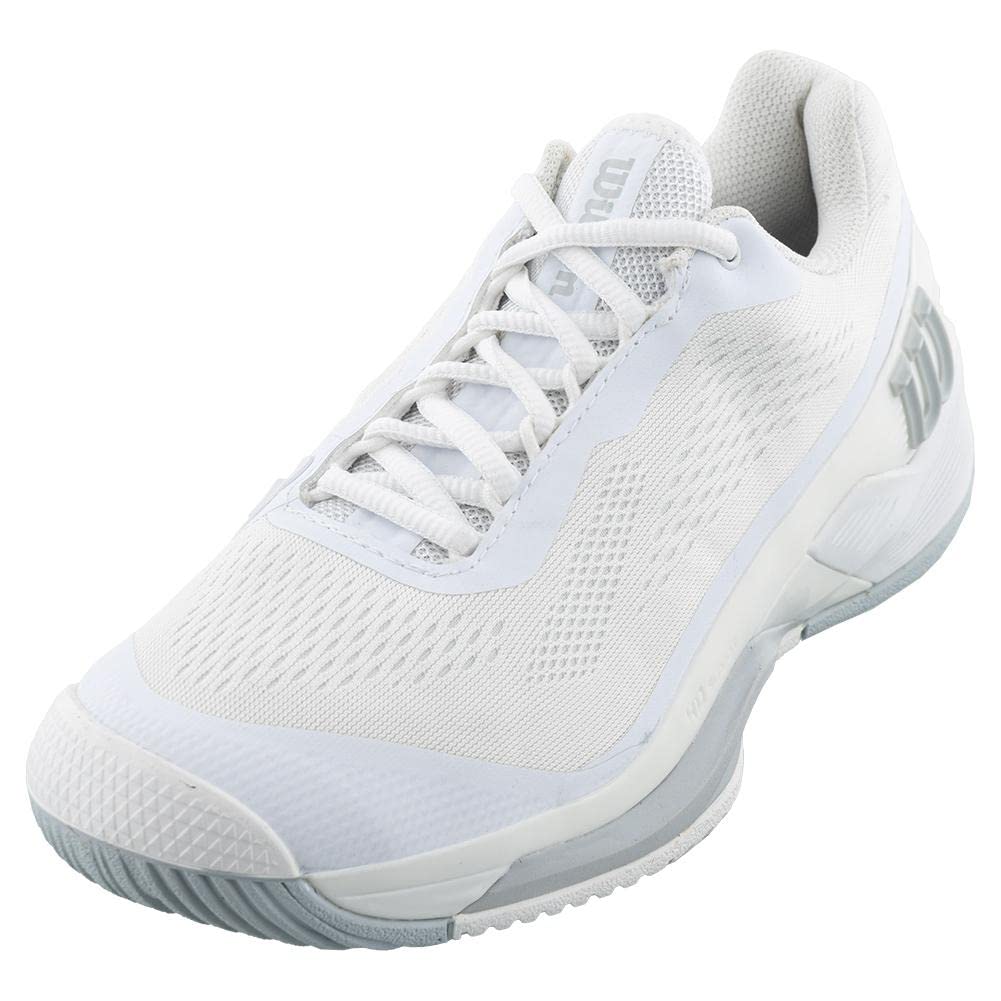
الصورة: الجانب الأمامي view of the Wilson Rush Pro 4.0, illustrating the lacing system and overall shoe structure.
إرشادات التشغيل والاستخدام
The Wilson Rush Pro 4.0 shoes are specifically designed for tennis and other racquet sports, providing stability and responsiveness for court-specific movements.
- Court Surface: These shoes are suitable for various court surfaces, including hard courts, clay courts, and grass courts, offering appropriate traction.
- Movement Support: The 4D Support Chassis 2.0 assists in lateral stability during quick changes in direction and provides support for forward propulsion during sprints and lunges.
- Energy Return: The Energy Cell in the forefoot is engineered to enhance energy return, aiding in explosive push-offs and agile footwork.
- جلد: Ensure laces are tied securely before play to prevent slippage and provide optimal foot lockdown.
الصيانة والعناية
Proper care extends the lifespan and maintains the performance of your Wilson Rush Pro 4.0 tennis shoes.
- تنظيف:
- For mesh and outer material: Use a soft brush or cloth with mild soap and cold water to gently clean dirt and debris. Avoid harsh chemicals.
- For soles: Use a stiff brush to remove dirt and clay from the rubber outsole to maintain traction.
- Do not machine wash or machine dry, as this can damage materials and adhesives.
- تجفيف: Allow shoes to air dry naturally at room temperature. Avoid direct sunlight or heat sources, which can cause material degradation.
- تخزين: Store shoes in a cool, dry place away from direct sunlight when not in use. Consider using shoe trees to help maintain their shape.
- التحكم في الرائحة: If odors develop, remove insoles and allow them to air out. Shoe deodorizers can also be used.

الصورة: من أعلى إلى أسفل view of the Wilson Rush Pro 4.0, illustrating the mesh upper for breathability.
استكشاف الأخطاء وإصلاحها
- عدم الراحة أو الاحتكاك:
- Ensure correct sizing. Foot swelling can occur during play, so try shoes on after activity.
- Adjust lacing tension. Experiment with different lacing patterns to alleviate pressure points.
- Consider different socks or aftermarket insoles for additional cushioning or arch support.
- انخفاض الاحتكاك:
- Clean the outsole regularly to remove accumulated dirt and debris.
- Inspect the sole for excessive wear. Worn-out treads will reduce grip and indicate it's time for replacement.
- التآكل المفرط:
- The lifespan of tennis shoes varies based on frequency and intensity of play, court surface, and individual movement patterns.
- Look for signs of wear such as worn-through outsoles, collapsed cushioning, or upper material damage.
تحديد
| اسم الموديل | Rush Pro 4.0 |
| رقم موديل العنصر | WRS330630-B |
| ماركة | ويلسون |
| قسم | مِلك الرجال |
| نوع الرياضة | Tennis, Running |
| المواد الخارجية | شبكة |
| الخامة الأساسية | ممحاة |
| Insole Material | أسيتات فينيل الإيثيلين |
| نوع الإغلاق | رباط الحذاء |
| نوع الكعب | مستوي |
| Toe Style | Round Toe |
| وزن العنصر | 2 رطل |
| أصل | مستورد |
| رمز المنتج الموحد | 097512563680 |

الصورة: الجانب القريب view of the Wilson Rush Pro 4.0 heel, detailing the RUSH PRO and ENERGY CELL branding.
معلومات الضمان
For detailed warranty information regarding your Wilson Rush Pro 4.0 tennis shoes, please refer to the official WILSON webالموقع أو تواصل مع خدمة العملاء مباشرةً. قد تختلف شروط وأحكام الضمان باختلاف المنطقة ومكان الشراء.
الدعم والاتصال
Should you require further assistance, have questions about your product, or need to report an issue, please contact WILSON customer support.
- رسمي Webموقع: قم بزيارة WILSON official webموقع للحصول على معلومات حول المنتج والأسئلة الشائعة وموارد الدعم.
- خدمة العملاء: Refer to the contact section on the WILSON website for phone numbers or email support options specific to your region.