
1. المقدمة
This manual provides essential information for the safe and efficient use of your Google TV 7000 Series 4K Ultra HD LED Television. Please read these instructions thoroughly before operating the device and retain them for future reference.
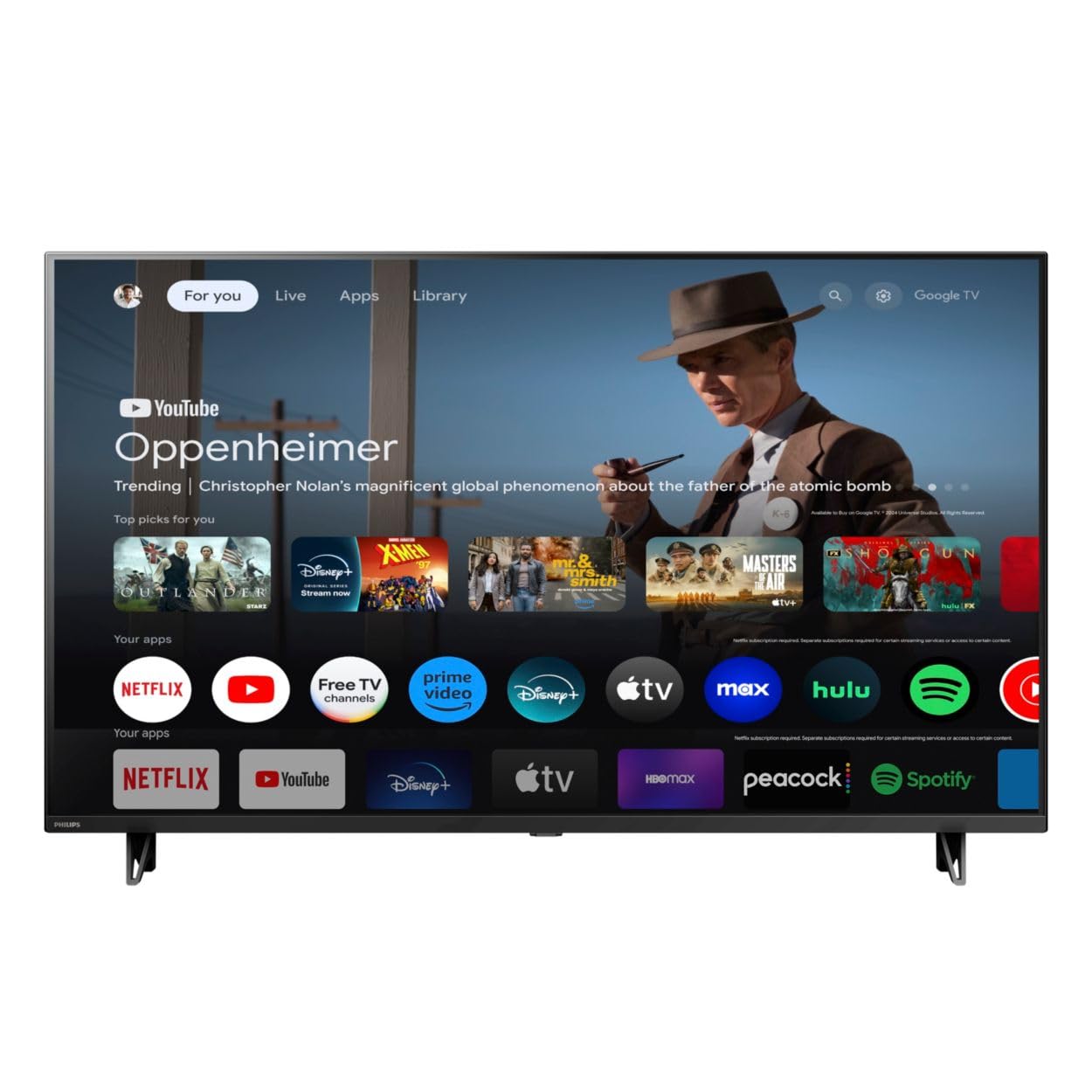
أمام view of the Google TV 7000 Series 4K Ultra HD LED Television, showcasinيتميز بإطاره النحيف وشاشته.
2. الإعداد
2.1 فك الصندوق ومحتويات العبوة
أخرج جميع العناصر من العبوة بعناية. تأكد من وجود جميع المكونات:
- Google TV 7000 Series Television
- جهاز التحكم عن بعد
- بطاريات للتحكم عن بعد
- حامل منضدية
- Screws for tabletop stand
- دليل البدء السريع
- دليل المستخدم (هذا المستند)
2.2 توصيل الطاقة
Connect the power cord to the TV's power input, then plug the other end into a wall outlet. Ensure the power outlet is easily accessible.
2.3 توصيل الأجهزة الخارجية
Your television supports various connectivity options:
- HDMI: Connect devices like Blu-ray players, game consoles, or set-top boxes to the HDMI ports. This model features Audio Return Channel (HDMI 2).
- USB: Use the USB port for media playback or connecting compatible accessories.
- إيثرنت: للحصول على اتصال إنترنت سلكي مستقر، قم بتوصيل كابل إيثرنت بمنفذ الشبكة المحلية (LAN).
- مخرج سماعة الرأس: قم بتوصيل سماعات الرأس للاستماع الخاص.
- مخرج الصوت الرقمي (البصري): للاتصال بأنظمة الصوت الخارجية.
- CVBS+Audio L/R In: لتوصيل الأجهزة التناظرية القديمة.
2.4 الإعداد الأولي
عند تشغيل التلفزيون لأول مرة، سيرشدك خلال عملية الإعداد الأولية. وهذا يشمل:
- اختيار اللغة
- Connecting to a Wi-Fi network or using Ethernet
- Signing in with your Google account to access Google TV features and apps
- Scanning for available channels (ATSC, NTSC)
2.5 خيارات التركيب
You can place your TV on a tabletop using the included stand or mount it on a wall.
- حامل طاولة: Attach the tabletop stand using the provided screws as per the quick start guide.
- جدار جبل: For wall mounting, use a VESA compatible mount (600 x 400 mm). Consult a professional for wall mounting to ensure safety and proper installation.
3. تعليمات التشغيل
3.1 التحكم عن بعد أكثرview
The remote control allows you to navigate the Google TV interface, adjust settings, and control playback. It supports voice control for Google Assistant.
3.2 الوظائف الأساسية
- قوة: اضغط على زر الطاقة لتشغيل التلفزيون أو إيقاف تشغيله.
- مقدار: استخدم أزرار الصوت لضبط مستوى الصوت.
- القنوات: Use the channel buttons to switch between TV channels.
- مدخل: Select the desired input source (HDMI, USB, etc.).
3.3 التنقل في واجهة Google TV
Use the directional pad and 'OK' button on your remote to navigate the Google TV home screen. The home screen provides access to your installed apps, recommended content, and settings.
3.4 الميزات الذكية
- مدمج في Chromecast: Cast content from your compatible mobile devices or computer directly to your TV.
- مساعد جوجل المدمج: Press the Google Assistant button on your remote to use voice commands for searching content, controlling smart home devices, getting information, and more.
- تطبيقات البث: Access popular streaming services like Netflix, YouTube, Discovery+, Tubi TV, and Prime Video directly from the Google TV interface.
3.5 إعدادات الصورة والصوت
قم بتخصيص viewتجربة المشاهدة والاستماع من خلال قائمة إعدادات التلفزيون:
- نمط الصورة: Choose from various preset picture modes or customize settings like brightness, contrast, color, and sharpness. Features include Dynamic contrast, Film mode, Blue stretch, and Custom Color management.
- دعم HDR: The TV supports HDR10 and HLG for enhanced contrast and color with compatible content.
- وضع اللعبة: Optimize picture settings for gaming to reduce input lag.
- نمط الصوت: Select sound presets or adjust bass and treble. Features include Dolby Audio and Auto Volume Leveling.
- نسبة العرض إلى الارتفاع: Adjust the screen aspect ratio (e.g., Automatic, 4:3, Movie Expand, Full).
3.6 الاتصال
Your TV offers various ways to connect to networks and devices:
- واي فاي: Connect wirelessly to your home network for internet access.
- بلوتوث: Connect compatible Bluetooth devices such as headphones or game controllers.
- إيثرنت: يوفر اتصالاً مستقراً بالإنترنت عبر الأسلاك.
4. الصيانة
4.1 تنظيف الشاشة وهيكل التلفزيون
- افصل دائمًا التلفاز عن الكهرباء قبل التنظيف.
- استخدم قطعة قماش ناعمة وجافة وخالية من الوبر لمسح الشاشة وجسم التلفزيون بلطف.
- بالنسبة للعلامات العنيدة، قم بالتدليك برفقampاغسل قطعة القماش بالماء أو بمنظف شاشات متخصص. لا ترش المنظف مباشرةً على الشاشة.
- تجنب استخدام المنظفات الكاشطة، أو الشمع، أو المذيبات.
4.2 تحديثات البرامج
Your Google TV may receive automatic software updates to improve performance and add new features. Ensure your TV is connected to the internet to receive these updates. You can also manually check for updates in the settings menu.
4.3 العناية بجهاز التحكم عن بعد
Replace batteries when the remote control's response becomes sluggish. Do not mix old and new batteries or different types of batteries. Keep the remote control away from moisture and direct sunlight.
5. استكشاف الأخطاء وإصلاحها
إذا واجهت مشاكل مع جهاز التلفزيون الخاص بك، فراجع الحلول الشائعة التالية:
| مشكلة | الحل المحتمل |
|---|---|
| لا يوجد طاقة | تأكد من توصيل سلك الطاقة بإحكام بكل من التلفزيون ومقبس الحائط. تأكد من أن المقبس يعمل بشكل صحيح. |
| لا توجد صورة، ولكن الصوت موجود | تأكد من تحديد مصدر الإدخال الصحيح. تحقق من توصيلات الأجهزة الخارجية. |
| لا يوجد صوت ولكن الصورة موجودة | Check the volume level and mute status. Ensure external audio systems are properly connected and powered on. |
| جهاز التحكم عن بعد لا يعمل | استبدل البطاريات. تأكد من عدم وجود عوائق بين جهاز التحكم عن بُعد ومستشعر الأشعة تحت الحمراء الخاص بالتلفزيون. |
| مشاكل الاتصال بالشبكة | أعد تشغيل جهاز التوجيه والمودم. أعد الاتصال بشبكة Wi-Fi أو تحقق من اتصال كابل Ethernet. |
| Picture quality issues (e.g., pixelation) | Check the signal strength for broadcast channels. For streaming content, ensure a stable internet connection. Adjust picture settings. |
5.1 إعادة ضبط المصنع
If problems persist, a factory reset may resolve them. This will erase all personal settings and installed apps, returning the TV to its original factory state. Consult the on-screen menu for the factory reset option, usually found under System or Device Preferences in Settings.
6. المواصفات
Key technical specifications for the Google TV 7000 Series 4K Ultra HD LED Television:
| ميزة | مواصفة |
|---|---|
| حجم الشاشة | 43 بوصة |
| تكنولوجيا العرض | LCD UltraHD Display, LED Backlight |
| دقة | 4 كيلو بايت (2160 بكسل) |
| معدل التحديث | 120 PMR (Picture Motion Rate) |
| يدعم تنسيق HDR | HDR10، HLG |
| نظام التشغيل | أندرويد 11 (تلفزيون جوجل) |
| تكنولوجيا الاتصال | بلوتوث، إيثرنت، يو إس بي، واي فاي |
| ميزات الصوت | Dolby Audio, Auto Volume Leveling |
| المميزات الخاصة | Chromecast Built-in, Google Assistant Built-in, Game Mode, Digital Noise Reduction, MPEG artifact reduction, Dynamic contrast |
| أبعاد المنتج (العمق × العرض × الارتفاع) | 9.8 بوصة عمق × 37.9 بوصة عرض × 23.9 بوصة ارتفاع |
| وزن العنصر | 14.99 رطل |
| معيار حامل VESA | 600 × 400 ملم |
| الشركة المصنعة | فيليبس |
| رقم الموديل | 43PUL7652 / F7 |
| رمز المنتج الموحد | 609585254893 |
7. الضمان والدعم
7.1 معلومات الضمان
This product comes with a Limited Warranty. Please refer to the warranty card included in your package or contact the manufacturer for specific terms and conditions regarding coverage and duration.
7.2 دعم العملاء
For technical assistance, troubleshooting beyond this manual, or warranty claims, please contact the manufacturer, Philips, or your retailer. Have your model number (43PUL7652/F7) and serial number ready when contacting support.