
مقدمة
Thank you for choosing Jiunai USB C Wired Earbuds. These earbuds are designed to provide a high-quality audio experience with the convenience of a wired USB-C connection. Featuring an in-ear design for sound isolation, magnetic earpieces for tangle-free storage, and an inline remote with a microphone, these earbuds are suitable for various audio needs, including music, calls, and video chats.
ماذا يوجد في الصندوق
- 1 x Jiunai USB C Headphones
- 3 Pairs of Silicone Eartips (Small, Medium, Large)
- 1 x Protective Carry Case
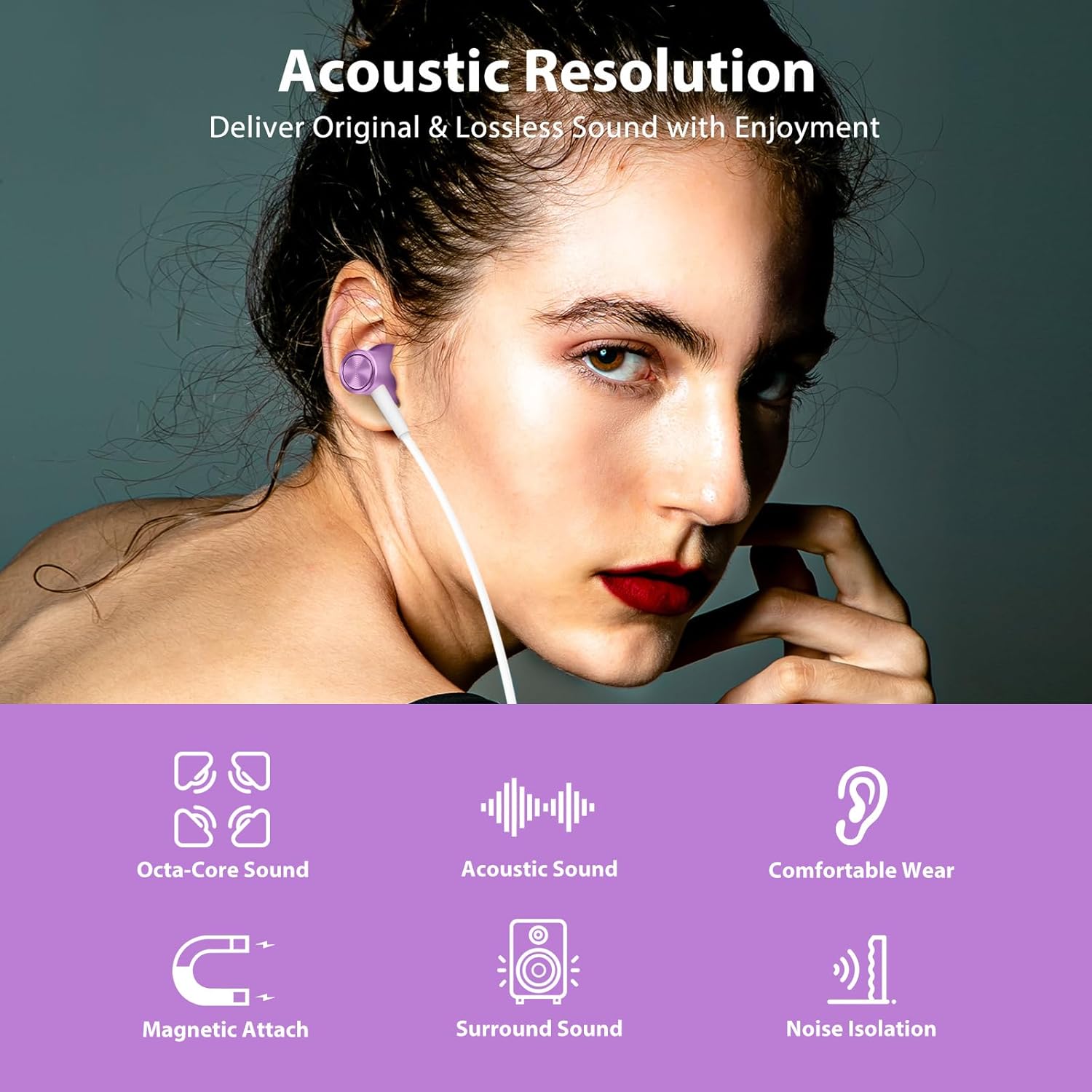
Image: Contents of the Jiunai USB C Wired Earbuds package.
مميزات المنتج
صوت عالي الجودة
The earbuds are equipped with 8mm dynamic drivers, engineered to deliver clear, original, and lossless sound quality, enhancing your listening experience.

Image: Acoustic resolution and dynamic driver features for enhanced sound.
Magnetic Attached Earpieces
The earpieces feature a magnetic design, allowing them to attach to each other when not in use. This helps prevent tangling and makes them easy to store or wear around your neck.
Video: Demonstration of the magnetic attached feature of the Jiunai USB C Wired Earbuds, showing how they connect to prevent tangling.
Comfortable In-Ear Design with Noise Isolation
The ergonomic design and soft silicone ear tips ensure a comfortable and secure fit, reducing pressure on your ears. The in-ear design also provides effective sound isolation, blocking out external noise for a more immersive audio experience.

Image: Sound isolation capabilities of the earbuds in various noisy environments.
Inline Remote Control and Microphone
The earbuds feature an inline remote for convenient control of volume, music playback, and phone calls. The built-in microphone accurately captures your voice for clear communication during calls or when activating voice assistance.
فيديو: انتهىview of the inline remote control and microphone on the Jiunai USB C Wired Earbuds.
توافق واسع النطاق
These USB C headphones are compatible with a broad range of devices, including many Samsung Galaxy, Google Pixel, iPhone 15/16/17 series, iPad, and MacBook models that feature a USB-C port.

Image: Broad compatibility with various USB-C devices.
يثبت
الاتصال بجهازك
- حدد موقع منفذ USB-C على هاتفك الذكي أو جهازك اللوحي أو جهاز الكمبيوتر الخاص بك.
- أدخل موصل USB-C الخاص بسماعات الأذن بإحكام في منفذ USB-C الخاص بالجهاز.
- Your device should automatically recognize the earbuds. If not, check your device's audio settings.
Selecting the Right Eartips
For optimal sound quality and comfort, choose the silicone eartips that best fit your ears. The package includes small, medium, and large sizes. Gently pull off the pre-installed eartips and replace them with the desired size.

Image: Different sizes of silicone eartips for a customized fit.
تعليمات التشغيل
التحكم بالموسيقى
- تشغيل/إيقاف مؤقت: Single click the middle button.
- الأغنية التالية: Double click the middle button.
- الأغنية السابقة: Triple click the middle button.
التحكم في مستوى الصوت
- رفع الصوت: اضغط على زر "+".
- اخفض الصوت: اضغط على زر '-'.
التحكم في المكالمات الهاتفية
- الرد/إنهاء المكالمة: Single click the middle button.
- رفض المكالمة: Long press the middle button.
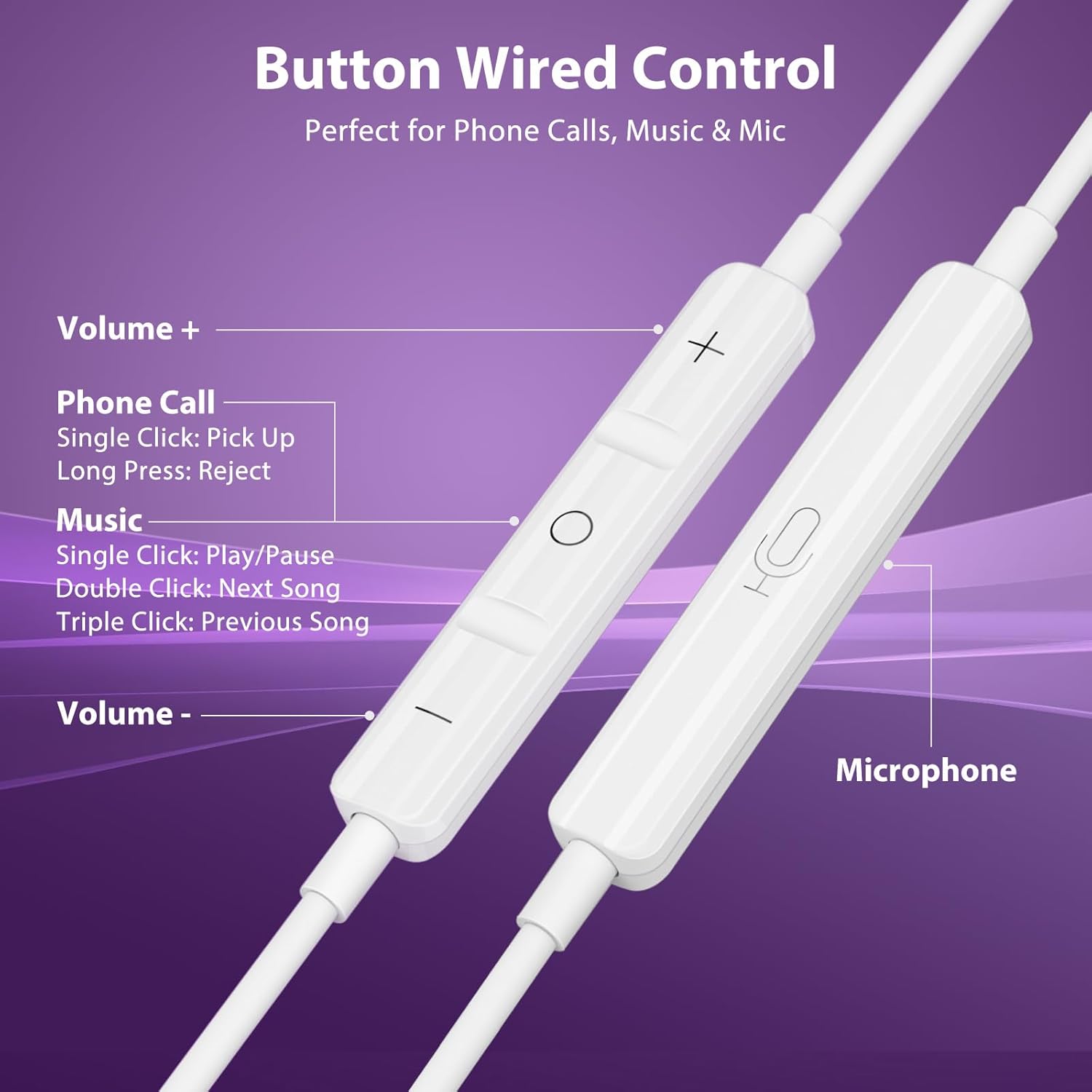
Image: Functions of the inline remote control.
صيانة
تنظيف
Regularly clean the silicone eartips with a soft, damp cloth to remove earwax and debris. Ensure they are completely dry before reattaching them to the earbuds. Do not use harsh chemicals or abrasive materials.
تخزين
When not in use, utilize the magnetic feature of the earpieces to keep them together and prevent tangling. Store the earbuds in the provided protective carry case to shield them from dust, dirt, and physical damage.
استكشاف الأخطاء وإصلاحها
No Sound from Headphones (Android Devices)
Some Android devices may require disabling USB Audio Routing in Developer Options for wired USB-C headphones to function correctly. Follow these steps:
- اذهب الى إعدادات > حول الهاتف.
- مقبض معلومات عن البرنامج.
- مقبض رقم البناء 7 times to enable Developer Mode.
- العودة الى إعدادات > خيارات المطور.
- Find and disable USB Audio Routing.
- Unplug and replug your headphones.

Image: Guide to disabling USB Audio Routing on Android.
قضايا أخرى
- ضعف جودة الصوت: Ensure eartips are correctly sized and seated in your ear. Check for debris in the earbud nozzle.
- الميكروفون لا يعمل: Ensure the microphone is not obstructed. Check your device's privacy settings to ensure the app has permission to access the microphone.
- اتصال متقطع: Ensure the USB-C plug is fully inserted into your device. Try connecting to a different USB-C port or device to rule out a device-specific issue.
تحديد
| اسم الموديل | Jiunai-2100 |
| تكنولوجيا الاتصال | سلكي (USB-C) |
| التحكم في الضوضاء | عزل الصوت |
| نوع برنامج تشغيل الصوت | سائق ديناميكي |
| حجم برنامج تشغيل الصوت | 8 مليمتر |
| استجابة التردد | 20 Hz - 20 kHz (Standard Range) |
| حساسية | 32 ديسيبل |
| مقاومة | 32 أوم |
| نوع التحكم | Volume Control, Music Playback, Call Management |
| ميكروفون | مدمج |
| ميزة الكابل | غير متشابك |
| مادة | الإيلاستومر الحراري البلاستيكي (TPE) |
| مستوى مقاومة الماء | غير مقاوم للماء |
الضمان والدعم
Jiunai products are designed for reliability and performance. For any support inquiries, troubleshooting assistance, or warranty information, please refer to the official Jiunai website or contact customer service through your purchase platform. Keep your proof of purchase for warranty claims.
للمزيد من المعلومات والمنتجات، تفضل بزيارة الموقع الإلكتروني. Jiunai Store.