
1. المقدمة
Thank you for choosing the EasySMX T37 Wireless Switch Pro Controller. This manual provides detailed instructions for setting up, operating, maintaining, and troubleshooting your controller. Please read this manual carefully before use to ensure optimal performance and longevity of your device. This controller is compatible with Nintendo Switch, Switch Lite, and Switch OLED consoles.
2. انتهى المنتجview
The EasySMX T37 is a wireless gamepad designed for an enhanced gaming experience on Nintendo Switch systems. It features an ergonomic design, dual turbo vibration, and 6-axis gyro motion control.

الصورة 2.1: الجبهة view of the EasySMX T37 Wireless Switch Pro Controller, showcasing its ergonomic shape and button layout.
3. الإعداد
3.1 الاقتران بجهاز نينتندو سويتش
- قم بتشغيل جهاز نينتندو سويتش الخاص بك.
- من قائمة HOME ، حدد وحدات التحكم > تغيير القبضة/الترتيب.
- On the EasySMX T37 controller, press and hold the زر المزامنة (located on the top edge of the controller) for 3 seconds until the LED indicators start flashing rapidly.
- Once the controller is successfully paired, the player LED(s) on the bottom of the controller will light up solid.
3.2 شحن وحدة التحكم
Connect the provided USB-C charging cable to the USB-C port on the controller and the other end to a USB power source (e.g., Switch dock, USB wall adapter, computer USB port). The LED indicators will show charging status and turn off when fully charged.
4. تعليمات التشغيل
4.1 الضوابط الأساسية
The controller features standard button layouts for Nintendo Switch compatibility:
- أزرار A/B/X/Y: أزرار العمل.
- D- الوسادة: الإدخال الاتجاهي.
- العصي التناظرية اليسرى/اليمنى: التحكم في الحركة والكاميرا.
- أزرار L/R/ZL/ZR: أزرار الكتف والزناد.
- زر الصفحة الرئيسة: Returns to the Switch HOME Menu.
- زر الالتقاط: يلتقط لقطات شاشة.
- أزرار الزائد (+) / الناقص (-): وظائف البدء/الاختيار.

Image 4.1: A user holding the EasySMX T37 controller, demonstrating the comfortable grip and accessible button placement during gameplay.
4.2 وظيفة توربو
The Turbo function allows for rapid, automatic pressing of a button, useful in action or arcade games.
- تفعيل التوربو: Press and hold the desired action button (A/B/X/Y/L/R/ZL/ZR), then press the زر توربو (T button). The button will now auto-fire.
- ضبط سرعة التوربو: بينما تمسك زر توربو, حرك عصا التحكم التناظرية اليمنى لأعلى أو لأسفل to cycle through three speeds: 5 shots/s, 12 shots/s, and 20 shots/s.
- إلغاء تنشيط التوربو: Repeat the activation step (hold the action button, then press the Turbo button) or press and hold the زر توربو for 5 seconds to clear all Turbo settings.
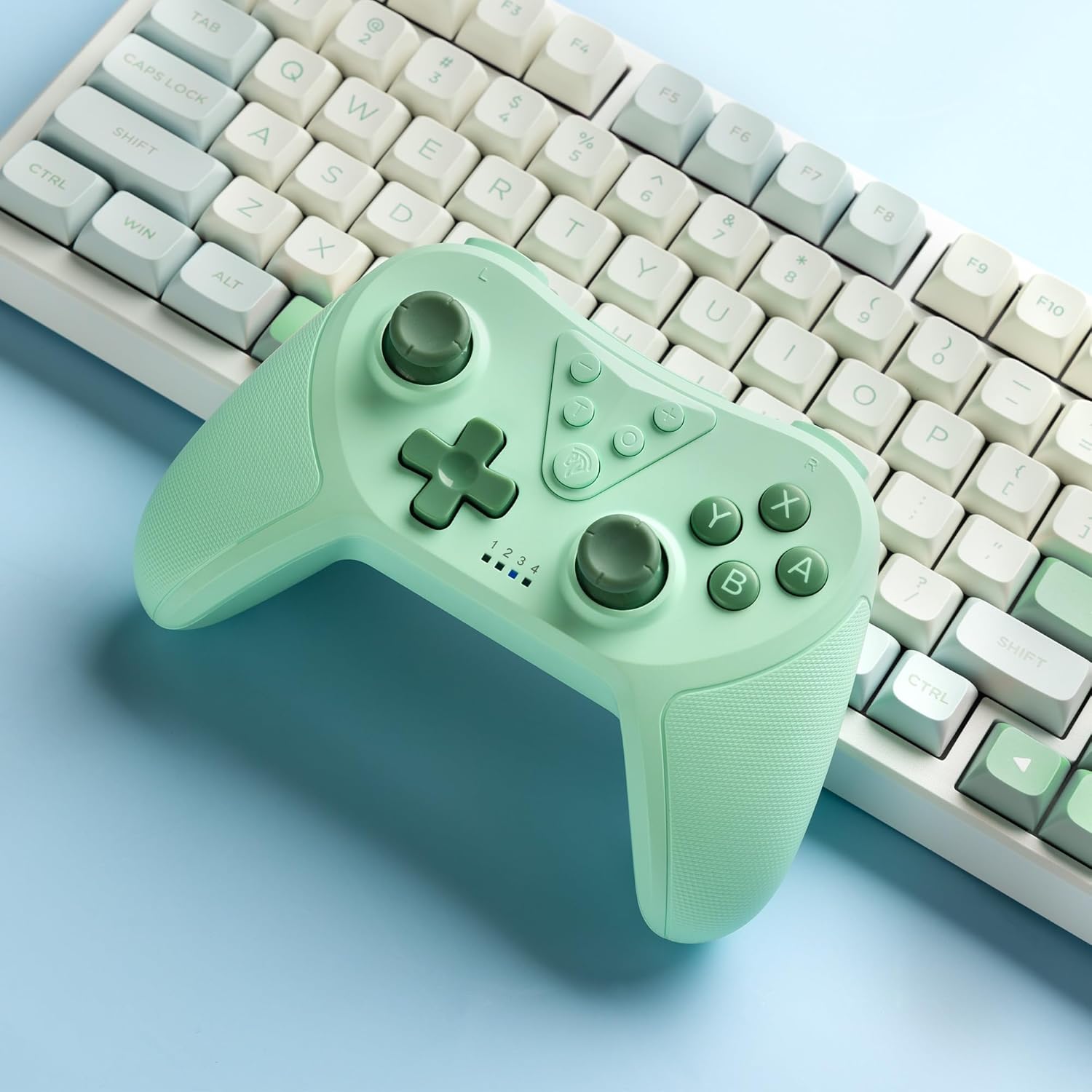
Image 4.2: Illustration of the Turbo function on the EasySMX T37 controller, showing the three adjustable speeds: 5, 12, and 20 shots per second.
4.3 ضبط الاهتزاز
The controller features dual motors for adjustable vibration feedback, enhancing immersion in games.
- ضبط شدة الاهتزاز: اضغط مع الاستمرار على زر توربو، ثم حرك عصا التحكم التناظرية اليسرى لأعلى أو لأسفل to cycle through four vibration levels: 0% (off), 30%, 70%, and 100%.

Image 4.3: Visual representation of the Dual Vibration feature on the EasySMX T37 controller, indicating four intensity levels from 0% to 100%.
4.4 6-Axis Gyro Motion Control
The built-in 6-axis gyroscope provides precise motion sensing, allowing for intuitive control in games that support motion input.

Image 4.4: Illustration depicting the 6-Axis Gyro Motion Control feature of the EasySMX T37 controller, showing how it interacts with a game on the Nintendo Switch screen.
5. الصيانة
- تنظيف: استخدم قطعة قماش ناعمة وجافة لتنظيف وحدة التحكم. تجنب استخدام المواد الكيميائية القاسية أو المواد الكاشطة.
- تخزين: قم بتخزين وحدة التحكم في مكان بارد وجاف بعيدًا عن أشعة الشمس المباشرة ودرجات الحرارة القصوى.
- العناية بالبطارية: لإطالة عمر البطارية، تجنب تفريغ وحدة التحكم بالكامل بشكل متكرر. اشحنها بانتظام، حتى في حال عدم استخدامها لفترات طويلة.
- تجنب القطرات: حماية وحدة التحكم من السقوط والصدمات، والتي قد تؤدي إلى تلف المكونات الداخلية.
6. استكشاف الأخطاء وإصلاحها
6.1 وحدة التحكم غير متصلة
- تأكد من شحن وحدة التحكم.
- Verify the Switch console is updated to the latest system version.
- Try re-pairing the controller by following the steps in Section 3.1.
- If issues persist, try resetting the controller by inserting a thin object into the small reset hole (if present, usually on the back) for a few seconds.
6.2 Buttons Unresponsive or Lagging
- تأكد من أن وحدة التحكم مشحونة بالكامل.
- Move closer to the Switch console to ensure a strong wireless connection.
- تحقق من وجود أي عوائق مادية أو حطام حول الأزرار.
- أعد توصيل وحدة التحكم.
6.3 Controller Not Charging
- تأكد من توصيل كابل USB-C بشكل آمن بكل من وحدة التحكم ومصدر الطاقة.
- حاول استخدام كابل USB-C أو محول طاقة مختلف.
- تأكد من أن مصدر الطاقة يعمل بشكل صحيح.
7. المواصفات
- نموذج: ت37
- الاتصال: لاسلكي (بلوتوث)
- التوافق: نينتندو سويتش، سويتش لايت، سويتش أوديل
- سمات: Dual Turbo Function, Adjustable Vibration, 6-Axis Gyro Motion Control, Ergonomic Design
- Product Identifier (ASIN): B0CTTWN84L
8. الضمان والدعم
للحصول على معلومات الضمان أو الدعم الفني أو أي مساعدة إضافية، يرجى الرجوع إلى موقع EasySMX الرسمي. webالموقع أو تواصل مع خدمة العملاء مباشرةً. احتفظ بإيصال الشراء لطلبات الضمان.