
مقدمة
Welcome to the user manual for your new iTech Jr Kids Smartwatch with On-Ear Bluetooth Headphones. This device is designed to provide children with a fun and interactive experience, featuring a camera, games, music, and more, all while being paired with comfortable, fuzzy headphones for an immersive audio experience. This manual provides essential information on how to set up, operate, and maintain your product.
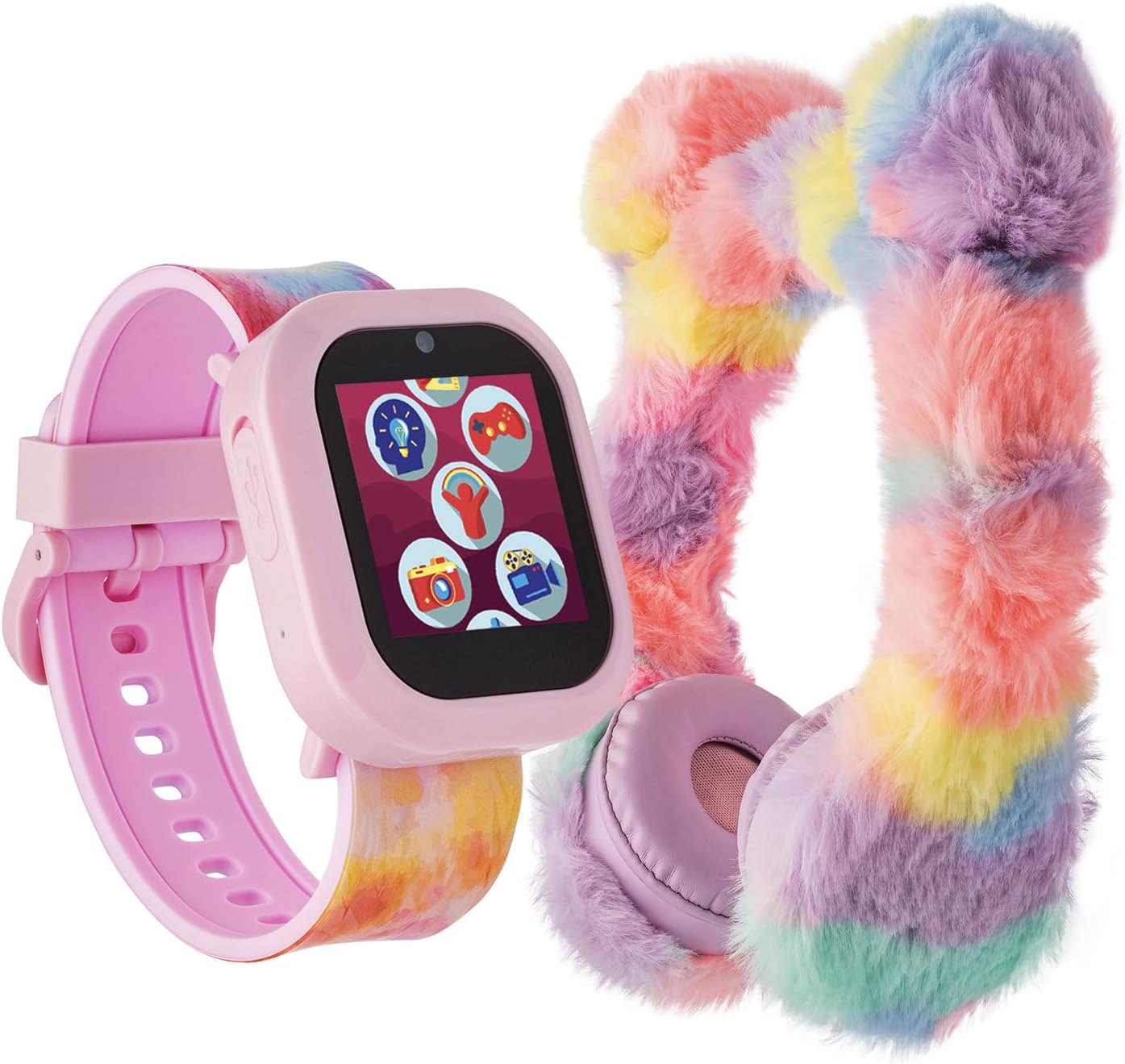
Image: The iTech Jr Kids Smartwatch, featuring a pink casing and a colorful tie-dye strap, displayed alongside the matching fuzzy pastel on-ear Bluetooth headphones. This image illustrates the complete product package.
ماذا يوجد في الصندوق
- ساعة ذكية iTech Jr Kids
- سماعات بلوتوث على الأذن
- USB Charging Cable (for smartwatch)
- دليل المستخدم (هذا المستند)
المنتج انتهىview
Familiarize yourself with the key components of your iTech Jr Smartwatch.

الصورة: لقطة مقربة view of the iTech Jr Smartwatch, highlighting its key features. Labels point to the LED Flashlight, Micro USB Port (for charging and data transfer), Camera Button (for capturing photos and videos), and the Home/Power Button.
- مصباح يدوي LED: Located on the side of the watch, provides illumination.
- منفذ مايكرو يو اس بي: Used for charging the smartwatch, downloading photos, and uploading music.
- زر الكاميرا: Activates the camera function to capture photos and videos.
- Home / Power Button: Used to power the watch on/off and return to the home screen.
- شاشة عرض تعمل باللمس: The primary interface for interacting with the watch's features.
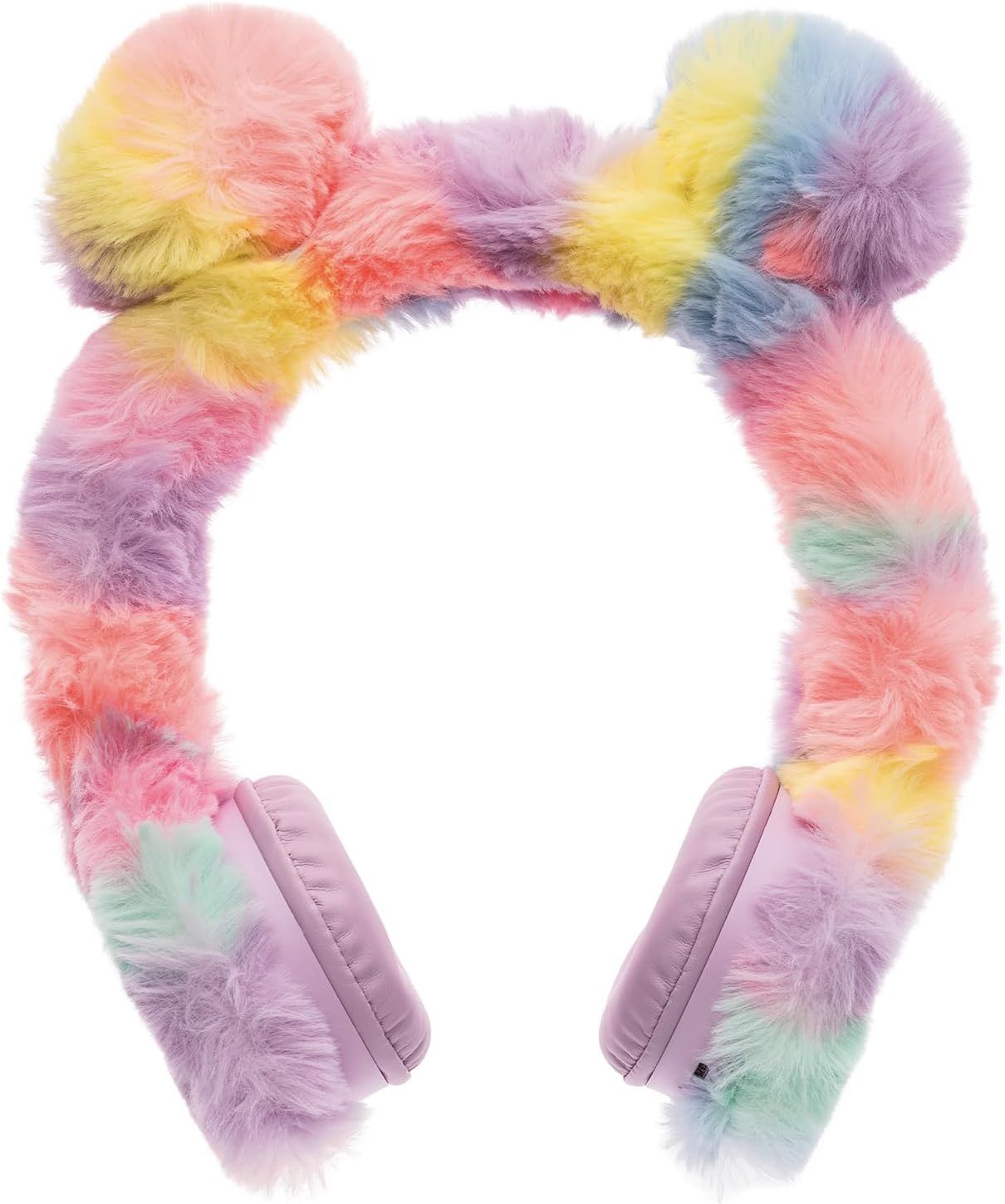
Image: A pair of fuzzy pastel on-ear Bluetooth headphones, featuring a rainbow-colored headband and soft earcups. These headphones are designed for comfortable listening and wireless connectivity.
- عقال قابل للتعديل: للحصول على ملاءمة مريحة.
- وسادات أذن ناعمة: مصمم لتوفير الراحة أثناء الاستخدام المطول.
- زر الطاقة/الاقتران: Located on one earcup for turning on/off and initiating Bluetooth pairing.
- ضوابط الصوت: Buttons on the earcup to adjust audio volume.
يثبت
1. شحن الساعة الذكية
- Locate the Micro USB port on the side of the smartwatch.
- Connect the provided USB charging cable to the smartwatch and a compatible USB power source (e.g., computer USB port, wall adapter).
- The watch display will indicate charging status. Allow approximately 2-3 hours for a full charge before first use.
2. تشغيل / إيقاف التشغيل
- لتشغيل: Press and hold the Home/Power button until the screen illuminates.
- لإيقاف التشغيل: Press and hold the Home/Power button until a power-off option appears on the screen, then confirm.
3. Connecting Bluetooth Headphones
- Ensure the smartwatch is powered on.
- Power on the Bluetooth headphones by pressing and holding their Power/Pairing button until an indicator light flashes, signaling pairing mode.
- On the smartwatch, navigate to the Bluetooth settings (usually found in the settings menu).
- يختار 'بحث عن Devices' or 'Pair New Device'.
- Once the headphones appear in the list (e.g., 'iTech Jr Headphones'), tap to connect. A confirmation message will appear on both devices upon successful pairing.
تشغيل الساعة الذكية
1. نظام الملاحة عبر شاشة اللمس
Swipe left or right on the screen to browse through different applications and features. Tap an icon to open an application. Tap the Home/Power button to return to the watch face.

Image: The iTech Jr Smartwatch display showing a grid of application icons. These include Camera & Gallery, Fun Activities & Games, Calculator & Measurements, Audio Books & Stories, Time, Alarm & Stopwatch, Voice Recordings, ICE (In Case of Emergency), and Music & Sing-A-Longs.
2. Camera & Video Functions
The smartwatch features a built-in camera for capturing photos and videos.
- التقاط الصور: Tap the Camera icon on the home screen. Press the Camera Button on the side of the watch or tap the on-screen shutter button to take a picture.
- تسجيل مقاطع الفيديو: Within the camera app, switch to video mode. Press the Camera Button or tap the record icon to start/stop recording.
- المعرض: Access your captured photos and videos through the Gallery app.
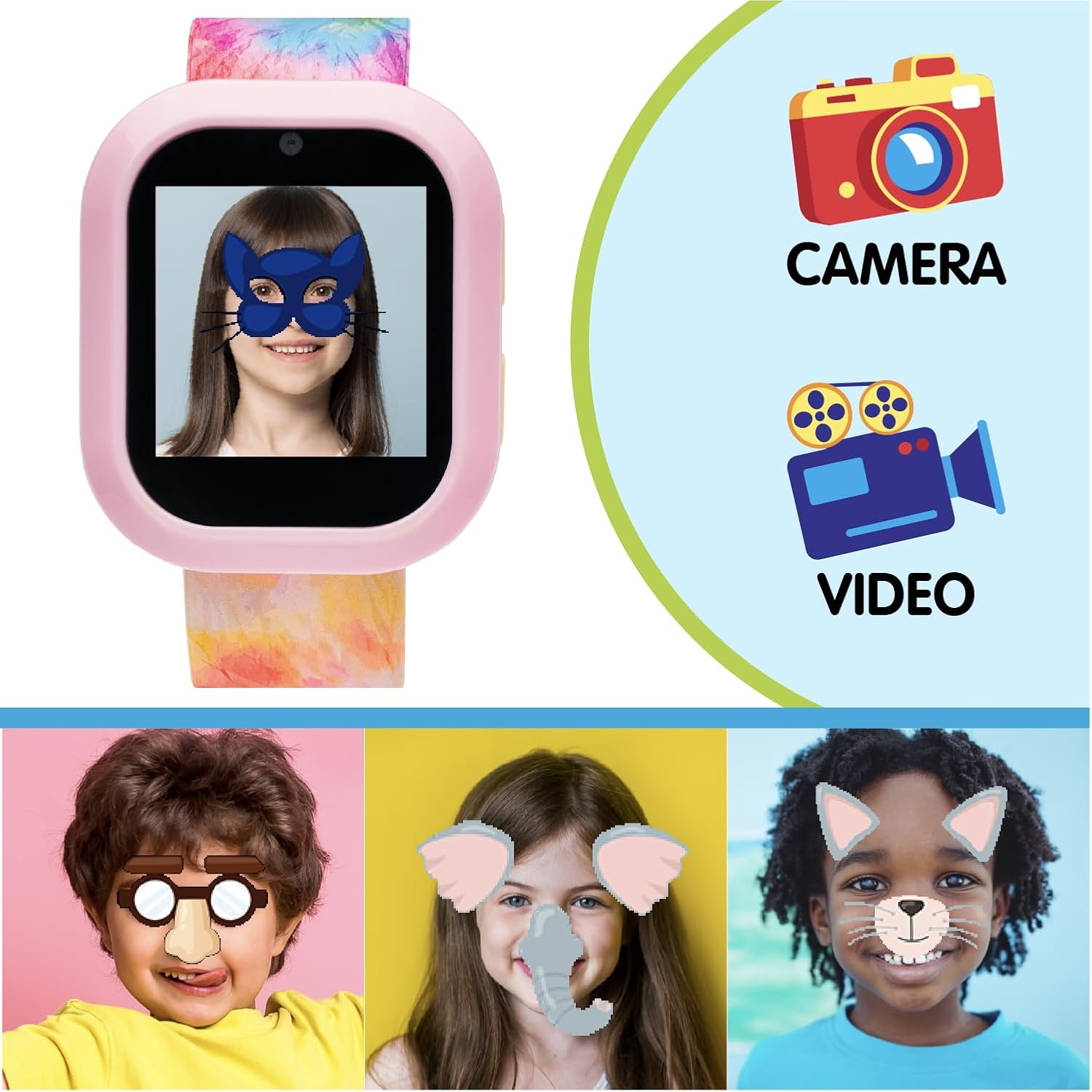
Image: The iTech Jr Smartwatch displaying a child's face with a digital mask, illustrating the camera's fun filter capabilities. Adjacent to the watch are icons for 'Camera' and 'Video', emphasizing these functions. Below, three children's faces are shown with various digital filters applied, demonstrating the interactive photo features.
3. Games & Activities
Engage with a variety of pre-loaded educational and fun games.
- Tap the 'Fun Activities & Games' icon to browse and select games.
- Games include S.T.E.M. challenges, puzzles, and more.
4. Music & Audiobooks
Enjoy pre-loaded audio content or upload your own music.
- موسيقى: Tap the 'Music & Sing-A-Longs' icon to play songs. Connect the Bluetooth headphones for a private listening experience.
- الكتب الصوتية: Access stories and audiobooks via the 'Audio Books & Stories' icon.
- جارٍ تحميل الموسيقى: Connect the smartwatch to a computer using the USB cable. The watch will appear as a removable drive. Drag and drop compatible audio files into the designated music folder.
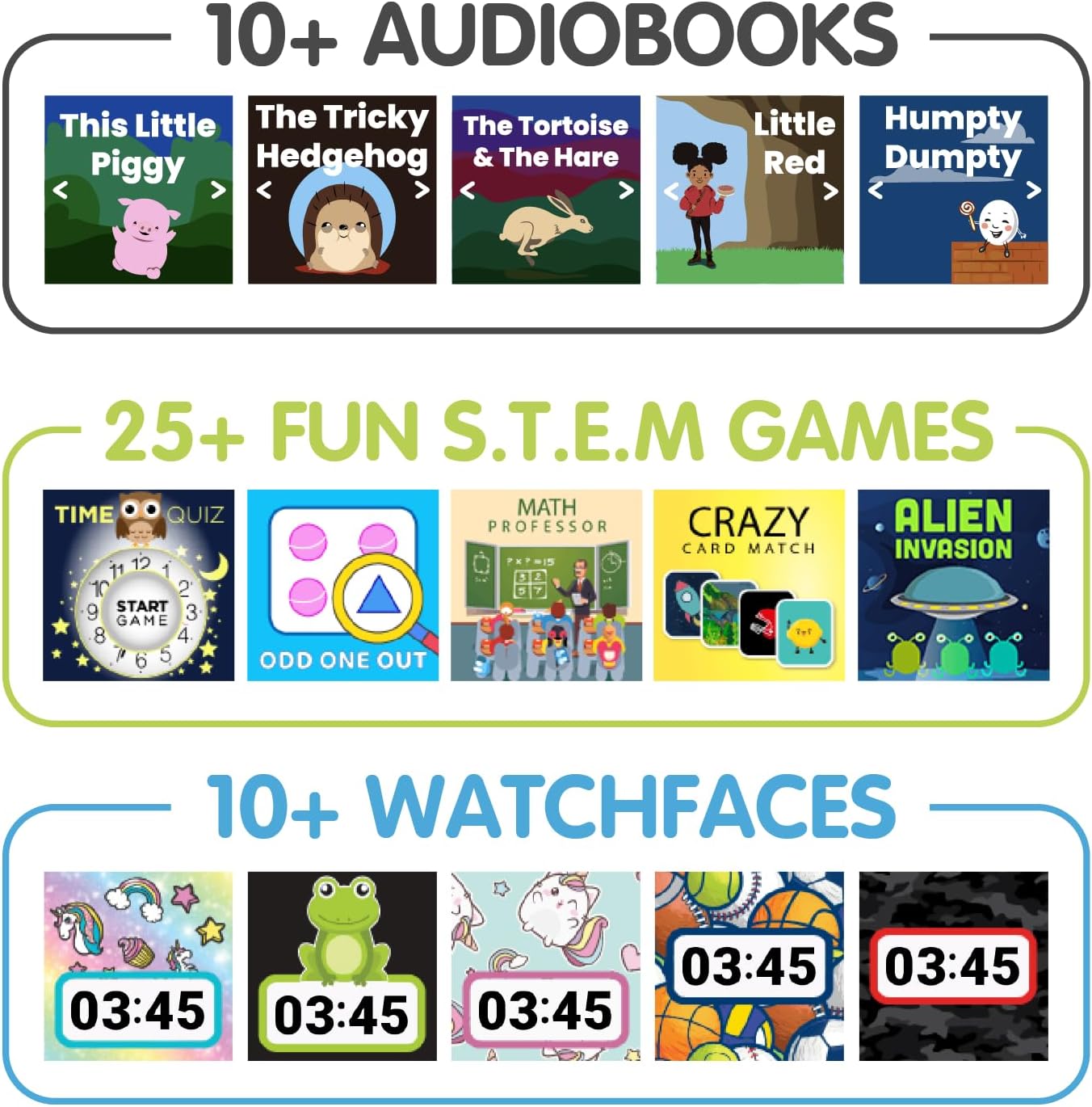
الصورة: صورة مركبة تظهرasing various features of the iTech Jr Smartwatch. The top section displays '10+ Audiobooks' with covers of popular children's stories. The middle section highlights '25+ Fun S.T.E.M. Games' with examples like 'Time Quiz' and 'Odd One Out'. The bottom section shows '10+ Watchfaces' with different digital clock designs.
5. Time, Alarm & Stopwatch
- وقت الضبط: The time can be set manually through the 'Settings' menu.
- إنذار: Tap the 'Time, Alarm & Stopwatch' icon to set multiple alarms.
- ساعة التوقيف: استخدم وظيفة ساعة الإيقاف لتوقيت الأنشطة.
6. Voice Recordings
Record and play back short voice messages using the 'Voice Recordings' app.
7. مصباح يدوي LED
Activate the LED flashlight from the quick settings menu or a dedicated app icon for a convenient light source.
8. ICE (In Case of Emergency)
Set up emergency contact information in the 'ICE' app. This feature allows quick access to important details in an emergency situation.
9. مشاهدة الوجوه
Customize the appearance of your smartwatch by changing the watch face. Access this option through the 'Settings' menu or by long-pressing the watch face.
صيانة
1. التنظيف
- ساعة ذكية: امسح الشاشة وasing with a soft, dry, lint-free cloth. Avoid using harsh chemicals or abrasive materials.
- سماعات الرأس: Gently brush the fuzzy exterior to remove dust. Use a slightly damp cloth for the earcups if necessary, ensuring no moisture enters the speaker grilles.
2. التخزين
Store the smartwatch and headphones in a cool, dry place away from direct sunlight and extreme temperatures when not in use.
3. العناية بالبطارية
- Charge the smartwatch regularly to maintain battery health.
- تجنب تفريغ البطارية بالكامل بشكل متكرر.
- في حالة التخزين لفترة طويلة، اشحن البطارية إلى حوالي 50% قبل التخزين.
استكشاف الأخطاء وإصلاحها
- الساعة لا تعمل: Ensure the watch is fully charged. Connect it to a charger for at least 30 minutes, then try powering on again.
- الساعة لا تشحن: Check the USB cable and power source. Ensure the cable is securely connected to both the watch and the power adapter. Try a different USB port or adapter.
- سماعات الرأس غير مقترنة: Ensure both the watch and headphones are in pairing mode. Make sure they are within close proximity. Turn both devices off and on again, then retry the pairing process.
- مشاكل الصوت: Check the volume levels on both the smartwatch and the headphones. Ensure the headphones are properly connected via Bluetooth.
- الشاشة لا تستجيب: Try restarting the smartwatch by holding down the Home/Power button. If the issue persists, ensure the screen is clean and dry.
تحديد
| ميزة | التفاصيل |
|---|---|
| أبعاد المنتج | 9 × 1.06 × 0.47 بوصة |
| وزن العنصر | 1.23 رطل |
| رقم الموديل | IJ302B-N01 |
| حجم شاشة العرض الدائمة | 1.06 بوصة |
| ميزة خاصة | آلة تصوير |
| تكنولوجيا الاتصال | بلوتوث |
| معيار الاتصال اللاسلكي | بلوتوث |
| نظام تحديد المواقع العالمي (جي بي اس) | لا يوجد نظام تحديد المواقع العالمي (GPS) |
| شكل | مستطيل |
| نوع العرض | رقمي |
| الأجهزة المتوافقة | Smartphone (for data transfer/syncing) |
| الشركة المصنعة | ITECH |
الضمان والدعم
This iTech Jr product comes with a manufacturer's warranty. Please refer to the warranty card included in your product packaging for specific terms and conditions, including warranty period and coverage details.
For technical support, troubleshooting assistance, or warranty claims, please contact iTech customer service. Contact information can typically be found on the manufacturer's official webالموقع أو على عبوة المنتج.