
مقدمة
Thank you for choosing the ARPHA Keyless Entry Door Lock, Model D180. This electronic keypad deadbolt offers enhanced security and convenience for your home or office. With features like 100 user codes, anti-peeping password protection, one-touch locking, and a low battery alarm, this lock provides a reliable and user-friendly access solution. Please read this manual carefully before installation and operation to ensure proper use and longevity of your lock.

الصورة: الجبهة view of the ARPHA Keyless Entry Door Lock D180, showcasing the keypad and deadbolt mechanism.
الإعداد والتثبيت
Proper installation is crucial for the optimal performance of your ARPHA D180 lock. Follow these steps carefully. A screwdriver is the only tool required for installation.
قائمة التحقق قبل التثبيت
- Ensure your door thickness is compatible (typically 1-3/8" to 2" or 35mm to 50mm).
- Verify the backset measurement (distance from door edge to center of bore hole) is either 2-3/8" (60mm) or 2-3/4" (70mm).
- Confirm the bore hole diameter is 2-1/8" (54mm).
- Check that the cross bore hole for the latch is 1" (25.4mm).

Image: Diagram illustrating the dimensions for easy installation, including backset, bore hole, and cross bore measurements.

Image: A simple illustration of a screwdriver, indicating it is the only tool needed for installation.
خطوات التثبيت
- جهز الباب: Ensure the door is properly drilled according to the dimensions specified in the checklist.
- تثبيت المزلاج: Insert the latch into the door edge, ensuring the bolt faces the correct direction. Secure it with screws.
- تثبيت لوحة الضربة: قم بربط لوحة الضربة بإطار الباب، وقم بمحاذاتها مع مزلاج القفل.
- تثبيت التجميع الخارجي: ضع مجموعة لوحة المفاتيح الخارجية على الباب، وقم بتمرير الكابل عبر فتحة التجويف.
- تركيب لوحة التثبيت الداخلية: Secure the interior mounting plate to the exterior assembly using screws, ensuring the cable passes through the plate.
- قم بتوصيل الكابلات: قم بتوصيل الكابل من المجموعة الخارجية إلى المجموعة الداخلية.
- تثبيت الجمعية الداخلية: Attach the interior assembly to the mounting plate, ensuring the thumb turn spindle engages with the latch mechanism. Secure with screws.
- أدخل البطاريات: Open the battery cover on the interior assembly and insert 4 AA batteries (not included), observing polarity.
- عملية الاختبار: After installation, test the lock's functionality using the default code or a key to ensure smooth operation.

Image: The lock automatically recognizes the door's handing (left or right), simplifying installation.

Image: A person installing the lock with a screwdriver, emphasizing the ease of setup.
تعليمات التشغيل
Setting Up User Codes
The ARPHA D180 lock supports up to 100 unique user codes, including administrator and standard user passwords. Refer to the detailed programming guide included in your package for specific steps on adding, deleting, and modifying codes.

Image: Visual representation of 100 group codes entry, showing different user types like family, roommate, friend, agent, delivery man, and repairman.

Image: Illustration showing the capability of setting up to 50 different codes, including administrator and user passwords, along with backup keys.
الدخول بدون مفتاح
لفتح الباب باستخدام رمز:
- المس لوحة المفاتيح لتفعيلها.
- أدخل رمز المستخدم المكون من 6 أرقام.
- اضغط على قفل button (padlock icon). The lock will retract, and the door can be opened.
كلمة مرور مكافحة التجسس: To prevent others from guessing your code, you can enter random digits before or after your actual code. For example, if your code is 123456, you can enter 789123456012. The lock will still recognize the correct sequence within the longer string.

Image: Depiction of the anti-peeping password feature, showing random digits entered before and after the actual password to obscure it.
قفل بلمسة واحدة
To lock the door from the outside, simply press and hold the قفل button (padlock icon) for 2 seconds. The deadbolt will extend, securing the door.

Image: A user demonstrating the one-touch lock feature, with an inset showing the auto-lock mechanism.

Image: Close-up of the keypad showing the one-touch lock function with a sample password and random digits.

Image: The lock with a physical key being inserted, highlighting the availability of two backup keys for manual door opening.
ميزة القفل التلقائي
The lock can be configured to automatically lock after a set period (typically 10 to 30 seconds) once it has been unlocked. This feature provides added security and peace of mind. Refer to the programming guide for instructions on enabling and adjusting the auto-lock delay.

Image: A person leaving a door that is set to auto-lock, with an inset showing the auto-lock icon and time range.
Constant Open Mode
For periods when the door needs to remain unlocked, such as during a party or when moving items, the lock can be set to Constant Open Mode. This allows free entry and exit without requiring a code or key. Consult your programming guide for activation and deactivation steps.

Image: A family enjoying time together with the door in Constant Open Mode, allowing people to come and go freely.
صيانة
استبدال البطارية
The ARPHA D180 lock is powered by 4 AA batteries (not included). When the battery level is low, the lock will emit an audible alarm and/or a visual alert signal (e.g., a red light on the keypad). Replace all four batteries promptly to ensure continuous operation. Do not mix old and new batteries or different types of batteries.

Image: The lock displaying a red alert signal for low battery, with an illustration of a USB-C cable for emergency power supply.

Image: Highlighting the lock's long battery life (up to 180 days) and the emergency power supply option via USB-C.
إمدادات الطاقة في حالات الطوارئ
In case of complete battery depletion, the lock features a USB-C port for emergency power. Connect a portable power bank to this port to temporarily power the lock and enter your code or use a key to gain access. This is a temporary power source and not for charging the internal batteries.
تنظيف
قم بتنظيف الجزء الخارجي من القفل باستخدام قطعة قماش ناعمة.amp تجنب استخدام المنظفات الكاشطة أو المذيبات أو البخاخات الكيميائية، لأنها قد تُلحق الضرر بالطبقة النهائية والمكونات الإلكترونية.
استكشاف الأخطاء وإصلاحها
| مشكلة | السبب المحتمل | حل |
|---|---|---|
| القفل لا يستجيب لإدخال لوحة المفاتيح. | بطاريات فارغة؛ تم إدخال رمز خاطئ؛ عطل في لوحة المفاتيح. | Replace batteries; ensure correct code is entered; use emergency power via USB-C; contact support if issue persists. |
| القفل لا يقوم بالقفل التلقائي. | Auto-lock feature is disabled; incorrect delay setting. | Enable auto-lock in programming settings; adjust auto-lock delay. |
| Keypad lights are dim or flickering. | انخفاض طاقة البطارية. | Replace all batteries immediately. |
| يصدر القفل أصواتاً غير عادية. | Misalignment during installation; internal mechanism issue. | Recheck installation alignment; contact customer support. |
| لا يمكن إضافة أو حذف رموز المستخدم. | Incorrect programming steps; not in programming mode. | Refer to the programming guide for correct steps; ensure you are in administrator mode. |
تحديد
| ميزة | التفاصيل |
|---|---|
| ماركة | ARPHA |
| رقم الموديل | د180 |
| الأبعاد (الطول × العرض × الارتفاع) | 5.78 × 2.36 × 0.4 بوصة |
| وزن العنصر | 2.35 رطل |
| الاستخدام الموصى به | Residential and Commercial Indoor Door Security |
| طريقة التحكم | Touch Keypad, Mechanical Knob |
| بروتوكول الاتصال | Wi-Fi (Note: Confirm Wi-Fi functionality with product documentation if available.) |
| سعة رمز المستخدم | Up to 100 codes (including admin and user codes) |
| مصدر الطاقة | 4 بطاريات AA (غير متضمنة) |
| الطاقة الطارئة | منفذ USB-C |
| مادة | سبائك الزنك |
| درجة حرارة التشغيل | -4 درجة فهرنهايت إلى 140 درجة فهرنهايت |
| تصنيف مقاومة الماء | IP54 |
Image: Icons indicating IP54 waterproof rating, low operating temperature of -4°F, and high operating temperature of 140°F.
الضمان والدعم
ARPHA is committed to providing high-quality products and excellent customer service. Your ARPHA Keyless Entry Door Lock D180 comes with a standard manufacturer's warranty. Please refer to the warranty card included in your product packaging for specific terms and conditions, including warranty duration and coverage details.
For technical assistance, troubleshooting, or warranty claims, please contact ARPHA customer support. We offer 24/7 online service and aim for a 2-hour fast response time to address your inquiries.
Image: A customer service representative with text indicating "24/7 online service" and "2-Hour Fast Response" for ARPHA Guarantee.
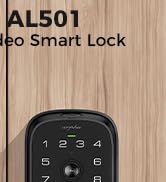
Image: Icons representing company milestones: 1,000,000+ users, products available in 54 countries, and 100 patents, indicating ARPHA's experience and quality assurance.
You can find more information and contact details on the official ARPHA webالموقع أو من خلال منصة الشراء الخاصة بك.