
مقدمة
This manual provides detailed instructions for the safe and effective operation of your NBD K100 4K Digital Camera. Please read this manual thoroughly before using the camera and retain it for future reference.
The NBD K100 is a versatile digital camera designed for high-quality photography and video recording, featuring 4K video resolution, 56MP photo capability, and a 180-degree rotatable screen for various shooting angles, including vlogging.
معلومات السلامة
- لا تعرض الكاميرا للماء أو الرطوبة.
- تجنب إسقاط الكاميرا أو تعريضها لصدمات قوية.
- أبقِ الكاميرا بعيداً عن أشعة الشمس المباشرة ودرجات الحرارة العالية.
- استخدم فقط البطاريات والملحقات المحددة.
- لا تحاول تفكيك الكاميرا أو إصلاحها بنفسك. تواصل مع خدمة دعم العملاء للحصول على المساعدة.
- يحفظ بعيدًا عن متناول الأطفال.
محتويات الحزمة
تأكد من وجود جميع العناصر في العبوة:
- NBD K100 4K Digital Camera
- Two Rechargeable Batteries
- بطاقة ذاكرة 32 جيجا
- كابل يو اس بي
- محول الطاقة
- حزام المعصم
- دليل المستخدم (هذا المستند)
انتهت الكاميراview
تعرّف على مكونات الكاميرا.
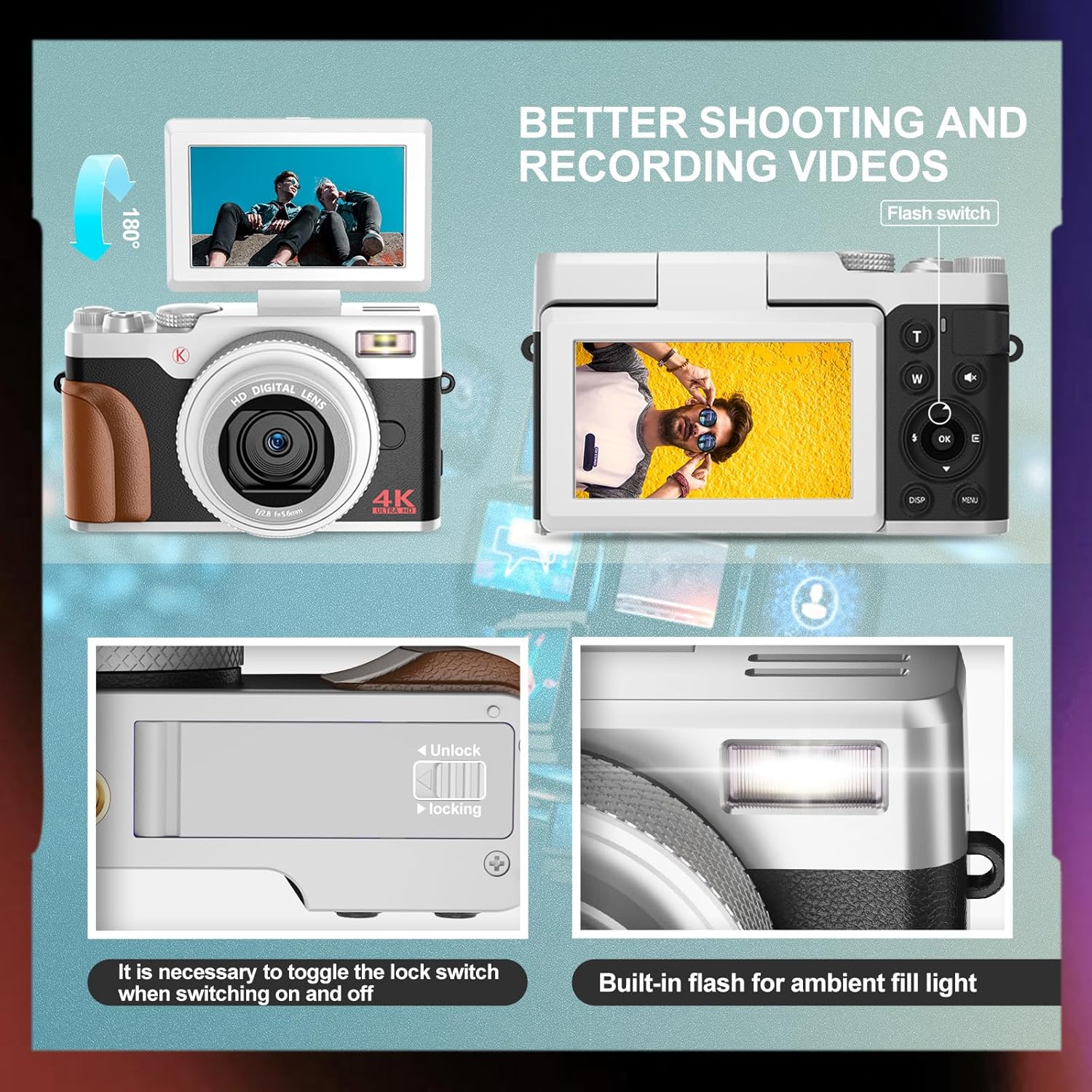
الصورة: الأمامية والخلفية view of the NBD K100 camera, highlighting the adjustable screen, built-in flash, and the battery compartment lock switch.
- عدسة: Main optical component for capturing images.
- متوفر بالفلاش: يوفر الإضاءة في ظروف الإضاءة المنخفضة.
- 3-inch Rotatable Screen: يعرض مباشرة view, menus, and playback. Can rotate 180 degrees.
- زر المصراع: Half-press to activate autofocus, full-press to capture.
- Mode Dial/Rotary Button: Selects shooting modes (Photograph, Video, Slow Motion, Time-lapse, Continuous, Self-timer, Special Effects, Beauty Mode).
- Zoom Lever (T/W): Adjusts 16X digital zoom.
- زر القائمة: الوصول إلى إعدادات الكاميرا.
- زر موافق: يؤكد التحديدات.
- أزرار الاتجاه: التنقل عبر القوائم والإعدادات.
- حجرة البطارية: يحتوي على بطارية قابلة لإعادة الشحن.
- فتحة لبطاقة ذاكرة: لإدخال بطاقة الذاكرة SD.
- منفذ USB: للشحن ونقل البيانات.
يثبت
1. تركيب البطارية
- حدد موقع غطاء حجرة البطارية في الجزء السفلي من الكاميرا.
- Slide the lock switch to the "Unlock" position and open the cover.
- Insert the rechargeable battery according to the polarity indicators (+/-).
- Close the battery compartment cover and slide the lock switch to the "Lock" position.
2. تركيب بطاقة الذاكرة
The camera supports SD cards up to 32GB (a 32GB card is included).
- Open the memory card slot cover, usually located near the battery compartment or on the side.
- Insert the SD card with the metal contacts facing the correct direction (refer to the diagram inside the slot). Push until it clicks into place.
- أغلق غطاء فتحة بطاقة الذاكرة.
3. شحن البطارية
The camera comes with two rechargeable batteries.
- Connect the camera to the power adapter using the provided USB cable.
- قم بتوصيل المحول بمأخذ الطاقة.
- سيضيء مؤشر الشحن. سينطفئ أو يتغير لونه عند اكتمال الشحن.
- تدعم الكاميرا التسجيل أثناء الشحن.
تشغيل الكاميرا
1. تشغيل/إيقاف التشغيل
- للتشغيل، اضغط مع الاستمرار على زر الطاقة.
- لإيقاف التشغيل، اضغط مع الاستمرار على زر الطاقة مرة أخرى.
2. أساسيات التصوير الفوتوغرافي وتسجيل الفيديو

Image: Visual representation of the camera's 4K video and 56MP photo capabilities, demonstrating 16X digital zoom and the difference between 2K and 4K output.
- حدد الوضع: Rotate the mode dial (Quick Rotary Button) to select between "Photograph" (still images) or "Video" (video recording).

Image: Diagram illustrating the Quick Rotary Button and its various shooting modes, including Photograph, Video, Slow Motion, and Special Effects.
- ركز: Half-press the Shutter button to activate autofocus. The camera will adjust focus automatically.
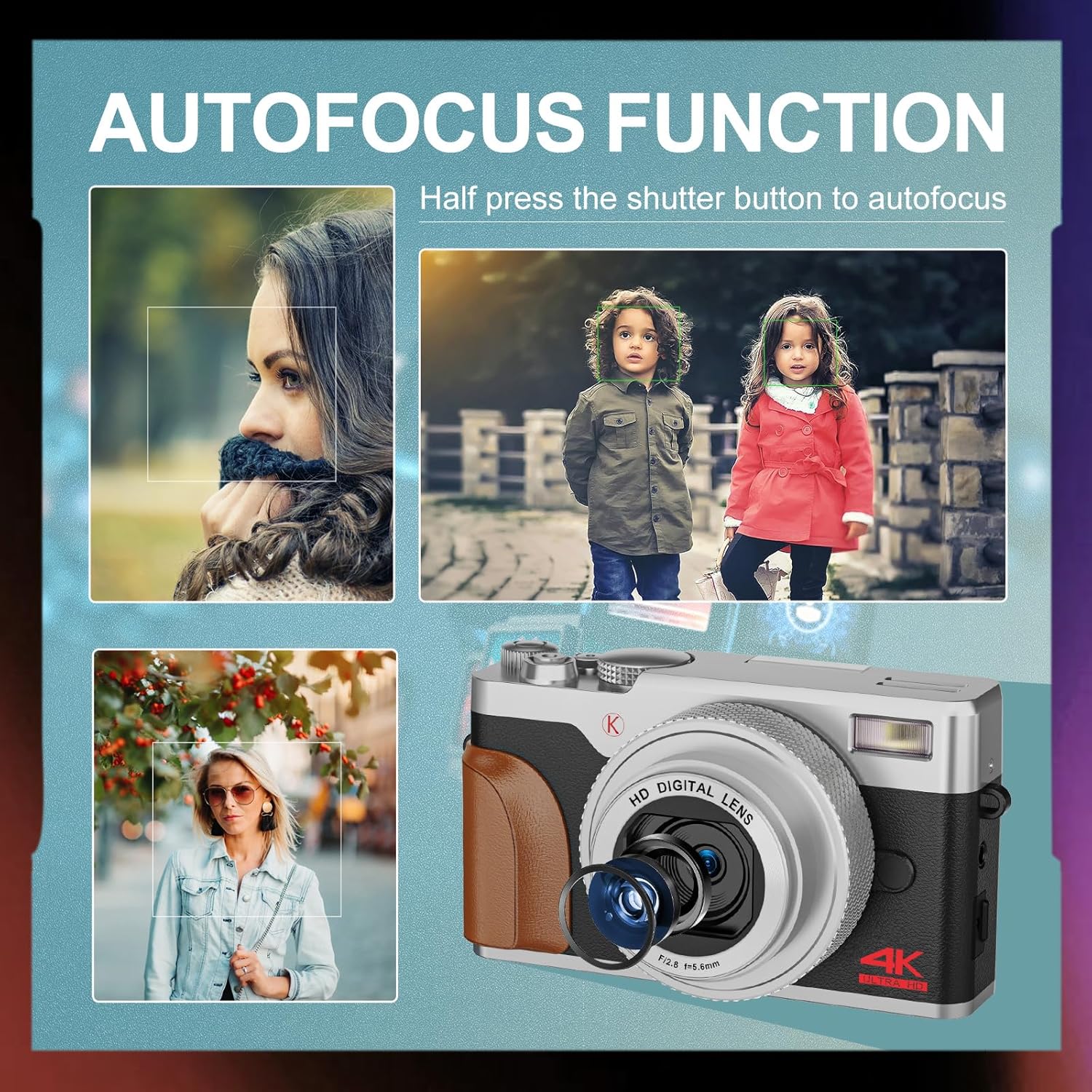
الصورة: السابقamples of autofocus in action, showing subjects in sharp focus against blurred backgrounds, with the camera lens visible.
- يأسر: Full-press the Shutter button to take a photo or start/stop video recording.
- تكبير: Use the T (Telephoto) and W (Wide) levers to adjust the 16X digital zoom.
- فلاش: The built-in flash can be used for low-light conditions. Access flash settings via the menu or a dedicated button (if available).
3. أوضاع تصوير متقدمة
The Quick Rotary Button allows selection of various advanced modes:
- فيديو بطيء الحركة: يسجل الفيديو بمعدل إطارات أعلى لتشغيله بالحركة البطيئة.
- فيديو بتقنية التصوير الزمني: Captures a series of images over time and compiles them into a video.
- اطلاق النار مستمر: يلتقط صوراً متعددة بسرعة متتالية.
- الموقت الذاتي: Delays the shutter release for self-portraits or group photos.
- Special Effects (Filter Effects): Applies creative filters to your photos.
- Beauty Photo Mode: Enhances portraits.
4. Adjustable Screen
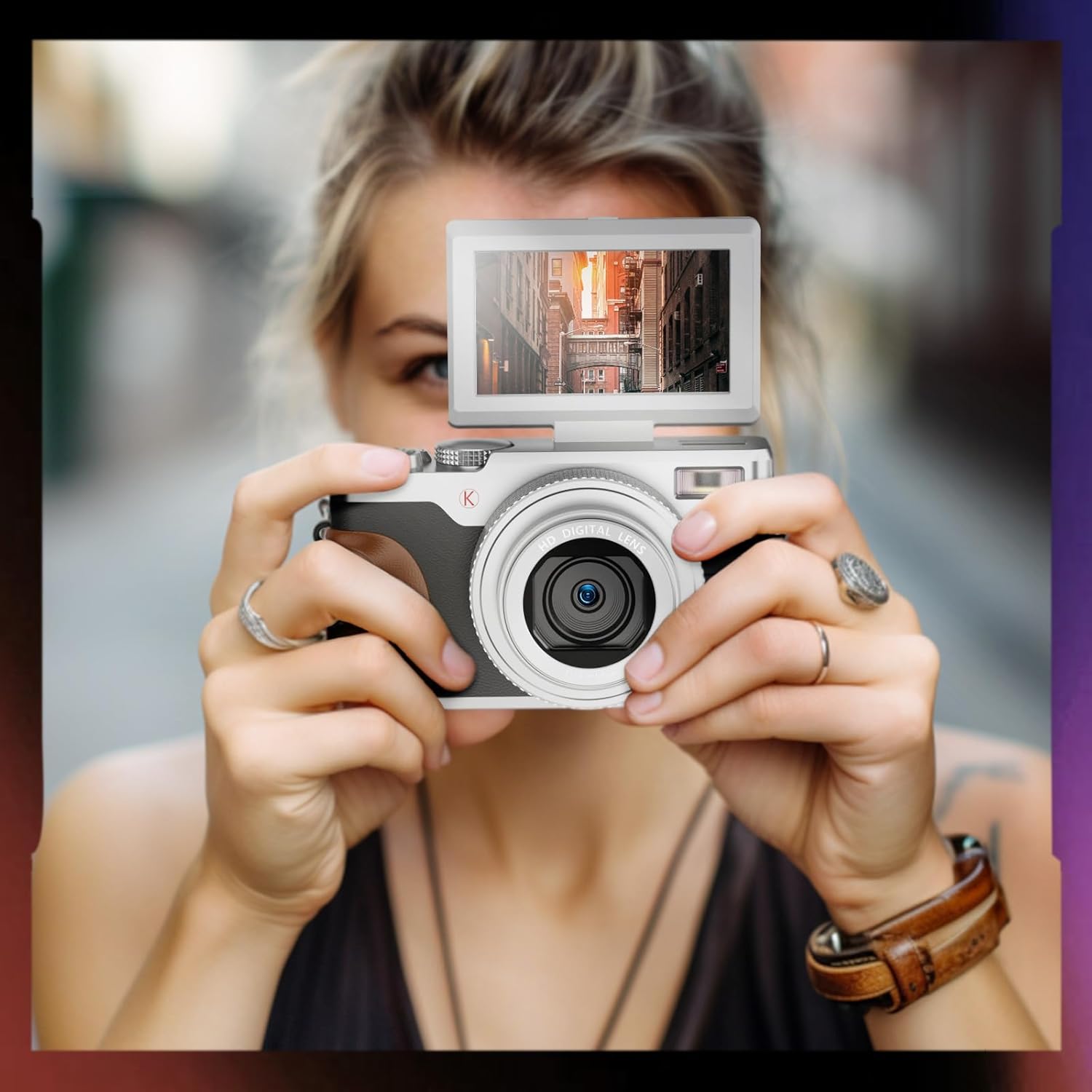
Image: A user holding the NBD K100 camera, demonstrating the 180-degree rotatable screen flipped upwards, ideal for selfies or vlogging.
The 3-inch screen can rotate 180 degrees, allowing for flexible viewing angles. This is particularly useful for vlogging, selfies, or shooting from high or low perspectives.
5. Webوظيفة كام

Image: The NBD K100 camera shown in two scenarios: recording video and functioning as a webcam connected to a laptop and a tablet for video conferencing.
قم بتوصيل الكاميرا بجهاز الكمبيوتر الخاص بك عبر كابل USB لاستخدامها كـ webcam for video calls or live streaming. Ensure the camera is powered on and select the webcam option if prompted.
صيانة
- تنظيف العدسة: استخدم قطعة قماش ناعمة وخالية من الوبر، مُصممة خصيصًا لعدسات الكاميرا. لا تستخدم مواد كاشطة أو مواد كيميائية قاسية.
- تنظيف الشاشة: Wipe gently with a microfiber cloth.
- تخزين: When not in use for extended periods, remove the battery and store the camera in a cool, dry place.
- العناية بالبطارية: Recharge batteries regularly, even if not in use, to maintain their lifespan. Avoid fully discharging batteries.
استكشاف الأخطاء وإصلاحها
| مشكلة | حل |
|---|---|
| الكاميرا لا تعمل. | Ensure the battery is correctly inserted and fully charged. Try using the second battery. |
| لا يمكن التقاط الصور/تسجيل مقاطع الفيديو. | Check if the memory card is inserted correctly and has sufficient free space. Ensure the battery has enough charge. |
| الصور ضبابية. | Ensure autofocus is engaged (half-press shutter). Clean the lens if dirty. Check lighting conditions. |
| Flash is not working. | Check flash settings in the menu. Ensure the flash is not physically obstructed. |
| لم يتم التعرف على الكاميرا بواسطة الكمبيوتر. | Ensure the USB cable is securely connected. Try a different USB port or cable. Restart both camera and computer. |
تحديد
| ميزة | التفاصيل |
|---|---|
| ماركة | بنك دبي الوطني |
| اسم الموديل | K100 (A1) |
| دقة مستشعر الصورة | 56 Megapixels (48 Megapixels in some specifications) |
| دقة التقاط الفيديو | 4 ألف (3840 × 2160) |
| تقريب رقمي | 16X |
| حجم الشاشة | 3.0 inches (180-degree rotatable) |
| تقنية الاستشعار | سيموس |
| تكنولوجيا الاتصال | USB |
| دعم بطاقة الذاكرة | SD Card (up to 32GB included) |
| نوع البطارية | أيون الليثيوم |
| نوع العرض | OLED (Color Screen) |
| التركيز التلقائي | نعم |
| فلاش مدمج | نعم |
| تثبيت الصورة | لا |
| تسجيل صوتي | نعم |
الضمان والدعم
For warranty information and technical support, please refer to the warranty card included in your package or visit the official NBD website. If you encounter any issues not covered in this manual, please contact NBD customer service for assistance.
معلومات الاتصال: Please refer to your product packaging or the manufacturer's webالموقع للحصول على تفاصيل الاتصال الأكثر تحديثًا.