
IDAKODU T78
سماعة بلوتوث من إيداكودو DD97181-أبيض-YC-150
دليل المستخدم
مقدمة
The IDAKODU T78 Wireless Bluetooth 5.0 Earbuds are designed to provide a superior audio experience with advanced features such as fast transmission speed, stable connectivity, and high-quality sound. This manual provides detailed instructions on how to set up, operate, and maintain your new earbuds.
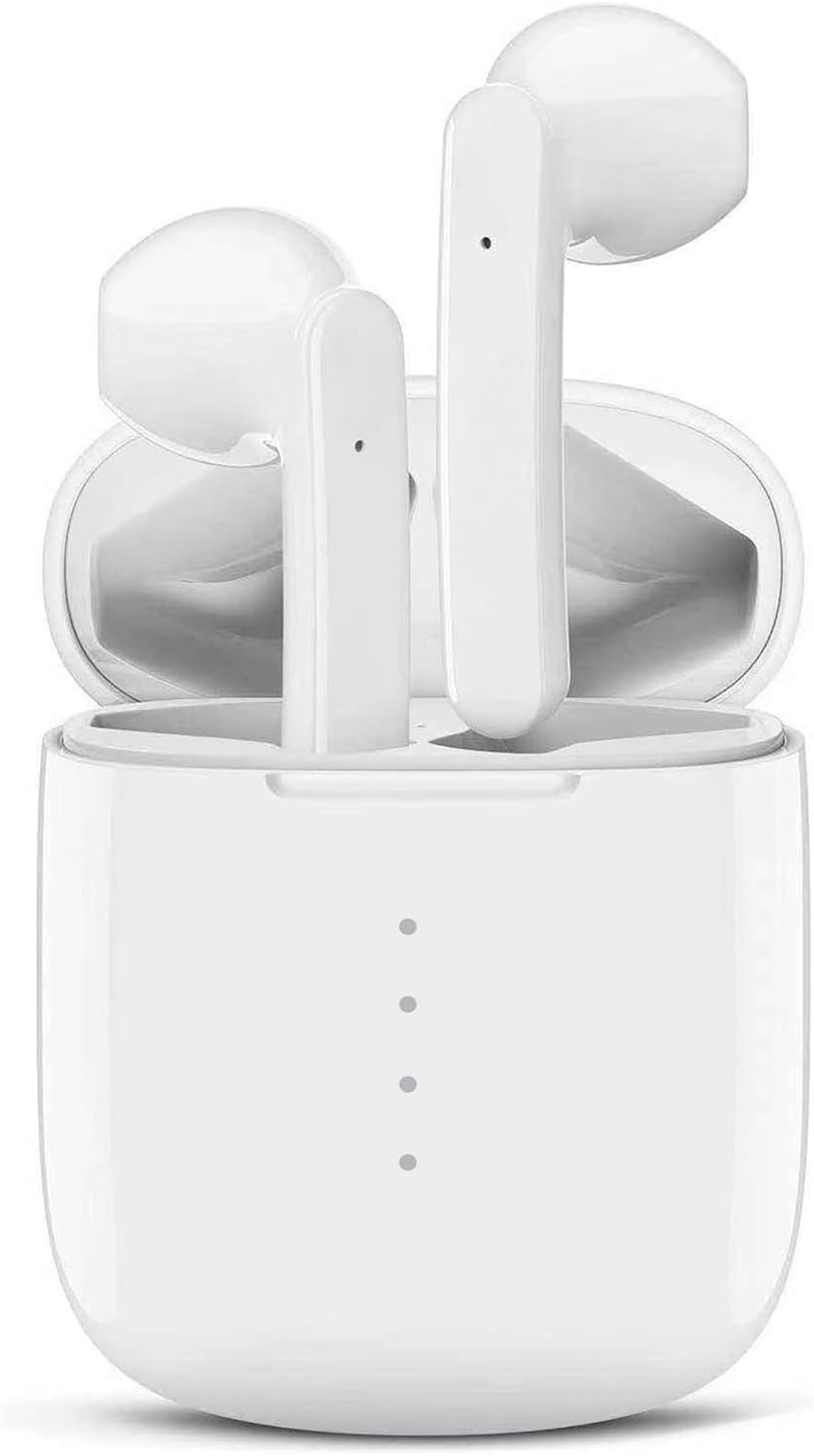
Image: The IDAKODU T78 Bluetooth Earbuds are shown resting inside their open white charging case, highlighting their compact and sleek design.
محتويات الحزمة
يرجى التحقق من الحزمة بعناية للتأكد من وجود جميع العناصر:
- Wireless Earbud × 2 (Left and Right)
- علبة الشحن × 1
- USB Type C Data Cable × 1
- دليل المستخدم × 1
تحديد
| رقم المنتج | ت78 |
| نسخة البلوتوث | V5.0 + EDR |
| لاسلكي المدى | 15م (50 قدم) |
| سعة بطارية علبة الشحن | 350 مللي أمبير |
| سعة بطارية سماعة الأذن | 30 مللي أمبير |
| وقت العمل | 5 ساعات (شحنة واحدة) |
| إجمالي وقت اللعب (مع علبة الشحن) | 30 ساعات |
| وقت الشحن (سماعات الأذن) | 1 ساعة |
| الشحن السريع | شحن لمدة 15 دقائق يكفي لاستخدام لمدة 2 ساعات |
| مادة | بلاستيك |
| تصنيف مقاومة الماء | IPX8 |
الإعداد والاقتران
The IDAKODU T78 earbuds feature an automatic pairing system for a hassle-free experience.
- الاقتران الأولي: افتح علبة الشحن. سيتم تشغيل سماعات الأذن تلقائيًا ودخول وضع الاقتران.
- على هاتفك المحمول أو جهازك المزود بتقنية البلوتوث، انتقل إلى إعدادات البلوتوث.
- Look for "T78" in the list of available devices and select it to connect.
- Once connected, the light on the left earbud will stop flashing, indicating a successful connection.
- إعادة الاتصال التلقائي: بعد عملية الاقتران الأولية، ستتصل سماعات الأذن تلقائيًا بآخر جهاز مقترن عند فتح علبة الشحن.

Image: This illustration demonstrates the simple one-step pairing process: take the earbuds out of the case to pair, and put them back to charge. A smartphone screen shows "T78" connected in Bluetooth settings.
Operating and Controls
The IDAKODU T78 earbuds feature intuitive touch controls on each earbud, allowing you to manage music playback, calls, and voice assistants.
وظائف التحكم باللمس:
- بنقرة واحدة:
- تشغيل/إيقاف الموسيقى: Click either earbud.
- الرد على المكالمة: Click either earbud.
- قطع الاتصال: Click either earbud.
- Activate Siri (iOS only): Click either earbud.
- 2-Second Press:
- الأغنية التالية: اضغط مع الاستمرار على يمين سماعة الأذن لمدة ثانيتين.
- الأغنية السابقة: اضغط مع الاستمرار على غادر سماعة الأذن لمدة ثانيتين.
- رفض المكالمة: اضغط مع الاستمرار على أي من سماعات الأذن لمدة ثانيتين.
- Switch Call (between phone and earbuds): Press and hold either earbud for 2 seconds during a call.
- تشغيل/إيقاف التشغيل: اضغط مع الاستمرار على أي من سماعات الأذن لمدة ثانيتين.
- التحكم في مستوى الصوت:
- ارفع على الصوت: انقر نقرا مزدوجا فوق يمين ياربود.
- تقليل الحجم: انقر نقرا مزدوجا فوق غادر ياربود.
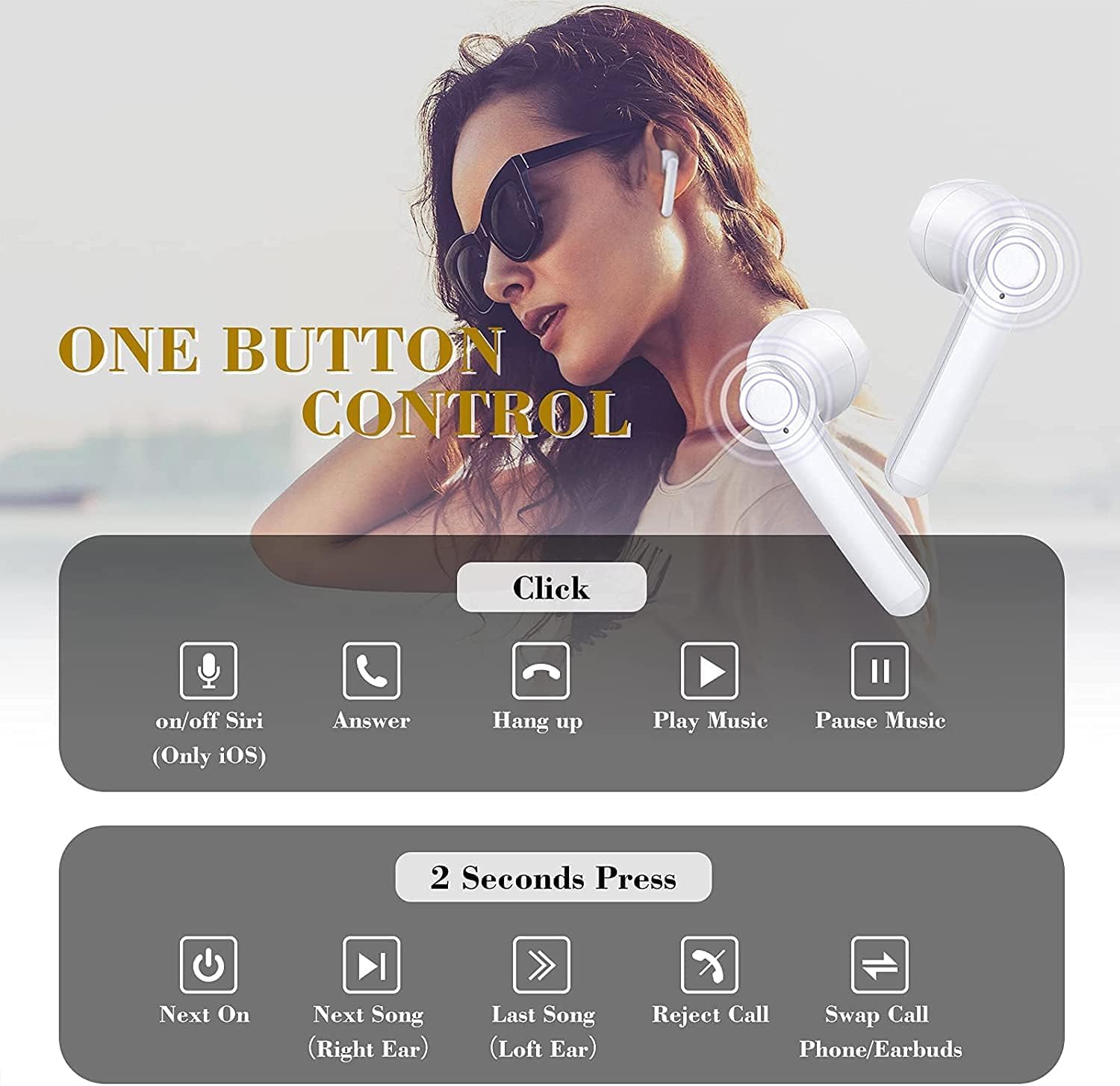
Image: This graphic illustrates the various touch control functions of the IDAKODU T78 earbuds, including single clicks for play/pause, answer/hang up calls, and Siri activation, and 2-second presses for next/previous song, rejecting calls, and power on/off.
Sound Quality and Compatibility
The IDAKODU T78 earbuds are engineered for superior audio performance and broad device compatibility.
جودة صوت فائقة:
Equipped with a built-in microphone, aptX audio coding, and CVC8.0 Noise Cancelling technology, these earbuds deliver crystal clear music with deep bass and clear definition. This technology also minimizes sound skipping and interruptions during calls, ensuring a high-quality audio experience.

الصورة: انفجار view of an earbud's internal components, highlighting the speaker driver and sound technology responsible for crystal clear audio. Text overlays indicate 5 hours continuous playtime, 4 times full charge by charging case, and 25 hours extra long playtime.
التوافق الواسع:
Thanks to Qualcomm Wireless Bluetooth 5.0, the T78 earbuds offer 2x faster transmission speed and a stable connection up to 50 feet (15 meters). They are widely compatible with various Bluetooth-enabled devices, including iPhones, Android phones, Samsung devices, iPads, tablets, laptops, and desktops.
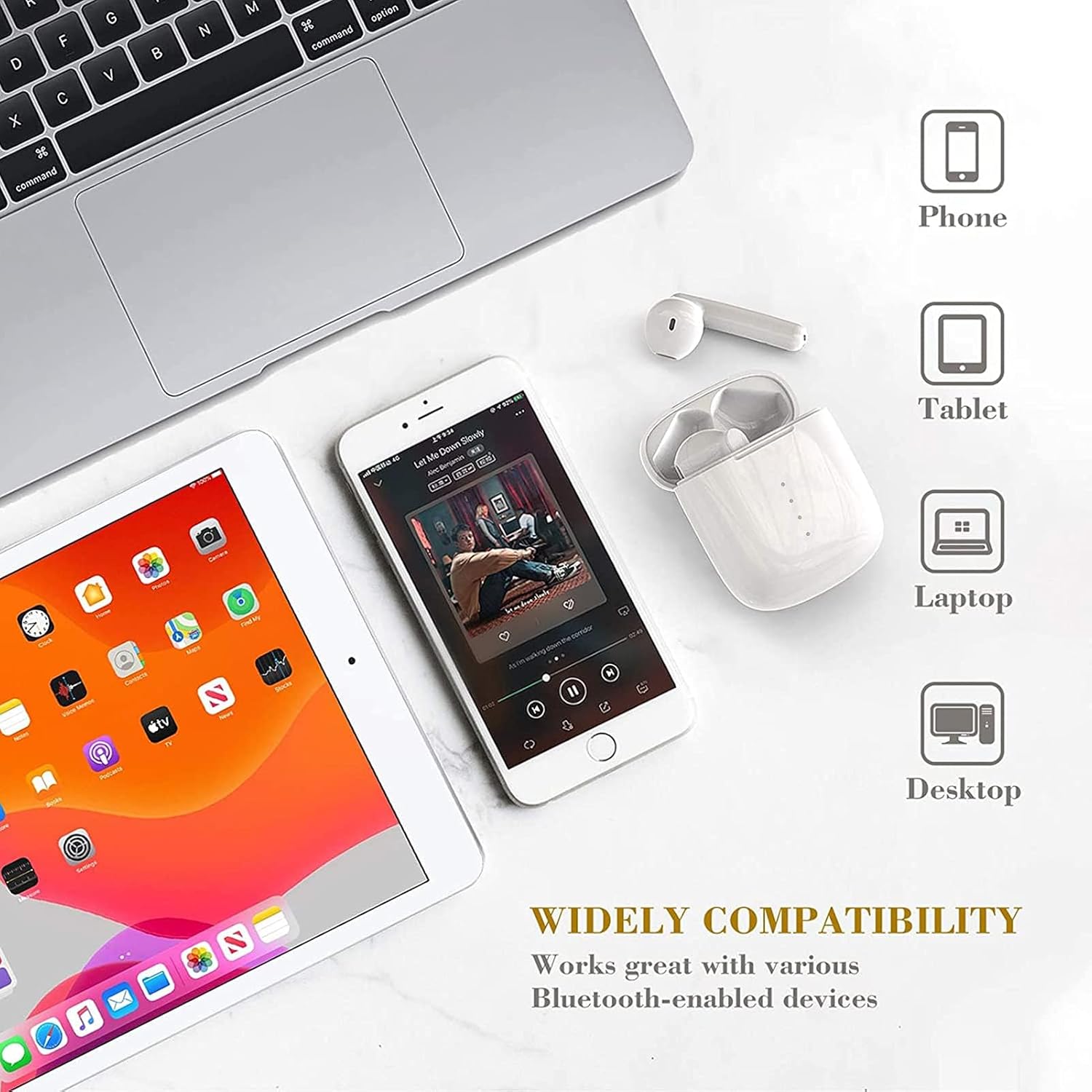
Image: This image showcases the wide compatibility of the IDAKODU T78 earbuds, depicting them alongside a smartphone, tablet, laptop, and desktop computer, indicating their ability to connect with various devices.
البطارية والشحن
The IDAKODU T78 earbuds offer extended playtime and convenient charging options.
- وقت اللعب: Enjoy up to 5 hours of continuous use on a single charge. The charging case provides an additional 25 hours of playtime, totaling 30 hours.
- الشحن: The earbuds fully charge in approximately 1 hour. The charging case can be fully charged via the fast charge USB-C cable in about 1 hour.
- الشحن السريع: A quick 15-minute charge provides up to 2 hours of listening time.
المتانة والتصميم
The IDAKODU T78 earbuds are built for comfort and resilience.
تصميم مريح:
Designed for ultra-comfortable wearing, these earbuds reduce pressure on the ear, ensuring they remain comfortable even during long periods of use. They are suitable for various modes of use, including single ear, binaural, and share mode.
IPX8 Waterproof Effect:
With an IPX8 waterproof rating, the earbuds offer strong resistance against sweat and water. This makes them an ideal partner for gym workouts, outdoor sports, and other activities where exposure to moisture is possible.

Image: This image highlights the ergonomic and IPX8 waterproof design of the IDAKODU T78 earbuds. It shows the earbuds being used in single ear, binaural, and share modes, and depicts them submerged in water to illustrate their waterproof capability. Compatibility with iOS, macOS, Android, and Windows is also indicated.
صيانة
تضمن الصيانة المناسبة طول عمر سماعات الأذن والأداء الأمثل لها.
- تنظيف: امسح سماعات الأذن وعلبة الشحن بانتظام بقطعة قماش ناعمة وجافة وخالية من الوبر. لا تستخدم المنظفات الكاشطة أو المذيبات.
- تخزين: عند عدم الاستخدام، ضع سماعات الأذن في علبة الشحن لحمايتها من الغبار والتلف. خزّنها في مكان بارد وجاف بعيدًا عن درجات الحرارة العالية.
- الشحن: Always use the provided USB Type C cable for charging. Avoid using damaged cables or chargers.
- التعرض للماء: While IPX8 rated, avoid prolonged submersion or exposure to saltwater or other corrosive liquids. Ensure earbuds are dry before placing them back in the charging case.
استكشاف الأخطاء وإصلاحها
If you encounter any issues with your IDAKODU T78 earbuds, refer to the following common solutions:
- سماعات الأذن غير مقترنة:
- تأكد من شحن كلا سماعات الأذن.
- قم بوضع سماعتي الأذن مرة أخرى في علبة الشحن، وأغلق الغطاء، وانتظر لبضع ثوانٍ، ثم افتح الغطاء مرة أخرى.
- قم بإيقاف تشغيل البلوتوث على جهازك وتشغيله مرة أخرى.
- Forget "T78" from your device's Bluetooth list and try pairing again.
- سماعة أذن واحدة فقط تعمل:
- تأكد من شحن كلا سماعات الأذن.
- أعد وضع سماعتي الأذن في علبة الشحن، وأغلق الغطاء، ثم افتحه مجددًا. يؤدي هذا غالبًا إلى إعادة مزامنتهما.
- If the issue persists, try resetting the earbuds (refer to the full user manual if a specific reset procedure is available, otherwise, a full re-pairing might be needed).
- لا يوجد صوت أو مستوى الصوت منخفض:
- تحقق من مستوى الصوت على جهازك وسماعات الأذن.
- تأكد من توصيل سماعات الأذن بجهازك بشكل صحيح.
- قم بتنظيف أي حطام من مكبرات صوت سماعات الأذن.
- قضايا الشحن:
- تأكد من توصيل كابل الشحن بشكل آمن بكل من العلبة ومصدر الطاقة.
- جرّب كابل USB-C أو محول طاقة مختلفًا.
- قم بتنظيف نقاط اتصال الشحن الموجودة على سماعات الأذن وداخل العلبة.
الضمان والدعم
IDAKODU products are manufactured to high quality standards. For information regarding warranty coverage, technical support, or service inquiries, please refer to the warranty card included in your package or visit the official IDAKODU webيرجى الاحتفاظ بإثبات الشراء الخاص بك للمطالبة بالضمان.
Ask a question about this manual
Ask about setup, troubleshooting, compatibility, parts, safety, or missing instructions. Manuals+ will review the question and use this page’s manual context to help answer it.