
Ctronics CTIPC-640C-M12B
Ctronics 4K 8MP Wi-Fi PTZ Outdoor Security Camera
دليل المستخدم
1. المقدمة
Thank you for choosing the Ctronics 4K 8MP Wi-Fi PTZ Outdoor Security Camera. This manual provides detailed instructions for the installation, operation, and maintenance of your new security camera. Please read this manual thoroughly before use to ensure proper functionality and safety.
This camera is designed to provide comprehensive outdoor surveillance with advanced features such as 4K Ultra HD resolution, Pan-Tilt-Zoom capabilities, intelligent detection, and versatile storage options.

Image: The Ctronics 4K 8MP Wi-Fi PTZ Outdoor Security Camera, showcasing its sleek black design and dual antennas.
2. معلومات السلامة
يرجى مراعاة احتياطات السلامة التالية لمنع تلف المنتج أو إصابة نفسك والآخرين:
- Ensure the power supply matches the camera's specifications (12 Volts, 24 Watts).
- لا تعرض الكاميرا لدرجات حرارة قصوى خارج نطاق تشغيلها.
- تجنب التعرض المباشر لأشعة الشمس القوية لفترات طويلة، فقد يؤثر ذلك على جودة الصورة.
- أبقِ الكاميرا بعيدًا عن المجالات المغناطيسية القوية.
- لا تحاول تفكيك الكاميرا أو تعديلها. أحل جميع أعمال الصيانة إلى فنيين مؤهلين.
- Ensure all cables are properly secured to prevent tripping hazards or accidental disconnection.
3. محتويات العبوة
تأكد من تضمين جميع العناصر في الحزمة الخاصة بك:
- Ctronics 4K 8MP Wi-Fi PTZ Outdoor Security Camera
- محول الطاقة
- مسامير التثبيت ومقابس الحائط
- Waterproof Kit for Network Cable
- دليل البدء السريع
4. انتهى المنتجview
تعرف على المكونات الرئيسية للكاميرا الخاصة بك:
- عدسة: يلتقط فيديو فوtage.
- المصابيح IR: توفير إضاءة بالأشعة تحت الحمراء للرؤية الليلية.
- أبرز النقاط: Enhance color night vision and act as deterrents.
- ميكروفون: يلتقط الصوت للتواصل ثنائي الاتجاه.
- المتحدث: يُخرج الصوت للاتصال ثنائي الاتجاه والإنذارات.
- هوائيات: للاتصال بشبكة الواي فاي.
- منفذ كارت الذاكرة الصغيرة: For local storage (supports up to 256GB, not included).
- زر إعادة الضبط: يُستخدم لإعادة ضبط الكاميرا إلى إعدادات المصنع.
- منفذ الطاقة: يتصل بمحول الطاقة.
- منفذ إيثرنت: للاتصال بشبكة سلكية (اختياري).
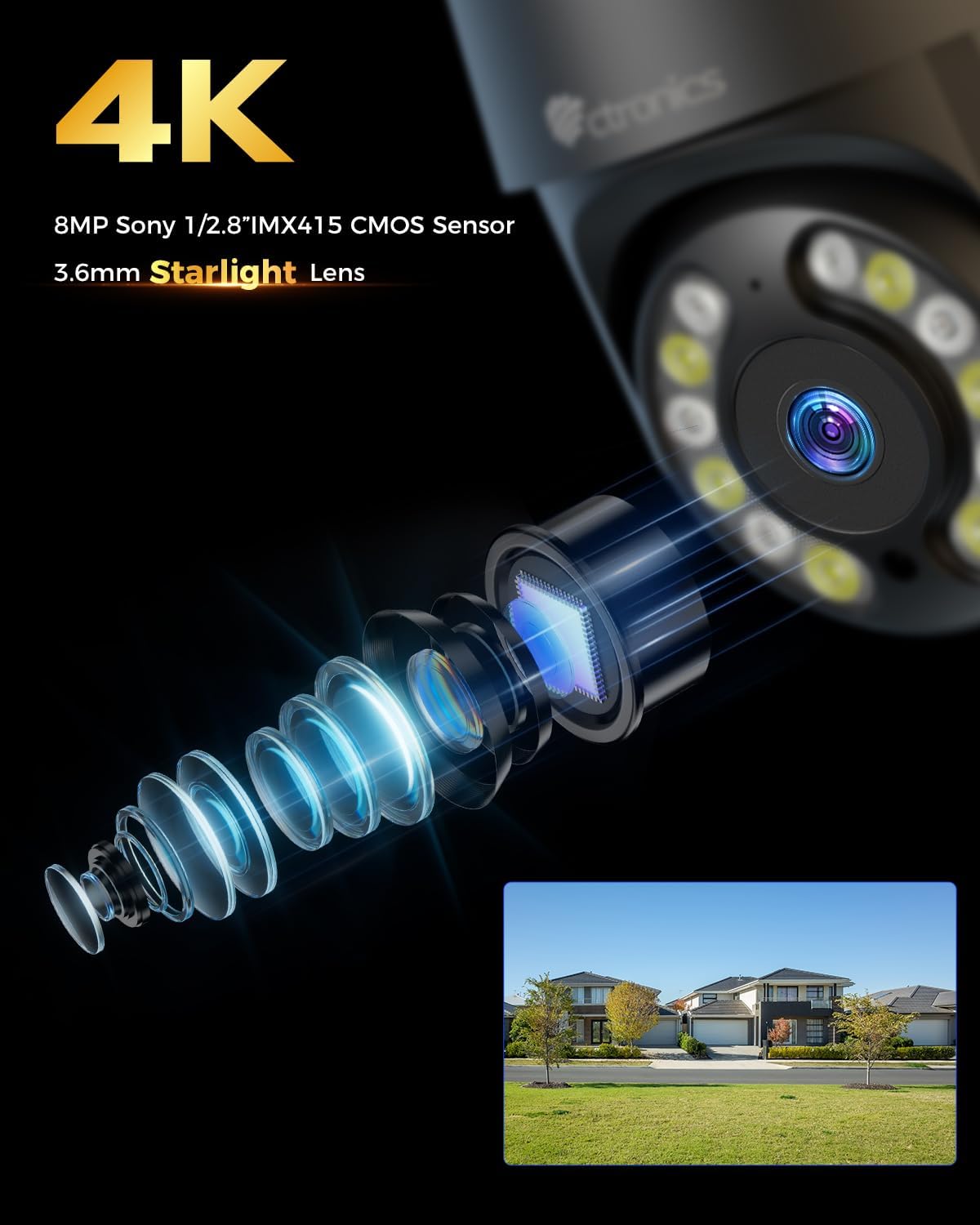
الصورة: عن قرب view of the camera's 4K 8MP Sony 1/2.8" IMX415 CMOS Sensor and 3.6mm Starlight Lens, highlighting its advanced optical components.
5. الإعداد
5.1 التثبيت المادي
The camera supports both ceiling and wall mounting. Choose a location that provides the desired viewزاوية التصوير وتكون ضمن نطاق شبكة الواي فاي أو بالقرب من منفذ إيثرنت.
- تحديد مواقع الحفر: Use the mounting template (if provided) or the camera base to mark the screw holes on the wall or ceiling.
- ثقوب الحفر: قم بحفر ثقوب في المواضع المحددة وأدخل سدادات الحائط.
- تأمين الكاميرا: Align the camera base with the drilled holes and secure it with the provided screws.
- توصيل الطاقة: Connect the power adapter to the camera's power port and plug it into a power outlet.

Image: Illustrates two flexible installation methods for the Ctronics camera: wall-mounted and ceiling-mounted, demonstrating its versatility.
5.2 اتصال الشبكة
The camera supports dual-band Wi-Fi (2.4GHz and 5GHz) for flexible connectivity.
- اتصال واي فاي: For wireless setup, ensure your Wi-Fi network is active. The camera will connect to your chosen network during the app setup process.
- اتصال إيثرنت (اختياري): For a stable wired connection, connect an Ethernet cable from your router to the camera's Ethernet port.
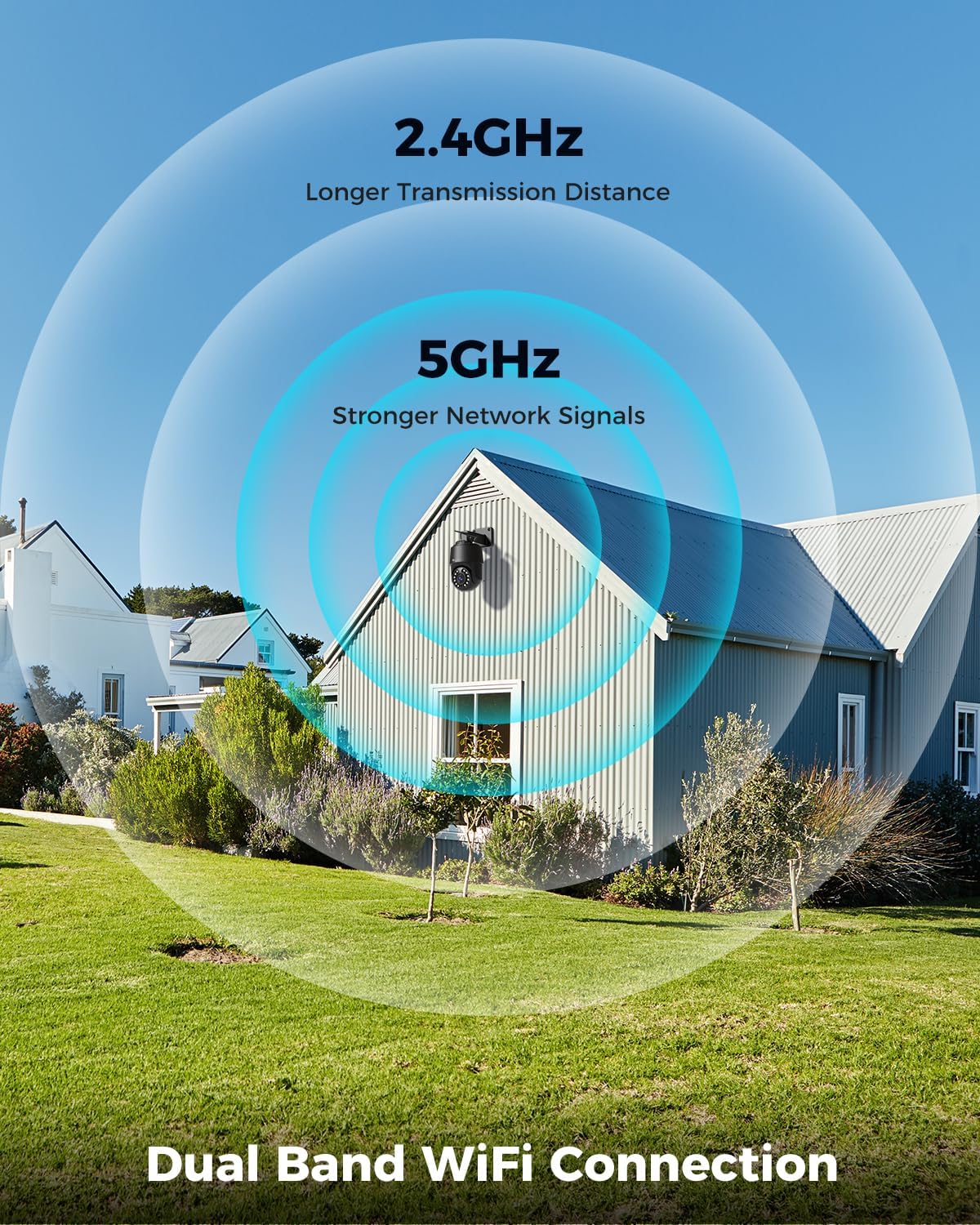
Image: Depicts the camera's dual-band Wi-Fi capability, showing 2.4GHz for longer transmission distance and 5GHz for stronger network signals, ensuring reliable connectivity.
5.3 تثبيت التطبيق والإعداد الأولي
Download the 'Ctronics PRO' or 'HIP2P' app from your mobile app store (iOS/Android) or the Ctronics website for PC/Mac clients.
- تحميل التطبيق: بحث عن "Ctronics PRO" or "HIP2P" in the App Store or Google Play Store and install it.
- تسجيل حساب: افتح التطبيق وقم بتسجيل حساب جديد أو قم بتسجيل الدخول إذا كان لديك حساب بالفعل.
- إضافة جهاز: Tap the "+" icon to add a new device. Follow the on-screen instructions to scan the QR code on the camera or manually enter the device ID.
- تكوين الشبكة: If connecting via Wi-Fi, select your Wi-Fi network and enter the password. The camera will then connect.
- ضبط كلمة السر: قم بإنشاء كلمة مرور قوية لكاميرتك لأغراض الأمان.

Image: Shows the broad compatibility of the Ctronics camera with various operating systems and platforms, including iOS, Android, Mac OS, Windows, Ctronics Pro app, and HiP2P client.
6. تشغيل الكاميرا
6.1 مباشر View
Once connected, you can access the live video feed from your camera through the app. This allows you to monitor your property in real-time.
6.2 التحكم في PTZ (التحريك والإمالة والتكبير)
تتميز الكاميرا بقدرات دوران أفقي بزاوية 355 درجة وقدرة إمالة بزاوية 90 درجة، بالإضافة إلى تقريب بصري 5x.
- التحريك/الإمالة: Use the directional controls in the app to move the camera horizontally and vertically.
- تكبير: Use the zoom controls in the app to optically zoom in or out on objects.
- المواقف المحددة مسبقًا: Set up to 8 preset positions for quick navigation to specific areas.

Image: Illustrates the camera's PTZ (Pan-Tilt-Zoom) functionality, showing its 355° pan and 90° tilt range for comprehensive coverage.
6.3 Detection Features & Auto Tracking
The camera can accurately detect people, vehicles, and pets, and automatically track them.
- تفعيل خاصية الكشف: In the app settings, enable person, vehicle, or pet detection.
- تعقب تلقائي: When enabled, the camera will automatically follow detected subjects within its field of view.
- إشعارات التنبيه: Receive real-time alarm notifications on your mobile device when motion is detected.
- إنذار الصوت والضوء: The camera can activate a sound and red/blue light alarm at night to deter intruders. This feature can be toggled on/off in the app.

Image: Demonstrates the camera's advanced detection capabilities, highlighting its ability to identify and auto-track humans, vehicles, and pets, keeping them in focus.
6.4 الرؤية الليلية
The camera offers both infrared (IR) and color night vision modes.
- الأشعة تحت الحمراء للرؤية الليلية: Provides clear black and white images up to 50 meters in low light or complete darkness.
- رؤية ليلية ملونة: Utilizes built-in spotlights to provide full-color images up to 45 meters at night.

Image: Shows the camera's 4K Color/IR Night Vision capabilities, with bright spotlights illuminating a dark scene, available for audio and red & blue light alarm.
6.5 الصوت ثنائي الاتجاه
تواصل مع الزوار أو ردع المتسللين باستخدام الميكروفون ومكبر الصوت المدمجين.
- يتكلم: انقر على أيقونة الميكروفون في التطبيق للتحدث من خلال مكبر صوت الكاميرا.
- يستمع: يلتقط ميكروفون الكاميرا الصوت من محيطها.
6.6 خيارات التسجيل
تدعم الكاميرا طرق تسجيل متنوعة:
- بطاقة مايكرو التنمية المستدامة: Insert a Micro SD card (up to 256GB, not included) into the camera's slot for continuous 24/7 recording or scheduled recordings.
- NVR/NAS: Connect the camera to a Network Video Recorder (NVR) or Network Attached Storage (NAS) for extended recording and management.
- التخزين السحابي: Optional cloud storage services may be available through the app for secure off-site backup of your footage.

Image: Displays the camera's versatile storage options, including support for up to 256GB Micro SD card (not included), NVR/NAS for 24/7 recording, FTP, and Ctronics Cloud storage.
6.7 مشاركة المستخدمين المتعددين والوصول عن بُعد
Share camera access with family and friends, and view فوtagه عن بعد من أي مكان.
- مشاركة: Share access to the camera feed with up to four users simultaneously through the app.
- الوصول عن بعد: الوصول المباشر view and recorded videos from your iOS, Android, Mac, or Windows devices via the Ctronics PRO or HIP2P app/software.
7. الصيانة
To ensure optimal performance and longevity of your Ctronics camera, follow these maintenance guidelines:
- تنظيف: امسح عدسة الكاميرا وجسمها بانتظام بقطعة قماش ناعمة وجافة لإزالة الغبار والأوساخ. لا تستخدم مواد كيميائية قاسية أو منظفات كاشطة.
- تحديثات البرامج الثابتة: Check the app periodically for firmware updates. Keeping your camera's firmware up-to-date ensures you have the latest features and security enhancements.
- فحص الكابلات: Periodically inspect all cables and connections for any signs of wear or damage. Ensure waterproof connections are sealed properly.
- ادارة التخزين: إذا كنت تستخدم بطاقة Micro SD، فقم بعمل نسخ احتياطية منتظمة للملفات المهمةtage and consider formatting the card periodically to maintain performance.
8. استكشاف الأخطاء وإصلاحها
إذا واجهت مشكلات مع الكاميرا، فراجع المشكلات والحلول الشائعة التالية:
| مشكلة | السبب المحتمل | حل |
|---|---|---|
| الكاميرا غير متصل | انقطاع التيار الكهربائي؛ إشارة الواي فاي ضعيفة/غير متصلة؛ مشكلة في جهاز التوجيه (الراوتر) | Check power connection; Move camera closer to router or use Ethernet; Restart router |
| جودة الصورة رديئة | Dirty lens; Insufficient lighting; Network bandwidth issue | Clean lens; Ensure adequate lighting or enable color night vision; Check network speed |
| كشف الحركة لا يعمل | Detection sensitivity too low; Detection zone not set; Obstructions | Adjust sensitivity in app; Configure detection zones; Clear obstructions |
| الصوت ثنائي الاتجاه لا يعمل | Microphone/speaker disabled in app; Volume too low; Network delay | Enable audio in app; Adjust volume; Check network stability |
| لا يمكن الاتصال بشبكة Wi-Fi بتردد 5 جيجاهرتز | Router settings; Distance from router | Ensure router supports 5GHz and is configured correctly; 5GHz has shorter range, move camera closer |
If the problem persists, please contact Ctronics customer support for assistance.
9. المواصفات
| ميزة | مواصفة |
|---|---|
| رقم الموديل | CTIPC-640C-M12B |
| دقة | 4K (3840x2160p), 8 Megapixels |
| التكبير البصري | 5X |
| نطاق التحريك/الإمالة | المقلاة: 355 درجة، الإمالة: 90 درجة |
| نطاق الرؤية الليلية | IR: 50m, Color: 45m |
| اتصال واي فاي | نطاق مزدوج 2.4 جيجاهرتز / 5 جيجاهرتز |
| خيارات التخزين | Micro SD (up to 256GB), NVR/NAS, Cloud |
| مقاومة الماء | IP66 (ماء) |
| مزود الطاقة | 12 فولت ، 24 واط |
| مادة | معدن |
| الأبعاد (الطول × العرض × الارتفاع) | 21.99 × 15.99 × 22 سم |
| وزن | 1.28 كجم |
| الأجهزة المتوافقة | Computer, Laptop, Tablet, Smartphone |
| أنظمة التشغيل | iOS, Android, Mac OS, Windows |
10. الضمان والدعم
Ctronics products come with a standard warranty. Please refer to the warranty card included in your package or visit the official Ctronics webالموقع للحصول على شروط وأحكام الضمان التفصيلية.
For technical support, troubleshooting assistance, or any inquiries regarding your product, please contact Ctronics customer service through the following channels:
- رسمي Webموقع: قم بزيارة موقع Ctronics الرسمي webموقع للأسئلة الشائعة، ومقالات الدعم، ومعلومات الاتصال.
- دعم البريد الإلكتروني: Send an email to the support team (email address typically found on the website or quick start guide).
- الدعم داخل التطبيق: Some issues can be resolved directly through the support features within the Ctronics PRO app.
When contacting support, please have your product model number (CTIPC-640C-M12B) and purchase information ready.
Ask a question about this manual
Ask about setup, troubleshooting, compatibility, parts, safety, or missing instructions. Manuals+ will review the question and use this page’s manual context to help answer it.