
1. المقدمة
Thank you for choosing the Zeblaze Crystal 3 Smartwatch. This manual provides essential information for setting up, operating, maintaining, and troubleshooting your device. Please read it carefully to ensure proper use and optimal performance.
2. انتهى المنتجview
The Zeblaze Crystal 3 is a versatile smartwatch designed for fitness tracking and daily use. It features a vibrant HD color display and high-precision sensors to monitor various health metrics.
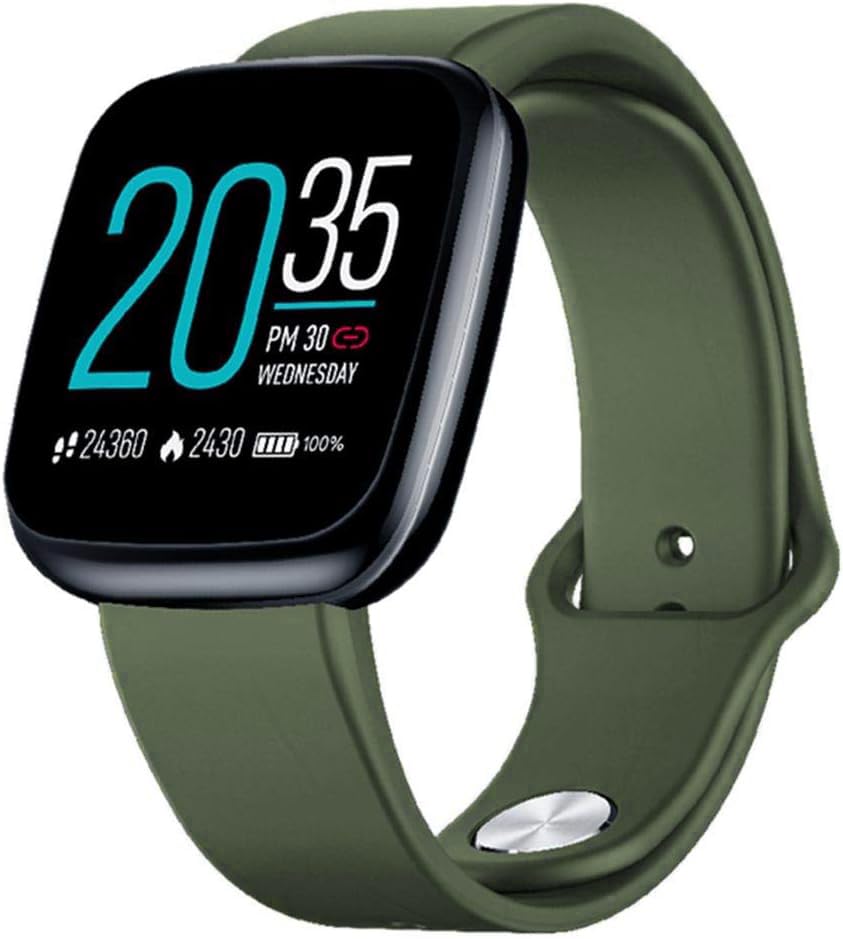
Image: Zeblaze Crystal 3 Smartwatch, showing the main display and green strap.
المميزات الرئيسية:
- 1.3-inch HD Color Screen: A vibrant IPS display with 240x240 pixel resolution for clear visuals.
- أجهزة استشعار عالية الدقة: Equipped with a heart rate sensor, proximity sensor, and accelerometer for accurate data collection.
- مقاومة الماء بمعيار IP67: Designed to withstand daily water exposure, such as splashes and rain.
- عمر بطارية طويل: Up to 7 days of use on a single 2-hour charge, thanks to its 200 mAh battery.
- تتبع النشاط: Monitors steps, distance, calories burned, and supports various sports modes.
- مراقبة الصحة: Includes heart rate and sleep tracking.
- توافق الهاتف الذكي: Works with Android 4.4 or newer and iOS 8.0 or newer devices.
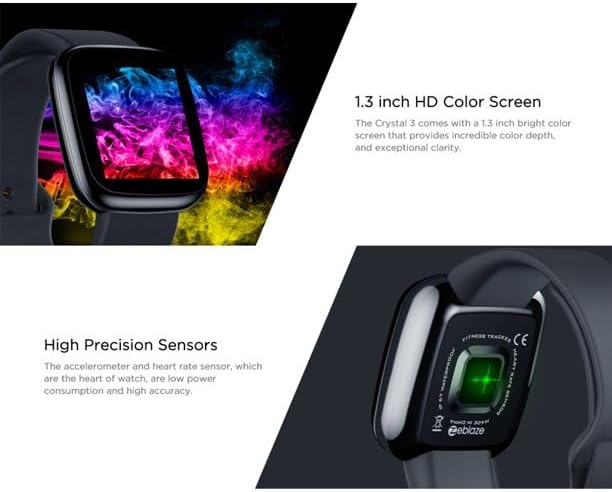
Image: Close-up of the 1.3-inch HD color screen and the high-precision heart rate sensor on the back of the watch.
3. الإعداد
3.1 شحن الساعة الذكية
Before first use, fully charge your Zeblaze Crystal 3. Connect the charging cable to the watch's charging port and a USB power source (e.g., computer USB port or a 5V/1A USB adapter). A full charge typically takes about 2 hours.
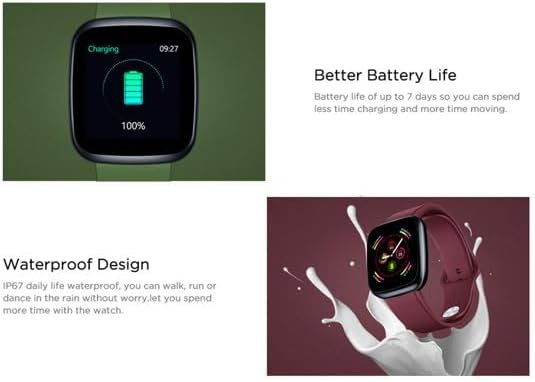
Image: Illustration showing how to connect the smartwatch to a USB port for charging.
3.2 تثبيت التطبيق وإقرانه
- تنزيل التطبيق: بحث عن the official Zeblaze companion app on your smartphone's app store (Google Play Store for Android or Apple App Store for iOS).
- إنشاء حساب: افتح التطبيق واتبع التعليمات التي تظهر على الشاشة لإنشاء حساب أو تسجيل الدخول.
- إقران الجهاز: Ensure Bluetooth is enabled on your smartphone. In the app, navigate to the device pairing section and select "Zeblaze Crystal 3" from the list of available devices. Confirm the pairing request on both your phone and the smartwatch.
- محترفfile يثبت: أكمل ملفك الشخصي الاحترافيfile within the app to ensure accurate tracking of health and fitness data.
4. تعليمات التشغيل
4.1 الملاحة الأساسية
- شاشة التنبيه: Raise your wrist or press the side button to wake the screen.
- اسحب لأعلى/لأسفل: الوصول إلى الإشعارات أو الإعدادات السريعة.
- اسحب لليسار/اليمين: Navigate through different functions and widgets (e.g., heart rate, activity data, weather).
- مقبض: حدد عنصرًا أو قم بتأكيد إجراء.
- ضغطة طويلة: On the main watch face, long press to change watch faces.
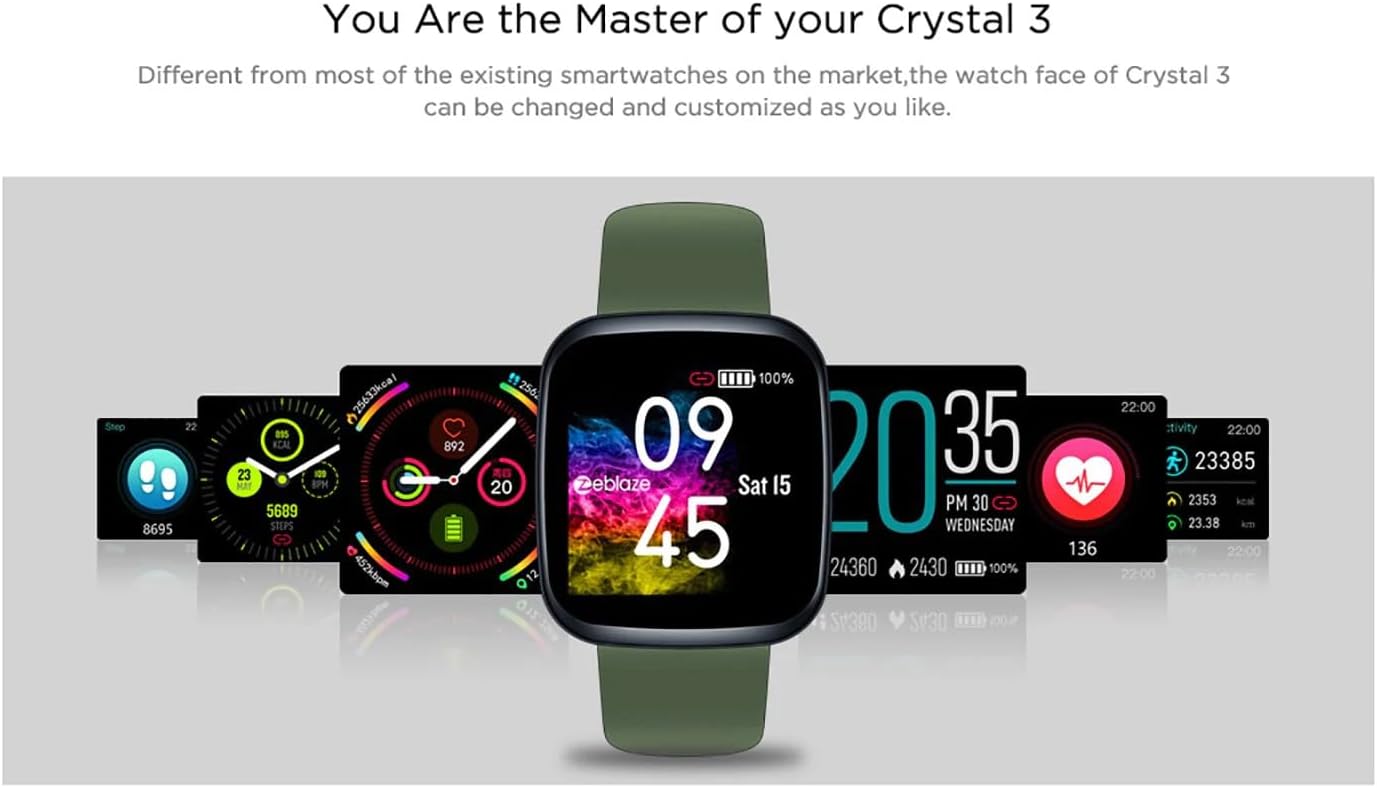
Image: The Zeblaze Crystal 3 displaying different customizable watch faces and data screens.
4.2 تتبع النشاط
The smartwatch automatically tracks your daily steps, distance, and calories burned. You can view this data directly on the watch or in more detail within the companion app.
4.3 مراقبة معدل ضربات القلب
The built-in heart rate sensor continuously monitors your heart rate. Ensure the watch is worn snugly on your wrist for accurate readings. View your current and historical heart rate data in the app.
4.4 مراقبة النوم
Wear the smartwatch to bed to track your sleep patterns. The device records sleep duration and quality, which can be reviewed in the app to help you understand and improve your sleep habits.
5. الصيانة
5.1 تنظيف الجهاز
Regularly clean your smartwatch and strap to prevent skin irritation and maintain functionality. Use a soft, damp استخدم قطعة قماش لمسح الشاشة والحزام. تجنب استخدام المواد الكيميائية القاسية أو المواد الكاشطة.
5.2 مقاومة الماء (IP67)
The Zeblaze Crystal 3 is IP67 water-resistant, meaning it is protected against dust and can withstand immersion in water up to 1 meter for up to 30 minutes. It is suitable for daily use, such as washing hands, rain, or light splashes. It is not recommended for swimming, showering with hot water, or diving.

Image: Illustration highlighting the waterproof design of the Zeblaze Crystal 3 Smartwatch.
5.3 العناية بالبطارية
- تجنب درجات الحرارة القصوى، التي يمكن أن تؤدي إلى تدهور عمر البطارية.
- Do not leave the device fully discharged for extended periods.
- استخدم فقط كابل الشحن المقدم أو ما يعادله المعتمد.
6. استكشاف الأخطاء وإصلاحها
6.1 الجهاز لا يعمل
- تأكد من شحن الجهاز بالكامل. وصله بالشاحن لمدة 30 دقيقة على الأقل.
- حاول الضغط مع الاستمرار على الزر الجانبي لمدة 10-15 ثانية لإعادة التشغيل.
6.2 تعذر الاقتران بالهاتف الذكي
- Make sure Bluetooth is enabled on your phone and the smartwatch is within range.
- أعد تشغيل كل من هاتفك الذكي وساعتك الذكية.
- تحقق مما إذا كان التطبيق محدثًا إلى الإصدار الأحدث.
- قم بحذف الجهاز من إعدادات البلوتوث في هاتفك وحاول الاقتران مرة أخرى من خلال التطبيق.
6.3 Inaccurate Heart Rate/Activity Data
- تأكد من ارتداء الساعة بشكل مريح على معصمك، وليس ضيقًا جدًا أو فضفاضًا جدًا.
- قم بتنظيف المستشعر الموجود على الجزء الخلفي من الساعة.
- Update the smartwatch firmware via the companion app if an update is available.
7. المواصفات
| ميزة | التفاصيل |
|---|---|
| ماركة | زيبليز |
| اسم الموديل | الكريستال 3 |
| عرض | شاشة ملونة IPS مقاس 1.3 بوصة |
| دقة | 240*240 بكسل |
| أجهزة الاستشعار | Heart Rate Sensor, Proximity Sensor, Accelerometer |
| مقاومة الماء | IP67 |
| سعة البطارية | 200 مللي أمبير |
| وقت الشحن | حوالي 2 ساعات |
| عمر البطارية | حتى 7 يوما |
| التوافق | أندرويد 4.4+ / آي أو إس 8.0+ |
| أبعاد | 4.05 x 3.55 x 1.2 cm (1.59 x 1.39 x 0.47 inches) |
| وزن | 27 جرام (0.95 أونصة) |
| الاتصال | Bluetooth (for app pairing), USB (for charging) |
| المميزات الخاصة | Activity Tracker, Heart Rate Monitor, Sleep Monitor |
8. الضمان والدعم
For warranty information and customer support, please refer to the documentation included with your purchase or visit the official Zeblaze website. If you encounter any issues not covered in this manual, please contact Zeblaze customer service for assistance.