
1. المقدمة
Thank you for choosing the Micool BT-X Bluetooth V5.3 Clip-On Wireless Headphones. This manual provides essential information for setting up, operating, and maintaining your headphones to ensure optimal performance and longevity. Please read this manual thoroughly before first use and retain it for future reference.
2. محتويات العبوة
- Micool BT-X Wireless Headphones (Left and Right)
- حافظة الشحن
- كابل شحن USB-C
- دليل المستخدم
3. انتهى المنتجview
The Micool BT-X headphones are designed for comfort and high-quality audio, featuring an open-ear design with earhooks. They incorporate Bluetooth 5.3 technology for stable connections and 28mm speakers for clear stereo sound and powerful bass. Four integrated microphones enhance call clarity by reducing ambient noise.

Image: Micool BT-X Headphones and Charging Case

Image: Internal structure highlighting the 28mm neodymium magnetic horn for enhanced sound quality.

Image: User demonstrating clear call functionality with Micool BT-X headphones, featuring 4 microphones for noise cancellation.
4. Getting Started: First Use and Pairing
4.1 الإعداد الأولي
Before first use, ensure you remove the charging protection insulation film from both earbuds. This film prevents charging during shipping.
Video: Demonstrates removing the charging protection insulation film and initiating Bluetooth pairing for first-time use.
4.2 اقتران بلوتوث
- Ensure the headphones are fully charged and the insulation film has been removed.
- Open the charging case lid. The headphones will automatically enter Bluetooth pairing mode, indicated by a green light flashing intermittently on the earbuds.
- على جهازك (الهاتف الذكي، الجهاز اللوحي، الكمبيوتر المحمول)، قم بتمكين البلوتوث.
- بحث عن available Bluetooth devices and select 'Micool BT-X' from the list.
- Once connected, the green light on the earbuds will stop flashing, indicating successful pairing.
The headphones will automatically reconnect to the last paired device when removed from the charging case and within range.
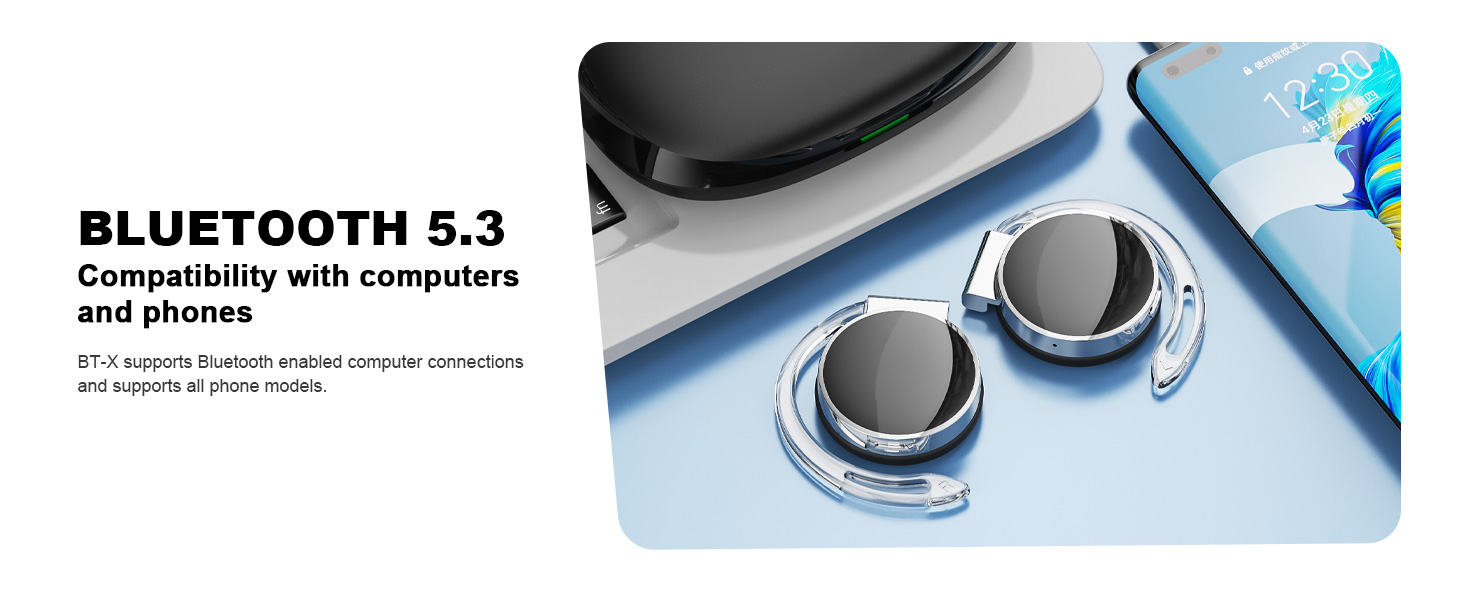
Image: Micool BT-X headphones demonstrating compatibility with various devices including laptops and smartphones via Bluetooth 5.3.
5. ارتداء سماعات الرأس
For optimal sound and comfort, wear the headphones correctly as shown below:

Image: Step-by-step guide on how to wear the Micool BT-X headphones.
- الخطوة 1: Separate the earhooks at a 30-degree angle.
- الخطوة 2: Rotate the earhook along the inside of your ear to the bottom.
- الخطوة 3: Press the headphones gently until they feel secure on your ears.
- الخطوة 4: Adjust for a comfortable and stable fit. The sponge earmuffs are designed for comfort during extended wear.
6. تعليمات التشغيل
The Micool BT-X headphones feature multi-function buttons on each earbud for easy control.
6.1 التحكم في الموسيقى
- تشغيل/إيقاف مؤقت: اضغط مرة واحدة على زر الوظائف المتعددة الموجود على أي سماعة أذن.
- الأغنية التالية: اضغط مرتين على زر الوظائف المتعددة الموجود على سماعة الأذن اليمنى.
- الأغنية السابقة: اضغط مرتين على زر الوظائف المتعددة الموجود على سماعة الأذن اليسرى.
- رفع الصوت: اضغط ثلاث مرات على زر الوظائف المتعددة الموجود على سماعة الأذن اليمنى.
- اخفض الصوت: اضغط ثلاث مرات على زر الوظائف المتعددة الموجود على سماعة الأذن اليسرى.
6.2 التحكم في المكالمات
- الرد/إنهاء المكالمة: اضغط مرة واحدة على زر الوظائف المتعددة الموجود على أي سماعة أذن.
- رفض المكالمة: اضغط مع الاستمرار على زر الوظائف المتعددة الموجود على أي سماعة أذن لمدة ثانيتين.
6.3 مساعد صوتي
- تنشيط مساعد الصوت: اضغط مع الاستمرار على زر الوظائف المتعددة الموجود على أي سماعة أذن لمدة ثانيتين.
7. الشحن
The Micool BT-X headphones offer extended battery life with their charging case.
- عمر بطارية سماعة الرأس: Up to 15 hours of music playback on a single full charge.
- Total Battery Life with Case: The charging case provides approximately 3 additional full charges, extending total listening time up to 42 hours.
- شحن العلبة: Connect the provided USB-C cable to the charging port on the case and a power source. The battery indicator on the case will show the charging status and remaining battery capacity.
- شحن سماعات الرأس: Place the headphones into the charging case. They will automatically begin charging.

Image: Visual representation of the extended battery life for Micool BT-X headphones and their charging case.
8. المواصفات
| ميزة | مواصفة |
|---|---|
| ماركة | Micool |
| رقم الموديل | بي تي-إكس |
| نسخة البلوتوث | 5.3 |
| تكنولوجيا الاتصال | لاسلكي |
| وضع الأذن | على الأذن |
| متوسط عمر البطارية | 15 Hours (Headphones), 42 Hours (with Charging Case) |
| نوع التحكم | التحكم الصوتي |
| طريقة التحكم | المس، صوت |
| نوع برنامج تشغيل الصوت | Dynamic Driver (28mm speakers) |
| الميكروفونات | 4 (with Noise Cancelling) |
| الأجهزة المتوافقة | الهواتف المحمولة، الأجهزة اللوحية، أجهزة الكمبيوتر المحمولة، أجهزة الكمبيوتر المكتبية |
9. استكشاف الأخطاء وإصلاحها
- لا يمكن الاقتران بالجهاز:
Ensure the headphones are charged and the insulation film is removed. Turn off Bluetooth on other nearby devices. Restart your device and try pairing again. If issues persist, reset the headphones (refer to manufacturer's web(يمكنك الاطلاع على الموقع للحصول على تعليمات إعادة الضبط المحددة إذا لم تكن موجودة في الدليل). - لا يوجد صوت أو مستوى الصوت منخفض:
Check the volume levels on both your device and the headphones. Ensure the headphones are properly connected to your device. Try playing audio from a different application or device. - اتصال متقطع:
Ensure there are no obstructions between the headphones and your device. Stay within the Bluetooth range (up to 10 meters). Avoid environments with strong electromagnetic interference. - سماعات الرأس لا تشحن:
Verify the USB-C cable is securely connected to both the charging case and the power source. Ensure the headphones are correctly seated in the charging case. Check the charging case's battery level.
10. معلومات السلامة
- لا تعرض سماعات الرأس أو علبة الشحن لدرجات حرارة شديدة أو رطوبة أو سوائل.
- Avoid dropping, impacting, or disassembling the product.
- استخدم فقط كابل الشحن المقدم أو كابل USB-C معتمدًا للشحن.
- نظّف سماعات الرأس بقطعة قماش ناعمة وجافة. لا تستخدم مواد كيميائية قاسية.
- قد يؤدي الاستماع لفترات طويلة بمستويات صوت عالية إلى تلف السمع. اضبط مستوى الصوت على مستوى آمن.
- Be aware of your surroundings when using headphones, especially in traffic or hazardous situations.
11. الضمان والدعم
Micool products come with a standard warranty. For detailed warranty information, product support, or service inquiries, please refer to the official Micool webيمكنك زيارة الموقع أو الاتصال بخدمة العملاء من خلال منصة الشراء الخاصة بك.
Micool is committed to providing 24-hour after-sales service for all purchased items.
Webموقع: Visit the Micool Store on Amazon