
symcode 1D Laser Pink
Symcode USB 1D Barcode Scanner User Manual
Model: 1D Laser Pink
1. المقدمة
This user manual provides detailed instructions for the Symcode USB 1D Barcode Scanner. Please read this manual carefully before using the product to ensure proper operation and to maximize its lifespan. This device is designed for efficient and accurate scanning of 1D barcodes in various environments such as warehouses, libraries, supermarkets, and POS systems.
2. محتويات العبوة
- 1 x Symcode CCD Barcode Scanner
- 1 × كابل يو اس بي
- 1 × دليل المستخدم (هذه الوثيقة)
3. انتهى المنتجview
The Symcode 1D Barcode Scanner is a handheld, wired device featuring CCD image scanning technology. Its ergonomic and lightweight design ensures comfortable use for extended periods.
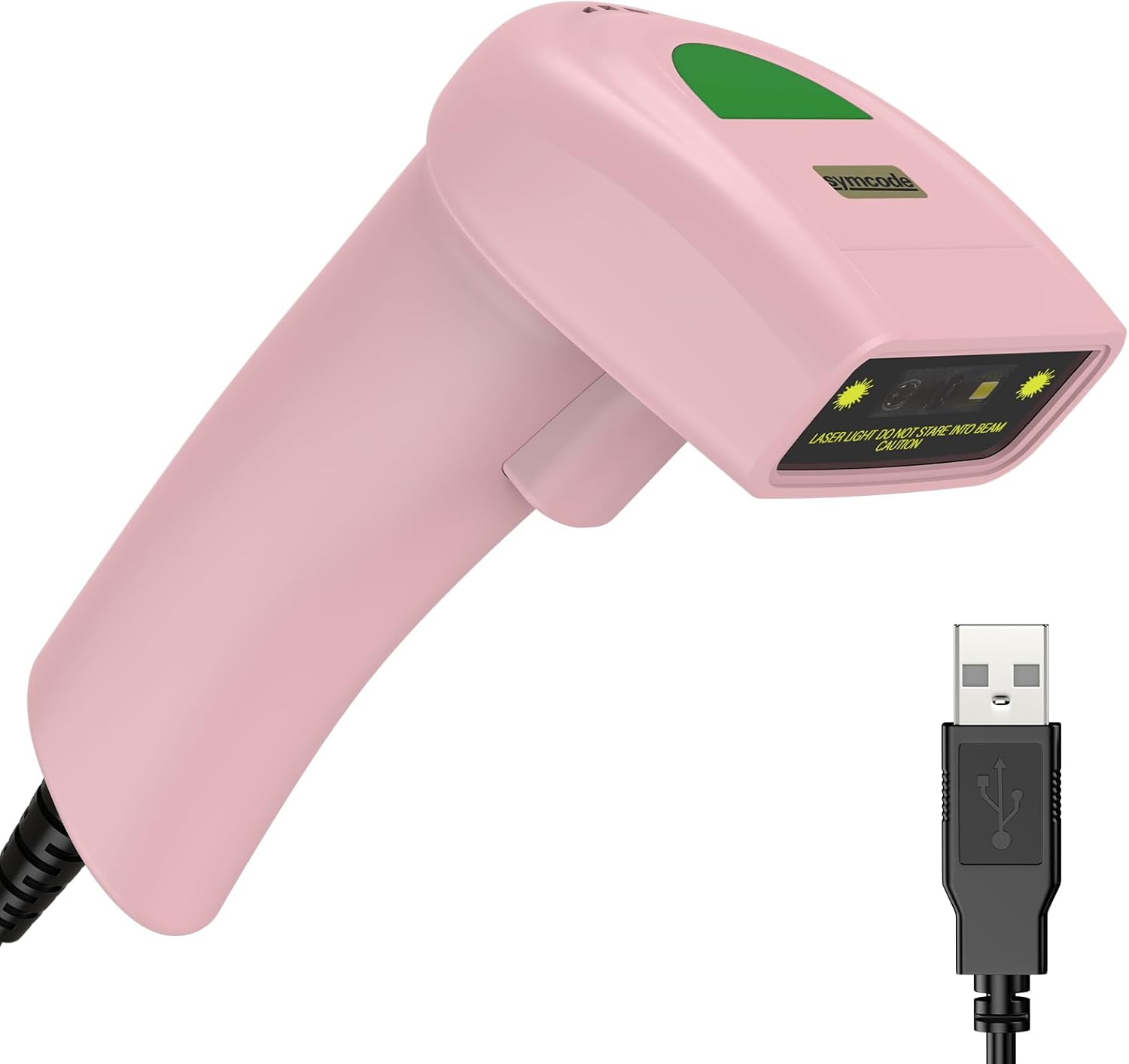
Figure 3.1: Symcode USB 1D Barcode Scanner (Pink) with its USB cable.

Figure 3.2: The scanner's compact dimensions (1.97in/5cm width, 2.76in/7cm depth, 5.5in/14cm height) are shown in comparison to a mobile phone, highlighting its portability. The scanner weighs only 181g (excluding the wire).

Figure 3.3: The scanner's light and streamlined design (left) offers comfort and ease of use, contrasting with a heavier, bulkier design (right) that can be more laborious.
4. الإعداد
4.1 توصيل الماسح الضوئي
The Symcode 1D Barcode Scanner is a plug-and-play device, requiring no driver installation for most operating systems.
- حدد موقع منفذ USB متاح على جهاز الكمبيوتر الخاص بك (الكمبيوتر المكتبي أو الكمبيوتر المحمول).
- Insert the USB connector of the scanner's cable into the USB port.
- The scanner will emit a beep, indicating successful connection and readiness for use.

Figure 4.1: The USB cable serves as both a power source and a data transmission cable, enabling simple plug-and-play functionality.
5. تعليمات التشغيل
5.1 المسح الأساسي
To scan a barcode, aim the scanner's laser beam at the center of the barcode and press the trigger button. A successful scan will be indicated by a beep and a light confirmation.

Figure 5.1: The scanner is capable of reading 1D barcodes from both printed labels and digital screens.
5.2 أوضاع المسح
يدعم الماسح الضوئي ثلاثة أوضاع مسح أساسية:
- وضع الزناد الرئيسي: Press the trigger button to initiate each scan.
- Auto-Induction Mode: يكتشف الماسح الضوئي تلقائيًا الرمز الشريطي ضمن نطاقه view and scans it without requiring a trigger press.
- الوضع المستمر: The scanner continuously emits its laser, scanning any barcode that passes through its beam.
5.3 خيارات التخصيص
5.3.1 إضافة البادئة واللاحقة
The scanner allows for customization of scanned data by adding prefixes or suffixes. This feature is useful for data organization and integration with various software systems. Refer to the programming barcodes in the included user manual for specific instructions on how to configure these options.

الشكل 5.2: مثالamples demonstrating how prefixes (e.g., RL123456789), suffixes (e.g., 123456789RL), or middle insertions (e.g., 12345RL6789) can be added to scanned barcode data.
5.3.2 التحكم في الصوت
The scanner's sound (beep) can be turned on or off according to user preference. This is typically done by scanning specific configuration barcodes found in the full user manual.

Figure 5.3: Visual representation of turning the scanner's sound on or off using dedicated configuration barcodes.
6. الباركودات المدعومة
The Symcode 1D Barcode Scanner is equipped with advanced CCD sensor technology, enabling it to accurately read a wide range of 1D barcodes, including those that are smudged, damaged, fuzzy, or reflective. It supports 180 configurable options for prefix, suffix, and termination strings.
Supported 1D Barcode Symbologies include:
- EAN-8/13
- UPC-A/E
- Code 39/93/128
- EAN-128
- Codabar
- الصناعية 2 من 5
- التداخل 2 من 5
- المصفوفة 2 من 5
- إم إس آي
- RSS variants
- الصينية 2 من 5

Figure 6.1: The scanner's super decoding ability is demonstrated with examples of various 1D barcodes, including standard ones like الكود 128 و رمز المنتج الموحد أ, as well as challenging ones like Frauded Barcode, محترفfileد الباركود, Folded Barcode، و Color Barcode.
7. الصيانة
تضمن الصيانة المناسبة طول عمر وأداء مثالي لجهاز مسح الباركود الخاص بك.
- تنظيف: استخدم قطعة قماش ناعمة وجافة لتنظيف الجزء الخارجي من الماسح الضوئي. بالنسبة لنافذة المسح الضوئي، استخدم قطعة قماش خالية من الوبر وامسحها برفق.ampened with a non-abrasive cleaner. Avoid harsh chemicals or abrasive materials.
- تخزين: قم بتخزين الماسح الضوئي في مكان بارد وجاف بعيدًا عن أشعة الشمس المباشرة ودرجات الحرارة القصوى.
- التعامل: While the scanner is designed to be durable (withstands drops from 2m), avoid unnecessary drops or impacts to prevent damage to internal components.
8. استكشاف الأخطاء وإصلاحها
| مشكلة | السبب المحتمل | حل |
|---|---|---|
| الماسح الضوئي لا يعمل. | كابل USB غير متصل بشكل صحيح أو منفذ USB معيب. | تأكد من توصيل كابل USB بإحكام بكل من الماسح الضوئي والكمبيوتر. جرب منفذ USB آخر. |
| الماسح الضوئي لا يقرأ الباركود. | Barcode is damaged, poorly printed, or not a supported symbology. Scanner is not in the correct scanning mode. | Ensure the barcode is clear and undamaged. Verify the barcode symbology is supported. Check the scanning mode (Key Trigger, Auto-Induction, Continuous) and adjust if necessary. |
| البيانات الممسوحة ضوئيا غير صحيحة أو غير كاملة. | Incorrect prefix/suffix settings or data formatting issues. | Refer to the customization section (5.3) and the full user manual for programming barcodes to reset or adjust prefix/suffix settings. |
| No sound from scanner. | تم إيقاف تشغيل الصوت. | Scan the "Turn on Sound" configuration barcode (refer to section 5.3.2 and the full user manual). |
9. المواصفات
| ميزة | التفاصيل |
|---|---|
| أبعاد | 165 × 63 × 87 ملم (6.5 × 2.48 × 3.43 بوصة) |
| وزن | 156 جرام (5.9 أونصات) |
| مصدر الضوء | 650nm~670nm Visible Laser |
| سرعة المسح | 100 مسح/ثانية |
| Read Preciseness | 0.1 مم (4 مل) |
| تباين الطباعة | 30% الحد الأدنى |
| عمق المجال | 0~600mm (0.33mm, PCS 90%) |
| Scan Scope | 10 مم ~ 250 مم |
| مسافة القراءة | 2.5~600mm (100% UPC/EAN) |
| معدل خطأ البت | 1 / 5 مليون |
| حاضِر | 85mA (working), 36mA (storage) |
| الواجهة | USB |
| درجة حرارة التشغيل | 0 درجة مئوية ~ 45 درجة مئوية (32 درجة فهرنهايت ~ 113 درجة فهرنهايت) |
| درجة حرارة التخزين | -20 درجة فهرنهايت ~ 60 درجة فهرنهايت (-4 درجة فهرنهايت ~ 140 درجة فهرنهايت) |
| رطوبة | 5%~95% بدون تكاثف |
| مادة | ABS+PC |
| الأجهزة المتوافقة | سطح المكتب، الكمبيوتر المحمول |
| مصدر الطاقة | كهرباء سلكية |
10. الضمان والدعم
Symcode products are manufactured to high quality standards. For warranty information and technical support, please refer to the contact details provided with your purchase or visit the official Symcode webالموقع. احتفظ بإيصال الشراء الخاص بك كإثبات للشراء في حالة مطالبات الضمان.
For further assistance, please contact Symcode customer service.
Ask a question about this manual
Ask about setup, troubleshooting, compatibility, parts, safety, or missing instructions. Manuals+ will review the question and use this page’s manual context to help answer it.