
1. المقدمة
This manual provides essential information for the safe and efficient use of your GOBOULT Y1 Wireless Ear Buds. Please read it thoroughly before using the product and retain it for future reference.
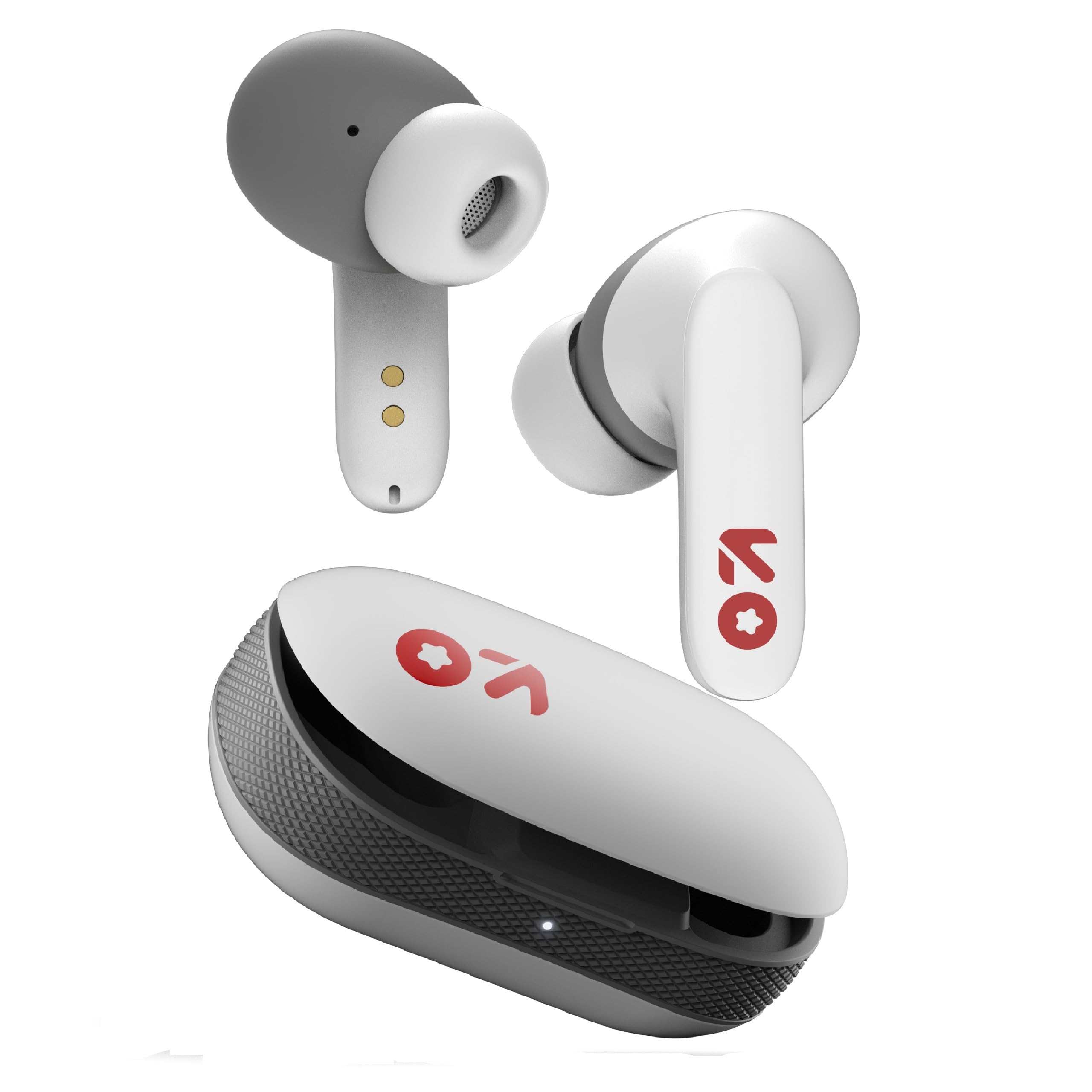
Image: GOBOULT Y1 Wireless Ear Buds and their charging case. The earbuds are white with grey tips and red GOBOULT logos, resting beside the matching white charging case.
2. ماذا يوجد في الصندوق
تأكد من وجود جميع العناصر في العبوة:
- Y1 Earphones (Left and Right)
- Y1 Charging Case
- كابل شحن USB من النوع C
- أطراف أذن إضافية (بأحجام مختلفة)
- دليل المستخدم (هذا المستند)
3. الإعداد
3.1 الشحن الأولي
Before first use, fully charge the ear buds and the charging case.
- Place the ear buds into the charging case. Ensure they are correctly seated.
- Connect the provided USB Type-C cable to the charging port on the case and to a compatible USB power source (e.g., wall adapter, computer USB port).
- The indicator light on the charging case will show charging status. A full charge typically takes approximately 90 minutes.
- A 10-minute charge provides approximately 100 minutes of playtime.

Image: GOBOULT Y1 Ear Buds and their charging case, illustrating the Type-C fast charging port and cable connection. Text indicates "10 mins = 100 mins playtime".
3.2 اقتران بلوتوث
The GOBOULT Y1 Ear Buds feature Blink & Pair™ Bluetooth 5.3 for fast and stable connection.
- Ensure the ear buds are charged.
- Open the lid of the charging case. The ear buds will automatically enter pairing mode, indicated by flashing LED lights.
- على جهازك (الهاتف الذكي، الجهاز اللوحي، الكمبيوتر المحمول)، قم بتمكين البلوتوث.
- بحث عن "GOBOULT Y1" in the list of available Bluetooth devices.
- Select "GOBOULT Y1" to connect. Once connected, a voice prompt will confirm successful pairing, and the LED lights on the ear buds will stop flashing.
- For subsequent use, the ear buds will automatically connect to the last paired device when removed from the case.

Image: GOBOULT Y1 Ear Buds and case with a smartphone displaying music, highlighting Bluetooth v5.3, Blink & Pair, Stable Connection, and Power efficient features.
4. تعليمات التشغيل
4.1 الضوابط التي تعمل باللمس
The GOBOULT Y1 Ear Buds feature intuitive touch controls on each ear bud. The specific functions are as follows:

Image: A detailed diagram showing the touch control functions for the GOBOULT Y1 Ear Buds. It illustrates single taps, double taps, triple taps, and long presses for various actions like music playback, call management, and voice assistant activation.
- Single Tap (Left/Right Bud): تشغيل/إيقاف الموسيقى مؤقتًا، الرد على المكالمات
- Double Tap (Left Bud): الأغنية السابقة
- Double Tap (Right Bud): الأغنية التالية
- Triple Tap (Left Bud): خفض الصوت
- Triple Tap (Right Bud): رفع الصوت
- Long Press (Left/Right Bud): Activate Voice Assistant (Google Assistant/Siri), Reject Call, End Call
- Four Taps (Left/Right Bud): Activate Combat Mode (Low Latency Gaming)
4.2 مساعد صوتي
Activate your device's voice assistant (Google Assistant or Siri) by long-pressing either ear bud.
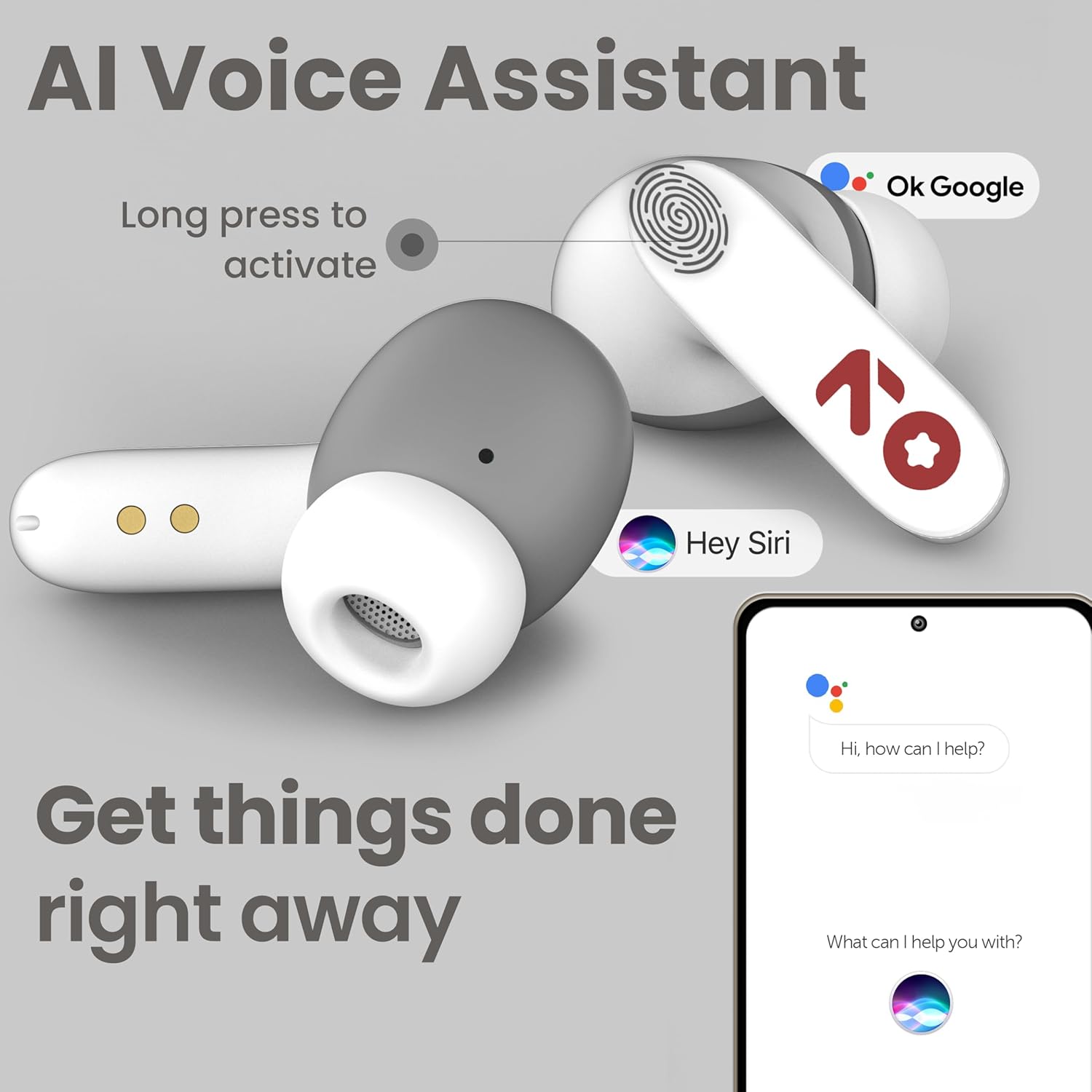
Image: GOBOULT Y1 Ear Buds with an illustration of a long press gesture activating a voice assistant like Google Assistant or Siri on a smartphone.
4.3 Calling with Zen ENC Mic
The GOBOULT Y1 Ear Buds are equipped with a Zen ENC (Environmental Noise Cancellation) microphone for clear call quality.
- الرد على المكالمة: Single tap either ear bud.
- رفض المكالمة: Long press either ear bud.
- إنهاء المكالمة: Long press either ear bud during a call.

Image: A diagram illustrating how Environmental Noise Cancellation (ENC) works, showing a user's voice being filtered from environmental noise for clear communication. A detailed view of an earbud highlights the ENC microphone.
4.4 وضع الألعاب منخفض زمن الاستجابة
Activate Combat Mode for a low-latency gaming experience, ensuring audio sync with minimal delay.
- تفعيل وضع الألعاب: Four taps on either ear bud.
- إلغاء تفعيل وضع الألعاب: Four taps on either ear bud again.
5. الصيانة
5.1 التنظيف
للحفاظ على الأداء الأمثل والنظافة:
- Gently wipe the ear buds and charging case with a soft, dry, lint-free cloth.
- لا تستخدم المنظفات الكاشطة أو المذيبات أو البخاخات الهوائية.
- قم بإزالة أطراف الأذن ونظفها بشكل منفصل بالماء والصابون الخفيف إذا لزم الأمر، مع التأكد من جفافها تمامًا قبل إعادة تركيبها.
- Clean the charging contacts on both the ear buds and the case periodically with a dry cotton swab.
5.2 مقاومة الماء (IPX5)
The GOBOULT Y1 Ear Buds are IPX5 water-resistant, meaning they are protected against low-pressure water jets from any direction. This makes them suitable for workouts and light rain.

Image: GOBOULT Y1 Ear Buds shown with water droplets, indicating IPX5 water resistance. Icons for sweatproof, rainproof, and splashproof are also displayed.
مهم:
- Do not submerge the ear buds in water.
- علبة الشحن ليست مقاومة للماء.
- Avoid exposing the ear buds to saltwater, chlorinated water, or other chemicals.
- If the ear buds get wet, dry them thoroughly before placing them back in the charging case.
6. استكشاف الأخطاء وإصلاحها
| مشكلة | الحل المحتمل |
|---|---|
| Ear buds not pairing |
|
| لا يوجد صوت أو مستوى صوت منخفض |
|
| Ear buds not charging |
|
| مشاكل جودة المكالمات |
|
7. المواصفات
| ميزة | التفاصيل |
|---|---|
| ماركة | جوبولت |
| اسم الموديل | Y1 (also referred to as Airbass) |
| نسخة البلوتوث | 5.3 |
| مدى البلوتوث | حتى 10 مترا (33 قدما) |
| وضع الأذن | في الأذن |
| نوع برنامج تشغيل الصوت | محرك ديناميكي (محركات صوت جهير 10 مم) |
| مقاومة | 32 أوم |
| استجابة التردد | 20 هرتز |
| حساسية | 117 ديسيبل |
| التحكم في الضوضاء | إلغاء الضوضاء البيئية (ENC) |
| عمر البطارية (الإجمالي) | حتى 51 ساعة (مع علبة الشحن) |
| وقت شحن البطارية | تقريبا. 90 دقائق |
| منفذ الشحن | يو إس بي من النوع سي |
| مقاومة الماء | IPX5 (Ear Buds only) |
| طريقة التحكم | المس، صوت |
| الأجهزة المتوافقة | Android, Cellphones, Desktops, Laptops, Tablets |
| مادة | بلاستيك |
| Weight (Carrying Case) | 65 جرام |
| بلد المنشأ | الهند |
8. الضمان والدعم
8.1 ضمان الشركة المصنعة
The GOBOULT Y1 Wireless Ear Buds come with a ضمان الشركة المصنعة لمدة سنة واحدة من تاريخ الشراء. يغطي هذا الضمان عيوب التصنيع. يُرجى الاحتفاظ بإيصال الشراء للمطالبة بالضمان.
For warranty service or support, please contact the manufacturer or authorized service center.
معلومات الاتصال 8.2
الشركة المصنعة: Exotic Mile Private Limited
عنوان: B-67 Wazirpur Industrial Area, New Delhi 110052, India
المستورد: Exotic Mile Pvt. Ltd.
For further assistance, please refer to the contact details provided on the product packaging or the official GOBOULT webموقع.