
1. معلومات السلامة
مهم: Please read all instructions carefully before using the Bitvae Smart S2 Electric Toothbrush.
- Avoid brushing too hard to prevent damage to gums and enamel.
- Always follow the app's guidance for safe use.
- Ensure there is no water residue in the charging port before charging.
- هذا المنتج مصمم للاستخدام من قبل البالغين.
- The toothbrush is IPX7 waterproof, allowing use in the shower and rinsing.
إخلاء المسؤولية القانونية: لم يتم تقييم البيانات المتعلقة بالمكملات الغذائية من قبل إدارة الغذاء والدواء الأمريكية، ولا تهدف إلى تشخيص أو علاج أو شفاء أو منع أي مرض أو حالة صحية.
2. انتهى المنتجview
The Bitvae Smart S2 Ultrasonic Whitening Electric Toothbrush is designed to provide a superior oral cleaning experience. It features a powerful magnetic levitation motor, multiple cleaning modes, smart timing, and app connectivity for personalized brushing guidance.
المميزات الرئيسية:
- Powerful Sonic Cleaning: Equipped with a 42000 magnetic levitation motor, it effectively removes debris and more plaque than a manual toothbrush, helping to prevent gingivitis.
- أوضاع تنظيف متعددة: Offers 5 distinct modes: Clean, White, Soft, Gum Care, and Smart, to cater to various oral care needs.
- Smart Timer & Pressure Sensor: Features a built-in 2-minute timer with 30-second interval pauses to guide brushing area changes. A pressure indicator lights up red if excessive pressure is applied, protecting your gums and enamel.
- عمر بطارية طويل: Provides up to 60 days of use on a single 4-hour charge (when used twice a day for 2 minutes in soft mode). USB charging is compatible with global voltage.
- Oral Care App & Bluetooth Connectivity: Connects via Bluetooth to a dedicated app, offering real-time brushing data, personalized guidance, and customized brushing plans.
- الملحقات الشاملة: Includes 8 replacement brush heads and a convenient travel case.
- UV-Toothbrush Holder: A wall-mounted UV-Toothbrush Holder is included to clean brush heads.
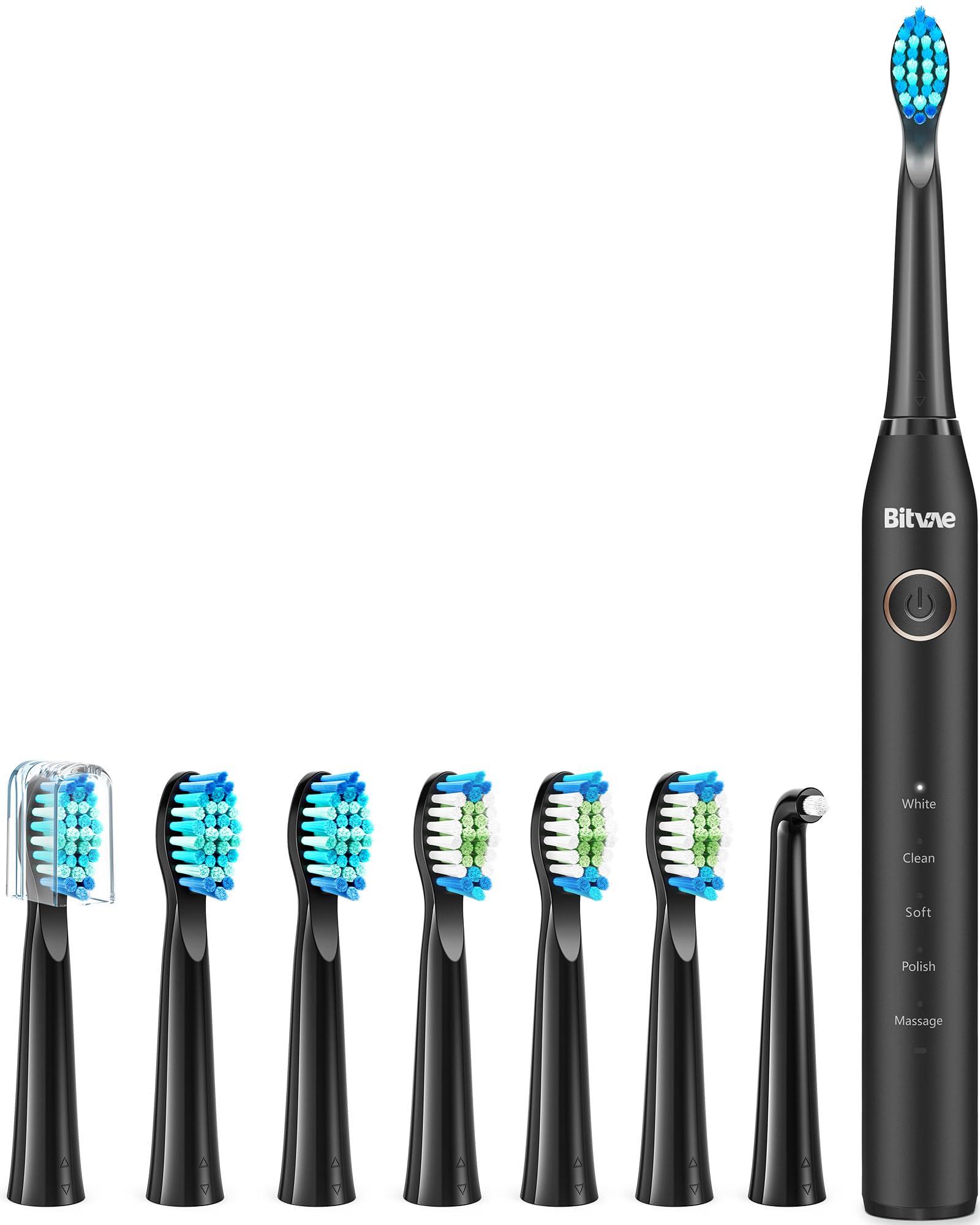
Figure 1: Bitvae Smart S2 Electric Toothbrush with included 8 brush heads and travel case.
3. الإعداد
- أفرغ: Carefully remove all components from the packaging, including the toothbrush handle, brush heads, USB charging cable, and travel case.
- شحن فرشاة الأسنان:
- Ensure the charging port is dry and free of water residue.
- Connect the USB charging cable to the toothbrush and a compatible USB power adapter (not included).
- Allow the toothbrush to charge fully. A full charge typically takes 4 hours and provides up to 60 days of use.
- قم بتركيب رأس الفرشاة: Align a new brush head with the metal shaft on the toothbrush handle and push it down until it clicks into place.
- Download the Bitvae App:
- Scan the QR code provided in the instruction manual or search for "iSpruz" in your device's app store (Apple App Store for iOS, Google Play Store for Android).
- قم بتثبيت التطبيق على هاتفك الذكي.
- Connect the Toothbrush to the App:
- Create an account using your email and password, then register.
- تسجيل الدخول إلى حسابك.
- قم بتشغيل البلوتوث على هاتفك.
- In the app, click "add device" and select your Bitvae Smart S2 toothbrush from the search results (e.g., "S2").
- اضغط مع الاستمرار على زر الطاقة في فرشاة الأسنان لمدة 3 ثوانٍ لإقرانها بجهازك.
- Once connected, you can select a profile picture and name your device within the app.
Video 1: This video demonstrates the unboxing and initial setup of the Bitvae Smart S2 Electric Toothbrush, including connecting to the app and highlighting key features like the UV holder and multiple brush heads.
4. تعليمات التشغيل
تشغيل/إيقاف التشغيل:
Press the power button once to turn the toothbrush on. Press and hold the power button for 3 seconds to turn it off.
اختيار الوضع:
After powering on, press the power button repeatedly to cycle through the 5 cleaning modes. The selected mode will be indicated by an illuminated light on the handle.
- ينظف: Standard daily teeth cleaning.
- أبيض: Designed to remove surface stains for whitening.
- ناعم: تنظيف لطيف للأسنان واللثة الحساسة.
- العناية باللثة: Stimulates and massages sore gums.
- ذكي: Connects with the app for personalized brushing guidance and tracking.

Figure 2: The toothbrush handle displaying the five available cleaning modes: White, Clean, Soft, Sensitive, and Massage.
Smart Timer & Brushing Guidance:
The toothbrush features a built-in 2-minute timer, which is the dentist-recommended brushing time. It pauses every 30 seconds to remind you to move to a different quadrant of your mouth, ensuring thorough cleaning.

Figure 3: Visual representation of the Smart Timer feature, showing the 2-minute brushing cycle and 30-second pauses for changing brushing areas.
مستشعر الضغط:
The integrated pressure sensor helps protect your gums and teeth. If you apply too much pressure during brushing, the indicator light on the toothbrush will illuminate red, prompting you to reduce pressure.
Using the Oral Care App:
Once connected to the iSpruz app, turn on the toothbrush to start brushing. Your brushing status, including coverage and pressure, will be displayed in real-time on the app, guiding you to brush like a dentist.
5. الصيانة
تنظيف فرشاة الأسنان:
- After each use, rinse the brush head and handle thoroughly under running water.
- Wipe the handle with a soft cloth to remove any toothpaste residue.
- Ensure the charging port is dry before placing the toothbrush on charge.
استبدال رؤوس الفرشاة:
Dentists recommend replacing your toothbrush head every 3 months, or sooner if the bristles become frayed. To replace:
- Grip the toothbrush handle firmly.
- Pull the old brush head straight off the metal shaft.
- Align a new Bitvae replacement brush head with the metal shaft and push it down until it clicks into place.

Figure 4: This image illustrates the superior cleaning power of the Bitvae electric toothbrush compared to a manual toothbrush, emphasizing its 40,000 pulses per minute vibration frequency.
Using the UV-Toothbrush Holder (if applicable):
If your model includes the HD2 UV-Toothbrush Holder, place your brush heads inside after use. The UV light will help sanitize the bristles, promoting better hygiene. Refer to the holder's specific instructions for operation.
6. استكشاف الأخطاء وإصلاحها
- فرشاة الأسنان لا تعمل: Ensure the toothbrush is fully charged. If the battery is low, the low battery reminder will activate.
- Toothbrush not vibrating: Check if a brush head is properly attached. If the issue persists, contact customer support.
- مشاكل اتصال التطبيق:
- تأكد من تمكين Bluetooth على هاتفك الذكي.
- Make sure the toothbrush is within range of your phone.
- Restart both the toothbrush and the app.
- If you encounter any problems after Step 4 of the setup, please go to "Help Desk" in your app account for assistance.
- Pressure sensor constantly red: You may be brushing too hard. Adjust your brushing technique to apply gentler pressure.
7. المواصفات
| ميزة | التفاصيل |
|---|---|
| رقم الموديل | BVUS43-S2BK02-h |
| نوع المحرك | 42000 Magnetic Levitation Motor |
| أوضاع تفريش | 5 (Clean, White, Soft, Gum Care, Smart) |
| نوع البطارية | Rechargeable Li-on Battery (1 AAA batteries included) |
| عمر البطارية | Up to 60 days (2 mins, twice daily, soft mode) |
| وقت الشحن | 4 ساعات |
| تصنيف مقاومة الماء | IPX7 |
| الاتصال | تقنية البلوتوث |
| المميزات الخاصة | Smart Timer, Pressure Indicator, Replaceable Brush Head, Low Battery Reminder |
| الفئة العمرية | بالغ |
| صلابة العنصر | ناعم للغاية |
| أبعاد الحزمة | 9.25 × 4.72 × 1.81 بوصة |
| وزن العنصر | 4.44 أونصات |
8. الضمان والدعم
The Bitvae Smart S2 Electric Toothbrush comes with a free 1-year warranty. For any questions or assistance, please contact Bitvae customer service.
If you are unable to install the app or encounter any problems, please contact customer service:
- Click on "Your Account" > "Your Orders" > Find your order and click on "Contact Seller".
- بريد إلكتروني: support@ispruz.com
- الهاتف: +1 972 679 9068