
1. المقدمة
This manual provides detailed instructions for the installation, operation, and maintenance of your Hikvision 2-Wire Video Intercom Kit, Model 38084. This system is designed for single-family homes, offering enhanced security and convenience through its 7-inch touchscreen monitor, FullHD outdoor camera, and seamless integration with the Hik-Connect mobile application. Please read this manual thoroughly before installation and use to ensure proper functioning and safety.
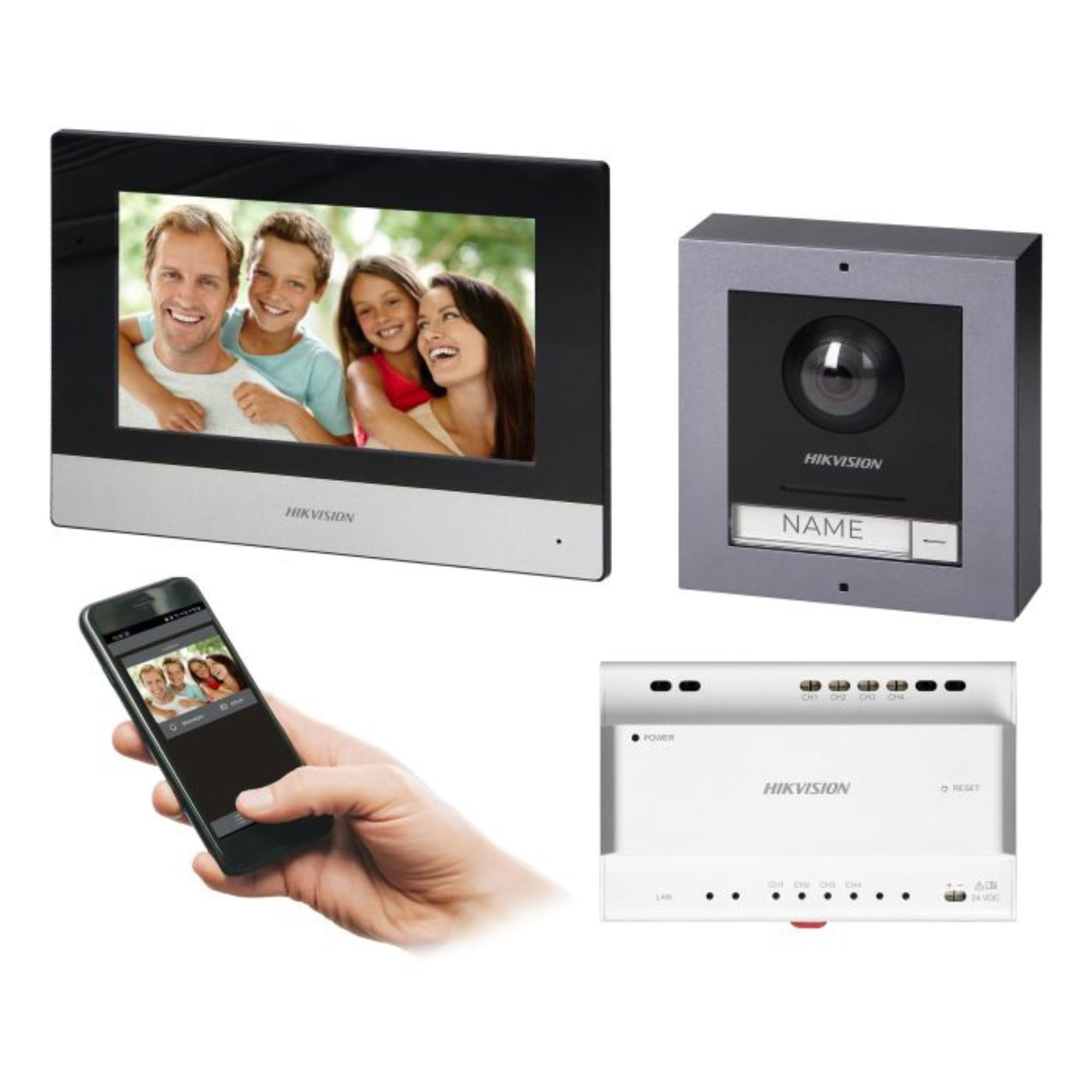
Figure 1: Hikvision 7-inch Video Intercom Monitor (Front View)
تعرض الصورة الواجهة الأمامية view of the Hikvision 7-inch video intercom monitor, featuring a large screen and the Hikvision logo at the bottom.
2. معلومات السلامة
اتبع دائمًا احتياطات السلامة الأساسية لتقليل خطر الحريق والصدمة الكهربائية والإصابة للأشخاص.
- السلامة الكهربائية: Installation must be performed by qualified personnel in accordance with all local electrical codes. Disconnect power before installation or servicing.
- الماء والرطوبة: Do not expose the indoor monitor to rain or moisture. The outdoor panel is IP65 rated for weather resistance but should not be submerged.
- درجة حرارة: قم بتشغيل الجهاز ضمن نطاق درجة الحرارة المحددة.
- تنظيف: استخدم قطعة قماش ناعمة وجافة للتنظيف. لا تستخدم المنظفات السائلة أو البخاخات.
- تدخل: Avoid installing near sources of strong electromagnetic interference.
3. محتويات العبوة
تأكد من وجود جميع المكونات في العبوة:
- 7-inch Indoor Monitor (with WiFi)
- FullHD Outdoor Panel (with Camera and Night Vision)
- 4-Channel Distributor
- ملحقات التركيب (مسامير، مثبتات جدارية)
- دليل المستخدم (هذا المستند)
- 16 GB MicroSD Card (pre-installed or included for video storage)

Figure 2: Hikvision Outdoor Panel and Mounting Accessories
This image shows the Hikvision outdoor panel alongside its rain shield and a flush-mount box, illustrating the various mounting options available.
4. الإعداد والتثبيت
The Hikvision video intercom system utilizes a 2-wire installation method, simplifying wiring. Both the indoor monitor and outdoor panel are designed for surface mounting.
4.1 تركيب اللوحة الخارجية
- اختيار موقع: Select a suitable location near the entrance, ensuring the camera has a clear view of visitors. The panel is IP65 rated for outdoor use.
- التركيب: Use the provided mounting bracket to mark drill holes on the wall. Drill holes, insert wall plugs, and secure the bracket.
- التوصيلات الكهربائية: Connect the 2-wire cable from the distributor to the outdoor panel terminals. Ensure correct polarity.
- لوحة آمنة: Attach the outdoor panel to the mounting bracket.

Figure 3: Hikvision Outdoor Panel (Front View)
This image shows the front of the Hikvision outdoor panel, featuring the FullHD camera, speaker grille, call button, and nameplate area.
4.2 تركيب الشاشة الداخلية
- اختيار موقع: Select an indoor location where the monitor is easily accessible and visible.
- التركيب: Use the provided mounting plate to mark and drill holes. Secure the mounting plate to the wall.
- التوصيلات الكهربائية: Connect the 2-wire cable from the distributor to the indoor monitor terminals.
- توصيل الطاقة: Connect the monitor to a power source (mains electricity).
- شاشة مراقبة آمنة: Attach the indoor monitor to the mounting plate.

Figure 4: Hikvision Indoor Monitor (Back View) and Mounting Plate
The image displays the rear of the Hikvision indoor monitor, showing its connection ports and the separate mounting plate used for installation.
4.3 مخطط توصيل النظام (عام)
The 2-wire system connects the outdoor panel, indoor monitor, and the 4-channel distributor. The distributor manages power and data communication between the devices.
- Connect the outdoor panel to the distributor using a 2-wire cable.
- Connect the indoor monitor to the distributor using a 2-wire cable.
- Ensure the distributor is powered.
- For electric lock control, additional power may be required for the lock itself, connected via the outdoor panel.
4.4 اتصال واي فاي
After physical installation, power on the monitor. Navigate to the network settings on the 7-inch touchscreen to connect to your 2.4 GHz Wi-Fi network (802.11 b/g/n standard). This enables smartphone communication via the Hik-Connect app.
5. تعليمات التشغيل
5.1 وظائف الشاشة الداخلية
- شاشة اللمس: Navigate menus and control functions using the 7-inch touch screen.
- وظيفة الاتصال الداخلي: Communicate with visitors at the outdoor panel or other indoor monitors (if expanded).
- وظيفة الذاكرة: The monitor supports a memory function, likely for capturing images or short video clips of visitors.
- قارئ بطاقة SD: A 16GB MicroSD card is included for storing recorded video streams.
- Ringtone Management: Choose from 3 available ringtones. Adjust volume or mute the ringtone as needed.
- التحكم في الباب: Use the monitor to remotely open an electric lock connected to the system.
- CCTV Camera Integration: The system can be expanded to integrate up to 16 CCTV cameras.
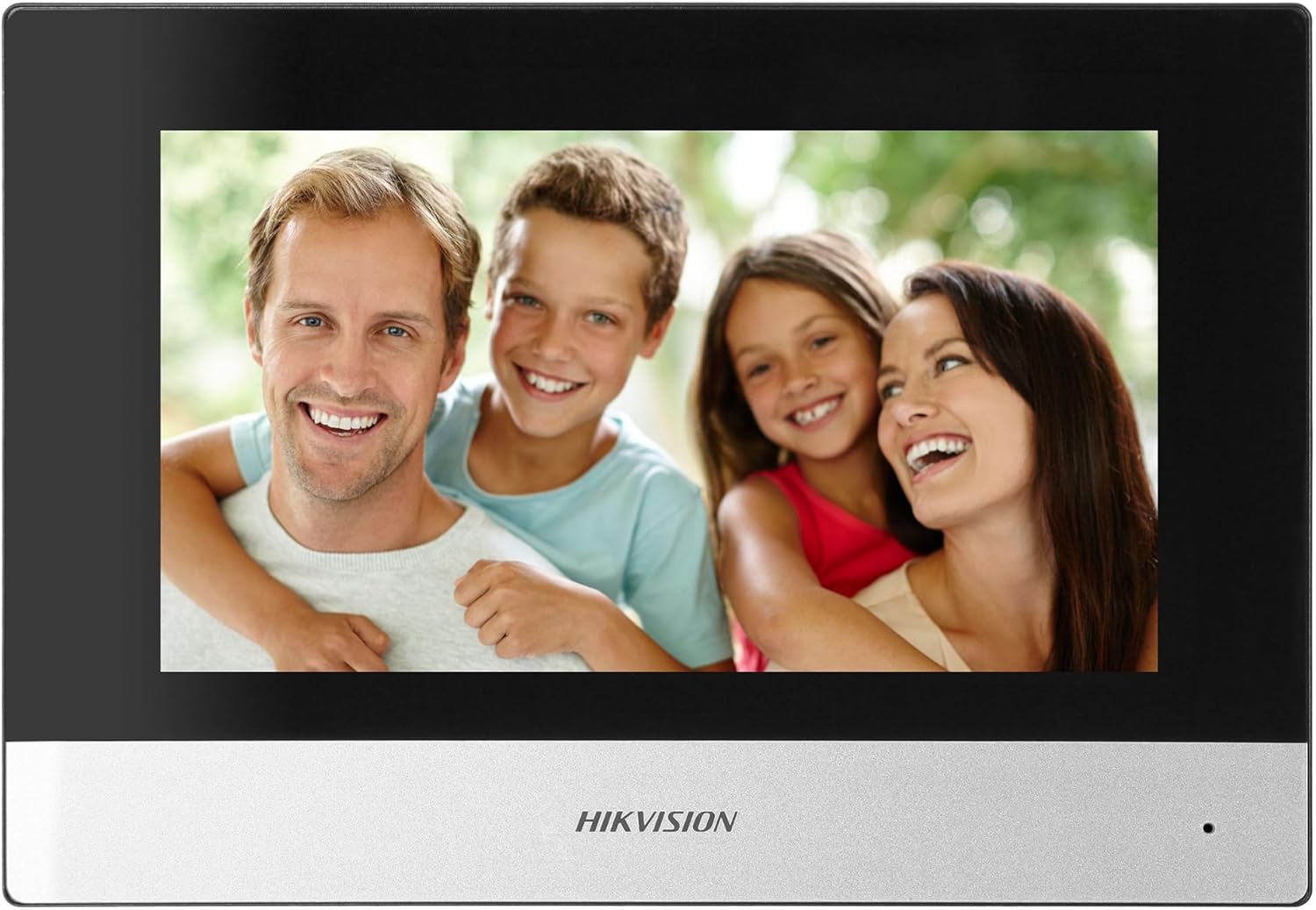
Figure 5: Hikvision Indoor Monitor (Front View)
This image shows the Hikvision 7-inch indoor monitor from the front, highlighting its sleek design and large display area.
5.2 Outdoor Panel Operation
- زر الاتصال: Visitors press the single call button to initiate a call to the indoor monitor.
- FullHD Camera: Provides a 2MP (1920x1080p) video feed with a wide viewing angle (96°/180°).
- الرؤية الليلية: Integrated IR illumination ensures clear visibility even in low-light conditions.
- لوحة اسمية: A space is provided for a nameplate or label.

Figure 6: Hikvision Outdoor Panel (Angled View)
زاوية view of the Hikvision outdoor panel, showcasing its robust construction and integrated camera and call button.
5.3 Hik-Connect Mobile Application
Download the Hik-Connect app from your smartphone's app store. Once installed and configured with your system, you can:
- Receive calls from the outdoor panel on your smartphone.
- View live video from the outdoor camera.
- Remotely open the door.
- الوصول إلى الفيديو المسجلtage.
6. الصيانة
تضمن الصيانة الدورية طول عمر نظام الاتصال الداخلي الخاص بك وأدائه الأمثل.
- تنظيف: Wipe the monitor screen and outdoor panel with a soft, damp قماش. تجنب المنظفات الكاشطة.
- تحديثات البرامج الثابتة: تحقق بشكل دوري من وجود تحديثات للبرامج الثابتة عبر تطبيق Hik-Connect أو موقع Hikvision الرسمي website to ensure your system has the latest features and security patches.
- فحص الكابلات: Periodically inspect all wiring for any signs of wear or damage.
- Outdoor Panel Lens: Keep the camera lens on the outdoor panel clean for clear video quality.
7. استكشاف الأخطاء وإصلاحها
إذا واجهت مشكلات، راجع خطوات استكشاف الأخطاء وإصلاحها الشائعة التالية:
- لا يوجد طاقة: Check all power connections and ensure the distributor is receiving power.
- لا يوجد فيديو/صوت: Verify the 2-wire connections between the outdoor panel, monitor, and distributor. Ensure correct polarity.
- مشكلات اتصال WiFi: Ensure your router is operating on 2.4 GHz. Re-enter WiFi credentials on the monitor. Check signal strength.
- Door Lock Not Opening: Confirm the electric lock has its own power supply if required. Check wiring from the outdoor panel to the lock.
- ضعف الرؤية الليلية: تأكد من أن عدسة الكاميرا الخارجية نظيفة وخالية من أي عوائق.
8. المواصفات
| يكتب | Single-family |
| وظيفة الفيديو | نعم |
| مزود الطاقة | الكهرباء الرئيسية |
| نوع ناقل الحركة | سلكي (2 أسلاك) |
| Smartphone Communication | Yes (via Hik-Connect app) |
| تردد الواي فاي | 2.4 جيجاهرتز |
| واي فاي القياسية | 802.11 ب/ج/ن |
| طريقة التثبيت | 2-wire, Surface Mount |
| Max. Monitors | قابلة للتوسيع إلى 3 |
| Max. Outdoor Panels | قابلة للتوسيع إلى 1 |
| Max. CCTV Cameras | قابلة للتوسيع إلى 16 |
| التحكم في القفل الكهربائي | Yes (requires additional power for lock) |
| يوم / ليلة وظيفة | نعم |
| طريقة التركيب | التركيب السطحي |
| Hands-free System | نعم |
| شاشة قطرية | 7 بوصة |
| دقة | 1024 × 600 |
| شاشة تعمل باللمس | نعم |
| نظام الفيديو | PAL, Color |
| وظيفة الذاكرة | نعم |
| قارئ بطاقة SD | Yes (16GB card included) |
| وظيفة الاتصال الداخلي | نعم |
| نغمات الرنين | 3 |
| مادة | بلاستيك |
| لون | أسود |
| الأبعاد (العرض × الارتفاع × العمق) | 140 مم × 200 مم × 15 مم |
| أزرار الاتصال | 1 |
| طريقة التركيب | التركيب السطحي |
| دقة الكاميرا | 2MP, 1920x1080 (FullHD) |
| آلة تصوير Viewزاوية جي | 96°/180° |
| الإضاءة الليلية | الأشعة تحت الحمراء (الأشعة تحت الحمراء) |
| وظيفة PTZ | لا |
| قارئ بطاقة القرب | لا |
| Nameplate Space | نعم |
| مقاوم للتخريب | لا |
| تصنيف الحماية | IP65 |
| مادة | فُولاَذ |
| لون | فضي |
| الأبعاد (العرض × الارتفاع × العمق) | 98 مم × 99.8 مم × 43.9 مم |
| أبعاد المنتج | 20 × 15 × 10 سم |
| وزن العنصر | 1 كجم |
| رقم الموديل | 38084 |
9. الضمان والدعم
للحصول على معلومات الضمان والدعم الفني، يرجى الرجوع إلى موقع هيكفيجن الرسمي. webالموقع أو تواصل مع موزعك المحلي. احتفظ بإيصال الشراء لطلبات الضمان.
- الدعم عبر الإنترنت: يزور www.hikvision.com for product documentation, FAQs, and support resources.
- خدمة العملاء: Contact your retailer or authorized Hikvision service center for assistance.