
مقدمة
Thank you for choosing the KIVI 43U750NB 43-inch UHD 4K Smart TV. This television combines advanced display technology with the versatility of Android 11, offering a superior entertainment experience. This manual provides essential information for setting up, operating, and maintaining your new TV. Please read it thoroughly before use and keep it for future reference.
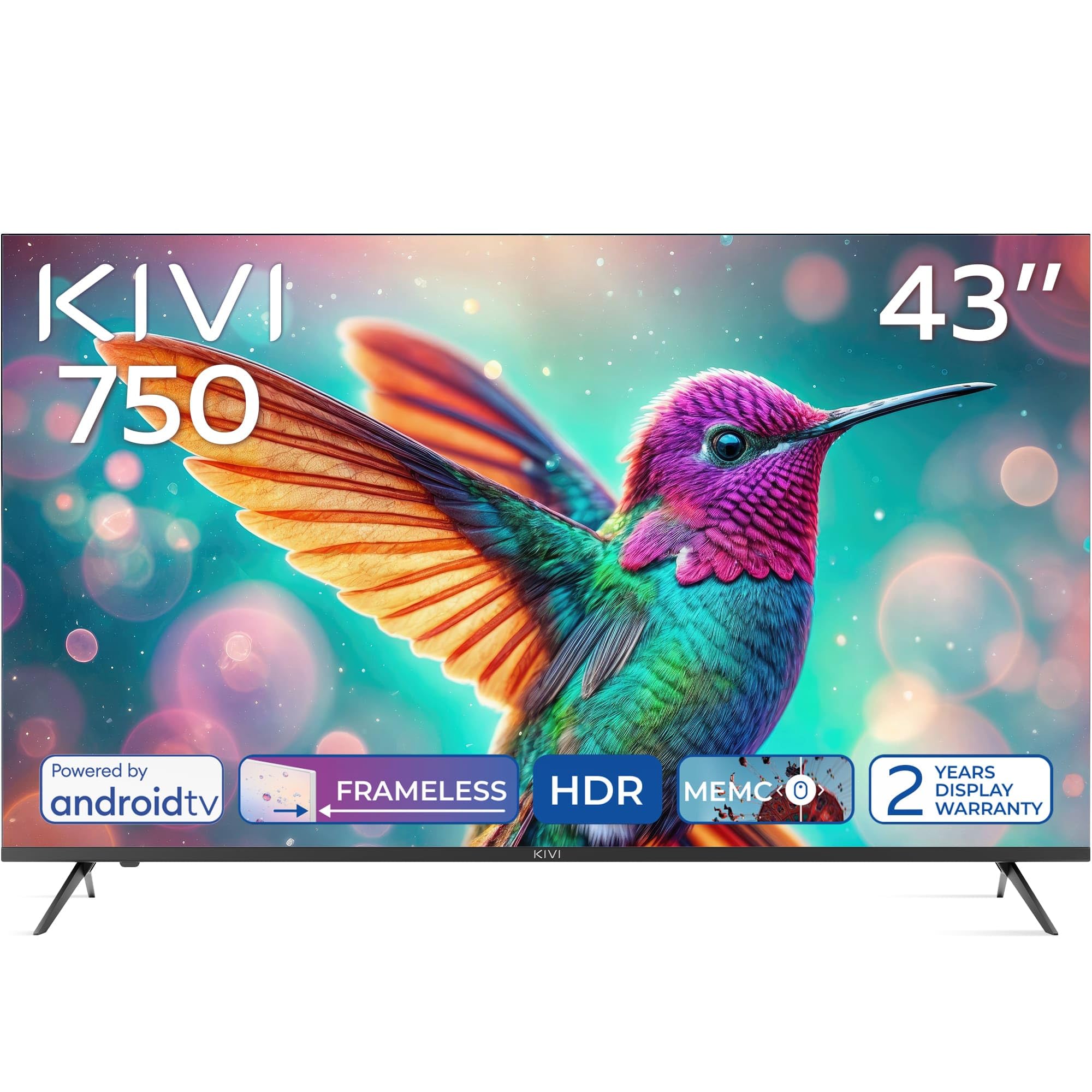
أمام view of the KIVI 43U750NB 43-inch UHD 4K Smart TV.
معلومات السلامة
لضمان التشغيل الآمن ومنع التلف، يرجى مراعاة احتياطات السلامة التالية:
- لا تعرض التلفزيون للمطر أو الرطوبة.
- لا تفتح التلفازasinج؛ إحالة جميع الخدمات إلى الموظفين المؤهلين.
- تأكد من التهوية المناسبة حول التلفزيون.
- تجنب وضع التلفزيون بالقرب من مصادر الحرارة أو في ضوء الشمس المباشر.
- استخدم فقط سلك الطاقة المرفق مع التلفزيون.
- احتفظ بالبطاريات بعيدًا عن متناول الأطفال.
- افصل قابس الطاقة أثناء العواصف الرعدية أو عند عدم الاستخدام لفترات طويلة.
محتويات الحزمة
تأكد من وجود جميع العناصر في العبوة:
- KIVI 43U750NB 43-inch UHD 4K Smart TV
- جهاز التحكم عن بعد
- 2 × بطاريات AAA (للتحكم عن بعد)
- سلك الطاقة
- دليل المستخدم (هذا المستند)
- TV Stands (if included for tabletop setup)
- مسامير لطاولات التلفزيون
يثبت
1. تركيب حوامل التلفزيون
If you are placing the TV on a flat surface, attach the included stands to the bottom of the TV using the provided screws. Ensure the stands are securely fastened before placing the TV upright.
2. التثبيت على الحائط
For wall mounting, use a VESA-compatible wall mount (not included) that supports a 200 x 200 mm pattern. Follow the instructions provided with your wall mount. Ensure the wall can support the weight of the TV.
3. توصيل الأجهزة الخارجية
Connect your external devices such as Blu-ray players, game consoles, or sound systems to the TV's ports.
- منافذ HDMI (x3): For high-definition audio and video. Supports HDMI (eARC) for enhanced audio return channel.
- منافذ USB 2.0 (x2): For connecting USB storage devices to play media or for service.
- منفذ إيثرنت: للاتصال بالإنترنت السلكي.
- Antenna (75Ω) Input: لتوصيل هوائي أرضي أو هوائي كابل.
- إخراج الصوت البصري: للتوصيل بجهاز استقبال صوتي خارجي أو مكبر صوت.
- مقبس سماعة الرأس: لتوصيل سماعات الرأس.
- ميني آر سي إيه: لتوصيل الأجهزة التناظرية القديمة.

مؤخرة view of the KIVI 43U750NB TV, illustrating the various connection ports including HDMI, USB, Ethernet, and audio outputs.
4. توصيل الطاقة
After all connections are made, plug the power cord into the TV and then into a wall outlet (220 VAC, 50 Hz).
تعليمات التشغيل
1. جهاز التحكم عن بعد
Insert the two AAA batteries into the remote control. The remote uses Bluetooth technology for enhanced control.

The KIVI Smart TV remote control, powered by two AAA batteries.
2. Initial Setup (Android TV 11)
عند تشغيل التلفزيون لأول مرة، سيرشدك خلال عملية الإعداد الأولية.
- اختيار اللغة: اختر لغتك المفضلة.
- إتصال شبكة: Connect to your Wi-Fi network or use the Ethernet cable.
- تسجيل الدخول إلى حساب Google: Sign in with your Google account to access Android TV features, apps, and voice control.
- مسح القناة: Scan for available TV channels (DVB-T2 tuner).
- إعدادات الخصوصية: قم بضبط إعدادات الخصوصية الخاصة بك.

The Android TV 11 interface, providing access to a wide range of applications and services.
3. ميزات التلفزيون الذكي
- التطبيقات: Access popular streaming services like Netflix and HBO directly from the Android TV home screen. Download more apps from the Google Play Store.
- التحكم الصوتي: Use the built-in voice control feature (via the remote) to search for content, control playback, and manage TV settings.
- جوجل كاست: Wirelessly cast content from your compatible smartphone, tablet, or computer to the TV screen.
4. إعدادات الصورة
اضبط إعدادات الصورة لتحسينها viewتجربة رائعة.
- HDR10 & HLG: The TV supports HDR10 and HLG for enhanced contrast and color reproduction with compatible content.
- ميمك: Motion Estimation, Motion Compensation technology reduces motion blur in fast-moving scenes.
- أوضاع الصورة: Select from various preset picture modes (e.g., Standard, Vivid, Movie, Game) or customize your own.

Visual representation of KIVI TV's picture quality features, including Max Vivid, Super Contrast Control, Ultra Clear, and ALLM & Game Mode.
5. إعدادات الصوت
تخصيص إخراج الصوت للحصول على جودة صوت مثالية.
- صوت دولبي: The TV features Dolby Audio for clear and powerful sound.
- أوضاع الصوت: Choose from preset sound modes (e.g., Standard, Music, Movie, Speech) or adjust equalizer settings.
- مخرج الصوت: Select between TV speakers, optical output, or Bluetooth audio devices.
صيانة
Regular maintenance helps prolong the life of your TV.
- تنظيف الشاشة: امسح الشاشة برفق بقطعة قماش ناعمة وخالية من الوبر. لإزالة البقع الصعبة، استخدم محلول تنظيف شاشات مصمم خصيصًا لأجهزة التلفزيون، وضعه على قطعة القماش، وليس مباشرة على الشاشة.
- تنظيف Casing: استخدم قطعة قماش ناعمة وجافة لمسح شاشة التلفزيونasinز. لا تستخدم المنظفات أو المذيبات الكاشطة.
- تهوية: تأكد من عدم سد فتحات التهوية الموجودة في الجزء الخلفي من التلفزيون لمنع ارتفاع درجة الحرارة.
استكشاف الأخطاء وإصلاحها
إذا واجهت مشكلات مع التلفزيون الخاص بك، فراجع المشكلات والحلول الشائعة التالية:
| مشكلة | السبب المحتمل / الحل |
|---|---|
| لا يوجد طاقة | تأكد من توصيل سلك الطاقة بإحكام بالتلفزيون ومقبس الحائط. تأكد من أن مقبس الحائط يعمل بشكل صحيح. |
| لا توجد صورة، ولكن الصوت موجود | تحقق من مصدر الإدخال. تأكد من تشغيل الجهاز المتصل وعمله بشكل صحيح. جرّب كابل HDMI مختلفًا. |
| لا يوجد صوت، ولكن الصورة موجودة | Check the volume level. Ensure the TV is not muted. Verify audio output settings (TV speakers, optical, etc.). |
| جهاز التحكم عن بعد لا يعمل | Replace the AAA batteries. Ensure there are no obstructions between the remote and the TV. Re-pair the Bluetooth remote if necessary. |
| لا يمكن الاتصال بشبكة Wi-Fi | Ensure your Wi-Fi router is on and working. Re-enter the Wi-Fi password. Try restarting the TV and your router. |
| التطبيقات لا يتم تحميلها / أداء بطيء | Check your internet connection speed. Clear app cache or data. Restart the TV. Ensure sufficient storage space. |
تحديد
| ميزة | التفاصيل |
|---|---|
| رقم الموديل | 43U750NB |
| حجم الشاشة | 43 بوصة |
| دقة | دقة فائقة الوضوح 4K (3840 × 2160) |
| تكنولوجيا العرض | LED (Direct LED backlight, VA-panel) |
| معدل التحديث | 60 هرتز |
| دعم HDR | HDR10، HLG |
| نظام التشغيل | أندرويد 11.0 |
| تكنولوجيا الصوت | Dolby Audio (2.0 channels) |
| منافذ HDMI | 3 (including eARC) |
| منافذ USB | 2 (USB 2.0) |
| الاتصال | Wi-Fi, Bluetooth 5.1, Ethernet |
| المميزات الخاصة | Voice Control, Google Cast, MEMC |
| استهلاك الطاقة | 53 واط |
| مزود الطاقة | 220 VAC 50 هرتز |
| أبعاد المنتج (عمق×عرض×ارتفاع) | 6.4 × 96 × 55.6 سم |
| وزن المنتج | 9.7 كجم |
| معيار التثبيت VESA | 200 × 200 ملم |

Energy label for KIVI 43U750NB, indicating energy efficiency class G and power consumption.
للحصول على معلومات مفصلة حول الطاقة، تفضل بزيارة: https://eprel.ec.europa.eu/qr/1326921
الضمان والدعم
Your KIVI 43U750NB Smart TV comes with a limited warranty. KIVI offers a 3-year display warranty. Please retain your proof of purchase for warranty claims.
For technical support, troubleshooting assistance, or warranty inquiries, please contact KIVI customer service through their official webالموقع أو معلومات الاتصال المقدمة مع عملية الشراء.