
مقدمة
This manual provides instructions for the proper use and maintenance of your BoxWave AllReader SD Card Reader. Please read this manual thoroughly before using the device to ensure optimal performance and longevity. The AllReader SD Card Reader is designed to facilitate easy file transfer between various devices and SD/microSD cards.
المنتج انتهىview
The BoxWave AllReader SD Card Reader is a compact device featuring multiple interfaces for broad compatibility with various electronic devices. It supports both standard SD cards and microSD cards.
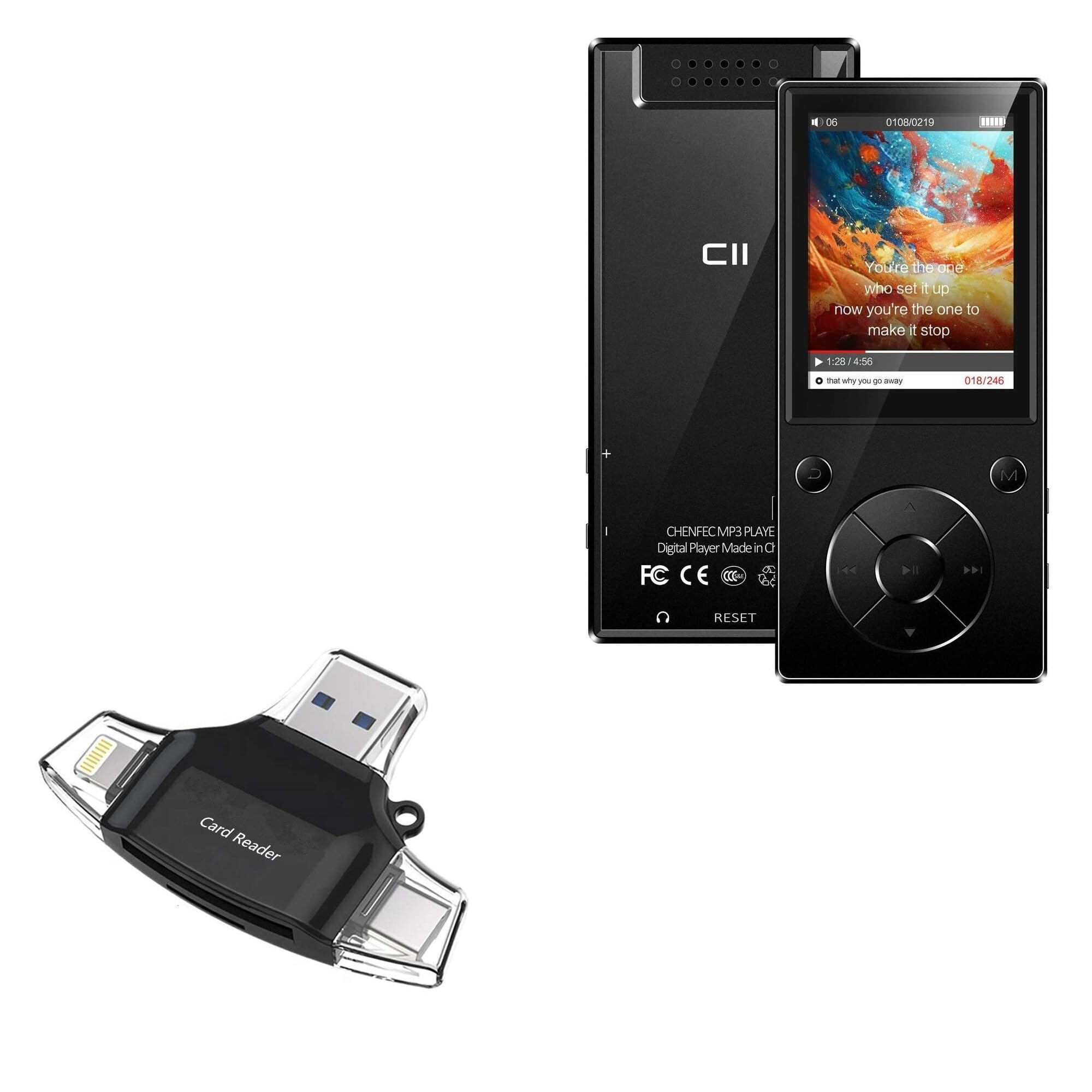
Image: The BoxWave AllReader SD Card Reader, showing its compact design and various connectors.
المميزات الرئيسية:
- Four Interfaces: Equipped with USB-C, USB-A, Micro-USB, and Apple (Lightning) connectors for wide device compatibility.
- سهل File نقل: Enables direct transfer of files between memory cards and connected devices.
- التوصيل والتشغيل: لا يتطلب الأمر تثبيت برامج تشغيل أو برامج أخرى لمعظم أنظمة التشغيل.
- تصميم مضغوط: Small and portable for convenient use on the go.
- دعم بطاقة الذاكرة: Compatible with both SD and microSD card formats.

الصورة: مفصلة view of the four integrated interfaces: USB-A, USB-C, Apple (Lightning), and Flip-out Micro USB.
يثبت
- إدخال بطاقة الذاكرة: Gently insert your SD or microSD card into the appropriate slot on the AllReader SD Card Reader until it clicks into place. Ensure the card is inserted in the correct orientation.
- الاتصال بالجهاز: Select the appropriate connector (USB-C, USB-A, Micro-USB, or Apple Lightning) for your host device (e.g., smartphone, tablet, laptop, desktop PC). Plug the AllReader into your device's port.
- التعرف على الجهاز: Your device should automatically detect the card reader and the inserted memory card. A notification or file browser window may appear, indicating that the storage is ready for access.
ملحوظة: For some mobile devices, you may need to use a file management application to browse the contents of the connected memory card.

Image: The AllReader with an SD card inserted, connected to a tablet, illustrating the setup for file نقل.
تعليمات التشغيل
نقل Files:
- Ensure the AllReader is properly connected to your device and the memory card is inserted.
- افتح جهازك file manager or photo gallery application.
- Locate the external storage device, typically labeled as "USB Storage," "SD Card," or similar.
- Browse to the desired files على بطاقة الذاكرة.
- حدد fileالذي ترغب في نقله.
- Use the "Copy" or "Move" function within your device's file مدير لنقل files to your device's internal storage or another connected storage.
- لنقل files from your device to the memory card, reverse the process: select files from your device's storage and copy/move them to the external storage (memory card).

Image: The AllReader connected to various devices including smartphones, tablets, laptops, and desktop PCs, demonstrating its versatility for file نقل.
Safely Removing the Device:
Before disconnecting the AllReader from your computer, always safely eject the device through your operating system's options (e.g., "Safely Remove Hardware" on Windows, "Eject" on macOS). For mobile devices, ensure no file transfers are active before unplugging.
صيانة
- تنظيف: استخدم قطعة قماش ناعمة وجافة لتنظيف الجزء الخارجي من قارئ البطاقات. تجنب استخدام المنظفات السائلة أو المذيبات.
- تخزين: Store the AllReader in a cool, dry place away from direct sunlight and extreme temperatures.
- التعامل: Avoid dropping the device or subjecting it to strong impacts. Do not force memory cards or connectors into slots.
- رعاية الموصل: Keep the connectors free from dust and debris. If necessary, use a soft brush or compressed air to clean them.
استكشاف الأخطاء وإصلاحها
| مشكلة | الحل المحتمل |
|---|---|
| الجهاز غير مُتعرف عليه. |
|
| لا يمكن الوصول files على بطاقة الذاكرة. |
|
| بطيئ file سرعات النقل. |
|
تحديد
- اسم الموديل: AllReader SD Card Reader
- ماركة: بوكس ويف
- الواجهات: USB-C, USB-A, Micro-USB, Apple (Lightning)
- توافق البطاقة: SD، مايكرو SD
- لون: أسود كالفحم
- وزن السلعة: 6 أونصات
- ASIN: B0CNSDX7WD
- تاريخ التوفر الأول: 13 نوفمبر 2023
الضمان والدعم
For warranty information and technical support, please refer to the official BoxWave webالموقع أو تواصل مع خدمة العملاء مباشرةً. احتفظ بإيصال الشراء لطلبات الضمان.
BoxWave Customer Service: www.boxwave.com/support