
مقدمة
This manual provides essential information for the proper use and maintenance of your Infinix Smart 8 X6525 mobile phone. Please read it carefully to ensure optimal performance and longevity of your device.
The Infinix Smart 8 features a 6.6-inch HD+ display, 13MP AI dual rear camera, 8MP front camera, 5000 mAh battery, and runs on Android 13. It supports dual nano SIM cards and Type-C charging.
يثبت
1. تركيب بطاقة SIM وبطاقة الذاكرة
To install your SIM card(s) and an optional microSD card:
- حدد مكان درج بطاقة SIM على جانب الجهاز.
- قم بإدخال أداة إخراج بطاقة SIM في الفتحة الصغيرة الموجودة بجوار الدرج وادفع برفق حتى يخرج الدرج.
- Place your Nano-SIM card(s) and/or microSD card into the tray with the gold contacts facing down, ensuring they are correctly oriented as indicated on the tray.
- قم بدفع الدرج بعناية إلى الفتحة مرة أخرى حتى يصبح مستويًا مع جسم الهاتف.
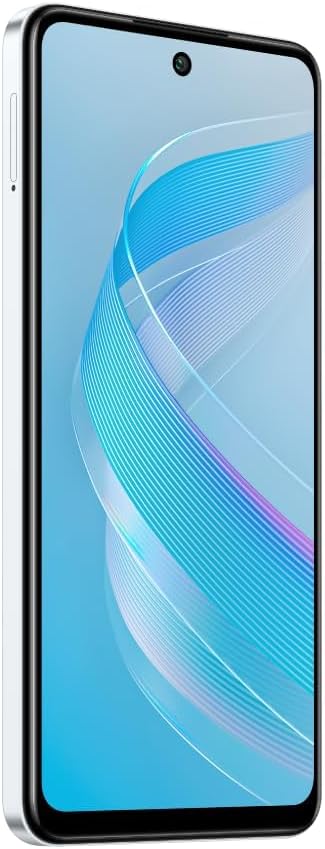
الصورة: الجانب view of the Infinix Smart 8 X6525, illustrating the location of the SIM card tray.
2. التشغيل الأولي
Press and hold the Power button (located on the right side of the device) until the Infinix logo appears. Follow the on-screen instructions to complete the initial setup, including language selection, Wi-Fi connection, and Google account setup.
3. شحن الجهاز
Connect the USB Type-C cable to the phone's charging port and the other end to the power adapter. Plug the power adapter into a wall outlet. The battery indicator on the screen will show the charging status. For optimal battery life, use the provided charger and cable.
تشغيل جهازك
1. التنقل الأساسي
Your Infinix Smart 8 X6525 uses a touchscreen for navigation. Swipe up, down, left, or right to move between screens and menus. Tap icons to open applications. Use gestures or the navigation bar at the bottom of the screen for Home, Back, and Recent Apps functions.

الصورة: الجبهة view of the Infinix Smart 8 X6525, showing the display and front camera.
2. استخدام الكاميرا
To open the camera, tap the Camera icon on your home screen or lock screen. The device features a 13MP AI dual rear camera and an 8MP front camera. Switch between modes like Photo, Video, Portrait, and Panorama. Tap the shutter button to capture images or start/stop video recording. The AI features automatically optimize settings for various scenes.
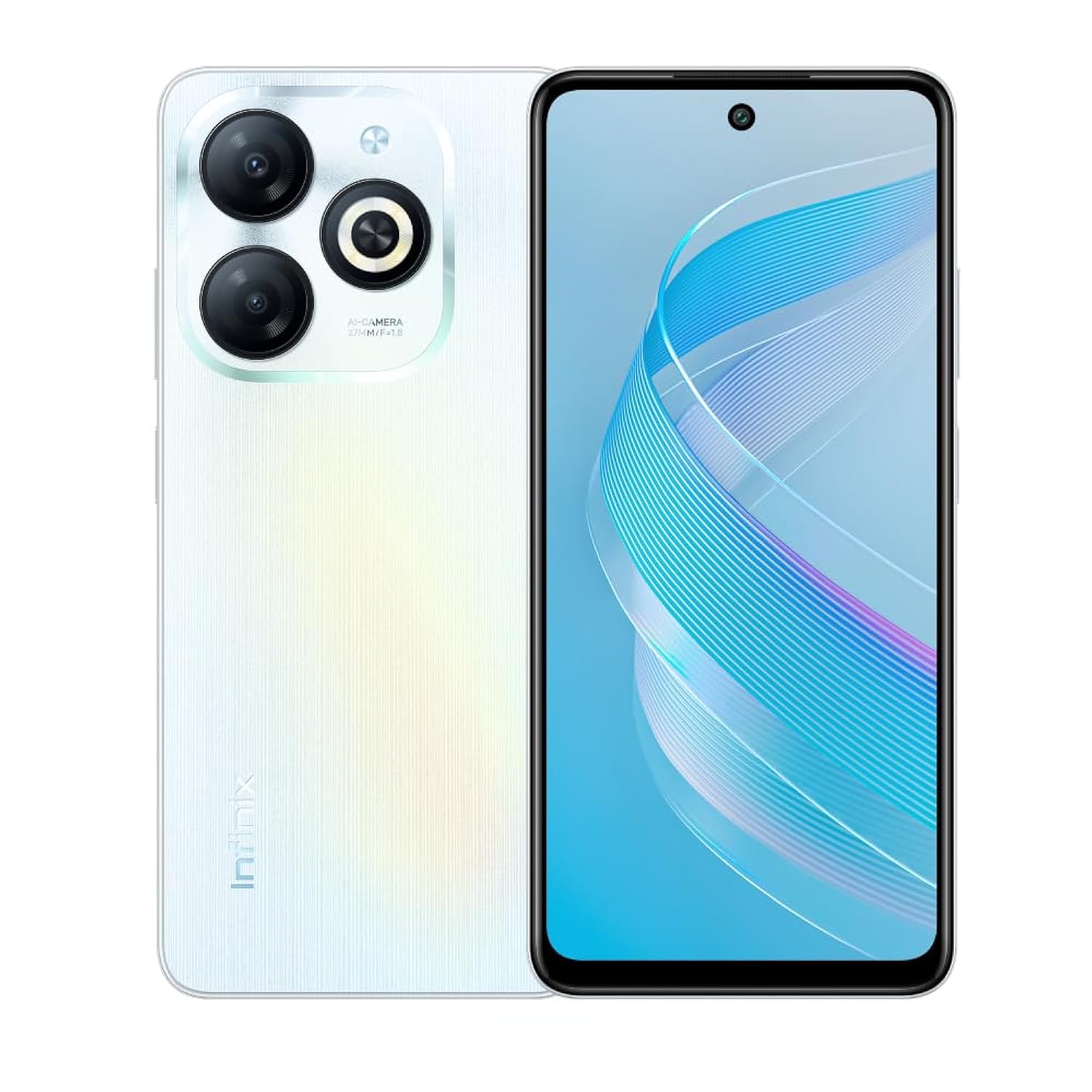
الصورة: الخلفية view of the Infinix Smart 8 X6525, highlighting the dual camera module and ring flashlight.
3. الاتصال
- واي فاي: انتقل إلى الإعدادات > الشبكة والإنترنت > Wi-Fi للاتصال بالشبكات اللاسلكية المتاحة.
- بلوتوث: انتقل إلى الإعدادات > الأجهزة المتصلة > تفضيلات الاتصال > البلوتوث للاقتران بأجهزة البلوتوث.
- بيانات الجوال: Ensure your SIM card is active and go to Settings > Network & internet > Mobile network to enable or disable mobile data.
4. ميزات الأمان
The device supports a side-mounted fingerprint sensor and face unlock for enhanced security. To set them up, go to Settings > Security > Fingerprint Unlock or Face Unlock and follow the on-screen instructions.
صيانة
1. العناية بالبطارية
- تجنب تعريض الجهاز لدرجات حرارة شديدة.
- لا تقم بتفريغ البطارية بشكل كامل بانتظام.
- استخدم فقط الشواحن والكابلات الأصلية أو المعتمدة.
- إذا لم يتم استخدام الجهاز لفترة طويلة، فقم بشحنه إلى حوالي 50% قبل تخزينه.
2. تحديثات البرامج
احرص على التحقق من وجود تحديثات البرامج وتثبيتها بانتظام لضمان حصول جهازك على أحدث الميزات والتصحيحات الأمنية وتحسينات الأداء. انتقل إلى الإعدادات > النظام > تحديث النظام للتحقق من وجود تحديثات.
3. تنظيف جهازك
استخدم قطعة قماش ناعمة وخالية من الوبر لتنظيف شاشة الهاتف وجسمه. تجنب استخدام المواد الكيميائية القاسية أو المواد الكاشطة. لإزالة البقع الصعبة، افرك برفق.ampانقع قطعة القماش في الماء أو في منظف الشاشة المخصص للإلكترونيات.
استكشاف الأخطاء وإصلاحها
المشاكل الشائعة والحلول
- الجهاز لا يعمل: تأكد من شحن البطارية. وصّل الشاحن وانتظر بضع دقائق قبل إعادة تشغيل الجهاز.
- تعطل التطبيقات أو تجميدها: Close and restart the app. If the issue persists, clear the app's cache (Settings > Apps > [App Name] > Storage & cache > Clear cache).
- عمر البطارية ضعيف: Reduce screen brightness, close unused apps, disable unnecessary connectivity features (Wi-Fi, Bluetooth, GPS) when not in use.
- مشاكل الاتصال بالشبكة: Check if your SIM card is properly inserted. Try restarting the device. Ensure mobile data or Wi-Fi is enabled.
- الجهاز لا يستجيب: اضغط مع الاستمرار على زر الطاقة لمدة 10-15 ثانية لفرض إعادة التشغيل.
تحديد
| ميزة | التفاصيل |
|---|---|
| العلامة التجارية | إنفينيكس |
| اسم الموديل | 8 الذكية |
| نظام التشغيل | أندرويد 13.0 |
| تم تثبيت ذاكرة الوصول العشوائي (RAM) | 4 جيجا بايت |
| سعة تخزين الذاكرة | 128 جيجا بايت |
| حجم الشاشة | 6.6 بوصة |
| دقة | 720 × 1612 بكسل |
| معدل التحديث | 90 هرتز |
| لون | أبيض |
| عدد فتحات بطاقة SIM | شريحتين اتصال |
| نوع الموصل | منفذ USB من النوع C |
| Biometric Security Feature | التعرف على بصمات الأصابع |
| Front Photo Sensor Resolution | 8 ميجا بكسل |
| Rear Camera Photo Sensor Resolution | 13 ميجا بكسل |
| وصف الكاميرا | 13MP rear camera, AI dual camera with ring flashlight |
| دقة التقاط الفيديو | 1080 بكسل |
| نوع العرض | شاشة الكريستال السائل |
| تكنولوجيا الخلوية | 4G |
| تكنولوجيا الاتصال | بلوتوث ، واي فاي |
| سعة البطارية | 5000 مللي أمبير |
| وزن العنصر | 184 جرام |
| أبعاد العنصر | 16.4 × 0.8 × 7.6 سم |
| المكونات المضمنة | Headset, Phone Cover, USB Cable, Power Adapter, Screen Protector |
معلومات السلامة
- لا تقم بتفكيك الجهاز أو محاولة إصلاحه بنفسك.
- احفظ الجهاز بعيدًا عن الماء والرطوبة.
- تجنب تعريض الجهاز لأشعة الشمس المباشرة أو درجات الحرارة المرتفعة.
- استخدم فقط الملحقات المعتمدة من شركة إنفينيكس.
- تخلص من الجهاز وبطاريته بطريقة مسؤولة وفقًا للوائح المحلية.
الضمان والدعم
Your Infinix Smart 8 X6525 comes with a standard manufacturer's warranty. Please refer to the warranty card included in the product packaging for specific terms and conditions, including warranty period and coverage details.
للحصول على الدعم الفني أو الخدمة أو أي استفسارات أخرى، يرجى زيارة موقع Infinix الرسمي webالموقع أو تواصل مع خدمة العملاء. احتفظ بإثبات الشراء لطلبات الضمان.