
Micool Y30
دليل مستخدم سماعات الرأس المفتوحة Micool Y30
الموديل: Y30
1. المقدمة
Thank you for choosing the Micool Y30 Open Ear Headphones. These wireless Bluetooth 5.3 earbuds are designed to provide a comfortable and safe listening experience by resting gently on your ears without blocking the ear canal. This design allows you to remain aware of your surroundings while enjoying high-quality audio, making them ideal for sports and daily activities.
2. ماذا يوجد في الصندوق
- Micool Y30 Open Ear Headphones (Left and Right)
- حافظة الشحن اللاسلكي
- كابل شحن USB-C
- دليل المستخدم
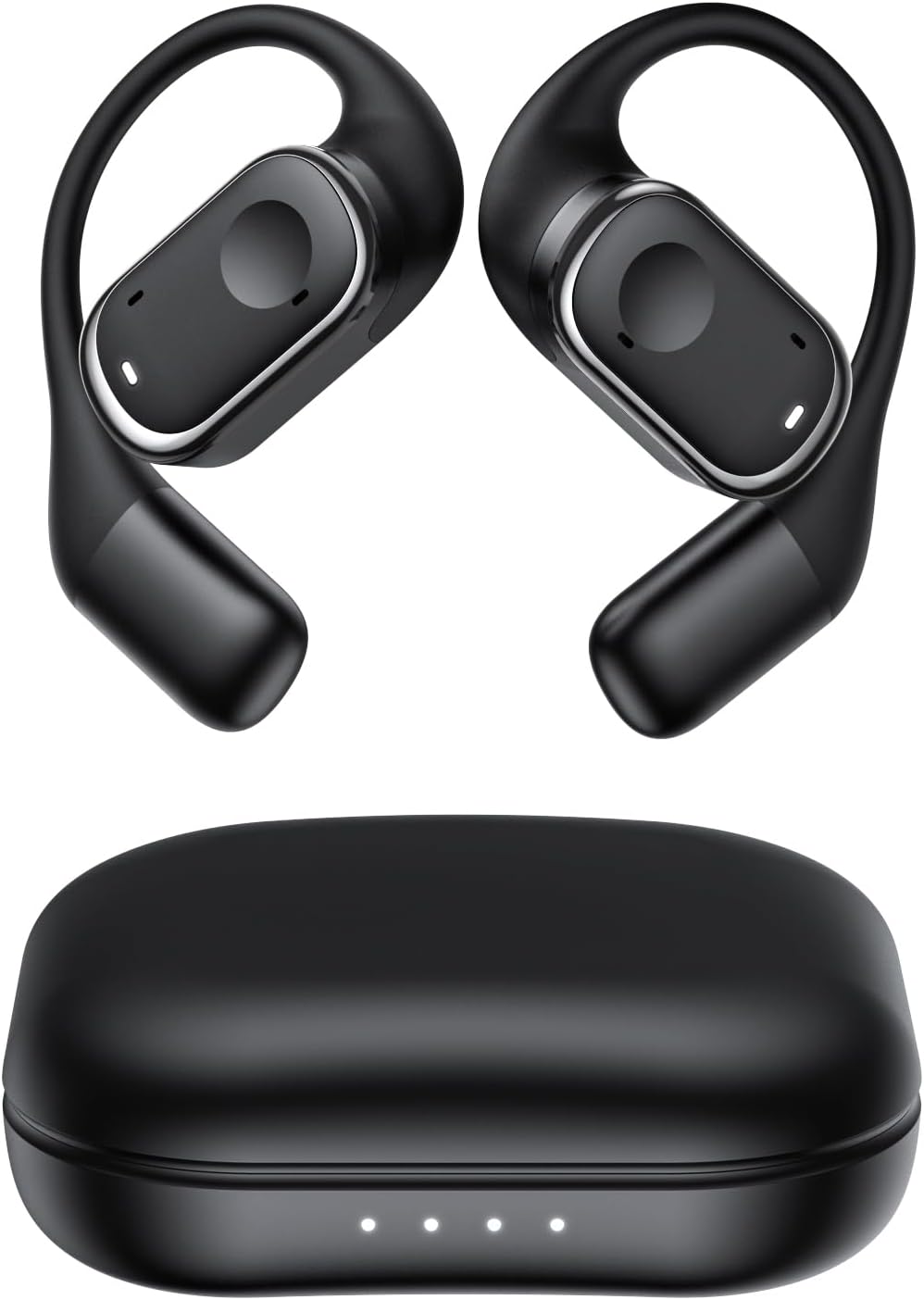
الشكل 2.1: Micool Y30 Open Ear Headphones and their charging case. The image shows two black open-ear earbuds with ear hooks, positioned above a sleek black charging case with four LED indicator lights on the front.
3. انتهى المنتجview
3.1 مكونات سماعات الأذن
Each earbud features an ergonomic design with a soft silicone ear hook for secure and comfortable placement. The main body houses the speaker and touch control area.

الشكل 3.1: عن قرب view illustrating the ergonomic design of the Micool Y30 earbud. The image highlights the curved ear hook and the soft silicone material designed for comfort and secure fit, conforming to the ear's contour.
3.2 حالة الشحن
The charging case protects the earbuds and recharges them. It has a USB-C charging port and LED indicators to show battery status.

الشكل 3.2: داخلي view of the Micool Y30 charging case, showcasing the earbuds nestled inside. The image highlights the Bluetooth 5.3 technology and the digital display indicating battery levels, emphasizing fast response and stable connection.
4. الإعداد
4.1 شحن الجهاز
قبل الاستخدام الأول، قم بشحن سماعات الأذن وعلبة الشحن بالكامل.
- شحن العلبة: Connect the provided USB-C cable to the charging port on the case and to a USB power adapter (not included). The LED indicators on the case will show the charging status. A full charge takes approximately 1-2 hours.
- شحن سماعات الأذن: Place the earbuds into the charging case. Ensure they are correctly seated. The earbuds will automatically begin charging. The case can charge the earbuds 4-5 times, providing up to 6 hours of playback per single earbud charge.
4.2 اقتران بلوتوث
To connect your Micool Y30 headphones to your device:
- تأكد من شحن وسادات الأذن.
- افتح علبة الشحن. ستدخل سماعات الأذن تلقائيًا في وضع الاقتران.
- على جهازك (مثل الهاتف الذكي أو الجهاز اللوحي)، انتقل إلى إعدادات البلوتوث وقم بتشغيل البلوتوث.
- بحث عن available devices. Select "Micool Y30" from the list.
- بمجرد الاتصال، سوف تسمع نغمة تأكيد، وستكون سماعات الأذن جاهزة للاستخدام.
The headphones support Bluetooth 5.3 for stable and efficient connection.
5. تعليمات التشغيل
5.1 تشغيل/إيقاف التشغيل
- تشغيل الطاقة: افتح حافظة الشحن ، وسيتم تشغيل سماعات الأذن تلقائيًا.
- إيقاف التشغيل: أعد وضع سماعات الأذن في علبة الشحن وأغلق الغطاء. ستتوقف تلقائيًا وتبدأ عملية الشحن.
5.2 تشغيل الموسيقى
The Micool Y30 headphones feature touch controls for media management.
- تشغيل/إيقاف مؤقت: انقر مرة واحدة على أي من سماعتي الأذن.
- المسار التالي: انقر نقرًا مزدوجًا على سماعة الأذن اليمنى.
- المسار السابق: انقر نقرًا مزدوجًا على سماعة الأذن اليسرى.
- رفع الصوت: انقر ثلاث مرات على سماعة الأذن اليمنى.
- اخفض الصوت: اضغط ثلاث مرات على سماعة الأذن اليسرى.
5.3 إدارة المكالمات
- الرد/إنهاء المكالمة: انقر مرة واحدة على أي من سماعتي الأذن.
- رفض المكالمة: اضغط مع الاستمرار على أي من سماعات الأذن لمدة ثانيتين.
5.4 Single and Dual Earbud Mode
The Micool Y30 headphones support seamless switching between using a single earbud or both earbuds.
- وضع ياربود واحد: You can use either the left or right earbud independently. Simply take one earbud out of the case, and it will connect to your device.
- وضع سماعات الأذن المزدوجة: Take both earbuds out of the case, and they will automatically connect to each other and then to your device for a stereo audio experience.

الشكل 5.1: Illustration of the Micool Y30's flexible usage modes. The diagram shows how the earbuds can be used independently in "Single Earphone Mode" or together in "Dual Headphone Mode" for a synchronized connection.
6. الصيانة
6.1 التنظيف
- استخدم قطعة قماش ناعمة وجافة وخالية من الوبر لتنظيف سماعات الأذن وعلبة الشحن.
- لا تستخدم كيماويات مركزة أو محاليل التنظيف أو المنظفات القوية.
- The earbuds have an IPX6 waterproof rating, meaning they are resistant to strong jets of water. However, they are not designed for submersion. Wipe them dry after exposure to sweat or water.
6.2 التخزين
- قم بتخزين سماعات الأذن في علبة الشحن الخاصة بها عند عدم استخدامها لحمايتها وإبقائها مشحونة.
- تجنب تخزين الجهاز في درجات حرارة قصوى (ساخنة أو باردة) أو في بيئات ذات رطوبة عالية.
7. استكشاف الأخطاء وإصلاحها
| مشكلة | حل |
|---|---|
| سماعات الأذن غير مقترنة بالجهاز. |
|
| لا يوجد صوت من سماعة أذن واحدة. |
|
| سماعات الأذن لا يتم شحنها. |
|
| جودة صوت رديئة أو انقطاعات في الاتصال. |
|
8. المواصفات
| ميزة | التفاصيل |
|---|---|
| اسم الموديل | سنة 30 |
| تكنولوجيا الاتصال | لاسلكي (بلوتوث) |
| نسخة البلوتوث | 5.3 |
| وضع الأذن | أذن مفتوحة |
| سعة بطارية سماعة الأذن | 100 مللي أمبير (لكل منهما) |
| سعة بطارية علبة الشحن | 450 مللي أمبير |
| مدة التشغيل (شحنة واحدة) | تصل إلى 6 ساعة |
| إجمالي وقت التشغيل (مع العلبة) | Up to 30 hours (4-5 full charges from case) |
| مدة الشحن (العلبة) | 1-2 ساعات |
| منفذ الشحن | يو إس بي من النوع سي |
| تصنيف مقاومة الماء | IPX6 |
| مادة | بلاستيك |
| رمز المنتج الموحد | 776584469303 |
9. الضمان والدعم
Micool products are designed with quality and reliability in mind. For warranty information or technical support, please refer to the warranty card included in your product packaging or visit the official Micool webيمكنك أيضًا التواصل مع بائع التجزئة الخاص بك للحصول على المساعدة.
لمزيد من المساعدة، يرجى زيارة Micool Store on Amazon.
Ask a question about this manual
Ask about setup, troubleshooting, compatibility, parts, safety, or missing instructions. Manuals+ will review the question and use this page’s manual context to help answer it.