
1. المقدمة
شكرا لك على الشراءasing the WiMiUS K9 Projector. This manual provides essential information for setting up, operating, and maintaining your projector. Please read it thoroughly before use to ensure proper functionality and to maximize your viewتجربة رائعة.
The WiMiUS K9 is a high-performance projector featuring native Full HD 1080P resolution with 4K support, AI auto-focus and keystone correction, WiFi 6, Bluetooth 5.2, and integrated Netflix certification with Dolby Audio support.
2. معلومات السلامة
- لا تنظر مباشرة إلى عدسة جهاز العرض عندما يكون الضوءamp هو على.
- تأكد من التهوية المناسبة حول جهاز العرض لمنع ارتفاع درجة الحرارة.
- Avoid placing the projector in dusty, humid, or extremely hot/cold environments.
- استخدم فقط محول الطاقة المرفق مع جهاز العرض.
- احتفظ بالجهاز بعيدًا عن الماء أو السوائل الأخرى.
- لا تحاول تفكيك جهاز العرض أو إصلاحه بنفسك. اتصل بخدمة دعم العملاء للحصول على المساعدة.
3. محتويات العبوة
تأكد من وجود جميع العناصر في العبوة:
- جهاز عرض WiMiUS K9
- كابل HDMI
- جهاز التحكم عن بعد
- كابل الطاقة
- قطعة قماش للتنظيف
- غطاء العدسة
- دليل المستخدم (هذا المستند)
4. انتهى المنتجview
Familiarize yourself with the projector's components and connection ports.
الصورة: الأمامية والجانبية view of the WiMiUS K9 Projector, showing the lens and ventilation.
4.1. المنافذ والوصلات
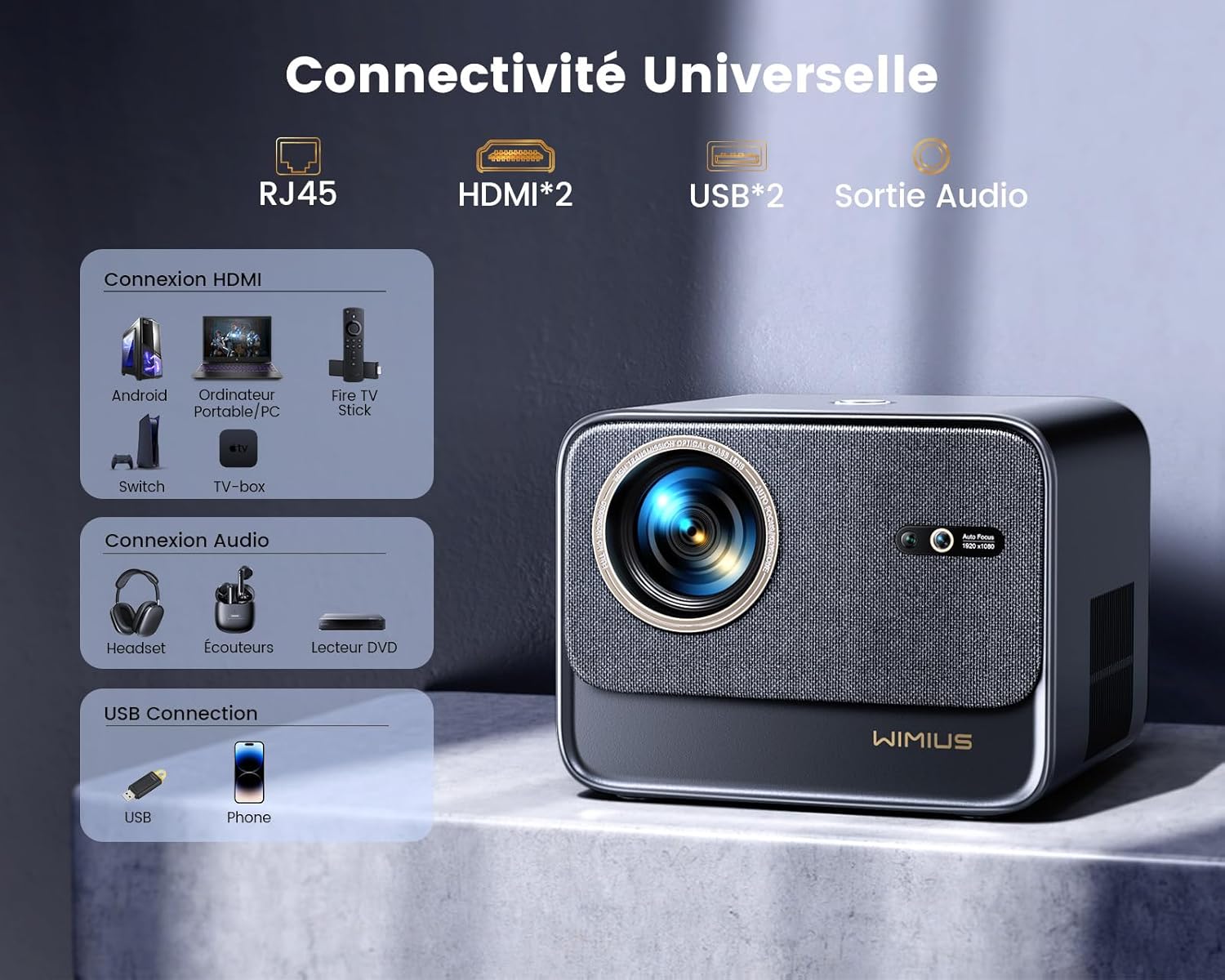
الصورة: الخلفية view of the WiMiUS K9 Projector, highlighting the Ethernet (RJ45), HDMI (x2), USB (x2), and Audio Out ports.
- RJ45 (إيثرنت): للاتصال بالإنترنت السلكي.
- HDMI (x2): Connect to devices like TV sticks, game consoles (PS5), laptops, or TV boxes. Supports HDMI ARC.
- يو اس بي (×2): Connect USB drives for media playback or charge compatible devices.
- مخرج الصوت (مقبس 3.5 ملم): قم بتوصيل مكبرات الصوت الخارجية أو سماعات الرأس.
5. الإعداد
5.1. تحديد مستوى
Place the projector on a stable, flat surface or mount it according to your preference. Ensure the lens is unobstructed. The projector supports a screen size of 50-300 inches with a projection ratio of 1.33:1.
5.2. توصيل الطاقة
- قم بتوصيل كابل الطاقة بمدخل الطاقة الخاص بجهاز العرض.
- قم بتوصيل الطرف الآخر من كابل الطاقة بمأخذ الطاقة.
- اضغط على زر الطاقة الموجود على جهاز العرض أو جهاز التحكم عن بعد لتشغيله.
5.3. Auto Focus and Keystone Correction
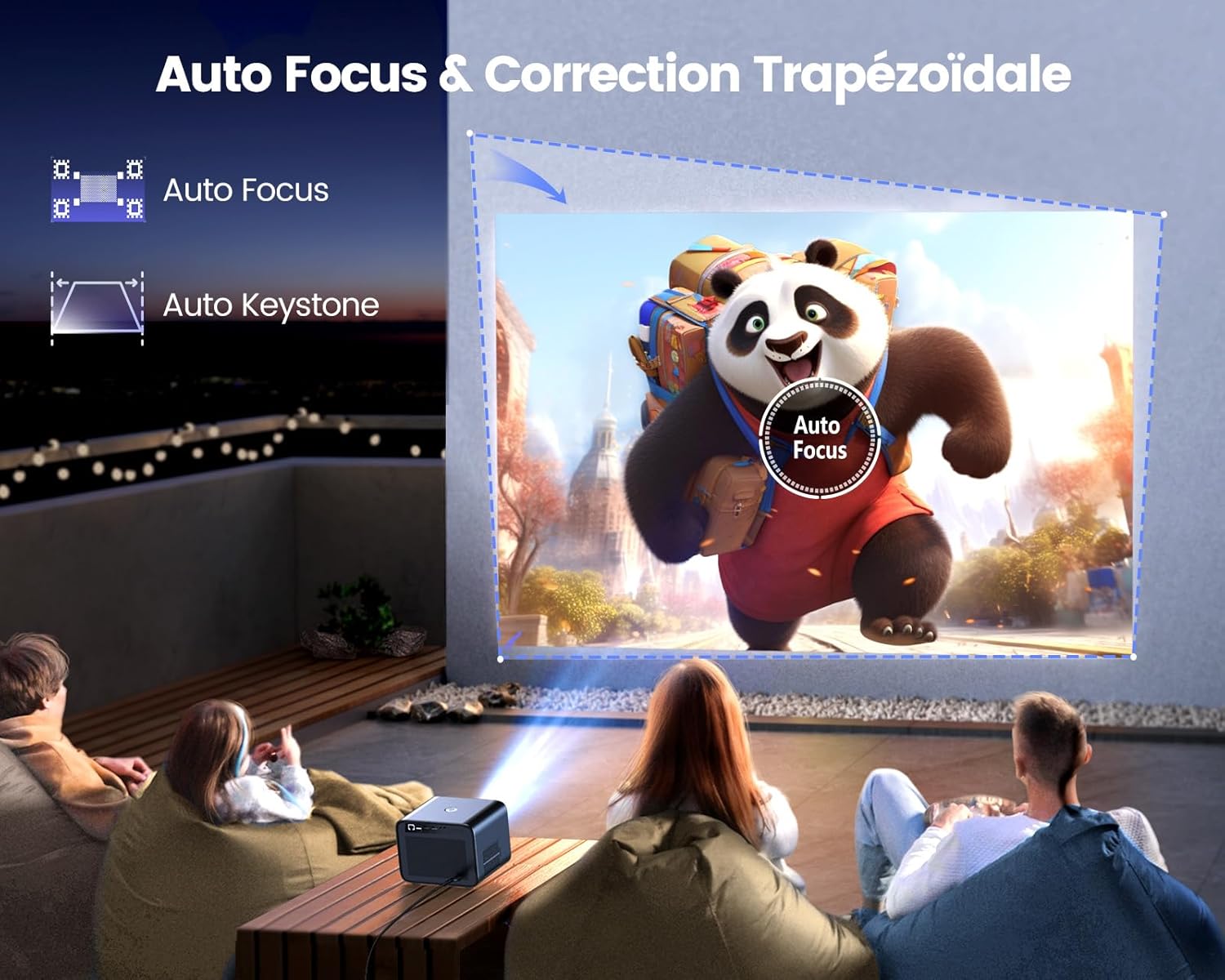
Image: Illustration of the projector automatically adjusting focus and keystone to achieve a rectangular image.
The WiMiUS K9 features AI-powered auto-focus and auto-keystone correction. Upon startup or movement, the projector will automatically adjust the image to be clear and rectangular within approximately 3 seconds. If manual adjustment is needed, use the remote control to fine-tune focus or keystone settings.
5.4. وظيفة التكبير
The projector includes a 50%-100% zoom function, allowing you to adjust the image size without physically moving the projector. Access this feature through the projector's menu or dedicated remote control buttons.
6. تعليمات التشغيل
6.1. التنقل وواجهة المستخدم

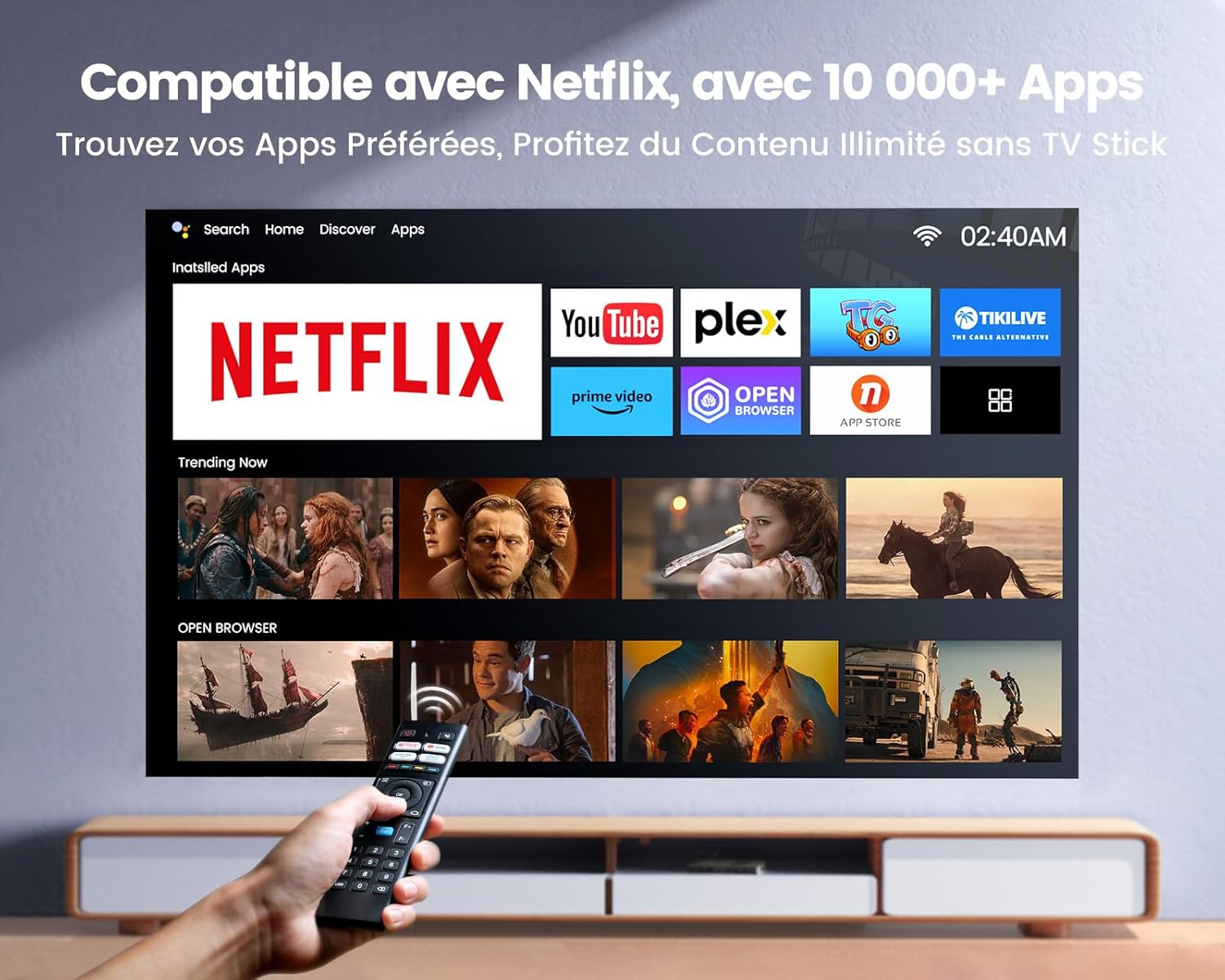
Image: The projector's home screen displaying various streaming applications like Netflix, YouTube, and Prime Video, controlled by a remote.
Use the provided remote control to navigate the projector's Linux-based operating system. The interface provides access to certified applications such as Netflix, Amazon Prime Video, and YouTube, along with other streaming services.
6.2. توصيل الأجهزة الخارجية
The K9 projector offers multiple connectivity options:
- HDMI: Connect your TV stick, game console (e.g., PS5), laptop, or TV box using an HDMI cable. Select the corresponding HDMI input from the projector's source menu.
- USB: Insert a USB flash drive into a USB port to play media fileس مباشرة.
- إيثرنت (RJ45): For a stable wired internet connection, plug an Ethernet cable into the RJ45 port.
6.3. الاتصال اللاسلكي (واي فاي 6 وبلوتوث 5.2)

Image: A person enjoying a video game projected by the WiMiUS K9, illustrating the fast WiFi 6 connection.
- واي فاي 6: Connect to your wireless network for internet access and streaming. Navigate to the network settings in the projector's menu to connect to a WiFi 6 network. This enables seamless streaming and screen mirroring from iOS/Android phones and tablets.
- بلوتوث شنومكس: Pair with Bluetooth headphones, speakers, or soundbars for enhanced audio. Go to Bluetooth settings in the menu, enable Bluetooth, and select your device to pair. The projector supports Dolby Audio output to connected Bluetooth devices.
6.4. إعدادات الصوت (صوت دولبي)

Image: The WiMiUS K9 Projector prominently displaying the Dolby Audio logo, indicating its audio capabilities.
The K9 projector supports Dolby Audio, providing a cinematic sound experience. You can output audio through the built-in speakers, the 3.5mm audio jack, or wirelessly via Bluetooth 5.2 to compatible audio devices.
7. الصيانة
7.1. تنظيف العدسة
Gently wipe the projector lens with the provided cleaning cloth or a soft, lint-free cloth. Avoid using abrasive cleaners or excessive pressure, which can damage the lens coating.
7.2. منع الغبار
The WiMiUS K9 features a fully sealed optical machine design to effectively block dust and reduce black spots on the projection. Periodically clean the projector's exterior with a soft cloth. Ensure ventilation openings are clear of obstructions.
7.3. التخزين
When not in use for extended periods, store the projector in a cool, dry place, protected from dust and extreme temperatures. Use the lens cap to protect the lens.
8. استكشاف الأخطاء وإصلاحها
If you encounter issues with your WiMiUS K9 Projector, refer to the following common problems and solutions:
- لا توجد صورة:
- تأكد من توصيل كابل الطاقة بشكل آمن وتشغيل جهاز العرض.
- Check the input source selection (HDMI 1, HDMI 2, etc.) matches your connected device.
- تأكد من أن الجهاز المتصل (الكمبيوتر المحمول، جهاز بث التلفزيون) قيد التشغيل ويخرج إشارة.
- صورة ضبابية:
- Allow the auto-focus function to complete its adjustment.
- If needed, manually adjust the focus using the remote control.
- Ensure the projection surface is flat and the projector lens is clean.
- صورة مشوهة (ليست مستطيلة):
- Allow the auto-keystone correction to complete.
- If necessary, manually adjust keystone correction via the projector's menu.
- لا يوجد صوت:
- تحقق من مستوى الصوت على كل من جهاز العرض وجهاز المصدر المتصل.
- Ensure external speakers or headphones are correctly connected and powered on if used.
- Verify Bluetooth audio is correctly paired and selected as the output.
- مشاكل الاتصال بشبكة الواي فاي/البلوتوث:
- Ensure the WiFi network is active and within range. Re-enter the password if necessary.
- بالنسبة لتقنية البلوتوث، تأكد من أن الجهاز في وضع الاقتران وضمن النطاق.
- أعد تشغيل جهاز العرض والجهاز الذي تحاول توصيله.
للحصول على مزيد من المساعدة، يرجى الرجوع إلى معلومات الاتصال في قسم الضمان والدعم.
9. المواصفات
| ماركة | WiMiUS |
| نموذج | K9 |
| الدقة الأصلية | 1920 × 1080 بكسل (عالي الدقة بالكامل) |
| الدقة المدعومة | Up to 4K Ultra HD (60Hz) |
| سطوع | 32000 لومن (1100 لومن ANSI) |
| نسبة التباين | 40000:1 |
| نظام التشغيل | Linux (Netflix Certified) |
| الاتصال | WiFi 6, Bluetooth 5.2, 2x HDMI (ARC), 2x USB, Ethernet (RJ45), 3.5mm Audio Out |
| المميزات الخاصة | AI Auto Focus, AI Auto Keystone Correction, Dolby Audio Support, Fully Sealed Optical Machine, 50-100% Zoom |
| الاستخدام الموصى به | Home Cinema, Gaming Console |
| المكونات المضمنة | Projector, HDMI Cable, Remote Control, Power Cable, Cleaning Cloth, Lens Cap, User Manual |
10. الضمان والدعم
The WiMiUS K9 Projector comes with a ضمان لمدة 3 سنوات من تاريخ الشراء.
For technical support, warranty claims, or any questions regarding your projector, please contact WiMiUS customer service. Refer to the contact information provided in the physical user manual included with your product or visit the official WiMiUS webموقع للحصول على تفاصيل الدعم.
When contacting support, please have your product model (K9) and purchase details ready.