
Zenwire E520h
Zenwire E520h Projector User Manual
Model: E520h | Brand: Zenwire
1. المقدمة
This manual provides detailed instructions for the setup, operation, and maintenance of your Zenwire E520h projector. Please read this manual thoroughly before using the device to ensure proper functionality and to maximize your viewتجربة رائعة.
The Zenwire E520h is a Full HD 1080p projector with 4K support, featuring Android 9.0, dual-band WiFi (2.4/5 GHz), and Bluetooth 5.0 for versatile home theater entertainment.
2. محتويات العبوة
تأكد من وجود جميع العناصر في العبوة:
- Zenwire E520h Projector
- جهاز التحكم عن بعد (البطاريات غير متضمنة)
- كابل الطاقة
- كابل HDMI
- AV Cable (stereo)
- دليل المستخدم

The image above displays the Zenwire E520h projector along with its standard accessories: a remote control, power cable, HDMI cable, and AV cable. These components are essential for setting up and operating your projector.
3. انتهى المنتجview
Familiarize yourself with the various parts and connections of your Zenwire E520h projector.

توفر هذه الصورة نظرة شاملة view of the projector from different angles, highlighting the lens, control panel, ventilation grilles, and various input/output ports located on the sides and rear of the device.

The Zenwire E520h projector supports a wide range of multimedia devices, including streaming sticks (Roku, Fire TV, Chromecast), external audio systems, USB storage, gaming consoles (Xbox, PlayStation), mobile devices (phones, tablets), DVD players, and computers (laptops, desktops) via its various input ports.
4. الإعداد
4.1 التنسيب
Position the projector on a stable, flat surface. Ensure adequate ventilation around the device. The optimal projection distance ranges from 1.2 to 6 meters, allowing for screen sizes from 36 to 200 inches.

This image demonstrates how varying the distance between the projector and the screen affects the projected image size, showing examples for 45, 120, and 200-inch displays.
4.2 توصيل الطاقة
Connect the power cable to the projector's power input and then plug it into a suitable electrical outlet.
4.3 التشغيل المبدئي
Press the power button on the projector or the remote control to turn on the device. The projector will boot into the Android 9.0 operating system.
5. تعليمات التشغيل
5.1 التركيز وتصحيح الانحراف
Adjust the focus ring around the lens until the image is clear. Use the 4D keystone correction feature to adjust the image shape if the projector is not perfectly perpendicular to the screen. This can be done via the remote control or on-screen settings.

This image illustrates the process of adjusting the focus ring on the projector lens and demonstrates the effect of keystone correction on the projected image, ensuring a rectangular display even when the projector is angled.
5.2 نظام أندرويد 9.0 الذكي
The projector runs on Android 9.0, allowing direct access to streaming applications like YouTube, Netflix, HBO, and Spotify. Navigate the interface using the remote control.

The image above shows the projector's smart interface, featuring a grid of popular streaming applications, demonstrating the integrated Android 9.0 system's capability to run apps directly.
5.3 الاتصال اللاسلكي (واي فاي وبلوتوث)
واي فاي: Connect to your home network using the integrated 2.4/5 GHz WiFi. This enables Miracast and Airplay for wireless screen mirroring from iOS, Android, and Windows devices.

This image illustrates the projector's wireless connectivity, showing it mirroring content from a smartphone and tablet, and highlighting its compatibility with iOS, Android, and Windows 10 devices for screen sharing.
بلوتوث شنومكس: Pair with external Bluetooth speakers, soundbars, or headphones for enhanced audio. Go to the settings menu to manage Bluetooth devices.
5.4 الاتصال السلكي
The projector features multiple ports for wired connections:
- HDMI (x2): Connect laptops, gaming consoles, Blu-ray players, or streaming devices.
- USB: تشغيل الوسائط مباشرة من محركات أقراص USB.
- من: قم بتوصيل الأجهزة القديمة باستخدام كابل AV المرفق.
- Mini-Jack: لإخراج الصوت الخارجي.
- Micro-SD/TF Card Reader: For playing media from memory cards.
6. الصيانة
6.1 تنظيف العدسة
امسح عدسة جهاز العرض برفق بقطعة قماش ناعمة وخالية من الوبر، مُخصصة للأسطح البصرية. لا تستخدم منظفات كاشطة أو قوة مفرطة.
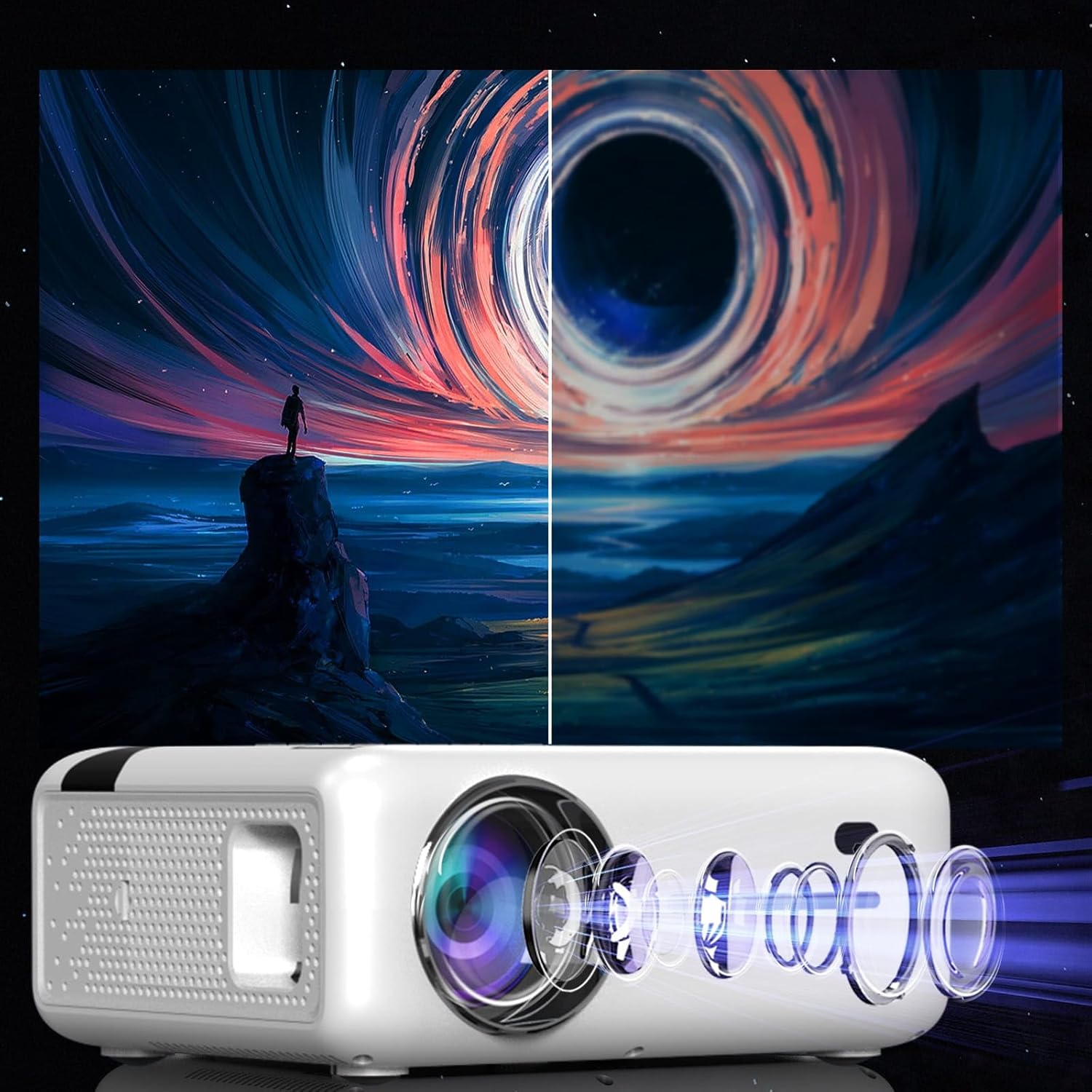
This diagram illustrates the multi-element lens system of the projector, highlighting the precision optics that require careful handling during cleaning to maintain image quality.
6.2 التهوية
Ensure that the projector's ventilation openings are not blocked to prevent overheating. Regularly check for dust accumulation and clean if necessary using compressed air.
6.3 التخزين
عند عدم استخدام جهاز العرض لفترات طويلة، يُحفظ في مكان بارد وجاف، بعيدًا عن أشعة الشمس المباشرة والغبار الكثيف. استخدم العبوة الأصلية أو حافظة واقية.
7. استكشاف الأخطاء وإصلاحها
| مشكلة | السبب المحتمل | حل |
|---|---|---|
| لا توجد صورة معروضة | تم فصل كابل الطاقة، مصدر الإدخال غير صحيح، غطاء العدسة موجود. | Check power connection, select correct input source (HDMI, USB, etc.), remove lens cap. |
| صورة مشوشة | Focus not adjusted, keystone incorrect. | Adjust the focus ring, use keystone correction. |
| لا يوجد صوت | Volume too low, incorrect audio output selected, external device muted. | Increase projector volume, check audio settings, ensure external device is not muted. |
| مشاكل في اتصال الواي فاي | Incorrect password, router too far, interference. | Verify WiFi password, move projector closer to router, check for other wireless devices. |
8. المواصفات
| ميزة | التفاصيل |
|---|---|
| نموذج | Zenwire E520h |
| الدقة الأصلية | 1920 x 1080p (Full HD) |
| الدقة المدعومة | حتى 4K |
| سطوع | 9000 lumens (300 ANSI) |
| نسبة التباين | 2000:1 |
| نظام التشغيل | أندرويد 9.0 |
| واي فاي | 2.4/5 GHz (Miracast, Airplay support) |
| بلوتوث | 5.0 |
| الاتصال | 2x HDMI, USB, AV, Mini-Jack, Micro-SD/TF |
| حجم العرض | 36 - 200 بوصة |
| مسافة الإسقاط | 1.2 - 6 مترًا |
| تصحيح الانحراف | 4D (manual and auto) |
| المجلدtage | 230 فولت |
| الأبعاد (العبوة) | 23 × 18.5 × 10.5 سم |
| الوزن (الحزمة) | 1.2 كجم |
9. الضمان والدعم
For warranty information and technical support, please refer to the contact details provided with your purchase documentation or visit the official Zenwire webالموقع. احتفظ بإثبات الشراء الخاص بك لتقديم مطالبات الضمان.
Ask a question about this manual
Ask about setup, troubleshooting, compatibility, parts, safety, or missing instructions. Manuals+ will review the question and use this page’s manual context to help answer it.