
1. المقدمة
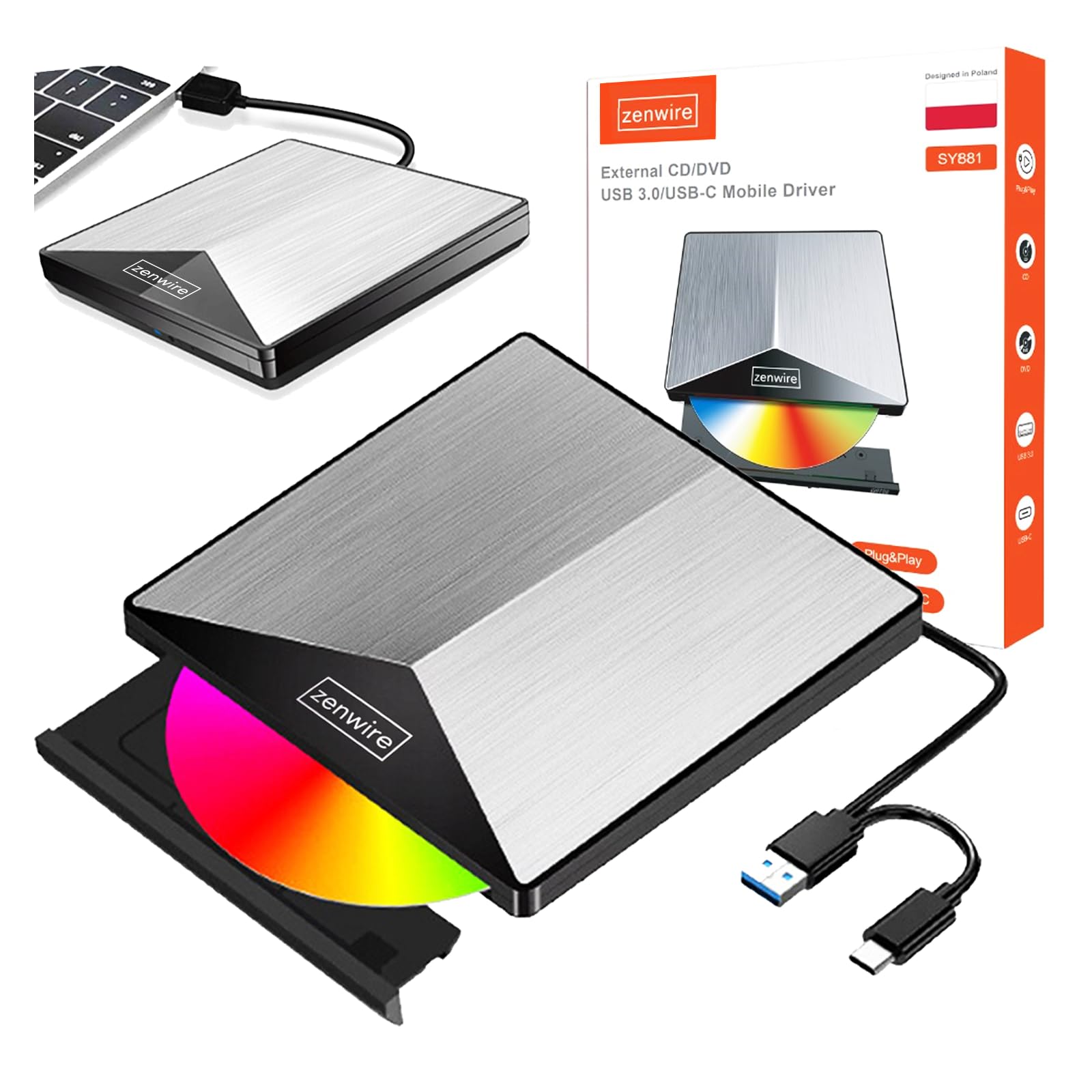
Thank you for choosing the Zenwire External CD/DVD Drive. This device is a versatile and portable solution for both reading and writing optical discs, designed for use with laptops and desktop computers. It features modern USB 3.0 and USB-C 3.1 interfaces, ensuring rapid data transfer speeds up to 5 Gb/s. Its durable aluminum casing provides efficient heat dissipation and a sleek design. This drive is compatible with various operating systems, including Windows, Mac OS, and Linux, offering broad utility for a wide range of users.
تتضمن الميزات الرئيسية ما يلي:
- USB 3.0 and USB-C 3.1 Support: Offers very high data transfer speeds up to 5 Gb/s, enhancing efficiency for large files and multimedia.
- الألومنيوم جasing: Durable and elegant, effectively dissipates heat for long-lasting and safe use.
- توافق نظام التشغيل: Seamless operation across multiple platforms, including Windows, Mac OS, and Linux.
- قابلية النقل: Slim design and low weight allow for easy transport, ideal for users on the go.
- التوصيل والتشغيل: Simple installation without the need for additional drivers, enabling quick use immediately after connection.
2. معلومات السلامة
يرجى قراءة واتباع إرشادات السلامة هذه لضمان التشغيل السليم ومنع تلف الجهاز أو الإصابة:
- لا تعرض الجهاز للماء أو الرطوبة أو درجات الحرارة العالية.
- تجنب إسقاط الجهاز أو تعريضه لصدمات قوية.
- لا تحاول تفكيك الجهاز أو إصلاحه بنفسك. استشر فني صيانة مؤهلًا.
- Use only compatible discs and cables.
- أبعد الجهاز عن المجالات المغناطيسية القوية.
3. محتويات العبوة
تأكد من وجود جميع العناصر في الحزمة الخاصة بك:
- Zenwire External CD/DVD Drive
- Integrated USB 3.0 / USB-C 3.1 Cable
- دليل المستخدم (هذا المستند)
4. انتهى المنتجview
Familiarize yourself with the components and dimensions of your Zenwire External CD/DVD Drive.

صورة: عن قرب views of the Zenwire External CD/DVD Drive, highlighting the integrated USB cable, the disc eject button, and the anti-slip feet on the bottom. These details illustrate the device's connectivity and stable design.

صورة: The Zenwire External CD/DVD Drive displayed with its approximate dimensions: 5.9 inches (148mm) in length, 5.9 inches (149mm) in width, and 0.6 inches in thickness. This illustrates the compact and slim profile من الجهاز.
5. الإعداد
The Zenwire External CD/DVD Drive is designed for simple plug-and-play operation. No additional drivers are typically required for most operating systems.
- Locate an available USB 3.0 or USB-C port on your computer (laptop or desktop).
- Connect the integrated USB cable from the Zenwire drive directly into the chosen port on your computer.
- The operating system should automatically detect and install the necessary drivers. This process may take a few moments.
- Once installed, the drive will appear as a removable storage device in your computer's file المستكشف أو سطح المكتب.
صورة: The Zenwire External CD/DVD Drive shown connected to a laptop via its integrated USB cable. This illustrates the simple plug-and-play connection process.
6. تعليمات التشغيل
6.1 إدخال القرص
- Press the eject button located on the front of the drive. The disc tray will slide out.
- Carefully place the disc onto the tray with the label side facing up. Ensure the disc is seated correctly in the center.
- Gently push the tray back into the drive until it clicks into place. Do not force the tray.

صورة: A hand carefully inserting a CD into the open disc tray of the Zenwire External CD/DVD Drive. This demonstrates the correct method for disc placement.
6.2 أقراص القراءة والكتابة
Once a disc is inserted and recognized by your computer, you can perform various operations:
- قراءة: For data discs, open 'This PC' or 'My Computer' (Windows) or 'Finder' (Mac) and click on the drive icon to access its contents. For movie DVDs or audio CDs, your operating system may prompt you to open a media player.
- Writing (Burning): To burn data to a blank CD or DVD, insert a blank disc. Your operating system or third-party burning software will guide you through the process of selecting files and initiating the burn.
6.3 Supported Disc Formats
The drive supports a variety of optical disc formats:
- سي دي روم، سي دي آر، سي دي آر دبليو
- DVD-ROM, DVD-R, DVD+R, DVD-RW, DVD+RW
- قرص فيديو رقمي

صورة: The Zenwire External CD/DVD Drive displayed alongside icons representing VCD, CD, and DVD, clearly indicating the range of optical disc formats supported by the device.
6.4 توافق نظام التشغيل
The drive is compatible with the following operating systems:
- Windows (XP, Vista, 7, 8, 10, 11)
- نظام التشغيل ماك
- لينكس

صورة: The Zenwire External CD/DVD Drive depicted in a setup demonstrating its compatibility with multiple operating systems, including various versions of Windows, Mac OS, and Linux. This highlights its universal usability.
7. الصيانة
Proper maintenance ensures the longevity and optimal performance of your drive.
- تنظيف الممر: Use a soft, dry, lint-free cloth to wipe the exterior of the drive. Do not use liquid cleaners or abrasive materials. For the optical lens, use a specialized CD/DVD lens cleaning kit if necessary, following its instructions carefully.
- أقراص التنظيف: Always handle discs by their edges. If a disc is dirty, gently wipe it from the center outwards with a soft, lint-free cloth.
- تخزين: Store the drive in a cool, dry place away from direct sunlight and extreme temperatures when not in use. Keep discs in their cases to prevent scratches and dust accumulation.
- فيلم الحماية: Upon first use, you may need to remove any protective film from the device's surface.

صورة: A hand demonstrating the removal of a protective film from the surface of the Zenwire External CD/DVD Drive. This step is often performed during the initial setup or maintenance to ensure optimal appearance and function.
8. استكشاف الأخطاء وإصلاحها
If you encounter issues with your Zenwire External CD/DVD Drive, refer to the following common problems and solutions:
- Drive not recognized by the computer:
- تأكد من توصيل كابل USB بشكل آمن بكل من محرك الأقراص والكمبيوتر.
- حاول توصيل محرك الأقراص بمنفذ USB مختلف على جهاز الكمبيوتر الخاص بك.
- قم باختبار محرك الأقراص على جهاز كمبيوتر آخر لاستبعاد وجود مشكلة خاصة بالكمبيوتر.
- أعد تشغيل الكمبيوتر الخاص بك.
- Disc not reading or writing:
- Check the disc for scratches, dirt, or damage. Try a different disc.
- تأكد من إدخال القرص بشكل صحيح مع توجيه جانب الملصق لأعلى.
- For writing, ensure you are using a blank, compatible disc (CD-R/RW, DVD-R/RW, DVD+R/RW).
- Clean the drive's optical lens using a specialized cleaning disc.
- سرعة نقل البيانات بطيئة:
- Ensure the drive is connected to a USB 3.0 or USB-C 3.1 port on your computer for optimal speed. USB 2.0 ports will result in slower performance.
- Avoid using USB hubs if possible, or ensure the hub is powered and supports USB 3.0/USB-C speeds.
- Drive makes unusual noises:
- This can sometimes occur with unbalanced or damaged discs. Try a different disc.
- تأكد من وضع القرص الصلب على سطح مستوٍ وثابت.
9. المواصفات
| ميزة | وصف |
|---|---|
| ماركة | زينواير |
| رقم الموديل | 5904507529123 |
| الواجهة | USB 3.0، USB من النوع C |
| سرعة نقل البيانات | Up to 5 Gb/s (via USB 3.0 / USB-C 3.1) |
| Optical Write Speed | 10x |
| أنظمة التشغيل المدعومة | ويندوز، ماك أو إس، لينكس |
| ميزة خاصة | التوصيل والتشغيل |
| مادة | الألومنيوم جasing |
| الأبعاد (تقريبًا) | 148 مم (طول) × 149 مم (عرض) × 15 مم (ارتفاع) / 5.9 بوصة (طول) × 5.9 بوصة (عرض) × 0.6 بوصة (ارتفاع) |
10. معلومات الضمان
Warranty terms and conditions are typically provided with your purchase documentation. Please refer to the specific warranty information included with your product or contact the retailer/manufacturer for details regarding warranty coverage and claims.
11. الدعم
If you require further assistance or have questions not covered in this manual, please contact Zenwire customer support or your product retailer. Please have your model number (5904507529123) and purchase details ready when contacting support.