
مقدمة
Thank you for choosing the Contixo F21 Pro Drone. This manual provides essential information for the safe operation, setup, and maintenance of your drone. Please read this manual thoroughly before operating the device to ensure proper usage and to prevent damage.
1. الإعداد
1.1 محتويات الصندوق
تأكد من وجود جميع المكونات في العبوة:
- Contixo F21 Pro Drone
- Remote Control (with 4.3" integrated screen)
- 2 x 3.7V 1200mAh Batteries
- 8 x Propeller Replacements
- 4 x حماة المروحة
- كابل شحن USB
- بطاقة SD سعة 16 جيجابايت
- مفك البراغي
- وسادة الهبوط
- حقيبة الحمل
- دليل التعليمات

1.2 شحن البطارية وتركيبها
The drone is powered by two 3.7V 1200mAh Lithium-Ion batteries. Ensure both batteries are fully charged before first use.
- Connect the USB charging cable to the battery and a suitable USB power adapter (not included).
- The charging indicator on the battery will show its status (refer to the Quick Guide for specific light patterns).
- بعد اكتمال الشحن، افصل البطارية.
- Insert the charged battery into the drone's battery compartment until it clicks securely into place.

1.3 تركيب المروحة
The drone comes with pre-installed propellers. If replacement is needed:
- حدد المروحة الصحيحة لكل محرك (المميزة بـ A أو B).
- Use the provided screwdriver to remove the screw holding the old propeller.
- Place the new propeller onto the motor shaft, aligning it correctly.
- Secure the propeller with a screw. Ensure all propellers are firmly attached before flight.
1.4 إعداد جهاز التحكم عن بعد
The remote control features an integrated 4.3-inch screen for live video feed and flight data.
- تأكد من شحن جهاز التحكم عن بعد.
- قم بتشغيل جهاز التحكم عن بعد.
- قم بتشغيل الطائرة بدون طيار.
- The remote control and drone should automatically pair. If not, refer to the Quick Guide for pairing instructions.

1.5 تجهيز الطائرات بدون طيار
The F21 Pro drone features a foldable design for portability.
- قم بفتح أذرع الطائرة بدون طيار برفق حتى تستقر في مكانها.
- Attach the propeller guards if flying indoors or in crowded areas for added protection.

2. تعليمات التشغيل
2.1 عناصر التحكم الأساسية في الطيران
Familiarize yourself with the remote control sticks and buttons for basic flight maneuvers:
- الإقلاع/الهبوط: Use the dedicated one-key take-off/landing button or manually control with the throttle stick.
- تثبيت الارتفاع: The drone maintains a stable altitude automatically, allowing for easier control.
- التحكم الاتجاهي: Use the directional stick to move the drone forward, backward, left, and right.
- تناوب: Use the rotation control to turn the drone left or right.
2.2 أوضاع الطيران الذكية
The F21 Pro drone includes several intelligent flight features to enhance your experience:
- تجنب عقبة: Equipped with 270° environmental perception, the drone can sense obstacles and automatically stop to prevent collisions. This feature is primarily for indoor use.

- تحديد موضع التدفق البصري: This system helps the drone hover steadily, improving stability, especially for beginners.
- تثبيت الارتفاع: يحافظ على ارتفاع ثابت، مما يبسط عملية التحكم في الطيران.

- صورة سيلفي بالإيماءات: Activate camera functions with simple hand gestures.
- Follow Object/Palm Follow: The drone can track and follow a designated object or your palm.
- التحكم بالجاذبية: Control the drone's movement by tilting your remote.
- 360° Flips and Rolls: Execute aerial acrobatics with a dedicated button.


2.3 تشغيل الكاميرا
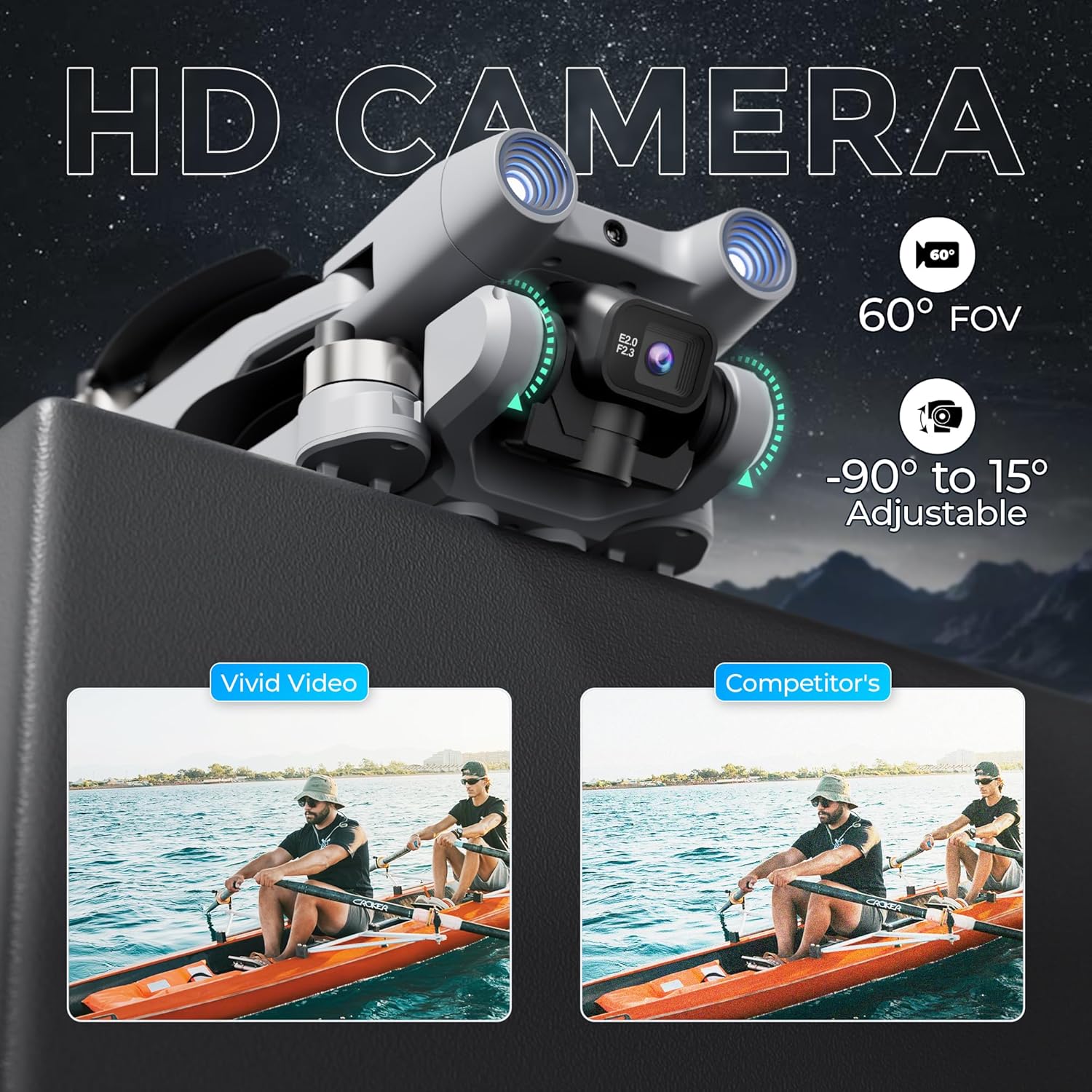
The F21 Pro features a dual camera system with adjustable angles.
- The main camera offers a 60° Field of View (FOV) and can be adjusted from -90° to 15°.
- Video capture resolution is 480p, with an output resolution of 1920x1080 pixels.
- Images are captured in JPEG format, and videos in MP4.
- Use the controls on the remote to adjust the camera angle and initiate recording or photo capture.
2.4 أداء الطيران
- وقت الرحلة: Each battery provides approximately 15 minutes of flight, totaling up to 30 minutes with both included batteries.
- نطاق الطيران: The drone has a maximum flight range of up to 300 feet and video transmission up to 240 feet.
- المحركات عديمة الفرشاة: Equipped with efficient and quiet 1503 brushless motors for stable flight.
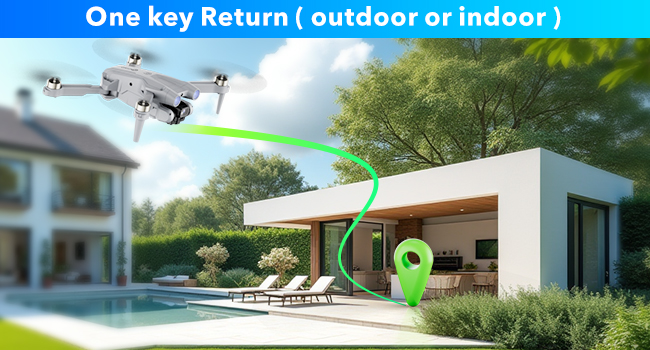
- العودة بمفتاح واحد: The drone features a one-key return function for easy recall.
2.5 فيديو التشغيل
Watch this video for a visual guide on operating your Contixo F21 Pro Drone.
3. الصيانة
3.1 استبدال المروحة
Inspect propellers regularly for damage. Replace any bent, cracked, or chipped propellers immediately using the provided replacements and screwdriver. Ensure correct propeller type (A or B) is installed on the corresponding motor.
3.2 العناية بالبطارية
- Always use the original charging cable.
- لا تفرط في شحن البطاريات أو تفريغها.
- قم بتخزين البطاريات في مكان بارد وجاف بعيدًا عن أشعة الشمس المباشرة ودرجات الحرارة القصوى.
- If not used for an extended period, charge batteries to approximately 50% capacity.
3.3 التنظيف
Use a soft, dry cloth to clean the drone and remote control. Avoid using liquids or solvents that could damage electronic components.
4. استكشاف الأخطاء وإصلاحها
If you encounter issues with your Contixo F21 Pro Drone, refer to the following common problems and solutions:
| مشكلة | السبب المحتمل | حل |
|---|---|---|
| الطائرة بدون طيار لا تعمل | البطارية غير مشحونة أو مثبتة بشكل غير صحيح | تأكد من شحن البطارية بالكامل وإدخالها بشكل صحيح. |
| Drone is unstable or veers during flight | Propellers damaged; Drone not calibrated; Environmental interference | Check and replace damaged propellers. Perform drone calibration as per Quick Guide. Fly in calm conditions away from strong winds or magnetic interference. |
| مدة الرحلة قصيرة | Battery not fully charged; Old or damaged battery | تأكد من شحن البطاريات بالكامل. فكّر في استبدال البطاريات القديمة إذا انخفض الأداء بشكل ملحوظ. |
| Loss of control or unresponsive remote | Drone out of range; Signal interference; Low remote battery | Keep drone within specified range. Avoid areas with strong Wi-Fi or radio signals. Ensure remote control battery is charged. |
| Camera not recording or taking photos | SD card full or not inserted; Camera malfunction | Check if the 16GB SD card is correctly inserted and has free space. Format the SD card if necessary. |
5. المواصفات
| ميزة | التفاصيل |
|---|---|
| ماركة | كونتيكسو |
| اسم الموديل | اف 21 برو |
| المميزات الخاصة | 360 Degree Flip, Foldable, Integrated GPS, Obstacle Avoidance, Portable |
| الفئة العمرية (الوصف) | بالغ |
| لون | رمادي |
| دقة التقاط الفيديو | 480 بكسل |
| تكنولوجيا الاتصال | واي فاي |
| المكونات المضمنة | Drone, Remote Control, 2 Batteries, 8 Propellers, USB Cable, Landing Pad, 16GB SD Card, Screwdriver, Carrying Case |
| مستوى المهارة | مبتدئ |
| وزن العنصر | 5.8 أونصة (حوالي 164 جرام) |
| سعة البطارية | 1200 مليamp ساعات (لكل بطارية) |
| تنسيق التقاط الفيديو | إم بي 4 |
| تقنية التحكم عن بعد | 2.4 جيجاهرتز |
| نوع التحكم | جهاز التحكم عن بعد |
| الحد الأقصى للمدى | 350 Feet (Flight), 240 Feet (Video Transmission) |
| تكنولوجيا الاتصالات اللاسلكية | واي فاي |
| تكوين خلية البطارية | أيون الليثيوم |
| تنسيق الصورة المدعومة | JPEG |
| قرار إخراج الفيديو | 1920 × 1080 بكسل |
| تقنية الاستشعار البصري | Optical Flow, CMOS |
| مادة | بلاستيك |
| أبعاد المنتج الطول × العرض × الارتفاع | 5.28 بوصة طول × 5.28 بوصة عرض × 1.02 بوصة ارتفاع (مطوي) |
6. معلومات الضمان
Contixo products are covered by a limited warranty against manufacturing defects. For specific warranty terms and conditions, please refer to the warranty card included in your product packaging or visit the official Contixo webالموقع. احتفظ بإثبات الشراء الخاص بك لتقديم مطالبات الضمان.
7. دعم العملاء
For technical assistance, troubleshooting, or any questions regarding your Contixo F21 Pro Drone, please contact Contixo customer support. Contact details can be found on the official Contixo website or in the Quick Guide provided with your product.