
مقدمة
Thank you for choosing Micool T35 Open Ear Headphones. These headphones are designed to provide a comfortable and safe listening experience, allowing you to enjoy high-quality audio while remaining aware of your surroundings. Featuring Bluetooth 5.3 connectivity, IPX6 waterproofing, and a long-lasting battery, they are ideal for sports and daily use.
محتويات الحزمة
يرجى التحقق من الحزمة للعناصر التالية:
- Micool T35 Open Ear Headphones
- حافظة الشحن اللاسلكي
- كابل شحن USB من النوع C
- دليل المستخدم
المنتج انتهىview
The Micool T35 headphones feature an open-ear design with earhooks for secure and comfortable wear. The charging case protects and recharges your headphones.

Image: Micool T35 Open Ear Headphones and Charging Case. The image displays the charging case with one earbud inside and the other earbud placed next to it, showcasing the open-ear design and earhook.
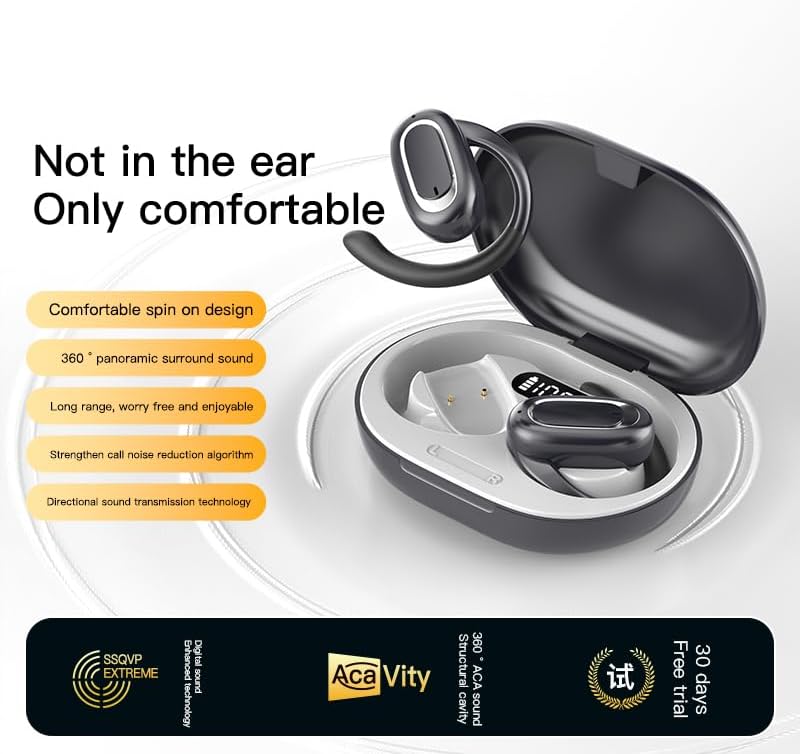
Image: Micool T35 Open Ear Headphones. This image shows both left and right earbuds with their earhooks, highlighting their ergonomic shape.
المميزات الرئيسية:
- تصميم الأذن المفتوحة: Rests gently on the ear without blocking the ear canal, reducing ear fatigue and maintaining environmental awareness.
- بلوتوث شنومكس: يضمن اتصالاً لاسلكياً مستقراً وفعالاً.
- خطافات أذن مريحة: Provides a secure and comfortable fit, even during extended use or physical activity.
- IPX6 مقاوم للماء: Resistant to sweat and splashes, suitable for sports.
- عمر بطارية طويل: Up to 12 hours of playback on a single charge, extended to 34 hours with the charging case.
- نقل الصوت الاتجاهي: Minimizes sound leakage while delivering clear audio.
يثبت
1. شحن سماعات الرأس والعلبة
قبل الاستخدام الأول، قم بشحن سماعات الرأس وعلبة الشحن بالكامل.
- ضع سماعات الرأس في علبة الشحن.
- قم بتوصيل كابل USB Type-C بمنفذ الشحن الموجود على العلبة ومصدر الطاقة.
- تستغرق علبة الشحن حوالي ساعة إلى ساعتين للشحن الكامل.
- A full charge provides up to 12 hours of listening time for the headphones, with the charging case extending total playback to 34 hours.
2. اقتران بلوتوث
To connect your Micool T35 headphones to a device:
- تأكد من شحن سماعات الرأس ووضعها داخل علبة الشحن.
- افتح علبة الشحن. ستدخل سماعات الرأس تلقائيًا في وضع الاقتران، ويُشار إلى ذلك بضوء LED وامض على سماعات الأذن.
- على جهازك (الهاتف الذكي، الجهاز اللوحي، وما إلى ذلك)، انتقل إلى إعدادات البلوتوث.
- بحث عن available devices and select "Micool T35" from the list.
- Once connected, the LED indicator on the headphones will stop flashing.
- سيتم إعادة توصيل سماعات الرأس تلقائيًا بالجهاز المقترن الأخير عند إخراجها من العلبة، إذا تم تمكين البلوتوث على الجهاز.
تعليمات التشغيل
1. ارتداء سماعات الرأس
The Micool T35 headphones are designed for an open-ear fit with rotatable earhooks.
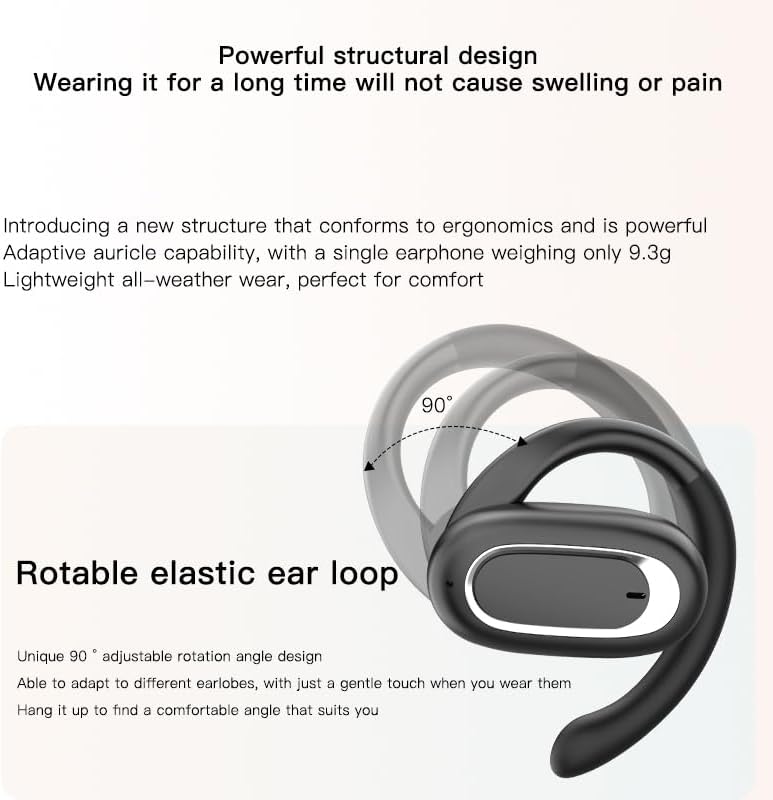
Image: Micool T35 Headphones: Rotatable Earhook Adjustment. The image illustrates the 90-degree rotation capability of the earhook for a customized fit.
- Gently place the earbud on your ear, ensuring the earhook wraps securely around the back of your ear.
- Adjust the rotatable earhook to find the most comfortable and stable position for your earlobe.
- The open-ear design ensures comfort and allows you to hear your surroundings.

Image: Micool T35 Headphones: Usage Scenarios. This image shows individuals using the headphones in various settings: during fitness activities, in an office environment, outdoors while running, and during leisure time.
2. أدوات التحكم التي تعمل باللمس
The Micool T35 headphones feature intuitive touch controls on each earbud.
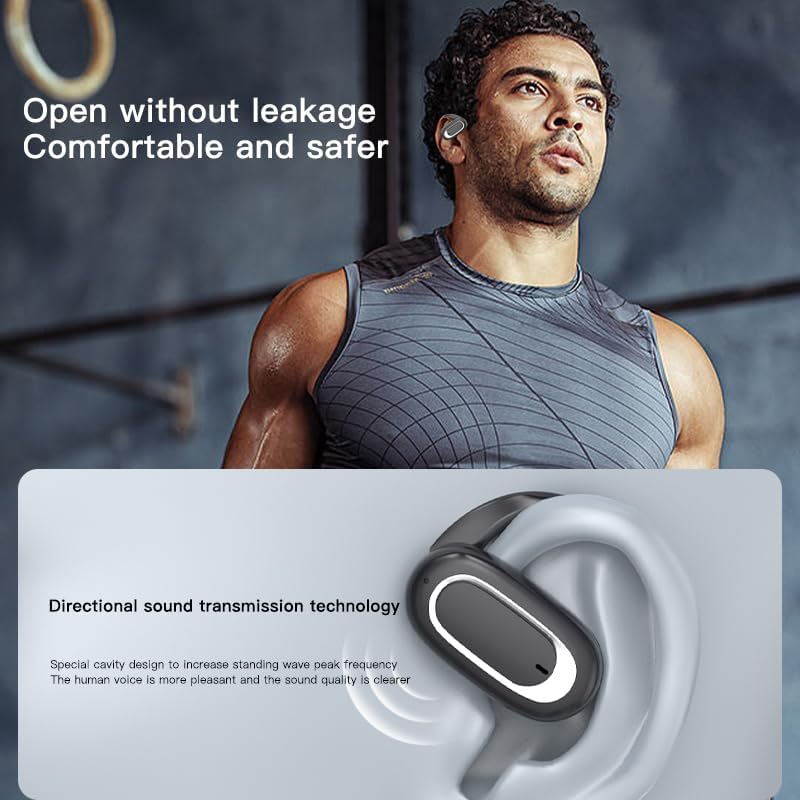
Image: Micool T35 Headphones: Touch Controls Diagram. This diagram illustrates the touch-sensitive area on the earbud and lists the corresponding functions for single tap, double tap, triple tap, and long press.
- Music Playback/Pause: Tap the function key once.
- الرد/إنهاء المكالمة: Click the function key.
- استدعاء مساعد الصوت: Long press the function key for 2 seconds.
- رفض الدعوة من: Long press the function key for 2 seconds during an incoming call.
- Switching Up/Down Tracks: Triple click the left/right ear function keys.
- زيادة/نقصان الحجم: Double click the right/left ear function keys.
3. وضع اللعبة
The Micool T35 headphones support a low-latency game mode for improved audio-video synchronization.

Image: Micool T35 Headphones: Low Latency Game Mode. The image shows a smartphone displaying a mobile game, indicating the headphones' capability for synchronized audio and video during gaming.
To activate game mode, refer to the specific instructions provided in the quick start guide or product packaging, as this feature often requires a specific touch gesture or setting within the connected device.
صيانة
تضمن الصيانة المناسبة طول عمر سماعات الرأس وأدائها الأمثل.
- تنظيف: استخدم قطعة قماش ناعمة وجافة وخالية من الوبر لتنظيف سماعات الرأس وعلبة الشحن. لا تستخدم المنظفات الكاشطة أو المذيبات.
- مقاومة الماء: The headphones are IPX6 waterproof, meaning they are resistant to strong jets of water. They are suitable for use during workouts and in light rain, but should not be submerged in water. Dry them thoroughly before placing them back in the charging case.
- تخزين: عند عدم الاستخدام، خزّن سماعات الرأس في علبة الشحن لحمايتها من الغبار والتلف. خزّنها في مكان بارد وجاف بعيدًا عن درجات الحرارة العالية.
- العناية بالبطارية: To preserve battery life, charge the headphones regularly, even if not used for extended periods. Avoid fully discharging the battery frequently.
استكشاف الأخطاء وإصلاحها
If you encounter issues with your Micool T35 headphones, try the following solutions:
- لا يوجد صوت:
- تأكد من شحن سماعات الرأس.
- Check if the headphones are properly paired with your device.
- اضبط مستوى الصوت في كل من سماعات الرأس وجهازك.
- حاول تشغيل الصوت من تطبيق أو مصدر مختلف.
- فشل الاقتران:
- قم بإيقاف تشغيل البلوتوث على جهازك ثم قم بتشغيله مرة أخرى.
- Forget "Micool T35" from your device's Bluetooth list and attempt to pair again.
- تأكد من أن سماعات الرأس في وضع الاقتران (وميض مؤشر LED).
- قم بتقريب سماعات الرأس من جهازك.
- مشاكل الشحن:
- تأكد من توصيل كابل الشحن بشكل آمن بكل من العلبة ومصدر الطاقة.
- حاول استخدام كابل USB Type-C أو محول طاقة مختلف.
- Clean the charging contacts on the headphones and inside the case with a dry cotton swab.
- ضعف جودة المكالمة:
- تأكد من عدم وجود عائق أمام الميكروفون.
- انتقل إلى منطقة ذات ضوضاء بيئية أقل.
- تحقق من إشارة الشبكة لجهازك.
تحديد
| ماركة | Micool |
| اسم الموديل | ت35 |
| تكنولوجيا الاتصال | لاسلكي (بلوتوث 5.3) |
| وضع الأذن | أذن مفتوحة |
| عامل الشكل | On Ear (with earhooks) |
| تصنيف مقاومة الماء | IPX6 |
| وقت التشغيل | Up to 12 hours (single charge), 34 hours (with charging case) |
| منفذ الشحن | يو إس بي من النوع سي |
| نوع التحكم | التحكم في الوسائط (اللمس) |
| مادة | بلاستيك |
| الأجهزة المتوافقة | الهواتف الخلوية |
الضمان والدعم
Micool T35 Open Ear Headphones come with a 1-year limited warranty from the date of purchase. This warranty covers manufacturing defects and workmanship under normal use.
For technical support, warranty claims, or any questions regarding your product, please contact Micool customer service through the retailer where you purchased the product or visit the official Micool brand store:
Please have your purchase receipt and product model number (T35) ready when contacting support.