
مقدمة
This manual provides comprehensive instructions for the safe and efficient use of your DOOGEE N50PRO smartphone. Please read this manual thoroughly before operating your device and retain it for future reference. The DOOGEE N50PRO is an Android 13 smartphone equipped with an Octa-Core processor, a 6.52-inch HD+ display, a 50MP main camera, a 4200mAh battery, and supports 4G Dual SIM, Face ID, and Fingerprint ID.
محتويات الحزمة
تأكد من أن جميع العناصر التالية موجودة في عبوة المنتج:
- DOOGEE N50PRO Smartphone
- صندوق التغليف
- شاحن (9V / 2A)
- كابل USB Type-C
- رقم التعريف الشخصي لبطاقة SIM
- Pre-applied TP Protective Film
- دليل المستخدم (هذا المستند)
يثبت
1. تركيب بطاقة SIM وبطاقة TF
The DOOGEE N50PRO supports dual Nano SIM cards or one Nano SIM card and one TF (MicroSD) card for expandable storage up to 1TB. Ensure the device is powered off before inserting or removing cards.
- حدد مكان درج بطاقة SIM على جانب الهاتف.
- أدخل دبوس بطاقة SIM في الفتحة الصغيرة الموجودة بجوار الدرج لإخراجها.
- اسحب الدرج بحرص.
- ضع بطاقة (بطاقات) نانو SIM و/أو بطاقة TF في الفتحات المخصصة لها على الدرج. تأكد من أن الموصلات الذهبية متجهة للأسفل.
- ادفع الدرج برفق إلى داخل الهاتف حتى يستقر في مكانه.
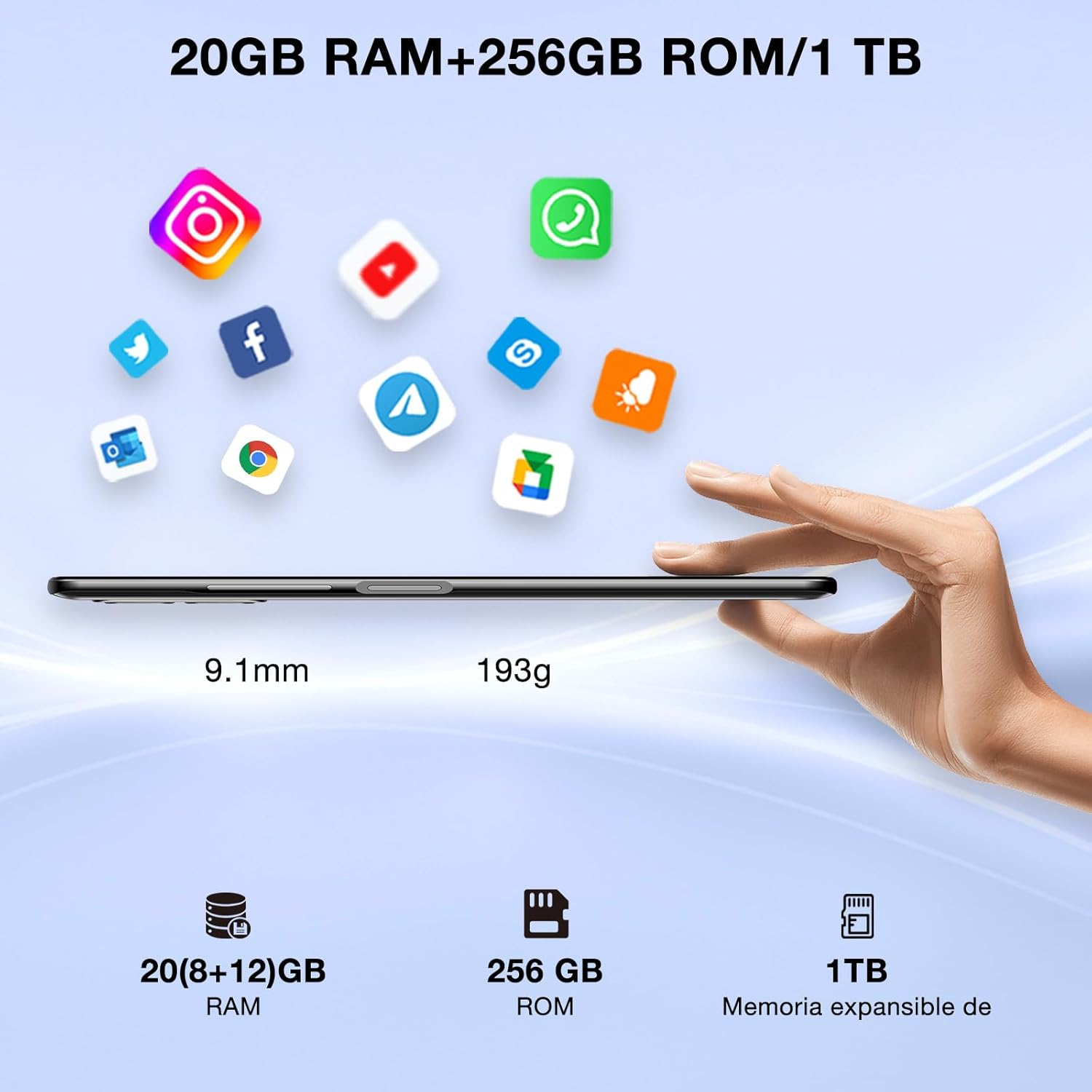
Image: DOOGEE N50PRO smartphone showing its slim profile (9.1mm), weight (193g), and memory configuration (20GB RAM, 256GB ROM, 1TB expandable memory).
2. التشغيل الأولي
Press and hold the Power button located on the side of the device until the DOOGEE logo appears. Follow the on-screen prompts to complete the initial setup, including language selection, Wi-Fi connection, and Google account setup.
3. شحن البطارية
Before first use, it is recommended to fully charge the device. Connect the USB Type-C cable to the phone's charging port and the other end to the provided 9V/2A charger. Plug the charger into a power outlet. The charging indicator will appear on the screen.

Image: DOOGEE N50PRO connected to a charger, illustrating its 4200mAh battery capacity and 18W fast charging capability. The image also highlights OTG reverse charging.
تعليمات التشغيل
1. Basic Navigation and Android 13 Features
Your DOOGEE N50PRO runs on Android 13, offering an intuitive user experience. Swipe down from the top of the screen to access the notification panel and quick settings. Customize your control center and direct access operations for efficient use of various functions.

Image: Visual representation of the DOOGEE N50PRO's internal components, highlighting the Spreadtrum T606 Octa-Core processor with 1.6GHz high frequency and 12nm advanced technology, running on Android 13.
2. Security Features: Face ID and Fingerprint ID
Enhance your device's security and convenience with advanced biometric authentication:
- معرف الوجه: Register your face to unlock the phone by simply looking at the front camera.
- معرف بصمة الإصبع: Register your fingerprint(s) to unlock the phone or authorize purchases with a touch. The fingerprint sensor is typically located on the side or back of the device.

Image: A user demonstrating Face ID unlock and a close-up of the Fingerprint ID sensor on the DOOGEE N50PRO, showcasing its multi-function security features.
3. استخدام الكاميرا
The DOOGEE N50PRO features a triple camera system:
- كاميرا رئيسية بدقة 50 ميجابكسل: للحصول على صور عالية الدقة.
- كاميرا أمامية بدقة 8 ميجابكسل: لالتقاط صور شخصية ومكالمات الفيديو.
- 2 MP Macro Camera: للحصول على لقطات مقرّبة مفصلة.
Access the Camera app from your home screen or app drawer. Explore various modes such as Panorama, Portrait, and Night mode to capture different scenes effectively.

Image: Diagram illustrating the DOOGEE N50PRO's dual AI camera setup, featuring a 50MP main camera, an 8MP front camera, and a 2MP macro camera. Sample photos taken with the 50MP main and 8MP front cameras are also shown.
4. الاتصال
- واي فاي: Supports 2.4G/5G Wi-Fi for fast and stable internet connection. Go to Settings > Network & internet > Wi-Fi to connect to available networks.
- بلوتوث شنومكس: For connecting wireless accessories like headphones or speakers. Go to Settings > Connected devices > Bluetooth.
- OTG (أثناء التنقل): Allows the phone to act as a host to connect USB devices like flash drives or external keyboards. It also supports reverse charging for other devices.
- ملاحة: Integrated GPS, GLONASS, BeiDou, and Galileo for accurate location services.
- راديو FM: Use the built-in FM radio feature (requires headphones to act as an antenna).
- مقبس سماعة رأس مقاس 3.5 ملم: للإكسسوارات الصوتية السلكية.
5. الرقابة الأبوية
The device includes parental control features, allowing you to monitor and manage screen time and application usage for children. Access these settings through the device's system settings to balance usage effectively.
صيانة
1. العناية بالبطارية
- تجنب تعريض البطارية لدرجات حرارة قصوى (ساخنة أو باردة).
- لا تفرغ البطارية بالكامل بشكل متكرر. اشحنها قبل أن ينخفض مستوى شحنها إلى أقل من 20%.
- استخدم الشاحن والكابل المرفقين فقط لتجنب التلف.
2. التنظيف
استخدم قطعة قماش ناعمة وخالية من الوبر لتنظيف شاشة الهاتف وجسمه. تجنب استخدام المواد الكيميائية القاسية أو المواد الكاشطة. لإزالة البقع الصعبة، افرك برفق.ampانقع قطعة القماش في الماء أو في منظف الشاشة المخصص للإلكترونيات.
3. تحديثات البرامج
تحقق من تحديثات البرامج بانتظام وثبتها لضمان حصول جهازك على أحدث الميزات وتحديثات الأمان وتحسينات الأداء. انتقل إلى الإعدادات > النظام > تحديث النظام.
استكشاف الأخطاء وإصلاحها
- الجهاز لا يعمل: تأكد من شحن البطارية. وصّل الشاحن وانتظر بضع دقائق قبل إعادة تشغيل الجهاز.
- الشاشة لا تستجيب: Try restarting the device by holding the Power button for about 10-15 seconds.
- مشاكل الشبكة: Check if your SIM card is properly inserted. Try toggling Airplane Mode on and off. If issues persist, contact your mobile service provider.
- تعطل التطبيقات: Clear the cache of the problematic app (Settings > Apps > [App Name] > Storage & cache > Clear cache). If the issue continues, consider reinstalling the app.
- الأداء البطيء: أغلق التطبيقات غير المستخدمة، وامسح ذاكرة التخزين المؤقت، أو فكر في إعادة ضبط المصنع كحل أخير (قم بعمل نسخة احتياطية من بياناتك أولاً).
تحديد
| ميزة | مواصفة |
|---|---|
| اسم الموديل | دوجي N50PRO |
| نظام التشغيل | أندرويد 13.0 |
| المعالج | Octa-Core (Spreadtrum T606) |
| كبش | 20 GB (Extended Memory) |
| التخزين الداخلي (ROM) | 256 جيجا بايت |
| تخزين قابل للتوسيع | سعة تخزين تصل إلى 1 تيرابايت (بطاقة TF) |
| حجم العرض | 6.52 بوصة |
| دقة العرض | HD+ (720x1600) |
| الكاميرا الرئيسية | 50 ميجا بكسل |
| الكاميرا الأمامية | 8 ميجا بكسل |
| كاميرا ماكرو | 2 ميجا بكسل |
| سعة البطارية | 4200 مللي أمبير |
| الشحن | شحن سريع من النوع C بقوة 18 وات |
| تكنولوجيا الخلوية | 4G |
| نوع بطاقة SIM | Nano SIM (Dual SIM support) |
| الاتصال | Wi-Fi (2.4G/5G), Bluetooth 5.0, OTG, FM Radio |
| ملاحة | نظام تحديد المواقع العالمي (GPS)، وغلوناس، وبيدو، وجاليليو |
| ميزات الأمان | Face ID, Fingerprint ID |
| أبعاد | 165.8 × 76.2 × 9.1 ملم |
| وزن | 187 جرام |
| مقبس سماعة الرأس | 3.5 ملم |
| وقت التحدث | حتى ساعتين |

Image: The DOOGEE N50PRO's 6.52-inch Waterdrop HD+ display, showing its 720x1600 resolution, 20:9 aspect ratio, and 86% screen-to-body ratio.
الضمان والدعم
1. معلومات الضمان
Your DOOGEE N50PRO smartphone comes with a ضمان رسمي لمدة عامين from the date of purchase. Please retain your proof of purchase for warranty claims. This warranty covers manufacturing defects and malfunctions under normal use conditions.
2. دعم العملاء
For technical assistance, warranty claims, or further inquiries, please contact DOOGEE customer support through their official website or the contact information provided with your purchase. Ensure you have your device model number and proof of purchase ready when contacting support.