
1. انتهى المنتجview
The THINKCAR THINKSCAN 641 is a wireless OBD2 diagnostic tool designed for comprehensive vehicle system analysis. It provides diagnostic functions for Engine, Transmission, ABS, and SRS Airbag systems, along with full OBD2 modes and 10 essential maintenance reset services. The device features a touchscreen interface and connects wirelessly via Bluetooth to the vehicle's OBD-II port.
1.1 محتويات العبوة
- THINKCAR THINKSCAN 641 OBD2 Scanner (x1)
- Bluetooth Connector (x1)
- Product Manual (x1)
1.2 مكونات الجهاز
Familiarize yourself with the main components of your THINKSCAN 641 device:

Image: THINKCAR THINKSCAN 641 device layout with labeled buttons and ports.
- شاشة لمس مقاس 4.8 بوصات: Main display for navigation and data viewعمل.
- زر قفل الطاقة/الشاشة: اضغط مع الاستمرار لمدة 3 ثوان للتشغيل أو الإيقاف.
- زر التأكيد: Used to select options or confirm actions.
- Up, Down, Left, Right Toggle Key: للتنقل بين القوائم والخيارات.
- مفتاح العودة: To go back to the previous screen or menu.
- فتحة بطاقة TF: للتخزين القابل للتوسيع.
- منفذ الشحن: لتوصيل كابل الشحن.
- OBD Interface: Port for the Bluetooth connector.
2. الإعداد
2.1 الاتصال الأولي
To begin using your THINKSCAN 641, follow these steps to establish a connection with your vehicle:
- حدد موقع منفذ OBD-II الخاص بسيارتك، والذي يوجد عادةً أسفل لوحة القيادة من جهة السائق.
- Plug the included Bluetooth 5.0 VCI Dongle into the vehicle's OBD-II port.
- Turn on the vehicle's ignition (engine off, key on).
- Power on the THINKSCAN 641 handheld unit by pressing and holding the Power/Screen Lock Button for 3 seconds.
- The device will automatically attempt to connect via Bluetooth. A stable connection should be established within 3 seconds.
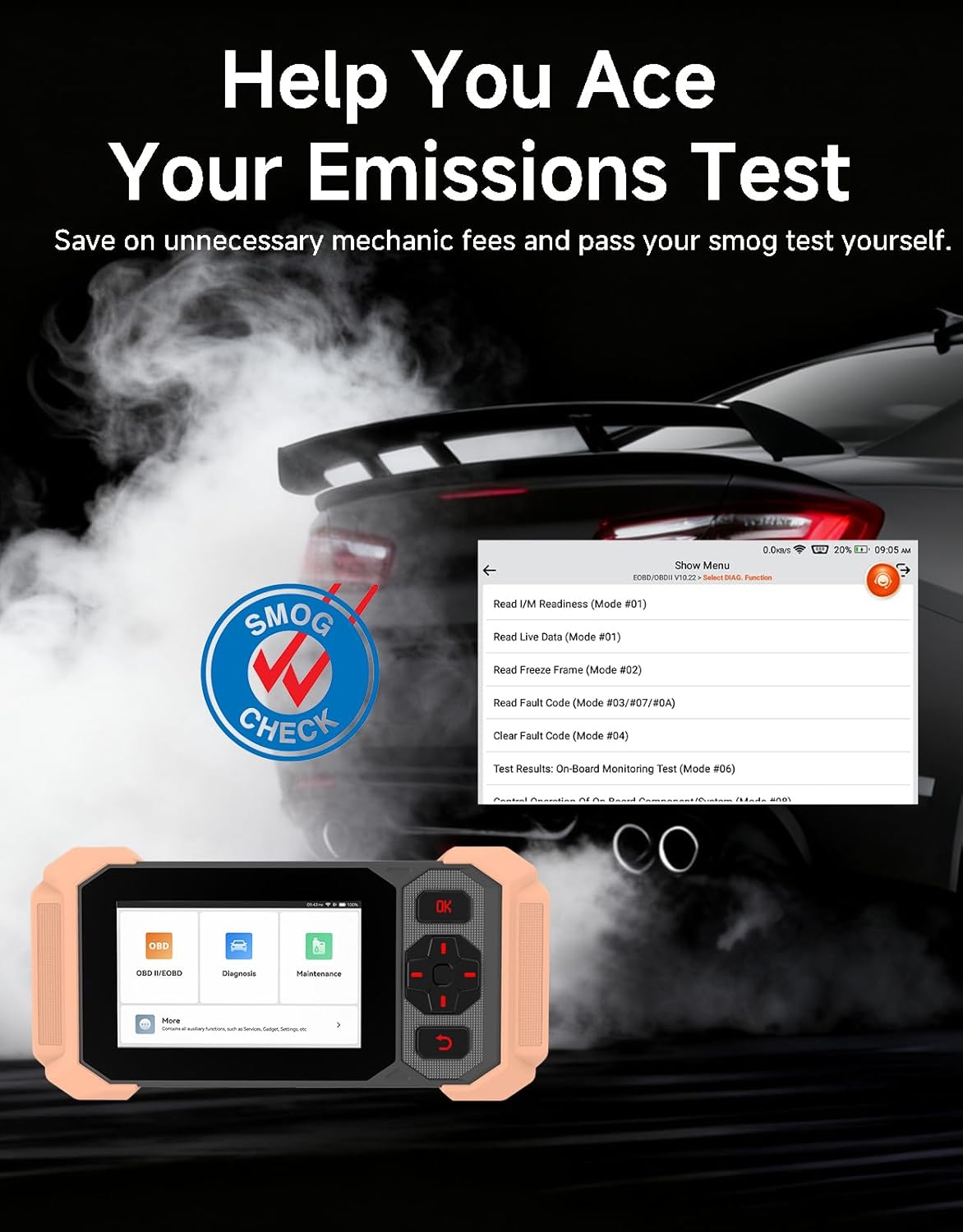
Image: Bluetooth VCI Dongle connected to the vehicle's OBD-II port.
2.2 تحديد هوية المركبة التلقائي (AutoVIN)
The THINKSCAN 641 supports AutoVIN functionality, which automatically identifies your vehicle's information upon connection. If AutoVIN fails for your specific vehicle model, you can manually enter the vehicle information to proceed with diagnostics.
2.3 تحديثات البرامج
The device supports lifetime free software updates via Wi-Fi. Ensure your device is connected to a stable Wi-Fi network to download and install the latest software versions, which include new vehicle models and improved functionalities.

Image: Lifetime Free Update icon.
2.4 Instructional Video: How to Use
Video: This video demonstrates the basic steps for connecting and using the THINKCAR THINKSCAN 641 diagnostic tool, including menu navigation and initiating a scan.
3. تعليمات التشغيل
3.1 تشخيص النظام 4
The THINKSCAN 641 provides in-depth diagnostics for four core vehicle systems:
- نظام المحرك: Reads and clears engine fault codes, views live data, and performs various engine-related tests.
- نظام منع انغلاق المكابح (ABS): Diagnoses ABS issues, reads and clears ABS fault codes, and performs ABS bleeding.
- Supplemental Restraint System (SRS/Airbag): Detects and clears airbag system fault codes, and performs SRS resets.
- نظام النقل: Analyzes transmission performance, reads and clears transmission fault codes.

الصورة: أكثر منview of 4-System Diagnostic capabilities.
3.2 أوضاع OBD2 الكاملة
The device supports all 10 OBD2 test modes, offering comprehensive diagnostic capabilities:
- قراءة الرموز: Displays Diagnostic Trouble Codes (DTCs).
- مسح الرموز: يقوم بمسح رموز الأعطال التشخيصية وإعادة ضبط أجهزة المراقبة.
- البيانات الحية: Shows real-time data stream from vehicle sensors.
- تجميد الإطار: Stores a snapshot of vehicle operating conditions when an emission-related fault occurs.
- أنا / م الاستعداد: يتحقق من حالة أجهزة الرصد المتعلقة بالانبعاثات.
- اختبار مستشعر O2: يسترجع نتائج اختبار مراقبة مستشعر O2.
- اختبار الشاشة الموجودة على متن السيارة: يسترجع النتائج الخاصة بمكونات وأنظمة مجموعة نقل الحركة المرتبطة بالانبعاثات.
- اختبار نظام EVAP: يبدأ اختبار نظام التحكم في انبعاثات التبخر.
- معلومات السيارة: يسترجع رقم تعريف المركبة (VIN) ومعرف المعايرة ورقم التحقق من المعايرة (CVN).
- بحث DTC: Provides detailed explanations for diagnostic trouble codes.

Image: Full OBD2 Modes functions display.
3.3 10 Maintenance Reset Functions
The THINKSCAN 641 includes 10 specialized maintenance and reset functions:
- نزيف ABS: Bleeds air from the brake system.
- Airbag (SRS) Reset: Resets the airbag system after repairs.
- مطابقة البطارية: يقوم بتسجيل بطارية جديدة في وحدة التحكم الإلكترونية للسيارة.
- إعادة ضبط وسادات الفرامل: يعيد ضبط عمر تيل الفرامل بعد استبداله.
- تجديد مرشح جسيمات الديزل (DPF): Initiates the Diesel Particulate Filter regeneration process.
- تعديل الخانق الإلكتروني: يعيد ضبط وضعية جسم الخانق.
- ترميز الحاقن: يقوم بإرسال أرقام الحاقن الجديدة إلى وحدة التحكم الإلكترونية.
- إعادة ضبط خدمة الزيت: إعادة ضبط ضوء خدمة الزيت بعد تغيير الزيت.
- إعادة ضبط زاوية التوجيه: يعيد ضبط مستشعر زاوية التوجيه.
- إعادة تعيين TPMS: يعيد ضبط نظام مراقبة ضغط الإطارات.

Image: 10 Maintenance Reset Functions.
3.4 رسم البيانات الحية
The device allows for real-time graphing of multiple sensor readings simultaneously, aiding in the diagnosis of intermittent issues and performance analysis.

Image: Live Data Stream icon.
3.5 توافق المركبات
The THINKSCAN 641 is compatible with all OBDII-compliant vehicles manufactured in 1996 or later, covering over 118 automotive brands. It also supports the CAN FD protocol and FCA AutoAuth certification. Note that access to FCA AutoAuth requires a separate purchase and is currently supported for Renault, Nissan, and Chrysler brands.

Image: Wide compatibility with various car brands and regions.
4. الصيانة
4.1 Routine Maintenance Resets
Utilize the 10 maintenance reset functions to perform routine service tasks and clear corresponding indicator lights after repairs. This includes tasks such as oil service resets, brake pad replacements, and battery registrations.
4.2 تحديثات البرامج
Regularly check for and install software updates via Wi-Fi to ensure your device has the latest vehicle coverage and diagnostic capabilities. Updates are provided free for life.
5. استكشاف الأخطاء وإصلاحها
5.1 مسح رموز الخطأ
When a fault code is detected, it is crucial to diagnose and fix the underlying issue before clearing the code. Clearing codes without addressing the root cause will likely result in the fault code reappearing.
Image: Reminder to fix vehicle faults before clearing codes.
5.2 AutoVIN Failure
If the AutoVIN feature does not automatically identify your vehicle, proceed by manually entering the vehicle's information (make, model, year) to continue with the diagnostic process.
5.3 التنقل في واجهة المستخدم
While the device is designed for ease of use, some advanced functions may require familiarity with diagnostic procedures. Refer to the built-in DTC Lookup Library for code definitions and consult the online customer service for further assistance if needed.
6. المواصفات
| ميزة | مواصفة |
|---|---|
| ماركة | ثينكار |
| رقم الموديل | ثينك سكان 641 |
| مصدر الطاقة | تعمل بالبطارية |
| نظام التشغيل | أندرويد 8.1 |
| حجم الشاشة | 4.3 بوصة |
| لغة | English (supports 23 languages) |
| نوع ملاءمة السيارة | ملاءمة عالمية |
| وزن العنصر | 0.9 رطل |
| الاتصال | بلوتوث 5.0 (لاسلكي) |
| التحديثات | Lifetime Free Updates via Wi-Fi |
| البروتوكولات المدعومة | OBDII, CAN FD, FCA AutoAuth (separate purchase for specific brands) |
7. الضمان والدعم
7.1 ضمان الشركة المصنعة
The THINKCAR THINKSCAN 641 comes with a 3-year manufacturer's warranty, ensuring coverage for potential defects or malfunctions.
7.2 الدعم الفني
Lifetime free technical support is provided for the THINKSCAN 641. For assistance, you can access the built-in online customer service feature directly from the device. This allows for direct communication with professional support staff to resolve any queries or issues.

Image: Timely Online Feedback and Support.