
Twisted Minds TM32 FHD 240Hz VA
Twisted Minds 32 FHD 240Hz VA Gaming Monitor User Manual
Model: TM32 FHD 240Hz VA
مقدمة
Thank you for choosing the Twisted Minds 32 FHD 240Hz VA Gaming Monitor. This manual provides essential information for setting up, operating, maintaining, and troubleshooting your new monitor. Please read this manual thoroughly before use to ensure proper operation and to maximize your viewتجربة رائعة.
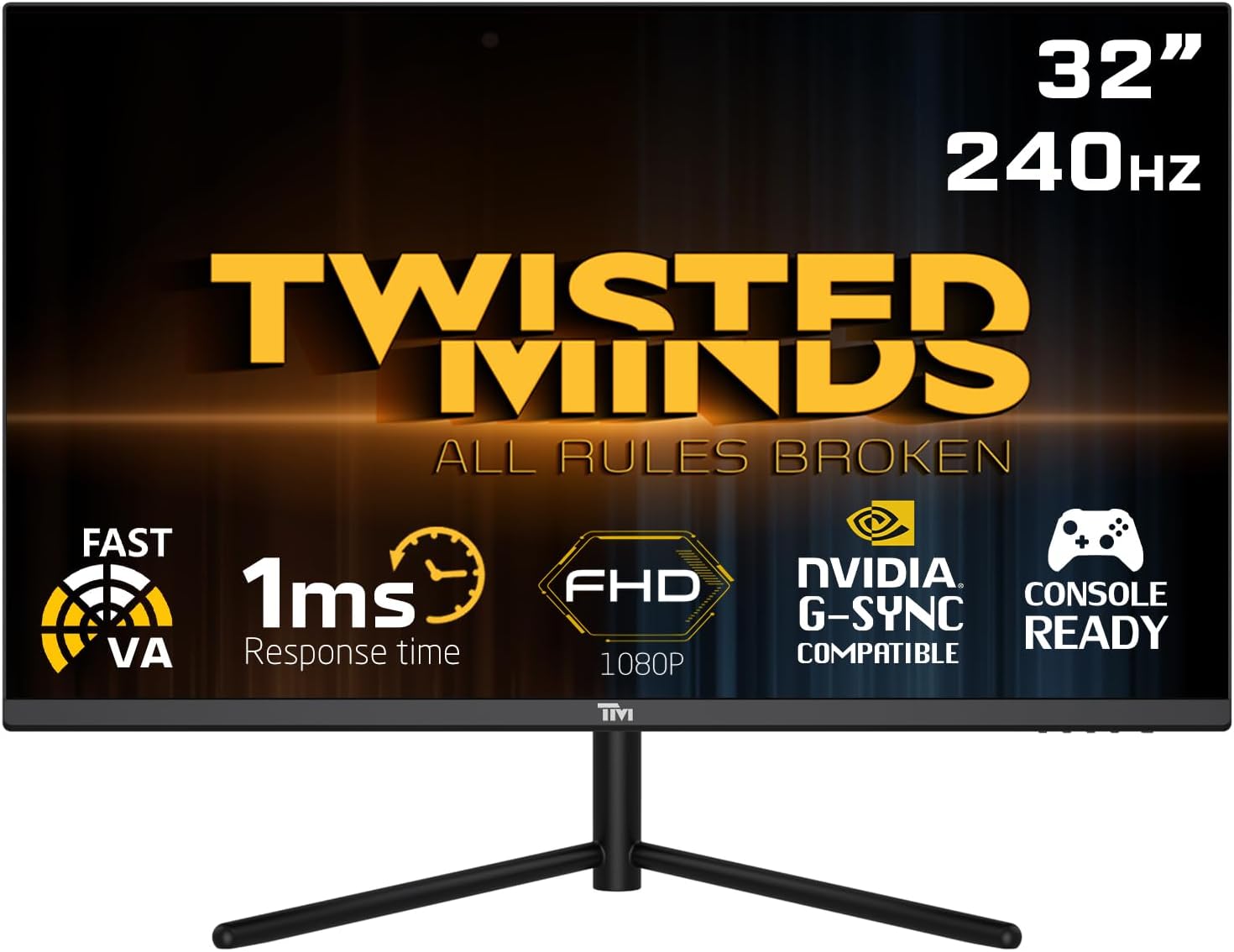
أمام view of the Twisted Minds 32-inch Gaming Monitor, highlighting its 32-inch display, 240Hz refresh rate, 1ms MPRT response time, FHD 1080p resolution, NVIDIA G-SYNC compatibility, and console readiness.
دليل الإعداد
1. فتح العلبة ومحتويات العبوة
أزل جميع المكونات من العبوة بعناية. تأكد من وجود جميع العناصر المذكورة أدناه:
- Twisted Minds 32-inch Gaming Monitor
- حامل الشاشة (القاعدة والرقبة)
- محول الطاقة والكابل
- كابل HDMI
- كابل ديسبلايبورت
- دليل المستخدم (هذا المستند)
2. تجميع الحامل
- ضع الشاشة على سطح ناعم ونظيف بحيث يكون وجهها لأسفل لمنع الخدوش.
- ثبّت عنق الحامل بالجزء الخلفي من الشاشة، مع محاذاة فتحات التركيب. ثبّته بالبراغي إن وُجدت.
- Connect the stand base to the stand neck and tighten the thumb screw or screws from the bottom of the base.
3. توصيل الشاشة
The monitor supports multiple input options. Choose the appropriate cable for your device.

مؤخرة view of the monitor displaying its various input/output ports, including DC power, HDMI 2.1 (x2), DisplayPort 1.4 (x2), and Audio Out, along with menu buttons and a quick release base.
- توصيل الطاقة: قم بتوصيل محول الطاقة بمنفذ إدخال التيار المستمر الخاص بالشاشة، ثم قم بتوصيل كابل الطاقة بمأخذ الحائط.
- اتصال الفيديو:
- For PC: Connect one end of the DisplayPort cable to your computer's graphics card and the other end to a DisplayPort 1.4 input on the monitor.
- For PC/Console: Connect one end of the HDMI cable to your computer's graphics card or game console and the other end to an HDMI 2.1 input on the monitor.
- مخرج الصوت: If desired, connect external speakers or headphones to the Audio Out port on the monitor.
4. التشغيل الأولي
After all connections are made, press the power button on the monitor. The power indicator light will illuminate, and the display will turn on. If no signal is detected, ensure your source device is powered on and correctly configured.
تعليمات التشغيل
1. التشغيل الأساسي
- تشغيل/إيقاف التشغيل: اضغط على زر الطاقة الموجود على الشاشة لتشغيلها أو إيقاف تشغيلها.
- اختيار الإدخال: Use the OSD (On-Screen Display) menu buttons to navigate and select the desired input source (HDMI 1, HDMI 2, DP 1, DP 2).
2. قائمة العرض على الشاشة (OSD)
The OSD menu allows you to adjust various display settings. Use the menu buttons (typically located on the back or bottom of the monitor) to navigate.
- السطوع / التباين: ضبط الإضاءة العامة والتباين للشاشة.
- إعدادات الألوان: تعديل درجة حرارة اللون، وجاما، ومستويات RGB الفردية.
- وضع الصورة: Select from preset modes (e.g., Standard, Game, Movie, Text) optimized for different content.
- زمن الاستجابة/السرعة الزائدة: Adjust the pixel response time for reduced ghosting in fast-paced content. This monitor features a 1ms MPRT response time for smooth visuals.
- معدل التحديث: The monitor supports up to 240Hz refresh rate. Ensure your graphics card settings are configured to utilize this high refresh rate for optimal gaming performance.
- المدى الديناميكي العالي (HDR): Enable or disable HDR for enhanced contrast and color depth with compatible content.
- التوافق مع تقنية FreeSync/G-SYNC: This monitor is compatible with adaptive sync technologies. Enable this feature in the OSD and your graphics card control panel for tear-free gaming.

Illustration demonstrating the 1ms quick response time of the monitor, showing a fast-paced gaming scene with reduced motion blur and low input lag.

عرض الصورةasing the monitor's frameless design, ideal for multi-monitor setups, with a wide 178-degree viewزاوية جي.

A user engaged in gaming on the Twisted Minds monitor, emphasizing the immersive experience provided by the 1920x1080 resolution, 300 nits brightness, 4000:1 contrast ratio, and 240Hz refresh rate.
3. التعديلات المريحة
يتيح حامل الشاشة إمكانية تعديل الإمالة لتحسين تجربتك viewزاوية الميل وتقليل الضغط.

Diagram illustrating the ergonomic tilt adjustment range of the monitor stand (-5 to 15 degrees) for optimal viewing comfort, and highlighting VESA wall-mount compatibility (100x100mm).
- الإمالة: Gently tilt the monitor screen forward or backward to find your preferred viewing angle. The tilt range is typically -5° to 15°.
- حامل VESA: For alternative mounting solutions, the monitor is VESA compatible (100x100mm). Remove the stand and attach a compatible VESA mount (sold separately).
صيانة
Proper care and maintenance will extend the life of your monitor.
- تنظيف الشاشة: امسح الشاشة برفق بقطعة قماش ناعمة وخالية من الوبر. لإزالة البقع الصعبة، استخدمampانقع قطعة القماش قليلاً بالماء أو منظف شاشات خالٍ من الأمونيا والكحول. لا ترش السائل مباشرةً على الشاشة.
- تنظيف Casing: استخدم قطعة قماش ناعمة وجافة لمسح الشاشة.asinز. تجنب استخدام المنظفات أو المذيبات الكاشطة.
- تهوية: تأكد من عدم انسداد فتحات التهوية في الشاشة. لا تضع الشاشة في مكان مغلق بدون تهوية كافية.
- إيقاف التشغيل عند عدم الاستخدام: قم بإيقاف تشغيل الشاشة عند عدم استخدامها لفترات طويلة لتوفير الطاقة وإطالة عمرها.
استكشاف الأخطاء وإصلاحها
إذا واجهت مشكلات مع شاشتك، راجع المشكلات والحلول الشائعة التالية.
| مشكلة | السبب المحتمل | حل |
|---|---|---|
| لا توجد صورة على الشاشة | الشاشة غير مضاءة؛ تم اختيار مدخل غير صحيح؛ كابل الفيديو غير موصول بإحكام. | Ensure power cable is connected and monitor is on. Select correct input source. Check video cable connections. |
| الصورة ضبابية أو مشوهة | دقة غير صحيحة؛ مشكلة في برنامج تشغيل الرسومات. | اضبط دقة العرض على 1920x1080. قم بتحديث برامج تشغيل بطاقة الرسومات. |
| لا يصدر صوت من مكبرات الصوت/سماعات الرأس | Audio cable not connected; Volume too low; Incorrect audio output selected on PC. | Ensure audio cable is connected to the monitor's audio out port. Adjust volume. Select monitor as audio output device in PC settings. |
| وميض الشاشة | عدم تطابق معدل التحديث؛ الكابل معيب. | Ensure refresh rate is set correctly (e.g., 240Hz). Try a different video cable. |
| الأزرار لا تستجيب | تم تمكين قفل OSD. | Refer to OSD menu section for unlocking button functions (if applicable). Power cycle the monitor. |
إذا استمرت المشكلة بعد تجربة هذه الحلول، فيرجى الاتصال بدعم العملاء.
تحديد
Detailed technical specifications for the Twisted Minds 32 FHD 240Hz VA Gaming Monitor.
| ميزة | مواصفة |
|---|---|
| ماركة | Twisted Minds |
| رقم الموديل | TM32 FHD 240Hz VA |
| حجم العرض | 32 بوصة |
| دقة الشاشة | 1920 × 1080 (FHD 1080p) |
| معدل التحديث | 240 هرتز |
| وقت الاستجابة | 1 مللي ثانية زمن استجابة سريع |
| نوع اللوحة | VA |
| نسبة العرض إلى الارتفاع | 16:9 |
| سطوع | 300 شمعة |
| نسبة التباين | 4000:1 |
| مجموعة الألوان | 77.29% ان تي اس سي |
| الاتصال | منفذان HDMI 2.1، منفذان DisplayPort 1.4، مخرج صوت |
| التوافق مع VESA | 100 × 100 ملم |
| أبعاد المنتج | 10 × 63 × 44 سم |
| وزن العنصر | 8.8 كيلوغرام |
| لون | أسود |
الضمان والدعم
معلومات الضمان
Twisted Minds products are manufactured to the highest quality standards. This monitor comes with a standard manufacturer's warranty. Please refer to the warranty card included in your package or visit the official Twisted Minds webالموقع للحصول على شروط وأحكام الضمان التفصيلية الخاصة بمنطقتك.
دعم العملاء
If you require technical assistance or have questions regarding your monitor, please contact Twisted Minds customer support. Have your model number (TM32 FHD 240Hz VA) and purchase information ready when contacting support.
For the most up-to-date contact information, please visit the official Twisted Minds webالموقع الإلكتروني أو صفحة دعم البائع الذي اشتريت منه المنتج.
Ask a question about this manual
Ask about setup, troubleshooting, compatibility, parts, safety, or missing instructions. Manuals+ will review the question and use this page’s manual context to help answer it.