
مقدمة
شكرا لك على الشراءasing the Emerson EPD-1001 Portable 10-inch DVD Player. This manual provides essential information for setting up, operating, and maintaining your device. Please read these instructions carefully before use to ensure proper functionality and to maximize your viewتجربة رائعة.
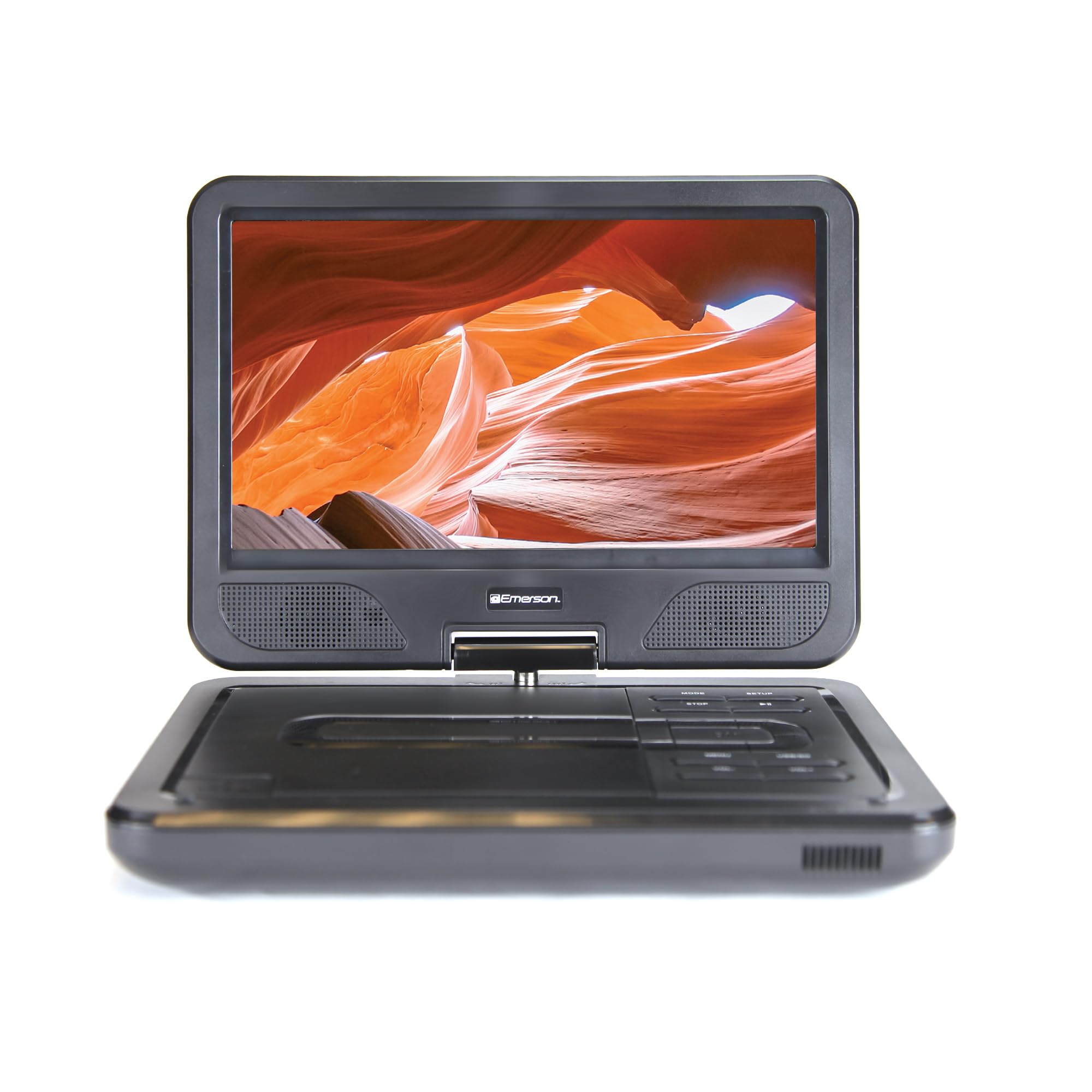
Image: The Emerson EPD-1001 Portable 10-inch DVD Player shown with its screen open, displaying a vibrant image.
ماذا يوجد في الصندوق
تأكد من وجود جميع العناصر في العبوة:
- Emerson EPD-1001 Portable 10-inch DVD Player
- جهاز التحكم عن بعد
- محول التيار المتردد
- DC Car Cord
- كبل AV
- دليل المستخدم (هذا المستند)
- بطاقة الضمان

Image: The Emerson EPD-1001 Portable 10-inch DVD Player displayed alongside its remote control.
مميزات المنتج
- شاشة دوارة مقاس 10 بوصة: The large 10-inch screen swivels 180 degrees, allowing for flexible viewزوايا متعددة.
- مكبر صوت مدمج: Integrated speaker provides clear audio for an immersive experience.
- بطارية قابلة لإعادة الشحن: Enjoy portable viewing with the built-in rechargeable battery, offering hours of playback.
- جهاز التحكم عن بعد: Navigate menus and control playback effortlessly with the included remote.
- تصميم مضغوط: Lightweight and compact for easy transport during travel.
- التوافق مع تنسيقات متعددة: Supports a wide range of DVD formats, as well as media from USB flash drives and SD cards.
فيديو: منتج بزاوية 360 درجةview of the Emerson EPD-1001 Portable DVD Player, showcasinاستعراض تصميمها وميزاتها من زوايا مختلفة.
يثبت
- فك التعبئة: أزل جميع المكونات من العبوة بعناية. احتفظ بالعبوة للتخزين أو الشحن في المستقبل.
- شحن البطارية: Before first use, fully charge the internal rechargeable battery. Connect the AC power adapter to the DC IN 9-12V port on the DVD player and plug it into a standard wall outlet. The charging indicator light will illuminate. A full charge typically takes several hours.
- Car Power (Optional): For in-car use, connect the DC car cord to the DC IN 9-12V port and plug the other end into your vehicle's 12V accessory socket.
- External Display Connection (Optional): To connect to an external display (e.g., TV), use the provided AV cable. Connect the AV OUT port on the DVD player to the corresponding AV IN ports on your television.

Image: A hand plugging a 12V car adapter into a vehicle's power outlet, demonstrating how to power the DVD player on the go.
تعليمات التشغيل
تشغيل/إيقاف التشغيل
- للتشغيل ، اضغط مع الاستمرار على قوة اضغط على الزر حتى تضيء الشاشة.
- لإيقاف التشغيل ، اضغط مع الاستمرار على قوة اضغط على الزر مرة أخرى حتى يتم إيقاف تشغيل الشاشة.
Inserting and Playing a DVD
- Open the disc cover by gently lifting the يفتح مزلاج.
- Place a DVD disc onto the spindle with the label side facing up. Gently press the center of the disc to secure it.
- أغلق غطاء القرص.
- سيكتشف المشغل القرص تلقائيًا ويبدأ التشغيل. إذا لم يحدث ذلك، فاضغط على زر التشغيل. تشغيل/إيقاف مؤقت زر.
Using the Swivel Screen
يمكن تدوير الشاشة حتى 180 درجة. قم بتدوير الشاشة برفق إلى الوضع الذي تريده viewing angle. You can also fold the screen flat against the base for a tablet-like viewتجربة رائعة.

Image: A woman using the Emerson EPD-1001 Portable DVD Player, demonstrating the swivel screen feature for comfortable viewعمل.
Media Playback (USB/SD Card)
- أدخل محرك أقراص فلاش USB في USB قم بتوصيل منفذ أو بطاقة SD في بطاقة ذاكرة فتحة.
- استخدم وضع button on the player or remote to select the appropriate input (USB or SD).
- التنقل عبر الوسائط الخاصة بك files using the arrow buttons and press يدخل للعب.

Image: A hand inserting a USB flash drive into the side port of the portable DVD player, illustrating media playback from external storage.
استخدام جهاز التحكم عن بعد
Point the remote control directly at the infrared sensor on the DVD player. The remote allows access to functions such as Play, Pause, Stop, Fast Forward, Rewind, Chapter Skip, Volume Control, Menu Navigation, and Input Selection.
مخرج الصوت
- مكبرات الصوت المدمجة: Audio will play automatically through the integrated speakers. Adjust volume using the المجلد+ و المجلد- أزرار.
- مقبس سماعة الرأس: للاستماع الخاص، قم بتوصيل سماعات الرأس القياسية مقاس 3.5 ملم في سماعة الرأس jack. This will mute the built-in speakers.
صيانة
- تنظيف: Use a soft, dry cloth to clean the exterior of the DVD player. For the screen, use a soft, lint-free cloth specifically designed for electronics screens. Do not use liquid cleaners or abrasive materials.
- العناية بالقرص: Handle discs by their edges. Keep discs clean and free of scratches. Use a soft, lint-free cloth to wipe discs from the center outwards if cleaning is necessary.
- العناية بالبطارية: To prolong battery life, avoid fully discharging the battery frequently. If storing the device for an extended period, charge the battery to approximately 50% and store in a cool, dry place. Recharge every few months to prevent deep discharge.
- تخزين: Store the DVD player in a cool, dry environment away from direct sunlight, extreme temperatures, and excessive dust.
استكشاف الأخطاء وإصلاحها
| مشكلة | السبب المحتمل | حل |
|---|---|---|
| المشغل لا يعمل. | البطارية فارغة أو محول الطاقة غير موصول. | قم بتوصيل محول الطاقة واترك البطارية تشحن. تأكد من الضغط باستمرار على زر التشغيل. |
| لا توجد صورة على الشاشة. | Disc is dirty/scratched, incorrect input selected, or screen is folded incorrectly. | Clean the disc. Ensure the screen is properly opened and swiveled. If connected to an external display, verify AV cable connections and TV input selection. |
| لا يوجد صوت. | Volume is too low, headphones are connected, or disc has no audio track. | Increase the volume. Disconnect headphones if using built-in speakers. Check disc for audio content. |
| القرص لا يعمل أو يتخطى بعض المقاطع. | القرص متسخ أو مخدوش أو غير متوافق مع التنسيق. | Clean the disc thoroughly. Try a different disc. Ensure the disc format is supported by the player. |
| جهاز التحكم عن بعد لا يعمل. | Batteries are dead or remote is not pointed at sensor. | Replace remote control batteries. Ensure direct line of sight to the player's IR sensor. |
تحديد
| ميزة | التفاصيل |
|---|---|
| ماركة | إيمرسون |
| رقم الموديل | إي بي دي-1001 |
| حجم الشاشة | 10 بوصة |
| نوع العرض | شاشة الكريستال السائل |
| الدقة الأصلية | 1280×720 |
| تكنولوجيا الاتصال | USB |
| الأجهزة المتوافقة | Mobile Phone, Television (via AV out) |
| نوع الوسائط | DVD, CD, MP3, USB, SD Card |
| أبعاد العنصر (الطول × العرض × الارتفاع) | 10 بوصة طول × 1.8 بوصة عرض × 7.35 بوصة ارتفاع |
| وزن العنصر | 2.2 رطل |
| لون | أسود |
| خيارات الطاقة | Built-in rechargeable battery, AC adapter, 12V car adapter |

Image: A diagram illustrating the dimensions (length, width, height) and weight of the Emerson EPD-1001 Portable DVD Player.
الضمان والدعم
The Emerson EPD-1001 Portable 10-inch DVD Player comes with a warranty covering 1 Year for Parts و 90 Days for Labor من تاريخ الشراء.
For technical support, warranty claims, or service inquiries, please contact the manufacturer, Naxa Electronics, Inc. Refer to the warranty card included in your product packaging for specific contact details and procedures.
يرجى الاحتفاظ بإثبات الشراء للتحقق من صحة الضمان.