
1. المقدمة
This user manual provides comprehensive instructions for the Logicom ILOA 255T Cordless Phone with Answering Machine - Duo. Please read this manual carefully before using your new phone system to ensure proper operation and to take full advantagمن بين ميزاته. احتفظ بهذا الدليل للرجوع إليه مستقبلاً.

Image 1.1: Logicom ILOA 255T Cordless Phone Duo. This image displays two black cordless handsets, each placed on its respective charging base. The handsets feature a digital display and a standard telephone keypad.
2. محتويات العبوة
تأكد من وجود جميع العناصر المذكورة أدناه في طردك. في حال وجود أي عناصر مفقودة أو تالفة، يرجى الاتصال بالبائع.
- 2 x Logicom ILOA 255T Handsets
- 2 قواعد شحن
- 1 x RJ11 Telephone Line Cable
- 2 x Power Adapters (one for each base)
- 4 بطاريات قابلة لإعادة الشحن من نوع AAA NiMH (اثنتان لكل جهاز)
- 1 × دليل المستخدم (هذه الوثيقة)
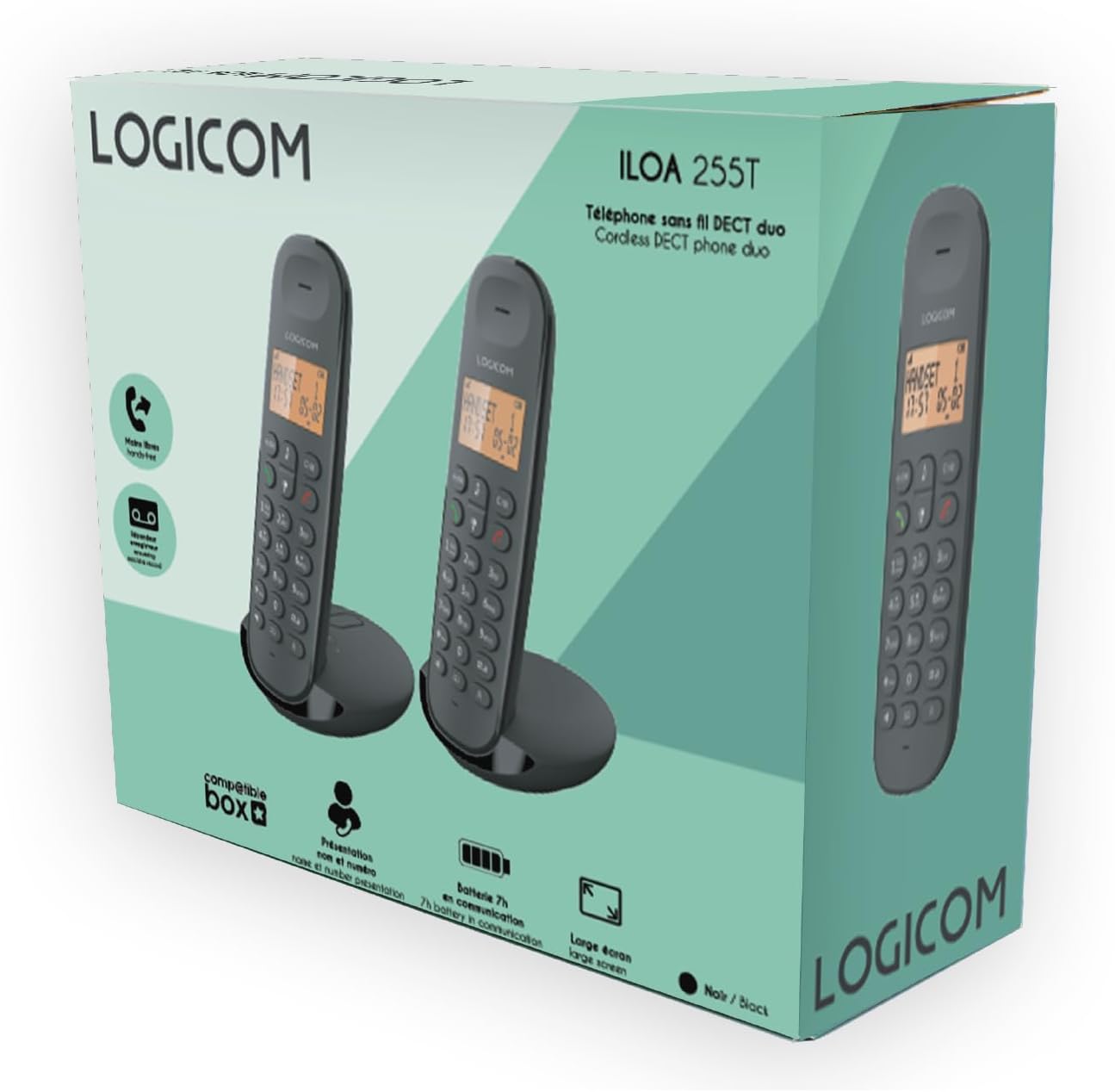
Image 2.1: Product Packaging. The image shows the retail box for the Logicom ILOA 255T, illustrating the two handsets and highlighting key features like DECT technology, answering machine, and battery life.
3. دليل الإعداد
3.1. تركيب البطارية
- حدد مكان غطاء حجرة البطارية في الجزء الخلفي من كل جهاز.
- اسحب الغطاء للأسفل لفتحه.
- Insert the two AAA NiMH rechargeable batteries into each handset, observing the correct polarity (+ and -).
- أعد تركيب غطاء حجرة البطارية، وقم بتحريكه لأعلى حتى يستقر في مكانه.
3.2 توصيل المحطة الأساسية
- Connect one end of the RJ11 telephone line cable to the "LINE" port on the main base station.
- Connect the other end of the RJ11 cable to your telephone wall socket or internet box.
- Plug one power adapter into the "POWER" port on the main base station.
- قم بتوصيل الطرف الآخر من محول الطاقة بمأخذ التيار الموجود على الحائط.
- For the second charging base, plug its power adapter into the "POWER" port on the base and then into a wall outlet.
- Place each handset on its respective charging base. The display should indicate charging. Allow the batteries to charge for at least 12-15 hours before initial use.

Image 3.1: Charging Bases. This image shows the two charging bases for the Logicom ILOA 255T handsets. One base appears to have control buttons for the answering machine, indicating it is the main base, while the other is a simpler charging cradle.
4. التشغيل
4.1. وظائف الاستدعاء الأساسية
- إجراء مكالمة: اضغط على زر الاتصال الأخضر، ثم اطلب الرقم. أو يمكنك طلب الرقم أولاً ثم الضغط على زر الاتصال الأخضر.
- الرد على مكالمة: When the phone rings, press the green call button.
- إنهاء المكالمة: Press the red end call button or place the handset back on the charging base.
- Hands-Free (Speakerphone): During a call, press the speakerphone button (often indicated by a speaker icon) to activate hands-free mode. Press it again to return to handset mode.
- معاودة الاتصال: Press the redial button (often indicated by a phone icon with an arrow) to redial the last number called. The phone stores the last 5 numbers.
4.2. جهاز الرد الآلي
The ILOA 255T features an integrated answering machine with a recording capacity of approximately 15 minutes.
- تفعيل/إلغاء التفعيل: Refer to the on-screen menu options on your handset or the main base controls.
- تشغيل الرسائل: Press the play button on the main base or access the answering machine menu via the handset.
- تسجيل إعلان: اتبع التعليمات الموجودة في قائمة الهاتف لتسجيل رسالتك الصوتية الشخصية.
4.3. الميزات المتقدمة
- تحويل المكالمة: During an active call, you can transfer it to another registered handset. Consult the handset menu for the specific steps.
- الاتصال الداخلي: Make internal calls between registered handsets. Up to 5 handsets can be associated.
- مؤتمر هاتفي: The system supports 3-way conference calls (1 external, 2 internal participants).
- وظيفة كتم الصوت: During a call, press the mute button to temporarily disable your microphone.
- قفل لوحة المفاتيح: Press and hold the '#' key to lock/unlock the keypad, preventing accidental dialing.
- إنذار: Set an alarm via the handset menu.

Image 4.1: Handset Functions. This image highlights key functions of the ILOA 255T handset, including call transfer, answering machine, intercom, mute function, keypad lock, and alarm.
4.4. إعدادات اللغة
The ILOA 255T supports multiple languages for its menu interface.
- Access the "Settings" or "Menu" option on your handset.
- Navigate to "Language" or "Langue".
- Select from the available languages: French, English, Spanish, Dutch. Please note that German is not supported.
4.5. ضبط مستوى الصوت
- حجم الرنين: Adjustable to 5 levels. Access via the handset menu under "Settings" or "Ringer".
- Earpiece/Speaker Volume: Adjustable to 5 levels during a call using the navigation keys.

Image 4.2: Handset Characteristics. This image illustrates the features of the ILOA 255T handset, including its large 4-line screen, caller ID display, redial function for the last 5 numbers, adjustable ringer and listening volumes, 10 available ringtones, battery specifications (2x AAA NiMH, 90h standby, 7h talk time), and range (300m open field, 50m indoors).
5. الصيانة
5.1. التنظيف
امسح الهاتف وقاعدة الشحن بقطعة قماش ناعمة و...amp استخدم قطعة قماش. لا تستخدم منظفات كاشطة أو مذيبات. تأكد من فصل الجهاز عن الكهرباء قبل التنظيف.
5.2. العناية بالبطارية
Use only the supplied rechargeable AAA NiMH batteries. Non-rechargeable batteries may damage the device. If the phone will not be used for an extended period, remove the batteries to prevent leakage.
6. استكشاف الأخطاء وإصلاحها
| مشكلة | السبب المحتمل | حل |
|---|---|---|
| لا يوجد نغمة اتصال | كابل خط الهاتف غير موصول أو به عطل. | Check the RJ11 cable connection to the base and wall socket. Try another phone line if available. |
| الهاتف لا يشحن | Handset not properly seated on base; power adapter not connected. | Ensure the handset is correctly placed on the charging base. Verify the power adapter is securely plugged into the base and wall outlet. |
| جودة المكالمات رديئة/تشويش | الهاتف بعيد جدًا عن القاعدة؛ تداخل من أجهزة إلكترونية أخرى. | Move closer to the base station. Relocate the base station away from other electronic devices (Wi-Fi routers, microwaves). |
| لا يمكن إجراء/استقبال المكالمات | Handset not registered to the base; low battery. | Ensure the handset is registered. Recharge the handset batteries. |
| جهاز الرد الآلي لا يسجل | جهاز الرد الآلي مغلق؛ الذاكرة ممتلئة. | Activate the answering machine. Delete old messages to free up memory. |
7. المواصفات الفنية
- نموذج: ILOA 255T
- لون: أسود
- يكتب: Cordless DECT Phone with Answering Machine
- عرض: Large 4-line screen (1 dot matrix, 1 alphanumeric, 2 icon lines)
- البطاريات: بطاريتان قابلتان لإعادة الشحن من نوع AAA NiMH لكل جهاز (مرفقة)
- وقت الاستعداد: تصل إلى 90 ساعة
- وقت التحدث: تصل إلى 7 ساعة
- يتراوح: Up to 50 meters indoors, up to 300 meters in open field
- Answering Machine Capacity: Approximately 15 minutes (digital)
- حجم الرنين: 5 مستويات قابلة للتعديل
- Earpiece/Speaker Volume: 5 مستويات قابلة للتعديل
- نغمات: 10 available melodies
- معرف المتصل: نعم
- ذاكرة إعادة الاتصال: آخر 5 أرقام
- Multi-Handset Support: Up to 5 handsets can be registered to one base
- Intercom/Call Transfer: نعم
- مؤتمر هاتفي: 3-way (1 external, 2 internal)
- قفل لوحة المفاتيح: نعم
- وظيفة كتم الصوت: نعم
- وظيفة التنبيه: نعم
- الأبعاد (الهاتف): تقريبًا 15 × 8 × 5 سم (الطول × العرض × الارتفاع)
- وزن: 250 Grams (approximate, likely per handset)
- مادة: بلاستيك
- مصدر الطاقة: Battery powered (handset), AC adapter (base)
- الأجهزة المتوافقة: Traditional fixed line network, internet box
- اللغات: French, English, Spanish, Dutch (German not supported)

Image 7.1: Product Dimensions. This image provides a visual representation of the handset and base dimensions, indicating a handset height of 163mm and a base width of 90mm.
8. الضمان والدعم
8.1. معلومات الضمان
Logicom products are designed for reliability. If you encounter any issues with your ILOA 255T, please refer to the troubleshooting section first. For warranty claims, please retain your proof of purchase. The warranty period and terms are subject to local regulations and the retailer's policy.
8.2. دعم العملاء
For further assistance, technical support, or service inquiries, please contact Logicom customer service. Contact details can typically be found on the Logicom official webالموقع أو على عبوة المنتج.