
1. المقدمة وما فوقview
The Epson PowerLite 97H is a versatile XGA conference room projector designed for clear and vibrant presentations. Utilizing 3LCD technology, it delivers bright, true-to-life images with excellent color brightness and a wide color gamut. This projector offers a native resolution of 1024x768 (XGA) and a brightness of 2,700 ANSI Lumens, making it suitable for various environments.
تتضمن الميزات الرئيسية ما يلي:
- سطوع: شموم شمعة أنسي
- دقة: 1024x768 (XGA)
- نسبة العرض إلى الارتفاع: 4:3
- مقابلة: 10,000:1
- تكنولوجيا العرض: 3LCD for vibrant colors
- الاتصال: Multiple options including HDMI, USB, LAN, VGA, S-Video, Composite, and Audio inputs/outputs.
2. معلومات السلامة
Please read all safety instructions before using the projector to ensure safe operation and to prevent damage to the unit. Keep this manual for future reference.
- تحذير من الحرارة: جهاز العرض lamp and surrounding areas can become extremely hot during operation and immediately after shutdown. Avoid touching these areas.
- تهوية: Ensure adequate ventilation around the projector. Do not block ventilation openings, as this can lead to overheating and potential damage.
- Lamp الاستبدال: Always turn off the projector and allow the lamp to cool completely before attempting to replace it. Refer to the lamp replacement instructions in the Maintenance section.
- مصدر الطاقة: Use only the specified power supply and cable. Do not overload power outlets.
- السائل والرطوبة: Do not expose the projector to rain, moisture, or excessive humidity. Do not place objects filled with liquids on or near the projector.
- تنظيف: افصل سلك الطاقة قبل التنظيف. استخدم قطعة قماش ناعمة وجافة. لا تستخدم المنظفات السائلة أو البخاخات.
3. محتويات العبوة
تأكد من وجود جميع العناصر في الحزمة الخاصة بك:
- Epson PowerLite 97H Projector
- جهاز التحكم عن بعد
- كابل الطاقة
- كابل HDMI
4. الإعداد
4.1 التدريب البدني
Place the projector on a stable, flat surface. Ensure there is sufficient space around the projector for proper ventilation. Avoid placing it in direct sunlight or near heat sources. The projector is designed to be portable and can be used for tabletop projection.
4.2 توصيل الأجهزة
The PowerLite 97H offers a wide range of connectivity options. Refer to the image below for port identification.

Figure 1: Rear panel of the Epson PowerLite 97H Projector showing various input and output ports.
- يو اس بي-ايه: Connect USB storage devices or a document camera.
- USB-B: Connect to a computer for USB display or control.
- شبكة محلية (RJ-45): الاتصال بشبكة للتحكم والمراقبة.
- HDMI 1 & HDMI 2/MHL: Connect to devices with HDMI output (e.g., laptops, Blu-ray players, gaming consoles). HDMI 2 also supports MHL for compatible mobile devices.
- Computer1 (VGA) & Computer2 (VGA): Connect to computers using a VGA cable.
- Audio1 (Mini Jack) & Audio2 (Mini Jack): Connect audio from computers or other devices.
- S- فيديو: Connect to devices with S-Video output.
- فيديو (RCA): Connect to devices with composite video output.
- Audio In (RCA R/L): Connect stereo audio from devices with RCA audio output.
- هيئة التصنيع العسكري: قم بتوصيل ميكروفون.
- RS-232C: للتحكم التسلسلي بجهاز العرض.
- Monitor Out (VGA): Connect an external monitor to display the projector's input signal.
- مخرج الصوت (مقبس صغير): Connect external speakers or an audio system.
4.3 تشغيل
- Connect the power cable to the projector's AC inlet and then to a power outlet.
- اضغط على قوة button on the projector's control panel or the remote control. The power light will illuminate, and the projector will begin its startup sequence.
5. التشغيل
5.1 الضوابط الأساسية
The projector can be operated using the control panel on the top of the unit or the included remote control. The top panel provides essential functions.

Figure 2: Top control panel of the Epson PowerLite 97H Projector.
- زر الطاقة: لتشغيل جهاز العرض أو إيقاف تشغيله.
- البحث عن المصدر: يتنقل بين مصادر الإدخال المتاحة.
- قائمة طعام: Opens the on-screen display (OSD) menu.
- H/V (Horizontal/V Head Keystone): Adjusts image shape to correct trapezoidal distortion.
- خروج: يخرج من القائمة أو الوظيفة الحالية.
- يدخل: يؤكد الاختيار في القائمة.
- أزرار الأسهم: تصفح خيارات القائمة واضبط الإعدادات.
- أزرار التحكم في الصوت: ضبط مستوى إخراج الصوت.
- يساعد: Provides on-screen assistance.
- ضوء الحالة: Indicates projector status (e.g., power on, standby, error).
- Lamp Temp Light: Indicates lamp temperature status.
5.2 ضبط الصورة
To achieve a clear and properly sized image:
- حلقة التركيز: Rotate the focus ring located near the lens to sharpen the image.
- ذراع التكبير/التصغير: Use the zoom lever (if present, typically near the lens) to adjust the image size without moving the projector.
- تصحيح الانحراف: If the image appears trapezoidal, use the H/V keystone buttons on the control panel or remote to correct the shape.

Figure 3: Front/side view showing the projector lens and ventilation.
5.3 اختيار المدخلات
اضغط على البحث عن المصدر button on the control panel or remote control to cycle through the connected input sources (e.g., HDMI 1, Computer1, USB-A). The projector will automatically detect and display the active input.
6. الصيانة
تضمن الصيانة الدورية الأداء الأمثل وتطيل عمر جهاز العرض الخاص بك.
6.1 لترamp الاستبدال
جهاز العرض lamp له عمر محدود. عندماamp يصل إلى نهاية حياته، Lamp Temp indicator may light up, or the image brightness may decrease significantly. Always use genuine Epson replacement lamps.

الشكل 4: الجانب view of the projector, showing a caution label regarding hot surfaces.
WARNING: Turn off the projector and wait until the lamp has cooled down completely before attempting replacement. Failure to do so can result in severe burns or damage to the projector. Refer to the specific lamp replacement instructions provided in the full Epson service manual for your model.
6.2 تنظيف/استبدال فلتر الهواء
The air filter prevents dust from entering the projector and affecting performance. Clean the air filter regularly (e.g., every 100 hours of use) or when prompted by the projector. If the filter is damaged or excessively dirty, replace it.
- Turn off the projector and disconnect the power cable.
- Locate the air filter cover (refer to your full service manual for exact location).
- Remove the cover and carefully extract the filter.
- Use a small vacuum cleaner or soft brush to remove dust from the filter. If replacing, insert a new filter.
- أعد تثبيت غطاء الفلتر بإحكام.
6.3 العناية العامة
- تنظيف العدسات: Gently wipe the lens with a soft, non-abrasive lens cleaning cloth. Do not use harsh chemicals.
- التنظيف الخارجي: امسح الجزء الخارجي من جهاز العرض بقطعة قماش ناعمة وجافة. وللأوساخ المستعصية، استخدم قطعة قماش ناعمة قليلاً.amp قماش ومنظف معتدل ، ثم يمسح ليجف.
- تخزين: عند عدم استخدام جهاز العرض لفترات طويلة، قم بتخزينه في مكان بارد وجاف، ويفضل أن يكون ذلك في عبوته الأصلية أو في حقيبة واقية.
7. استكشاف الأخطاء وإصلاحها
If you encounter issues with your projector, try the following solutions:
- لا توجد صورة:
- تأكد من تشغيل جهاز العرض وأن مؤشر الطاقة مضاء بشكل ثابت.
- Check all cable connections (HDMI, VGA, etc.) are secure at both the projector and the source device.
- اضغط على البحث عن المصدر button to cycle through inputs.
- تأكد من أن الجهاز المصدر قيد التشغيل ويخرج إشارة.
- Adjust the focus and zoom.
- لا يوجد صوت:
- Increase the projector's volume using the volume buttons.
- Check audio cable connections (if using separate audio cables).
- Ensure the audio output on your source device is enabled and turned up.
- جهاز التحكم عن بعد لا يعمل:
- Ensure there are no obstructions between the remote and the projector's remote sensor.
- استبدال البطاريات في جهاز التحكم عن بعد.
- تحذير من ارتفاع درجة الحرارة:
- تأكد من أن جميع فتحات التهوية خالية من العوائق وغير مسدودة.
- قم بتنظيف فلتر الهواء كما هو موضح في قسم الصيانة.
- قم بتشغيل جهاز العرض في منطقة جيدة التهوية.
8. المواصفات
| ميزة | مواصفة |
|---|---|
| الشركة المصنعة | إبسون |
| نموذج | باور لايت 97H |
| نوع العرض | 3 شاشات الكريستال السائل |
| الدقة الأصلية | 1024 × 768 (XGA) |
| سطوع | شموم شمعة أنسي |
| نسبة التباين | 10000:1 |
| نسبة العرض إلى الارتفاع | 4:3 |
| تكنولوجيا الاتصال | HDMI, USB, LAN, VGA, S-Video, Composite |
| المدخلات الصوتية | Mini Jack x 2, RCA (L/R), Mic |
| مخرج الصوت | ميني جاك |
| منفذ التحكم | RS-232C |
| الاستخدامات الموصى بها | عمل |
| ميزة خاصة | محمول |
| وزن العنصر | 6 رطل |
9. معلومات الضمان
For specific warranty details regarding your Epson PowerLite 97H projector, please refer to the warranty card included with your product or contact the seller/manufacturer directly. Warranty terms typically cover manufacturing defects for a specified period from the date of purchase.
10. الدعم
For technical support, service, or additional assistance with your Epson PowerLite 97H projector, please use the contact information below:
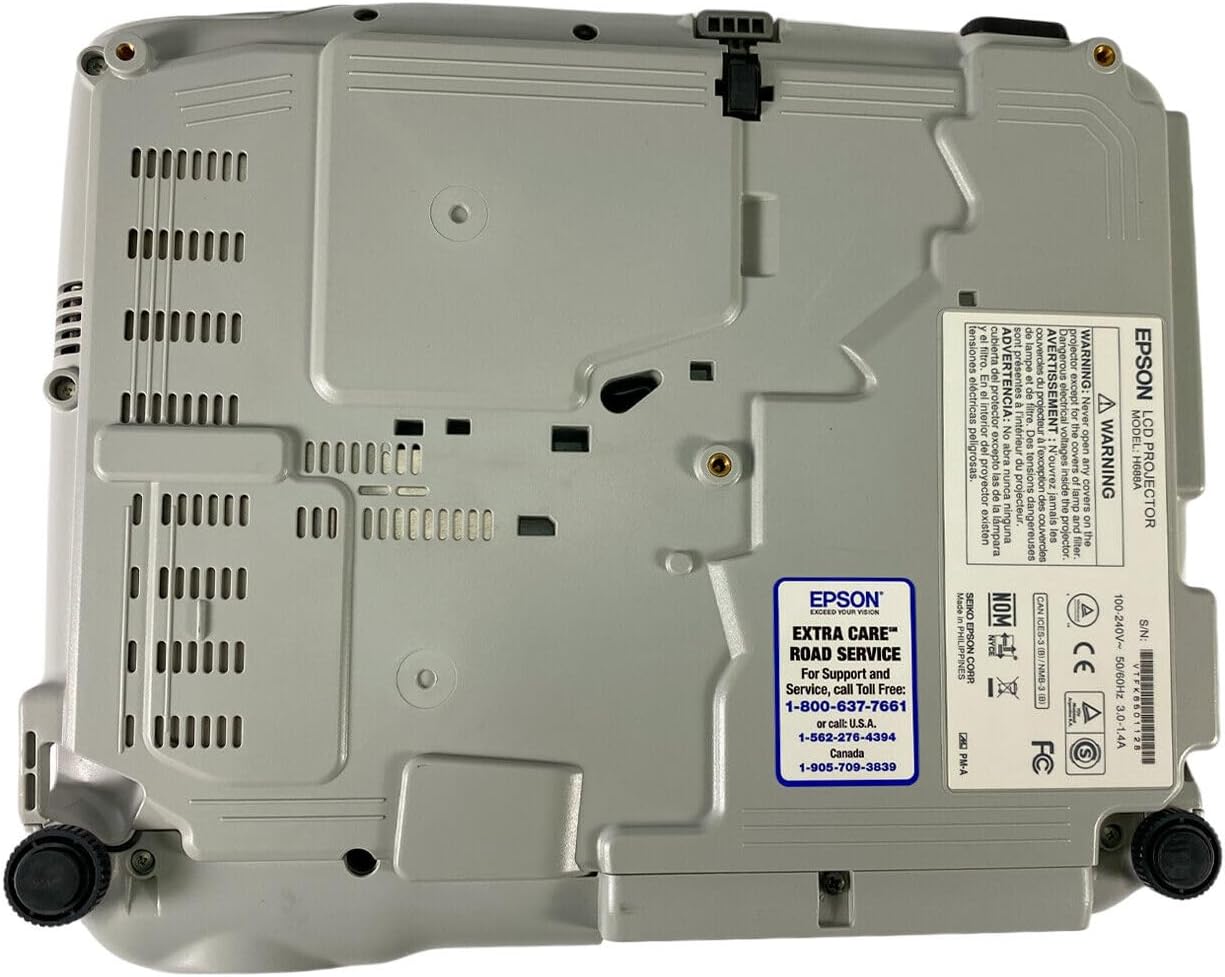
Figure 5: Bottom panel of the projector showing support contact details.
Epson Extra Care Road Service
- For support and service, call:
- الولايات المتحدة الأمريكية: 1-800-637-7661
- الولايات المتحدة الأمريكية: 1-866-276-4394
- كندا: 1-905-709-3839