
1. المقدمة
This manual provides detailed instructions for the installation, operation, maintenance, and troubleshooting of your Gigastone 22-inch VA LED Monitor. Please read this manual thoroughly before using the product to ensure proper setup and optimal performance. Keep this manual for future reference.
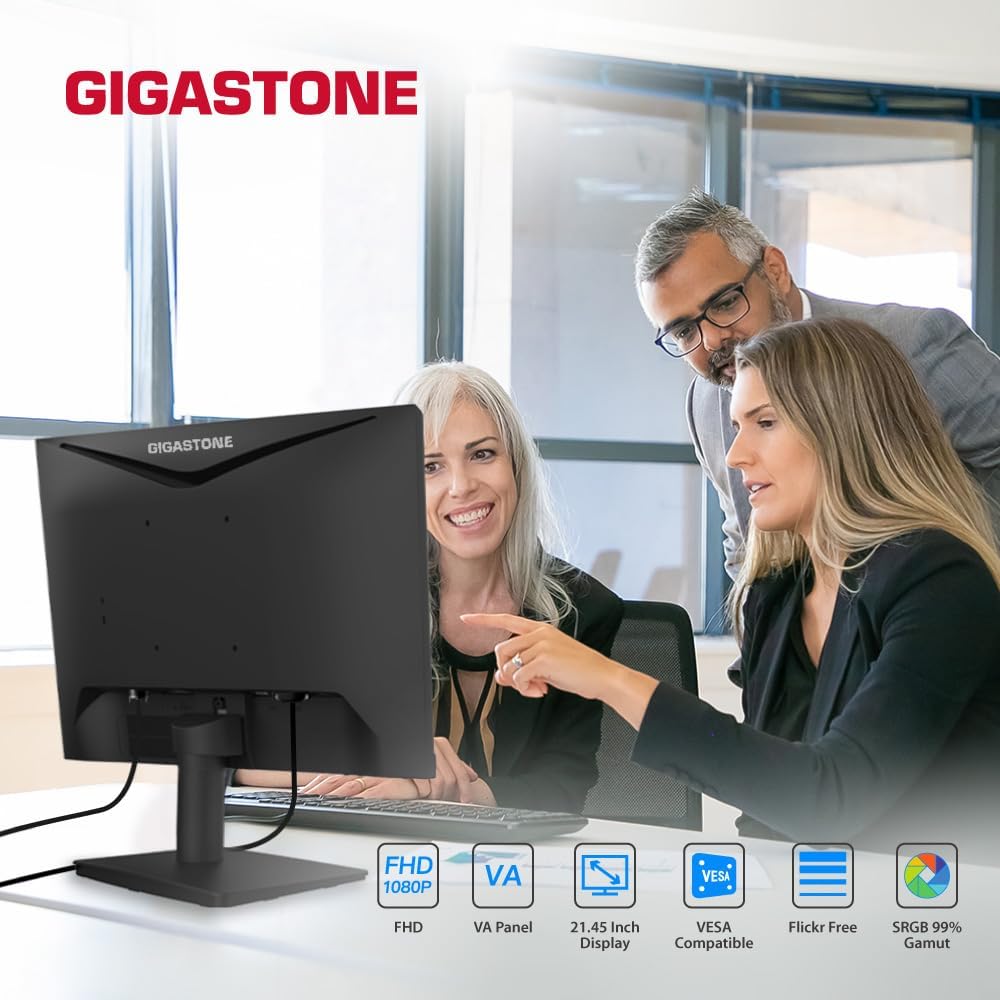
Figure 1.1: Gigastone 22-inch VA LED Monitor in use.
المميزات الرئيسية:
- Full HD (FHD) 1920x1080p Resolution: يقدم صورًا واضحة ونقية.
- معدل تحديث 75 هرتز: Provides smoother image transitions and reduced screen tearing.
- تقنية لوحة VA: Offers superior contrast ratios and wide viewing angles of 178°.
- تقنية العناية بالعيون: Features Low Blue Light and Anti-Flicker technologies to reduce eye strain during extended use.
- تصميم بدون إطار: Maximizes screen space and provides a sleek appearance.
- اتصال متعدد الاستخدامات: Includes HDMI and VGA ports.
- متوافق مع حامل VESA: Allows for flexible mounting options (100x100mm).
- Adaptive-Sync (FreeSync) Compatible: Synchronizes the display's refresh rate with the graphics card's frame rate to eliminate screen tearing and stuttering.
2. تعليمات الإعداد
2.1 فك عبوة الشاشة
أزل جميع المكونات من العبوة بعناية. تأكد من وجود جميع العناصر المدرجة في قائمة التعبئة وأنها سليمة. احتفظ بالعبوة الأصلية لاستخدامها في النقل أو الصيانة مستقبلاً.
2.2 تجميع الحامل
- ضع الشاشة على سطح ناعم ونظيف بحيث يكون وجهها لأسفل لمنع الخدوش.
- Attach the stand base to the stand neck. Secure it with the provided screw(s) by turning clockwise until firm.
- Align the assembled stand with the mounting slot on the back of the monitor. Push firmly until it clicks into place or secure with the provided screw(s). Ensure the stand is securely fastened to prevent instability.
- ارفع الشاشة بحرص وضعها على سطح مستوٍ وثابت.
2.3 توصيل الكابلات
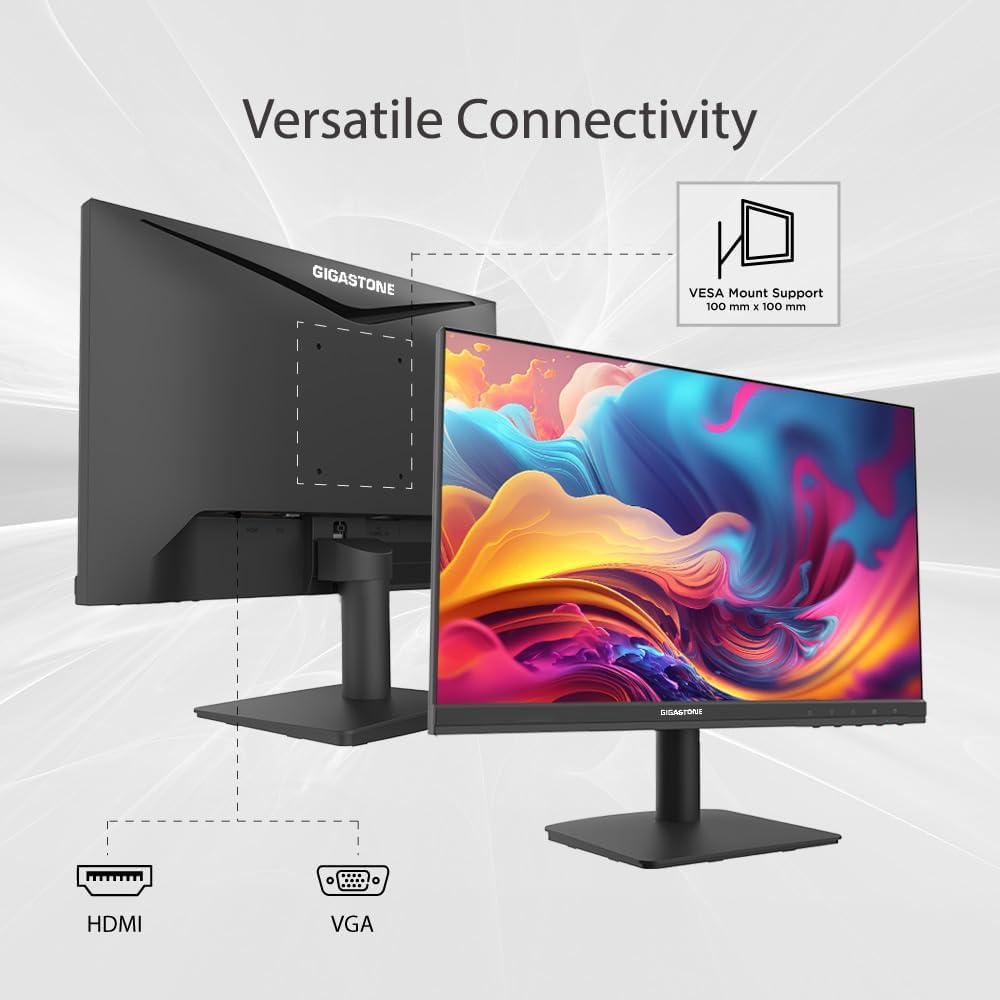
Figure 2.1: Monitor connectivity ports and VESA mount.
- سلك الطاقة: قم بتوصيل أحد طرفي كابل الطاقة بمدخل الطاقة الخاص بالشاشة والطرف الآخر بمأخذ الطاقة.
- كابل الفيديو: اختر أحد الاتصالات التالية:
- HDMI: Connect one end of the HDMI cable to the monitor's HDMI port and the other end to the HDMI output port on your computer.
- VGA: Connect one end of the VGA cable to the monitor's VGA port and the other end to the VGA output port on your computer.
- تأكد من أن جميع التوصيلات آمنة.
2.4 تركيب VESA (اختياري)
The monitor supports VESA mounting (100x100mm). To mount the monitor on a wall or an articulating arm, first remove the stand. Follow the instructions provided with your VESA-compatible mounting kit for proper installation.
3. تعليمات التشغيل
3.1 تشغيل/إيقاف التشغيل
اضغط على زر التشغيل، الموجود عادةً أسفل يمين الشاشة، لتشغيلها أو إيقاف تشغيلها. سيضيء مؤشر الطاقة عند تشغيل الشاشة.
3.2 قائمة العرض على الشاشة (OSD)
تتيح لك قائمة العرض على الشاشة ضبط إعدادات الشاشة المختلفة. استخدم الأزرار الموجودة أسفل يمين الشاشة للتنقل بين الخيارات وتحديدها.
خيارات قائمة العرض على الشاشة الشائعة:
- السطوع / التباين: اضبط مستوى الإضاءة الكلي والفرق بين المناطق المضيئة والمظلمة.
- إعدادات الألوان: قم بتعديل درجة حرارة اللون، والصبغة، والتشبع.
- مصدر الإدخال: اختر يدويًا بين مدخلات HDMI و VGA.
- وضع الصورة: Choose from preset display modes (e.g., Standard, Game, Movie).
- وضع العناية بالعين: Activate Low Blue Light and Anti-Flicker features.
- Adaptive-Sync (FreeSync): Enable or disable this feature for compatible graphics cards.
3.3 تكنولوجيا العناية بالعيون
The monitor incorporates Low Blue Light and Anti-Flicker technologies to minimize eye strain. These features can be enabled or adjusted through the OSD menu. Reducing blue light can help alleviate eye fatigue, especially during prolonged use.
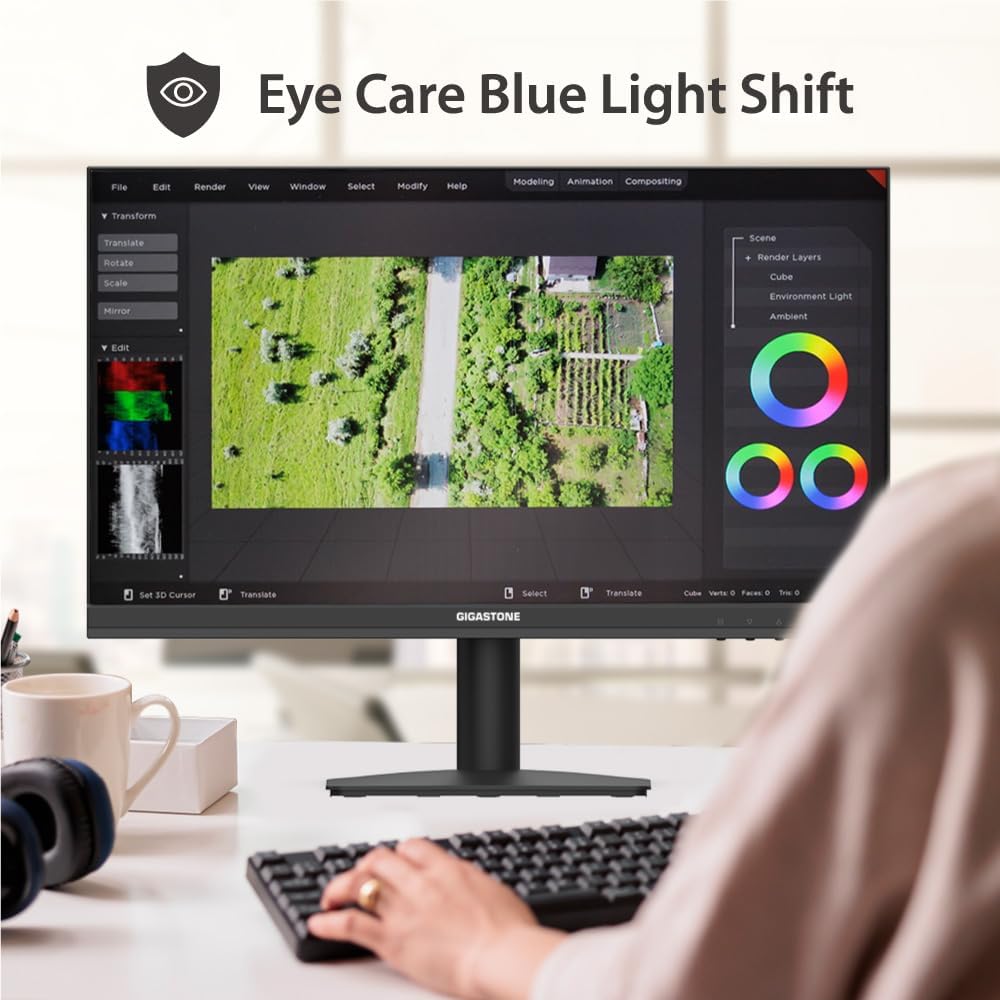
Figure 3.1: Eye Care Blue Light Shift feature in action.
3.4 تقنية Adaptive-Sync (FreeSync)
This monitor is compatible with Adaptive-Sync technology, which helps eliminate screen tearing and stuttering by synchronizing the monitor's refresh rate with your graphics card's frame rate. To use this feature, ensure your graphics card supports Adaptive-Sync/FreeSync and enable it in both your graphics card settings and the monitor's OSD menu.
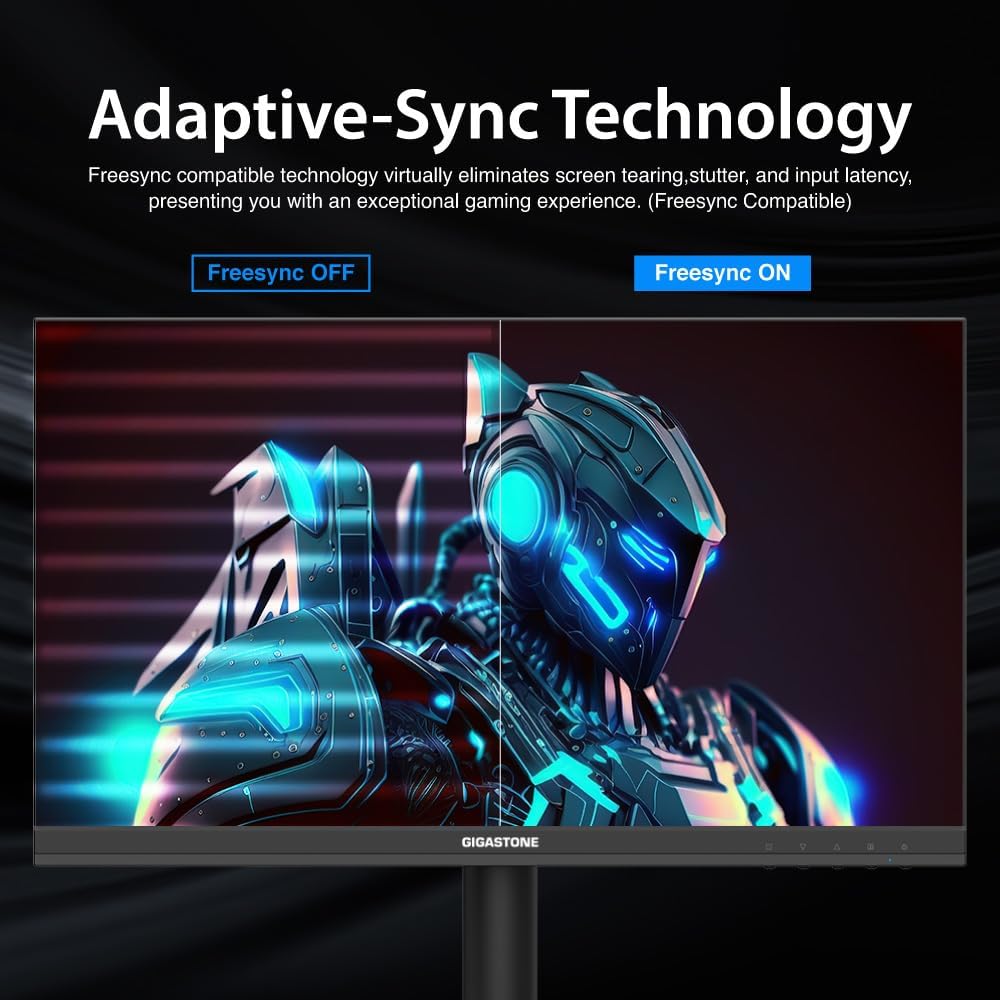
Figure 3.2: Visual representation of Adaptive-Sync (FreeSync) technology.
4. الصيانة
4.1 تنظيف الشاشة
- افصل الشاشة دائمًا عن مأخذ الطاقة قبل التنظيف.
- استخدم قطعة قماش ناعمة وخالية من الوبر برفق دampاغسلها بالماء أو بمنظف شاشة غير كاشط.
- لا ترش المنظف مباشرة على الشاشة أوasing.
- Avoid using benzene, thinner, ammonia-based cleaners, or abrasive materials, as these can damage the monitor's surface.
4.2 العناية العامة
- أبقِ الشاشة بعيدة عن أشعة الشمس المباشرة والحرارة الزائدة والرطوبة.
- تأكد من وجود تهوية كافية حول الشاشة لمنع ارتفاع درجة حرارتها.
- لا تضع أشياء ثقيلة على الشاشة أو كابلاتها.
5. استكشاف الأخطاء وإصلاحها
If you encounter issues with your monitor, refer to the following troubleshooting guide. If the problem persists, contact customer support.
| مشكلة | السبب المحتمل | حل |
|---|---|---|
| لا يوجد طاقة | كابل الطاقة غير موصول؛ مأخذ الطاقة معطل؛ الشاشة مطفأة | Ensure power cable is securely connected; Test power outlet; Press power button on monitor |
| لا يوجد إشارة | كابل الفيديو غير موصول؛ تم اختيار مصدر إدخال غير صحيح؛ لا يُخرج الكمبيوتر إشارة | Check video cable connections (HDMI/VGA); Select correct input source via OSD; Ensure computer is on and outputting video |
| تذبذب الصورة أو تشوهها | Loose video cable; Incorrect resolution/refresh rate; Graphics card driver issue | Secure video cable; Set display resolution to 1920x1080 and refresh rate to 75Hz; Update graphics card drivers |
| قائمة OSD لا تستجيب | Buttons are locked; Temporary software glitch | Refer to monitor's specific instructions for unlocking OSD buttons (if applicable); Power cycle the monitor |
| Adaptive-Sync (FreeSync) not working | Feature not enabled; Graphics card not compatible; Outdated drivers | Enable FreeSync in monitor OSD and graphics card control panel; Ensure compatible graphics card; Update graphics drivers |
6. مواصفات المنتج
| ميزة | مواصفة |
|---|---|
| ماركة | Gigastone |
| رقم الموديل | GS-LM-27FF2 |
| حجم الشاشة | 22 بوصة |
| دقة | دقة عالية كاملة 1080 بكسل (1920 × 1080 بكسل) |
| نسبة العرض إلى الارتفاع | 16:9 |
| معدل التحديث | 75 هرتز |
| وقت الاستجابة | 4 ميلي ثانية |
| تكنولوجيا العرض | VA LED Back Light |
| Viewزاوية جي | 178 درجة |
| سطوع | 250 شمعة/م2 |
| نسبة التباين | 1000:1 |
| الاتصال | HDMI ، VGA |
| المزامنة التكيفية | فري سينك |
| نوع التركيب | VESA Wall Mount (100x100mm) |
| أبعاد المنتج (العمق × العرض × الارتفاع) | 1.85 بوصة عمق × 19.4 بوصة عرض × 6.7 بوصة ارتفاع |
7. معلومات الضمان
This Gigastone monitor is covered by a ضمان الشركة المصنعة لمدة عامين يسري هذا الضمان من تاريخ الشراء. ويغطي عيوب المواد والتصنيع في ظل الاستخدام العادي. ولا يغطي الأضرار الناجمة عن سوء الاستخدام أو الحوادث أو التعديلات غير المصرح بها أو العوامل الخارجية.
يرجى الاحتفاظ بإثبات الشراء الخاص بك لمطالبات الضمان.
8. دعم العملاء
For technical assistance, warranty claims, or any other inquiries, please contact Gigastone customer service. We offer 24/7 world-wide customer service to assist you.
For the most up-to-date contact information, please visit the official Gigastone webالموقع أو راجع تفاصيل الاتصال المقدمة مع عبوة المنتج الخاص بك.
يمكنك أيضًا زيارة متجر جيجاستون على أمازون لمزيد من المعلومات حول المنتج وموارد الدعم.