
مقدمة
Thank you for choosing the Coby Pro Fitness True Wireless Earbuds. These earbuds are designed to provide a high-quality audio experience with features tailored for an active lifestyle. They offer a secure fit, sweat resistance, noise isolation, HD audio, and seamless connectivity with Bluetooth 5.3. This manual will guide you through the setup, operation, and maintenance of your new earbuds.
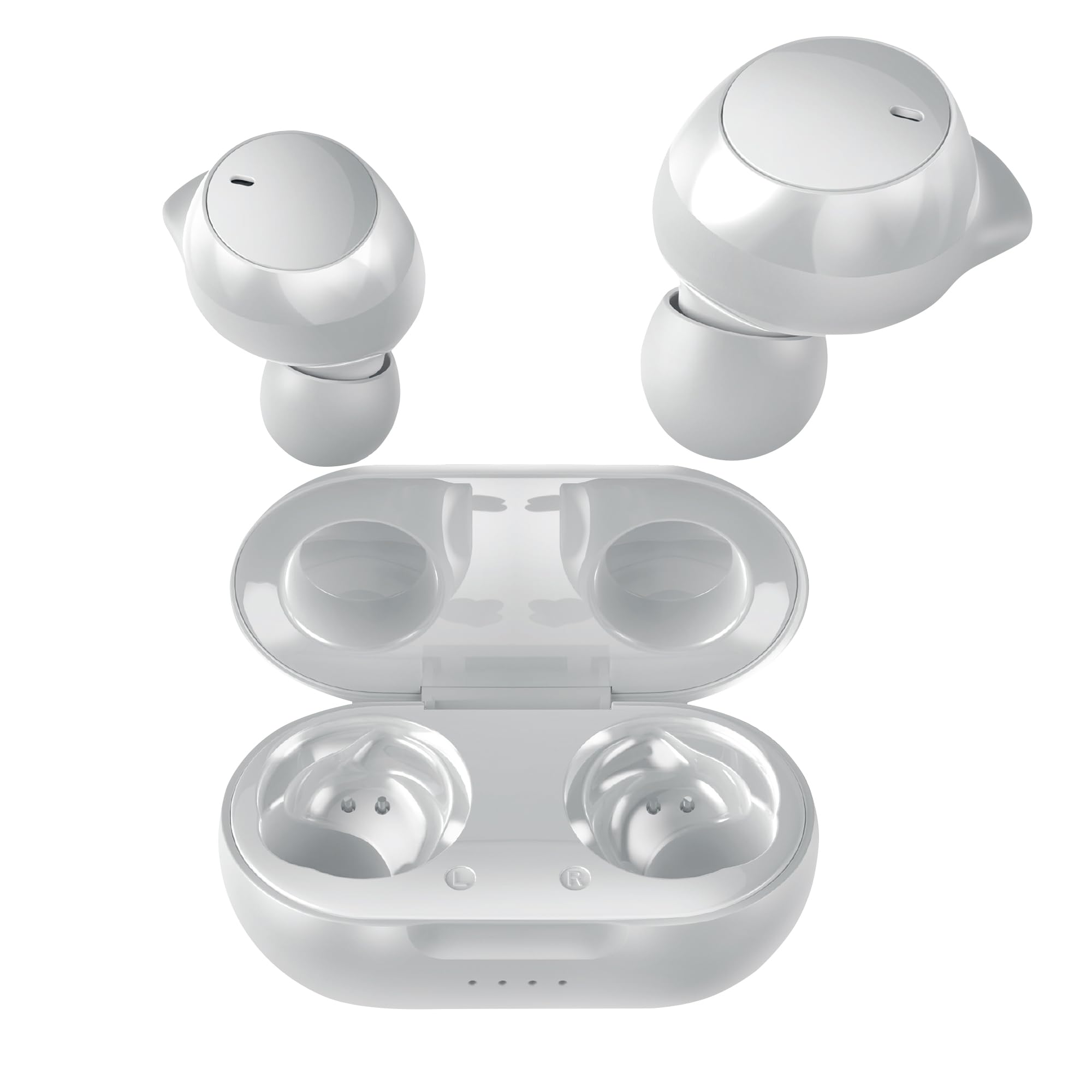
Image: Coby Pro Fitness True Wireless Earbuds and their charging case.
يثبت
محتويات الحزمة
- سماعات أذن لاسلكية حقيقية من كوبي برو فيتنس (يسار ويمين)
- حافظة الشحن
- كابل شحن USB
- أحجام متعددة من أطراف الأذن المصنوعة من السيليكون
- دليل المستخدم
شحن سماعات الأذن والعلبة
- Place the earbuds into the charging case, ensuring they are correctly seated in their respective slots.
- قم بتوصيل كابل شحن USB بمنفذ الشحن الموجود على العلبة وقم بتوصيل الطرف الآخر بمصدر طاقة USB (مثل محول الحائط أو منفذ USB للكمبيوتر).
- The indicator lights on the charging case will illuminate to show charging status. A full charge typically takes approximately 1-2 hours for the earbuds and 2-3 hours for the case.
- Once fully charged, the indicator lights will change or turn off. Disconnect the charging cable.
الاقتران الأولي
اتبع هذه الخطوات لربط سماعات الأذن بجهازك لأول مرة:
- Ensure the earbuds are charged. Open the charging case. The earbuds will automatically enter pairing mode, indicated by a flashing LED light on one or both earbuds.
- على هاتفك الذكي أو جهازك اللوحي أو أي جهاز آخر يدعم تقنية Bluetooth، انتقل إلى إعدادات Bluetooth.
- بحث عن available devices. You should see "Coby CETW553" or a similar name appear in the list.
- Select "Coby CETW553" to connect. Once connected, you will hear an audio prompt, and the earbud LED lights will stop flashing.

Image: Illustration of earbuds automatically pairing with a smartphone.
ارتداء سماعات الأذن
For optimal sound quality and a secure fit, choose the correct size ear tips and insert the earbuds properly:
- Experiment with the different sizes of silicone ear tips provided to find the pair that creates a comfortable and snug seal in your ear canal. A good seal is crucial for noise isolation and bass response.
- Gently insert each earbud into your ear, twisting slightly until it feels secure and comfortable. The earbuds are ergonomically designed to stay in place during physical activity.

Image: A woman demonstrating the snug and secure fit of the ear tips.
تشغيل سماعات الأذن
تشغيل/إيقاف الطاقة
- تشغيل الطاقة: افتح علبة الشحن، وسيتم تشغيل سماعات الأذن تلقائيًا. أو يمكنك الضغط مع الاستمرار على منطقة التحكم باللمس في كلتا السماعتين لمدة 3 ثوانٍ.
- إيقاف التشغيل: Place the earbuds back into the charging case and close the lid. They will automatically power off. Alternatively, press and hold the touch control area on both earbuds for 5 seconds.
تشغيل الموسيقى
- تشغيل/إيقاف مؤقت: اضغط على منطقة التحكم باللمس على أي سماعة أذن مرة واحدة.
- المسار التالي: اضغط مرتين على منطقة التحكم باللمس الموجودة على سماعة الأذن اليمنى.
- المسار السابق: اضغط مرتين على منطقة التحكم باللمس الموجودة على سماعة الأذن اليسرى.
- رفع الصوت: اضغط ثلاث مرات على منطقة التحكم باللمس الموجودة على سماعة الأذن اليمنى.
- اخفض الصوت: اضغط ثلاث مرات على منطقة التحكم باللمس الموجودة على سماعة الأذن اليسرى.
استدعاء إدارة
- الرد/إنهاء المكالمة: اضغط على منطقة التحكم باللمس على أي سماعة أذن مرة واحدة.
- رفض المكالمة: اضغط مع الاستمرار على منطقة التحكم باللمس على أي سماعة أذن لمدة ثانيتين.
مساعد صوتي
The earbuds are compatible with Siri and Google Assistant. To activate your device's voice assistant:
- تنشيط مساعد الصوت: اضغط مع الاستمرار على منطقة التحكم باللمس في أي من سماعات الأذن لمدة ثانيتين (عندما لا تكون في مكالمة).

Image: Earbuds shown with compatibility logos for Siri and Google Assistant.
صيانة
تنظيف
- Regularly clean the earbuds and charging case to ensure optimal performance and hygiene.
- Use a soft, dry, lint-free cloth to wipe the exterior surfaces of the earbuds and case.
- For ear tips, remove them from the earbuds and wash with mild soap and water. Rinse thoroughly and allow them to dry completely before reattaching.
- Gently remove any earwax or debris from the earbud mesh using a clean, dry cotton swab or a small, soft brush. Avoid using sharp objects.
تخزين
- عند عدم الاستخدام، احرص دائمًا على تخزين سماعات الأذن في علبة الشحن الخاصة بها لحمايتها من التلف والحفاظ على شحنها.
- Store the charging case and earbuds in a cool, dry place, away from extreme temperatures, humidity, and direct sunlight.
استكشاف الأخطاء وإصلاحها
| مشكلة | حل |
|---|---|
| سماعات الأذن غير مقترنة بالجهاز |
|
| سماعة أذن واحدة فقط تعمل |
|
| لا يوجد صوت أو مستوى صوت منخفض |
|
| علبة الشحن لا تشحن |
|
تحديد
| ميزة | التفاصيل |
|---|---|
| رقم الموديل | COBY-CETW553 |
| تكنولوجيا الاتصال | لاسلكي (بلوتوث) |
| نسخة البلوتوث | 5.3 |
| وضع الأذن | في الأذن |
| التحكم في الضوضاء | عزل الصوت |
| مستوى مقاومة الماء | مقاوم للماء (مقاوم للعرق) |
| متوسط عمر البطارية (سماعات الأذن) | 5 Hours (per charge) |
| نطاق التردد | 20 هرتز - 20,000 هرتز |
| نوع برنامج تشغيل الصوت | سائق ديناميكي |
| طريقة التحكم | الصوت، اللمس |
| الأجهزة المتوافقة | الهواتف الذكية، والأجهزة اللوحية، ومكبرات الصوت الذكية، وأجهزة الكمبيوتر المحمولة، وأجهزة الكمبيوتر المكتبية |
| مادة | سيليكون (أطراف الأذن) |
| وزن العنصر | 1.4 أونصة |
معلومات الضمان
The Coby Pro Fitness True Wireless Earbuds (Model CETW553) come with a ضمان المصنّع لمدة 90 يومًا. This warranty covers defects in materials and workmanship under normal use. Please retain your proof of purchase for warranty claims. For specific terms and conditions, or to initiate a warranty claim, please refer to the official Coby webالموقع أو الاتصال بدعم العملاء.
يدعم
If you encounter any issues not covered in this manual or require further assistance, please visit the official Coby website for FAQs, support resources, and contact information. You can typically find support details on the product page or in the 'Support' section of the Coby brand webموقع.