
1. انتهى المنتجview
The BoxWave FineTouch Capacitive Stylus is designed to provide precise and accurate interaction with your capacitive touch screen devices, including the SatLab SHC55. This stylus features a unique clear disc tip for enhanced visibility and does not require Bluetooth pairing or batteries for operation.
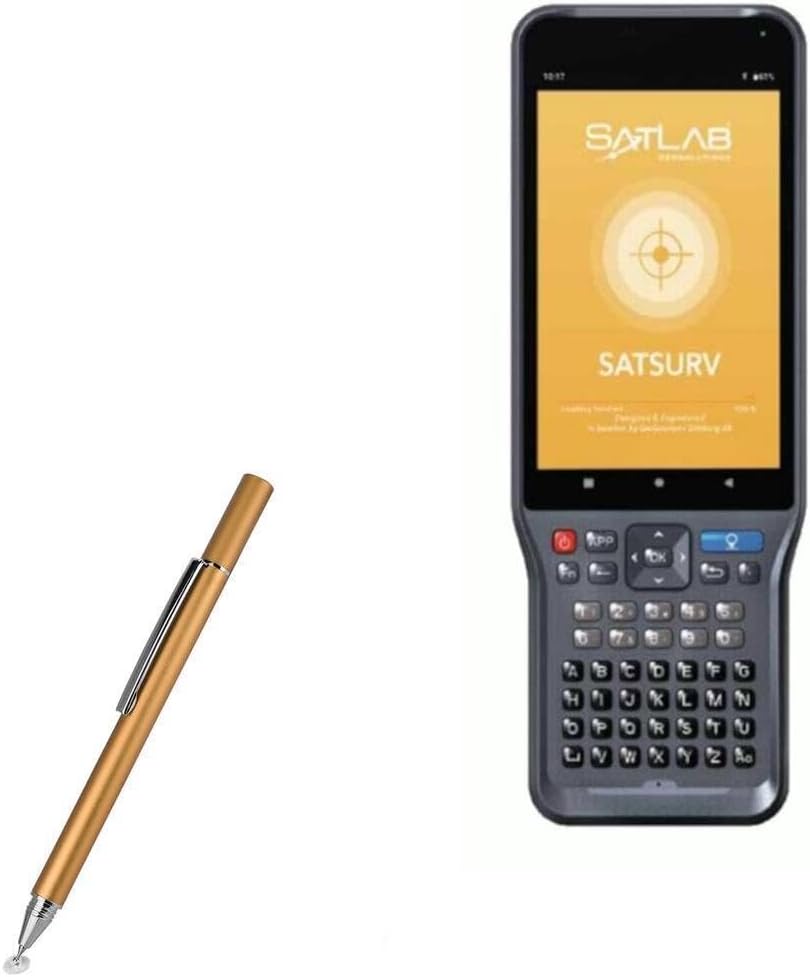
Image 1.1: The BoxWave FineTouch Capacitive Stylus shown alongside a compatible SatLab SHC55 device, illustrating its intended use.
- نصيحة واضحة: The innovative clear disc tip allows for precise visual alignment, enabling you to see exactly where your input is registered on the screen.
- لا يتطلب البلوتوث: Operates without the need for Bluetooth connectivity or internal batteries.
- مقطع معدني: Features a built-in metal clip for convenient portability and secure attachment to pockets or cases.
- تصميم مضغوط: Ergonomically designed in a pen form factor for comfortable handling and easy transport.
2. تعليمات الإعداد
The FineTouch Capacitive Stylus is ready for immediate use upon removal from its packaging. No complex setup or charging is required.
- Unpack the Stylus: قم بإزالة القلم بعناية من عبوته.
- Remove Tip Protection: If present, unscrew the threaded cap to expose the clear disc tip. This cap protects the tip during transit and storage.
- بدء الاستخدام: Gently touch the clear disc tip to your device's capacitive touch screen. The stylus will function immediately.

Image 2.1: The threaded cap of the stylus is shown removed, revealing the clear disc tip. This cap protects the tip when not in use.
ملحوظة: This stylus does not support palm rejection or pressure sensitivity features.
3. تعليمات التشغيل
The FineTouch Capacitive Stylus provides a natural and intuitive way to interact with your touch screen device.

Image 3.1: A user demonstrates holding the stylus and interacting with a tablet screen, highlighting the natural pen-like grip.
- إدخال دقيق: The clear disc tip allows you to see through to the screen, ensuring accurate placement for writing, drawing, and selecting small icons.
- General Navigation: Use the stylus for all standard touch screen functions, including tapping, swiping, scrolling, and typing.
- الكتابة والرسم: The stylus is suitable for note-taking, sketching, and detailed drawing applications.

الصورة 3.2: تفصيلية view of the clear disc tip making contact with a screen, illustrating its transparency for precise targeting.

Image 3.3: The stylus is actively used for drawing on a tablet, emphasizing the visibility provided by the clear disc tip.
4. الصيانة
Proper care will extend the life and performance of your stylus.
- تنظيف: Wipe the stylus body with a soft, dry cloth. For the clear disc tip, gently clean with a microfiber cloth to remove any smudges or debris that might affect performance.
- حماية النصائح: Always replace the threaded cap over the clear disc tip when the stylus is not in use to prevent damage.
- تخزين: Store the stylus in a clean, dry place. Utilize the built-in metal clip to secure it to a notebook or case, preventing loss or damage.
- تجنب الظروف القاسية: Do not expose the stylus to extreme temperatures, direct sunlight for prolonged periods, or harsh chemicals.
5. استكشاف الأخطاء وإصلاحها
If you encounter issues with your FineTouch Capacitive Stylus, consider the following:
| مشكلة | السبب المحتمل | حل |
|---|---|---|
| Stylus is unresponsive or inaccurate. | Dirty screen or stylus tip; damaged tip. | Clean your device's screen and the stylus tip with a microfiber cloth. Inspect the clear disc tip for any visible damage. |
| يترك القلم علامات على الشاشة. | Debris on tip or screen. | Ensure both the screen and stylus tip are clean before use. |
| Stylus tip feels loose. | Normal wear or manufacturing variation. | A slight wobble in the clear disc is normal and allows for optimal contact angle. If it feels excessively loose or detached, contact support. |
6. المواصفات
- نموذج: FineTouch Capacitive Stylus
- ماركة: بوكس ويف
- التوافق: Universal capacitive touch screens, specifically tested with SatLab SHC55
- لون: Champاجني جولد
- وزن السلعة: Approximately 1 ounce (28 grams)
- البطاريات: Not required, Not included
- نوع النصيحة: Clear Conductive Disc Tip
- مادة: Aluminum body with metal clip
7. الضمان والدعم
BoxWave Corporation provides support for its products. For any technical assistance or inquiries regarding your FineTouch Capacitive Stylus, please refer to the contact information provided with your purchase or visit the official BoxWave webموقع.
Limited third-party technical support for your device (up to 3 inquiries via messaging) may be available. This support is not affiliated with or endorsed by SatLab.