
مقدمة
This manual provides comprehensive instructions for the installation, operation, maintenance, and troubleshooting of your Yeelight YLKG07YL Smart Dimmer. Please read this manual thoroughly before use to ensure proper functionality and safety.
المنتج انتهىview
The Yeelight YLKG07YL is a mountable smart dimmer designed to control compatible lighting fixtures. It features Wi-Fi connectivity and touch/push-button control for convenient operation.
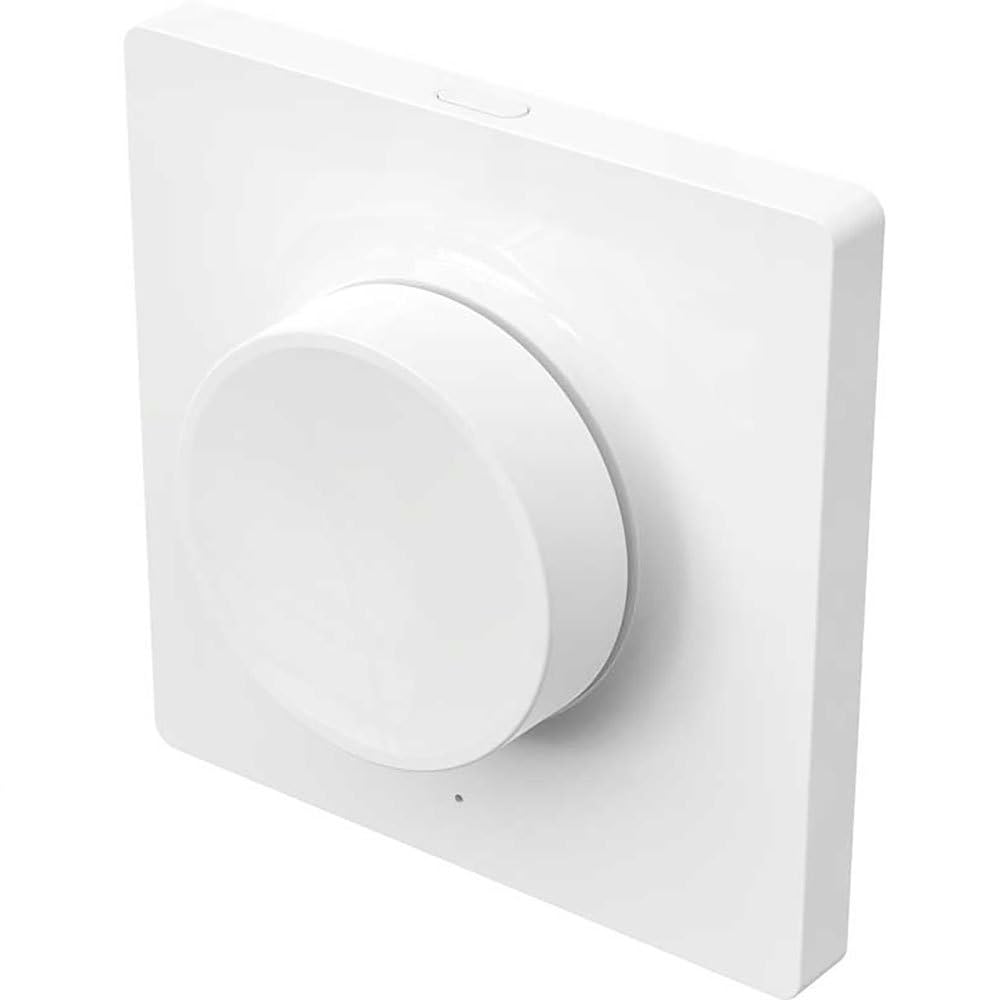
Figure 1: Yeelight YLKG07YL Smart Dimmer. This image displays the front of the dimmer, highlighting its sleek design and touch-sensitive control area.
معلومات السلامة
- افصل دائمًا الطاقة عن قاطع الدائرة قبل التثبيت أو الصيانة.
- يجب أن يتم التثبيت بواسطة كهربائي مؤهل إذا لم تكن متأكدًا.
- لا تعرض الجهاز للرطوبة الزائدة أو درجات الحرارة العالية.
- Ensure the dimmer is compatible with your lighting fixtures before installation.
الإعداد والتثبيت
- انقطاع التيار الكهربائي: Turn off the main power supply to the circuit at the circuit breaker. Verify power is off using a voltagه اختبار.
- إزالة المفتاح القديم: Carefully remove the existing wall switch from its electrical box. Disconnect the wires, noting their connections.
- قم بتوصيل مفتاح التعتيم: Connect the wires from the electrical box to the Yeelight YLKG07YL dimmer according to the wiring diagram (refer to product packaging for specific diagrams). Ensure secure connections.
- تركيب الخافت: Gently push the wired dimmer into the electrical box. Secure it with screws. Attach the faceplate.
- اعادة الطاقة: أعد تشغيل مصدر الطاقة الرئيسي من قاطع الدائرة.
- Pairing (Wi-Fi): Follow the instructions in the Yeelight app to pair the dimmer with your Wi-Fi network and smart home system.
تعليمات التشغيل
The Yeelight YLKG07YL Smart Dimmer offers both physical and smart control options.
Physical Control:
- تشغيل/إيقاف: Press the main button to toggle the connected lights on or off.
- يعتم: Touch and hold the designated dimming area (if applicable, or use up/down buttons) to adjust brightness.
Smart Control (via Yeelight App):
- Open the Yeelight application on your smartphone or tablet.
- Select the YLKG07YL dimmer from your device list.
- Use the in-app controls to turn lights on/off, adjust brightness, set schedules, or integrate with other smart home devices.
صيانة
- تنظيف: Wipe the dimmer's surface with a soft, dry cloth. Do not use abrasive cleaners or solvents.
- تحديثات البرامج الثابتة: Regularly check the Yeelight app for available firmware updates to ensure optimal performance and security.
- الظروف البيئية: تأكد من بقاء بيئة التشغيل ضمن نطاقات درجة الحرارة والرطوبة المحددة لمنع حدوث التلف.
استكشاف الأخطاء وإصلاحها
| مشكلة | السبب المحتمل | حل |
|---|---|---|
| الخافت لا يستجيب | No power, incorrect wiring, device malfunction. | Check circuit breaker. Verify wiring connections. Contact support if issue persists. |
| Lights flicker or do not dim properly | Incompatible bulb type, overloaded circuit, faulty wiring. | Ensure bulbs are dimmable and compatible. Check total wattage. Re-check wiring. |
| لا يمكن الاتصال بشبكة Wi-Fi | Incorrect Wi-Fi password, router too far, network issues. | Verify Wi-Fi password. Move router closer or use a Wi-Fi extender. Restart router. |
تحديد
- نموذج: YLKG07YL
- أبعاد: 10 × 5 × 1.3 سم (الطول × العرض × الارتفاع)
- وزن: 1 كيلوجرام
- مادة: Plastic (body), Aluminium (contact)
- الاتصال: واي فاي
- طريقة التحكم: Touch, Push-button
- نوع التركيب: حامل الحائط
- التقييم الحالي: 1 أ
- تصنيف IP: IP65 (International Protection Marking)
معلومات الضمان
This Yeelight YLKG07YL Smart Dimmer comes with a ضمان الشركة المصنعة لمدة عامين from the date of purchase. This warranty covers defects in materials and workmanship under normal use. It does not cover damage caused by misuse, accidents, unauthorized modifications, or improper installation. Please retain your proof of purchase for warranty claims.
يدعم
For technical assistance, troubleshooting, or warranty inquiries, please visit the official Yeelight website or contact their customer support. You can often find FAQs and additional resources online.
رسمي Webموقع: www.yeelight.com