
1. المقدمة
Thank you for choosing the Rettru XDWIFI Pro Wireless WiFi Camera. This compact camera is designed for versatile security monitoring, offering HD 1080P video recording, night vision, and motion detection capabilities. It is suitable for various applications including home security, baby monitoring, and pet monitoring. This manual provides detailed instructions for setting up, operating, and maintaining your camera to ensure optimal performance.
2. محتويات العبوة
يرجى التأكد من أن جميع العناصر المدرجة أدناه متضمنة في الحزمة الخاصة بك:
- 1 x Rettru XDWIFI Pro Camera
- 1 × قاعدة مغناطيسية
- 1 X بطاقة مايكرو التنمية المستدامة قارئ
- 1 × دليل المستخدم
- 1 × كابل الطاقة

Image: The package contents include the camera, magnetic base, Micro SD card reader, user manual, and power cable.
3. مواصفات المنتج
- تصميم مضغوط: The camera features a small form factor, measuring approximately 1.57 x 1.18 x 0.5 inches, making it easy to conceal and place discreetly.
- HD 1080P Video: Records clear video at 1080p resolution.
- رؤية ليلية محسنة: Equipped with two 940nm infrared lights, providing up to 26ft night vision range without visible glow.
- كشف الحركة: Intelligent motion detection with customizable monitoring areas and times. Sends alarm notifications with images to your phone upon detection.
- وضع الطاقة المزدوج: Features a built-in lithium battery for approximately 1.5 hours of continuous operation, and can be connected to a USB power source for extended use.
- التسجيل المتكرر: يقوم تلقائيًا بالكتابة فوق الملفات القديمة fileعندما تمتلئ بطاقة الذاكرة، يتم التسجيل بشكل مستمر.
- بعيد Viewعمل: Access live video feed from anywhere via the companion mobile application (V380 Pro).
- تركيب مغناطيسي: Includes a magnetic base for flexible installation on various surfaces.

Image: The camera's compact dimensions are illustrated, emphasizing its small size.

Image: The camera's small size allows for discreet placement, such as within a plant pot.

Image: The camera can be mounted on a desk, bookshelf, or wall using its 360-degree rotating stand.
4. دليل الإعداد
4.1 شحن الكاميرا
Before first use, fully charge the camera. Connect the camera to a USB power source (e.g., wall charger, power bank, computer USB port) using the provided USB cable. The charging indicator light will show the charging status.

Image: The camera supports dual power modes, allowing it to be powered by its built-in battery or an external USB source like a power bank or wall charger.
4.2 إدخال بطاقة ذاكرة مايكرو إس دي (اختياري)
For local video storage, insert a Micro SD card (up to 128GB, purchased separately) into the camera's SD card slot. Ensure the card is inserted correctly with the contacts facing the camera's interior. The camera supports loop recording, overwriting older fileعندما تكون البطاقة ممتلئة.

Image: Illustration of Micro SD card insertion and the corresponding recording durations for various card capacities.
4.3 تنزيل التطبيق وتثبيته
The Rettru XDWIFI Pro camera uses the في 380 برو application for remote viewing and control. Download the app from your device's app store (iOS App Store or Google Play Store).
- بحث عن "V380 Pro" in your app store.
- قم بتحميل وتثبيت التطبيق.
- قم بالتسجيل للحصول على حساب أو قم بتسجيل الدخول إذا كان لديك حساب بالفعل.

Image: Visual steps for downloading the V380 Pro app, connecting the device, and establishing a WiFi connection.
4.4 توصيل الكاميرا بشبكة الواي فاي
Follow these steps to connect your camera to your home WiFi network:
- قم بتشغيل الكاميرا.
- Open the V380 Pro app on your smartphone.
- انقر على أيقونة "+" لإضافة جهاز جديد.
- Select the appropriate connection method (e.g., "Add device by WiFi Smart Config" or "Add device by AP Hotspot").
- Follow the on-screen instructions to connect the camera to your 2.4GHz WiFi network. Note: This camera only supports 2.4GHz WiFi networks. It is not compatible with 5GHz networks.
- Once connected, you can name your device and begin viewمتابعة البث المباشر.
5. تعليمات التشغيل
5.1 مباشر Viewعمل
After successful setup, open the V380 Pro app and select your camera from the device list to access the live video feed. You can view the feed remotely from anywhere with an internet connection.
5.2 اكتشاف الحركة
The camera features intelligent motion detection. When motion is detected, the camera will send an alarm notification with images to your phone. You can customize motion detection settings within the V380 Pro app:
- حساسية: اضبط حساسية كشف الحركة.
- منطقة الكشف: تحديد مناطق محددة داخل الكاميرا view للكشف عن الحركة.
- جدول: Set specific times for motion detection to be active.
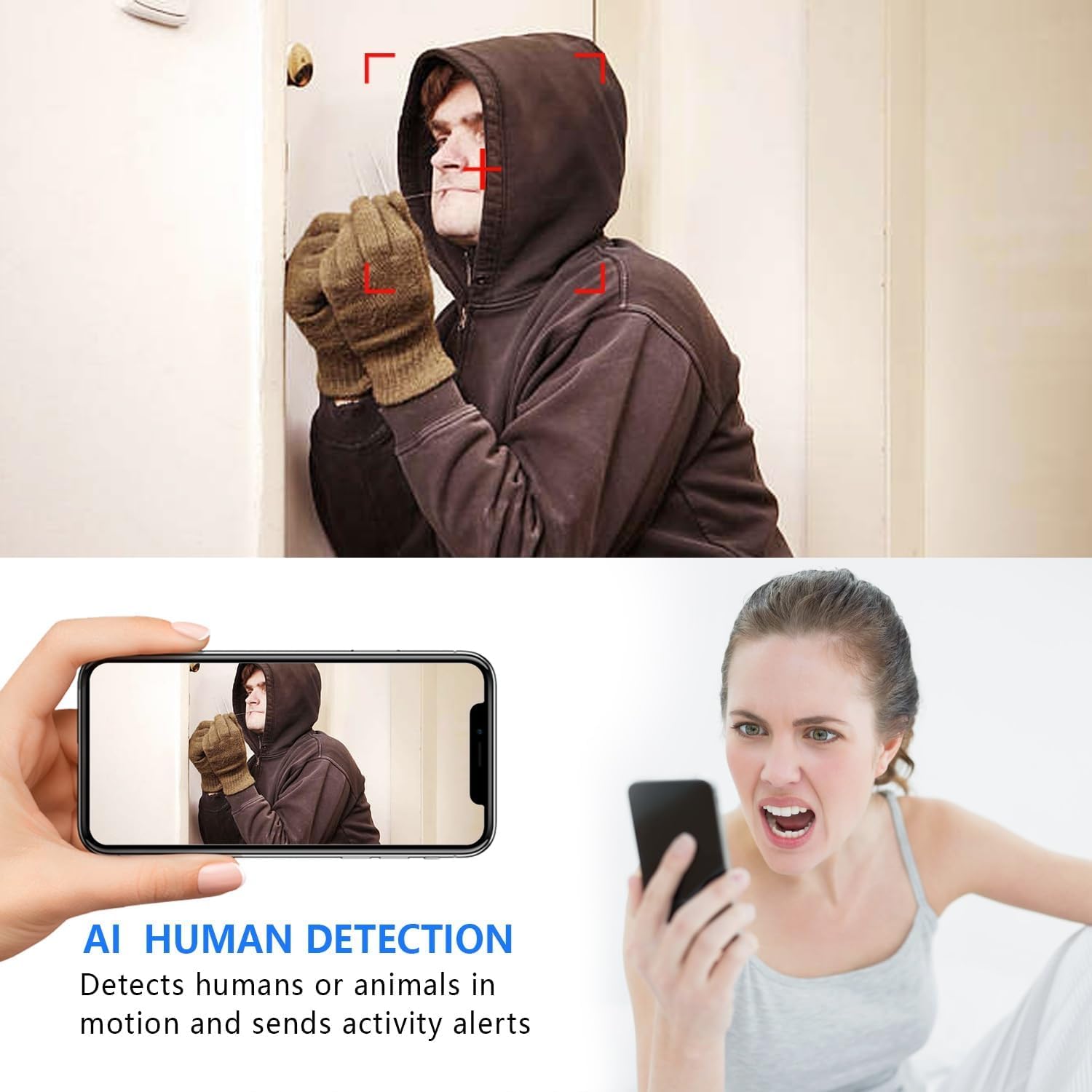
Image: The AI Human Detection feature identifies human movement and sends alerts to your mobile device.
5.3 الرؤية الليلية
The camera automatically switches to night vision mode in low-light conditions. The infrared lights are non-glowing, ensuring discreet monitoring in complete darkness up to 26 feet.

Image: Comparison of day and night vision, demonstrating the camera's ability to provide clear images in darkness.
5.4 التسجيل والتخزين
تدعم الكاميرا طريقتين أساسيتين للتسجيل:
- التسجيل على بطاقة الذاكرة الصغيرة (Micro SD): If an SD card is inserted, the camera will record video directly to it. Loop recording ensures continuous operation by overwriting the oldest footage.
- التخزين السحابي: The V380 Pro app may offer optional cloud storage services for your recordings. Refer to the app for details on subscription plans and features.
6. الصيانة
- تنظيف: استخدم قطعة قماش ناعمة وجافة لتنظيف عدسة الكاميرا وجسمها. تجنب استخدام المنظفات السائلة أو المواد الكاشطة.
- العناية بالبطارية: For optimal battery life, avoid extreme temperatures. Recharge the camera regularly, especially if it will be stored for an extended period.
- تحديثات البرامج الثابتة: Periodically check the V380 Pro app for any available firmware updates for your camera. Keeping the firmware updated ensures the best performance and security.
7. استكشاف الأخطاء وإصلاحها
| مشكلة | السبب المحتمل | حل |
|---|---|---|
| Camera fails to connect to WiFi. | Incorrect WiFi password; Camera too far from router; Router is 5GHz only; Network interference. |
|
| لا يوجد بث فيديو مباشر. | Camera is offline; Poor internet connection; App issue. |
|
| لم يتم استلام تنبيهات كشف الحركة. | App notifications disabled; Motion detection settings incorrect; Camera offline. |
|
| عمر البطارية قصير. | Continuous recording; Frequent motion detection; Low ambient temperature. |
|
8. المواصفات
| ميزة | التفاصيل |
|---|---|
| رقم الموديل | USA-Heima-XDWIFI New-JIAN-00005 |
| دقة التقاط الفيديو | 1080 بكسل |
| Viewزاوية جي | 160 درجة |
| نطاق الرؤية الليلية | حتى 26 قدم |
| بروتوكول الاتصال | واي فاي (2.4 جيجاهرتز فقط) |
| الأجهزة المتوافقة | iOS/Android Phone |
| مصدر الطاقة | تعمل بالبطارية (بطارية ليثيوم أيون واحدة متضمنة) |
| عمر البطارية | حوالي 1.5 ساعة (تشغيل متواصل) |
| تخزين | بطاقة ذاكرة مايكرو إس دي (حتى 128 جيجابايت، غير مرفقة)، تخزين سحابي (اختياري) |
| أبعاد العنصر (الطول × العرض × الارتفاع) | 1.7 × 1.3 × 0.4 بوصة |
| وزن العنصر | 0.64 أونصة (18.14 جرام) |
| Operating App | في 380 برو |
| نوع التثبيت | Wall-Mounted & Surface-Mounted (with magnetic base) |
| تصنيف الحماية الدولية | IP65 |
9. الضمان والدعم
For warranty information and technical support, please refer to the contact details provided with your purchase or visit the official Rettru webالموقع. إذا واجهت أي مشاكل غير مذكورة في هذا الدليل، يرجى الاتصال بخدمة العملاء للحصول على المساعدة.