
مقدمة
Thank you for choosing the AWEI A996BL Bluetooth Over-Ear Headphones. This manual provides detailed instructions for setting up, operating, and maintaining your headphones to ensure optimal performance and longevity. Please read this manual carefully before use.
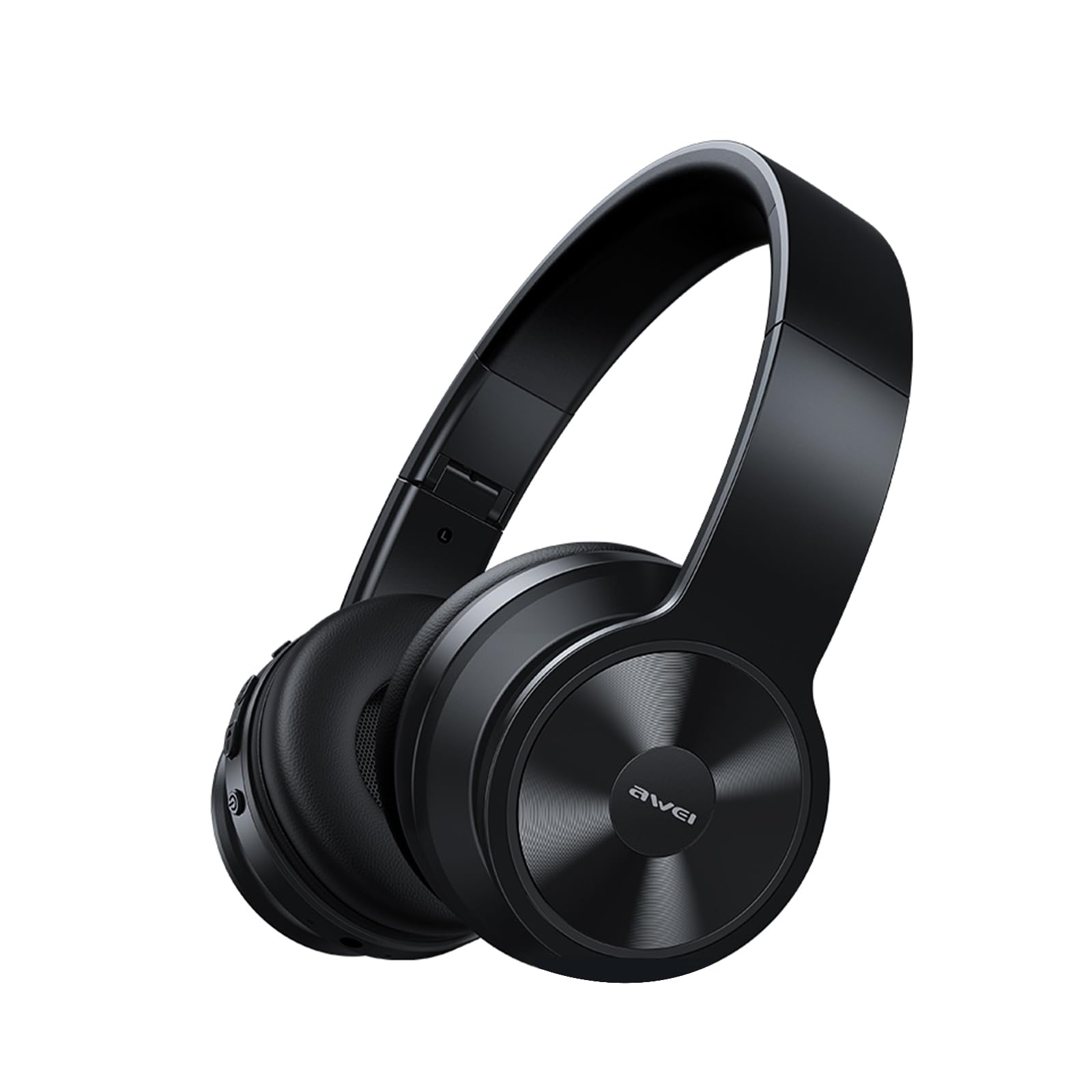
Image: AWEI A996BL over-ear headphones, showcasinز تصميمهم.
The AWEI A996BL headphones feature advanced Bluetooth 5.3 technology for stable connections, 40mm drivers for immersive stereo sound, and a comfortable, foldable design with soft protein earpads. Enjoy up to 16 hours of playtime on a single charge, with the flexibility of both wireless and wired (AUX) listening modes.
محتويات الحزمة
- AWEI A996BL Bluetooth Over-Ear Headphones
- كابل شحن USB
- دليل المستخدم
- (Note: An AUX cable may be included for wired connection, depending on the specific package.)
المنتج انتهىview
تعرّف على مكونات سماعات الرأس وأدوات التحكم بها.

Image: Right earcup of the AWEI A996BL headphones, highlighting the control buttons.
الضوابط والمؤشرات:
- زر متعدد الوظائف (MFB): Power On/Off, Play/Pause, Answer/End Call, Reject Call, Activate Voice Assistant.
- زر رفع الصوت / المسار التالي: اضغط لفترة قصيرة لرفع مستوى الصوت، واضغط لفترة طويلة للانتقال إلى المسار التالي.
- زر خفض الصوت / المسار السابق: اضغط لفترة قصيرة لخفض مستوى الصوت، واضغط لفترة طويلة للانتقال إلى المسار السابق.
- مؤشر LED: يعرض حالة الطاقة ووضع الاقتران وحالة الشحن.
- ميكروفون: لإجراء مكالمات بدون استخدام اليدين.
- منفذ شحن USB-C: لشحن سماعات الرأس.
- منفذ AUX مقاس 3.5 مم: للاتصال الصوتي السلكي.
يثبت
1. شحن سماعات الرأس
قبل الاستخدام الأول، اشحن سماعات الرأس بالكامل. يستغرق الشحن الكامل ساعتين تقريبًا.
- Connect the USB charging cable to the USB-C charging port on the headphones.
- قم بتوصيل الطرف الآخر من الكابل بمحول طاقة USB (غير متضمن) أو بمنفذ USB الخاص بالكمبيوتر.
- The LED indicator will show a red light during charging and turn off or blue when fully charged.

Image: Visual representation of the 300mAh battery capacity, indicating long battery life.
2. تشغيل / إيقاف التشغيل
- تشغيل الطاقة: Press and hold the Multi-function Button (MFB) for approximately 3 seconds until the LED indicator flashes blue and a voice prompt confirms "Power On".
- إيقاف التشغيل: Press and hold the Multi-function Button (MFB) for approximately 3 seconds until the LED indicator flashes red and a voice prompt confirms "Power Off".
3. الاقتران عبر البلوتوث (الوضع اللاسلكي)
The headphones use Bluetooth 5.3 for a stable connection.
- تأكد من شحن سماعات الرأس بالكامل وإيقاف تشغيلها.
- Press and hold the Multi-function Button (MFB) for approximately 5-7 seconds until the LED indicator flashes blue and red alternately. This indicates pairing mode.
- على جهازك (الهاتف الذكي، الجهاز اللوحي، الكمبيوتر الشخصي)، قم بتمكين البلوتوث وابحث عن الأجهزة المتاحة.
- Select "AWEI A996BL" from the list of found devices.
- Once paired, the LED indicator will flash blue slowly, and a voice prompt will confirm "Connected".
- إذا كانت كلمة المرور مطلوبة، فأدخل "0000".

Image: Headphones connected wirelessly to a laptop and smartphone, demonstrating a stable Bluetooth connection. Note: The product features Bluetooth 5.3 for enhanced performance.
4. اتصال سلكي (وضع AUX)
You can use the headphones in wired mode even when the battery is depleted or with non-Bluetooth devices.
- Connect one end of a 3.5mm audio cable (not included) to the AUX port on the headphones.
- قم بتوصيل الطرف الآخر بمقبس إخراج الصوت 3.5 ملم الخاص بجهازك.
- The headphones will automatically switch to wired mode. Note that controls on the headphones (volume, play/pause) may not function in wired mode; control playback from your connected device.

Image: Headphones showing both USB-C charging port and 3.5mm AUX port, illustrating wired and wireless options.
تعليمات التشغيل
ارتداء سماعات الرأس
Adjust the headband for a comfortable fit. The soft protein earpads are designed for extended wear.

Image: A person wearing the AWEI A996BL headphones, highlighting their lightweight and comfortable design with adjustable headband and bendable earmuffs.
Basic Functions (Wireless Mode)
| وظيفة | عملية |
|---|---|
| تشغيل/إيقاف الموسيقى مؤقتًا | Short press the Multi-function Button (MFB). |
| رفع الصوت | اضغط ضغطة قصيرة على زر "رفع مستوى الصوت / المسار التالي". |
| خفض الصوت | اضغط ضغطة قصيرة على زر "خفض مستوى الصوت / المسار السابق". |
| المسار التالي | اضغط مطولاً على زر "رفع مستوى الصوت / المسار التالي". |
| المسار السابق | اضغط مطولاً على زر "خفض مستوى الصوت / المسار السابق". |
| الرد على المكالمة/إنهائها | Short press the Multi-function Button (MFB). |
| رفض المكالمة | Long press the Multi-function Button (MFB). |
| تفعيل المساعد الصوتي | Double-press the Multi-function Button (MFB). |
صيانة
تنظيف
- امسح سماعات الرأس بقطعة قماش ناعمة وجافة وخالية من الوبر.
- لا تستخدم المنظفات الكاشطة أو الكحول أو المذيبات الكيميائية.
- تجنب دخول الرطوبة إلى أي فتحات.
تخزين
- عند عدم الاستخدام، قم بتخزين سماعات الرأس في مكان بارد وجاف، بعيدًا عن أشعة الشمس المباشرة ودرجات الحرارة القصوى.
- تتميز سماعات الرأس بتصميم قابل للطي لسهولة التخزين والحمل.
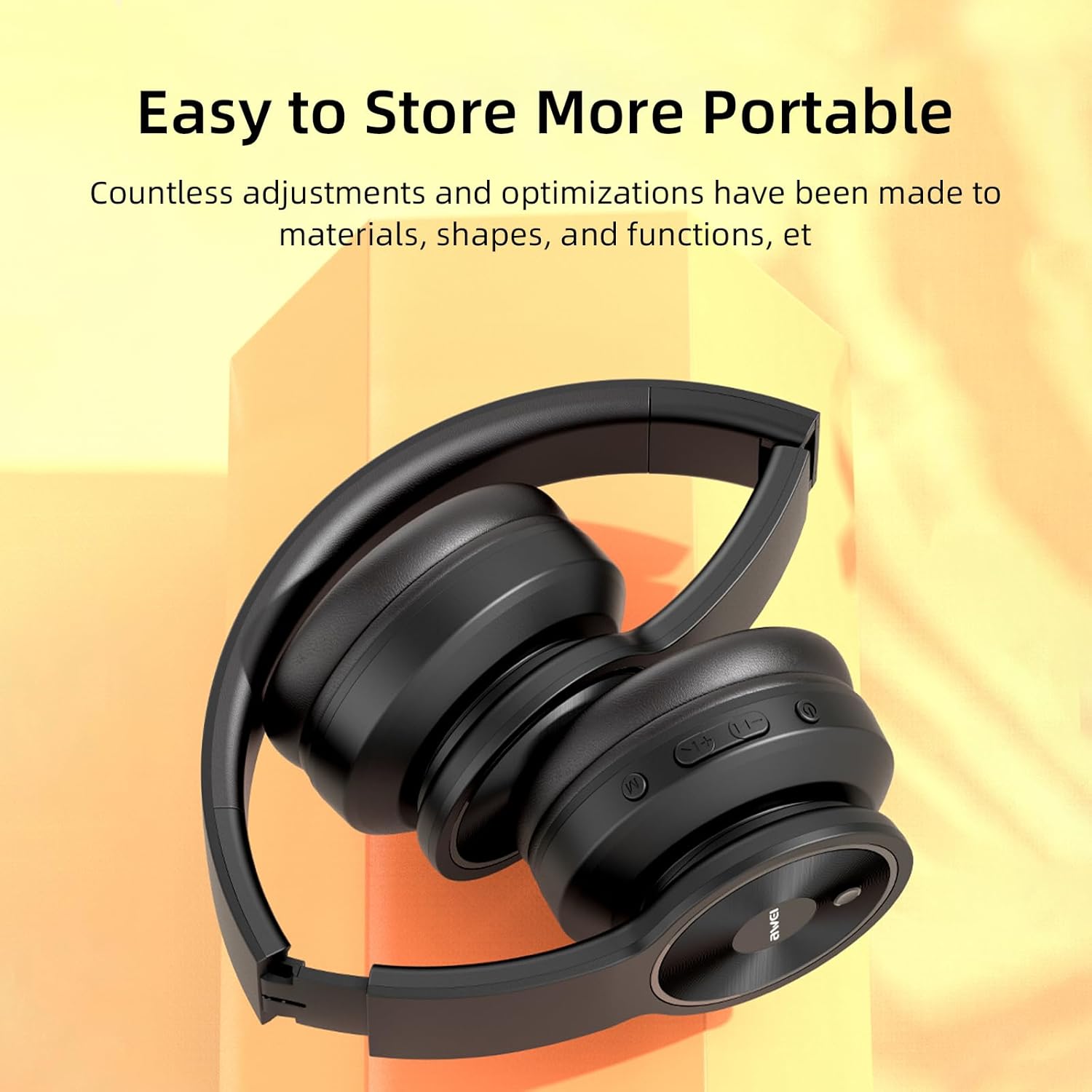
Image: The AWEI A996BL headphones in a folded position, demonstrating their portable and easy-to-store design.
العناية بالبطارية
- للحفاظ على عمر البطارية، اشحن سماعات الرأس بانتظام، حتى لو لم يتم استخدامها بشكل متكرر.
- تجنب تفريغ البطارية بالكامل لفترات طويلة.
- لا تعرض البطارية لدرجات حرارة عالية.
استكشاف الأخطاء وإصلاحها
| مشكلة | حل |
|---|---|
| لا يتم تشغيل سماعات الرأس. | Ensure the headphones are charged. Connect to a power source using the USB cable. |
| لا يمكن الاقتران بالجهاز. |
|
| لا يوجد صوت أو مستوى الصوت منخفض. |
|
| جودة الصوت رديئة أو متقطعة. |
|
| الميكروفون لا يعمل. |
|
تحديد
| ميزة | التفاصيل |
|---|---|
| نموذج | طائرة A996BL |
| نسخة البلوتوث | 5.3 |
| حجم السائق | 40 ملم |
| سعة البطارية | 300 مللي أمبير |
| وقت اللعب | تصل إلى 16 ساعة |
| وقت الشحن | حوالي 2 ساعات |
| لاسلكي المدى | حتى 33 قدم (10 أمتار) |
| الاتصال | لاسلكي (بلوتوث)، سلكي (AUX 3.5 مم) |
| المميزات الخاصة | Ergonomic, Lightweight, Foldable design |
| وضع الأذن | فوق الأذن |
الضمان والدعم
AWEI provides a 12-month warranty for the A996BL headphones from the date of purchase, covering manufacturing defects. A 30-day return policy is also available. For any questions, technical support, or warranty claims, please contact our customer service team.
دعم العملاء:
- بريد إلكتروني: support@awei.com
- Webموقع: www.awei.com
هدفنا هو الرد على جميع الاستفسارات خلال 12 ساعة.