
مقدمة
This manual provides detailed instructions for the operation and maintenance of your Cuifati Portable Cassette Player with Auto Reverse. Please read this manual thoroughly before using the device to ensure proper functionality and to maximize your listening experience.
محتويات الحزمة
تأكد من تضمين جميع العناصر المدرجة أدناه في الحزمة الخاصة بك:
- 1 x Cuifati Portable Cassette Player
- 1 × سماعة رأس
- 1 × سلك طاقة USB
- 1 × دليل المستخدم
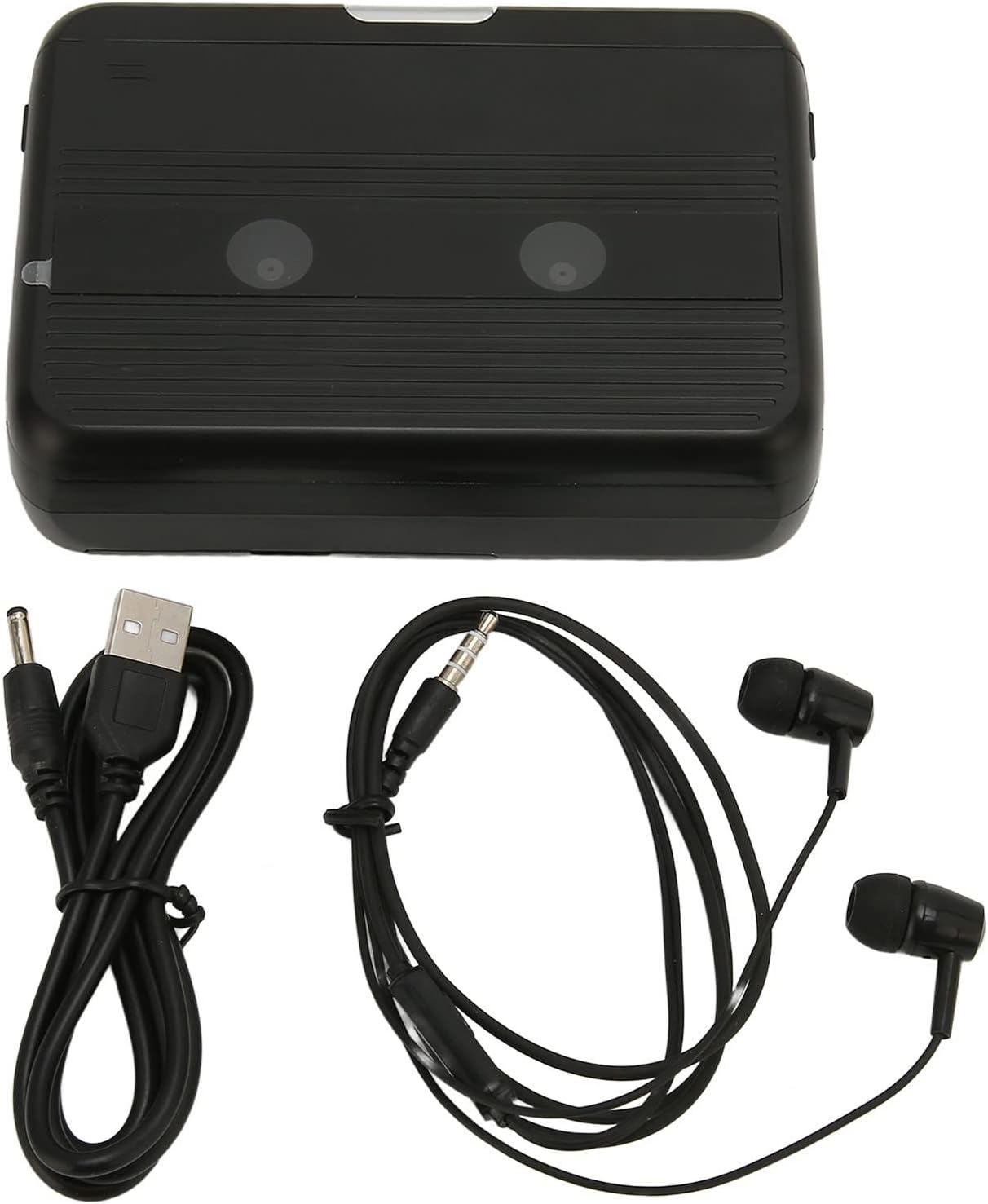
The Cuifati Portable Cassette Player shown alongside its included USB power cord and wired headphones.
المنتج انتهىview
تعرّف على الأجزاء المختلفة وأدوات التحكم في مشغل الكاسيت الخاص بك.
أمام View (يفتح)
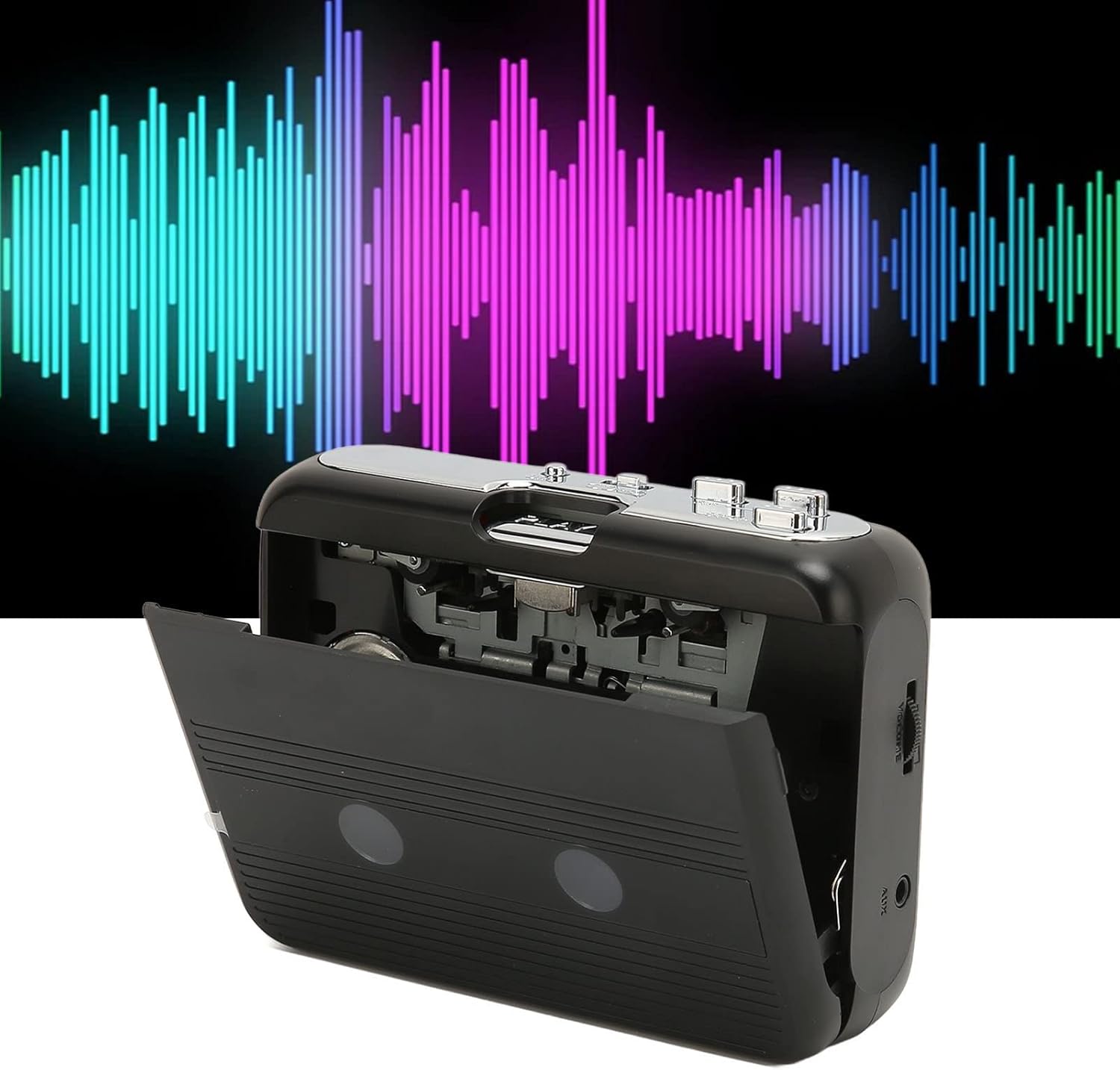
أمام view of the Cuifati Portable Cassette Player with the cassette compartment door open, revealing the tape mechanism.
أمام View (مغلق)
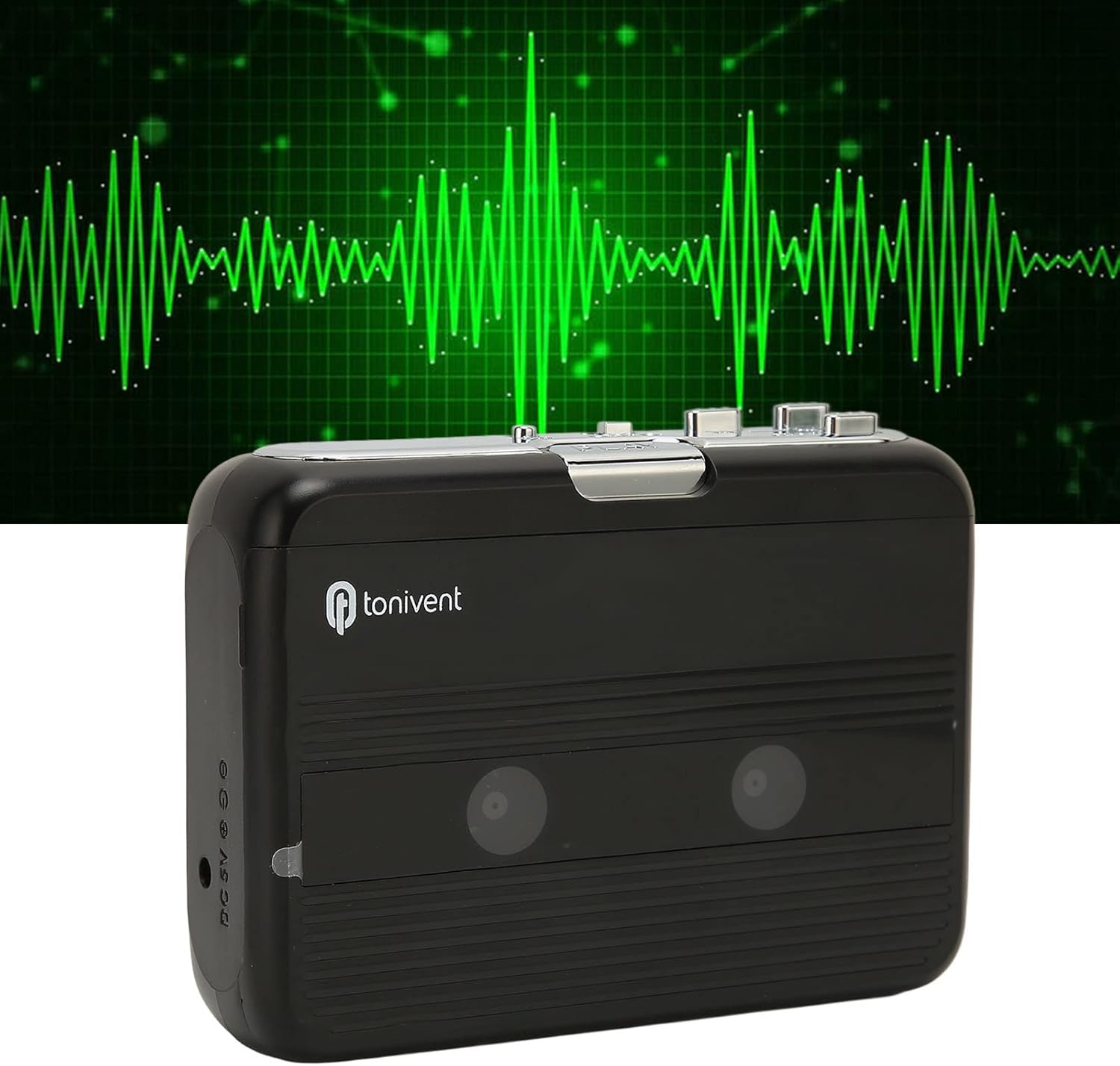
أمام view of the Cuifati Portable Cassette Player with the cassette compartment door closed.
Cassette Mechanism

عن قرب view of the cassette player's internal mechanism, showing the tape heads and rollers.
جانب View (التحكمات والمنافذ)

جانب view of the cassette player, highlighting the volume control wheel and the AUX output port.
عناصر التحكم الرئيسية:
- زر التشغيل: يبدأ تشغيل شريط الكاسيت.
- زر التوقف: Halts playback.
- Fast Forward (FF) Button: يُحرك الشريط بسرعة.
- Rewind (REW) Button: يعيد الشريط بسرعة.
- Auto Reverse Button: Changes tape direction during playback.
- عجلة التحكم في مستوى الصوت: ضبط مستوى إخراج الصوت.
- FM/Tape Switch: Selects between FM radio and cassette playback mode.
- Headphone/AUX Output Jack: Connects headphones or external audio devices.
- مدخلات DC 5V: لإمداد طاقة USB.
يثبت
مزود الطاقة
The cassette player can be powered by two (2) AA batteries or via a USB power supply.
- تركيب البطارية:
- افتح غطاء حجرة البطارية الموجود في الجزء الخلفي من الجهاز.
- قم بإدخال بطاريتين AA، مع التأكد من القطبية الصحيحة (+/-) كما هو موضح داخل الحجرة.
- أغلق غطاء حجرة البطارية جيدًا.
- توصيل الطاقة عبر منفذ USB:
- Connect the small end of the included USB power cord to the DC 5V input port on the cassette player.
- Connect the standard USB end to a USB power adapter (not included) or a computer's USB port.
إدخال شريط كاسيت
- افتح باب حجرة الكاسيت برفق.
- Insert a cassette tape with the exposed tape facing upwards and the side you wish to play facing the front.
- أغلق باب حجرة الكاسيت حتى تسمع صوت طقطقة محكم.
تعليمات التشغيل
لعب الكاسيت
- تأكد من إدخال شريط الكاسيت بشكل صحيح.
- Set the FM/Tape switch to the "Tape" position.
- اضغط على يلعب زر لبدء التشغيل.
- ضبط عجلة التحكم في مستوى الصوت إلى مستوى الاستماع الذي ترغب فيه.
- لإيقاف التشغيل ، اضغط على قف زر.
- للتقديم السريع، اضغط على FF الزر. للرجوع للوراء، اضغط ريو زر. صحافة قف to disengage.
Auto Reverse Function
The player features an auto-reverse function, allowing the tape to play in both directions without needing to manually flip the cassette.
- أثناء التشغيل، اضغط على الرجوع التلقائي button to switch the tape direction. The player will automatically reverse and continue playing the other side of the tape.
استخدام راديو FM
- Set the FM/Tape switch to the "FM" position.
- Use the tuning dial (if present, otherwise the FF/REW buttons might serve as tuning) to scan for FM radio stations.
- ضبط عجلة التحكم في مستوى الصوت إلى مستوى الاستماع الذي ترغب فيه.
Using the Built-in Speaker
The device includes a built-in speaker for direct audio output. No special action is required; audio will play through the speaker unless headphones are connected.
Connecting Headphones or External Audio Devices
For private listening or connecting to external speakers, use the 3.5mm headphone/AUX output jack.
- Plug the included headphones or your own 3.5mm audio cable into the Headphone/AUX Output Jack.
- When headphones are connected, audio will automatically switch from the built-in speaker to the headphones.

A person listening to music with headphones, illustrating the headphone usage.
صيانة
Proper care ensures the longevity and optimal performance of your cassette player.
- تنظيف: استخدم قطعة قماش ناعمة وجافة لتنظيف الجزء الخارجي من الجهاز. لا تستخدم منظفات سائلة أو مواد كاشطة.
- رؤوس الشريط: Periodically clean the tape heads with a specialized cassette head cleaner to maintain sound quality.
- تخزين: عند عدم استخدام الجهاز لفترات طويلة، قم بإزالة البطاريات لمنع التسرب. خزّن الجهاز في مكان بارد وجاف بعيدًا عن أشعة الشمس المباشرة ودرجات الحرارة القصوى.
- تجنب الغبار: Keep the cassette compartment closed when not in use to prevent dust accumulation.
استكشاف الأخطاء وإصلاحها
If you encounter issues with your cassette player, refer to the following common problems and solutions:
| مشكلة | السبب المحتمل | حل |
|---|---|---|
| لا يوجد طاقة | Dead batteries; USB cable not connected; faulty power source. | Replace batteries; ensure USB cable is securely connected to a working power source. |
| No sound from speaker/headphones | Volume too low; headphones not fully plugged in; FM/Tape switch in wrong position; dirty tape heads. | Increase volume; ensure headphones are fully inserted; set switch to correct mode (Tape/FM); clean tape heads. |
| Poor sound quality (cassette) | Dirty tape heads; worn-out tape; incorrect tape insertion. | Clean tape heads; try a different tape; re-insert tape correctly. |
| تشويش راديو FM / استقبال ضعيف | إشارة ضعيفة، تداخل. | Relocate the player to an area with better reception; try adjusting the player's orientation. |
| الشريط لا يعمل/لا يتحرك | Tape jammed; mechanism issue; tape not inserted correctly. | Check for tape jams; ensure tape is inserted correctly; if issue persists, contact support. |
تحديد
| ميزة | التفاصيل |
|---|---|
| ماركة | كييفاتي |
| رقم الموديل | Cuifatibi73wk0z4p |
| ASIN | B0CDD42V9J |
| مزود الطاقة | 2 x AA Batteries or USB DC 5V |
| الوظائف | Cassette Playback, Auto Reverse, FM Radio, Built-in Speaker, Headphone Output |
| مخرج الصوت | 3.5mm Headphone/AUX Jack |
| وزن العنصر | 10.3 أونصات |
معلومات هامة حول السلامة
- لا تعرض الجهاز للماء أو الرطوبة أو درجات الحرارة العالية.
- تجنب إسقاط الجهاز أو تعريضه لصدمات قوية.
- لا تحاول تفكيك الجهاز أو إصلاحه بنفسك. قم بإحالة جميع أعمال الصيانة إلى فنيين مؤهلين.
- تخلص من البطاريات بطريقة مسؤولة وفقًا للوائح المحلية.
- قد يؤدي الاستماع لفترات طويلة بمستويات صوت عالية إلى تلف السمع. اضبط مستوى الصوت على مستوى آمن.
الضمان والدعم
For warranty information or technical support, please refer to the documentation provided at the time of purchase or contact your retailer. Keep your purchase receipt as proof of purchase.