
1. المقدمة
This manual provides instructions for the proper setup, operation, and maintenance of your Tera 3106-2 1D USB Wired Barcode Scanner. Please read this manual thoroughly before using the device to ensure optimal performance and longevity.
2. انتهى المنتجview
The Tera 3106-2 is a high-speed, accurate 1D barcode scanner designed for various applications including retail, small businesses, libraries, and warehouses. It features a plug-and-play USB connection and supports multiple customization options.

الشكل 2.1: The Tera 3106-2 scanner is designed to be eye-safe, operating without a visible laser.
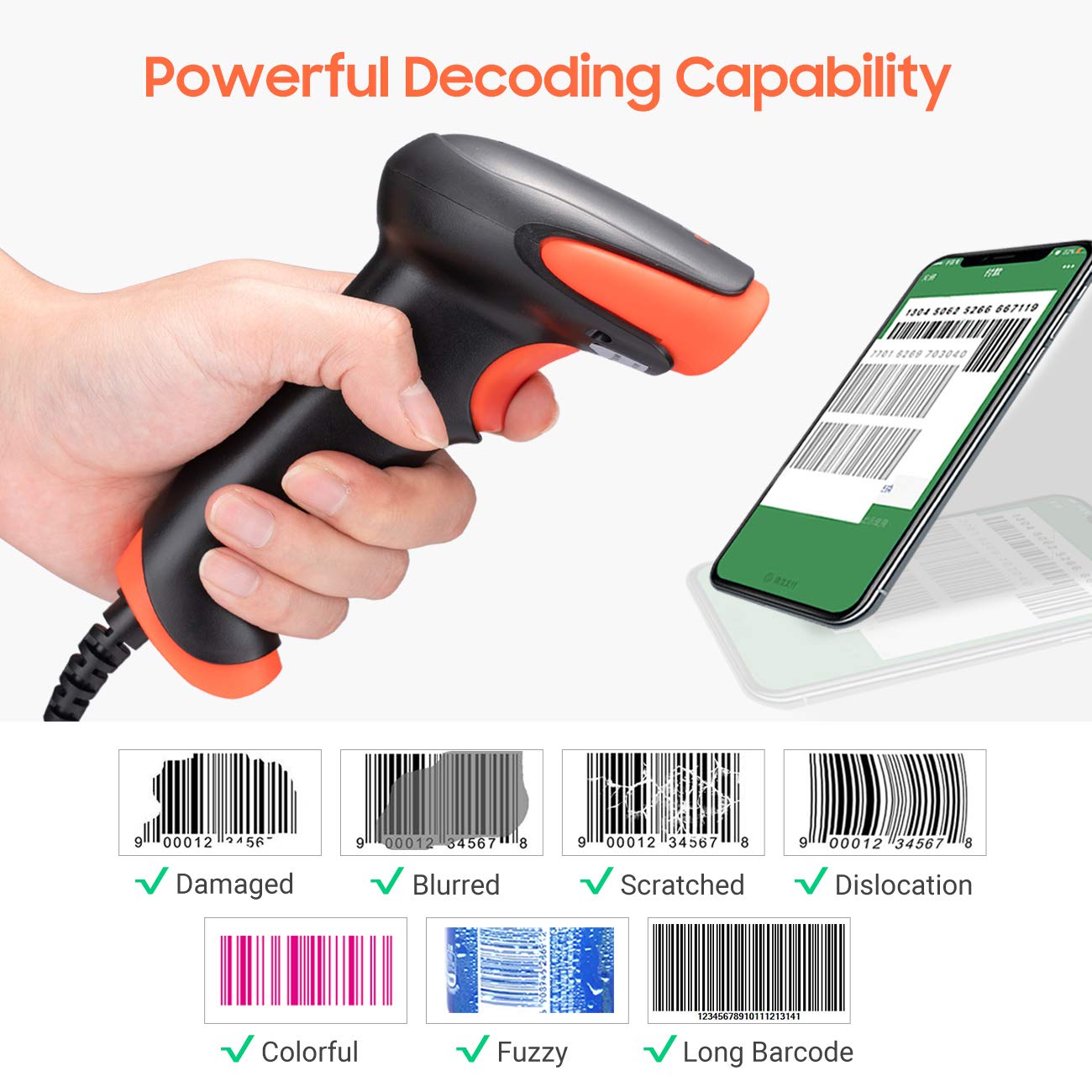
الشكل 2.2: The scanner offers powerful decoding capabilities, accurately reading damaged, blurred, scratched, dislocated, colorful, fuzzy, and long 1D barcodes.
3. محتويات العبوة
- Tera 3106-2 Barcode Scanner x1
- دليل المستخدم x1
4. الإعداد
The Tera 3106-2 barcode scanner is designed for simple plug-and-play operation. No additional drivers or software installation is required for most systems.
- قم بتوصيل كبل USB: Plug the USB cable of the scanner into an available USB 2.0 port on your computer (desktop or laptop).
- التعرف على النظام: Your operating system (Windows, Linux, macOS, iOS, Android) will automatically detect and install the necessary device drivers. This process may take a few moments.
- جاهز للاستخدام: Once the system indicates that the device is ready, the scanner can be used with applications such as Word, Excel, Novell, or other common software that accepts keyboard input.

الشكل 4.1: The scanner is compatible with various devices and operating systems, including Windows, Linux, macOS, iOS, and Android.
5. تعليمات التشغيل
5.1 المسح الأساسي
To scan a barcode, aim the scanner's light beam at the center of the barcode. A successful scan will typically be indicated by an audible beep and/or a visual confirmation (e.g., LED indicator). The decoded data will appear in the active input field on your connected device.
5.2 أوضاع المسح
يدعم الماسح الضوئي وضعين أساسيين للمسح الضوئي:
- المسح اليدوي: Press the trigger button to initiate a scan. This is the default mode.
- Auto Continuous Scanning: The scanner continuously emits a scan beam, automatically reading barcodes presented to it without needing to press the trigger.
To switch between these modes, refer to the configuration barcodes provided in the supplementary user guide or quick start sheet that came with your scanner. Scan the appropriate barcode to change the mode.
6. خيارات التخصيص
The Tera 3106-2 scanner offers various customization settings to adapt to your specific needs. These settings are typically configured by scanning special barcodes found in the included user guide.
- البادئة/اللاحقة: أضف أحرفًا مخصصة قبل أو بعد البيانات الممسوحة ضوئيًا.
- مقدار: Adjust the sound level of the scan confirmation beep.
- المُنهي: Configure the character sent after the barcode data (e.g., Carriage Return, Tab).
- Upper/Lower Case: Convert scanned data to all uppercase or all lowercase.
- لغة لوحة المفاتيح: Select the appropriate keyboard layout for your region. Supported languages include English, Spanish, German, French, Italian, Japanese, and more.
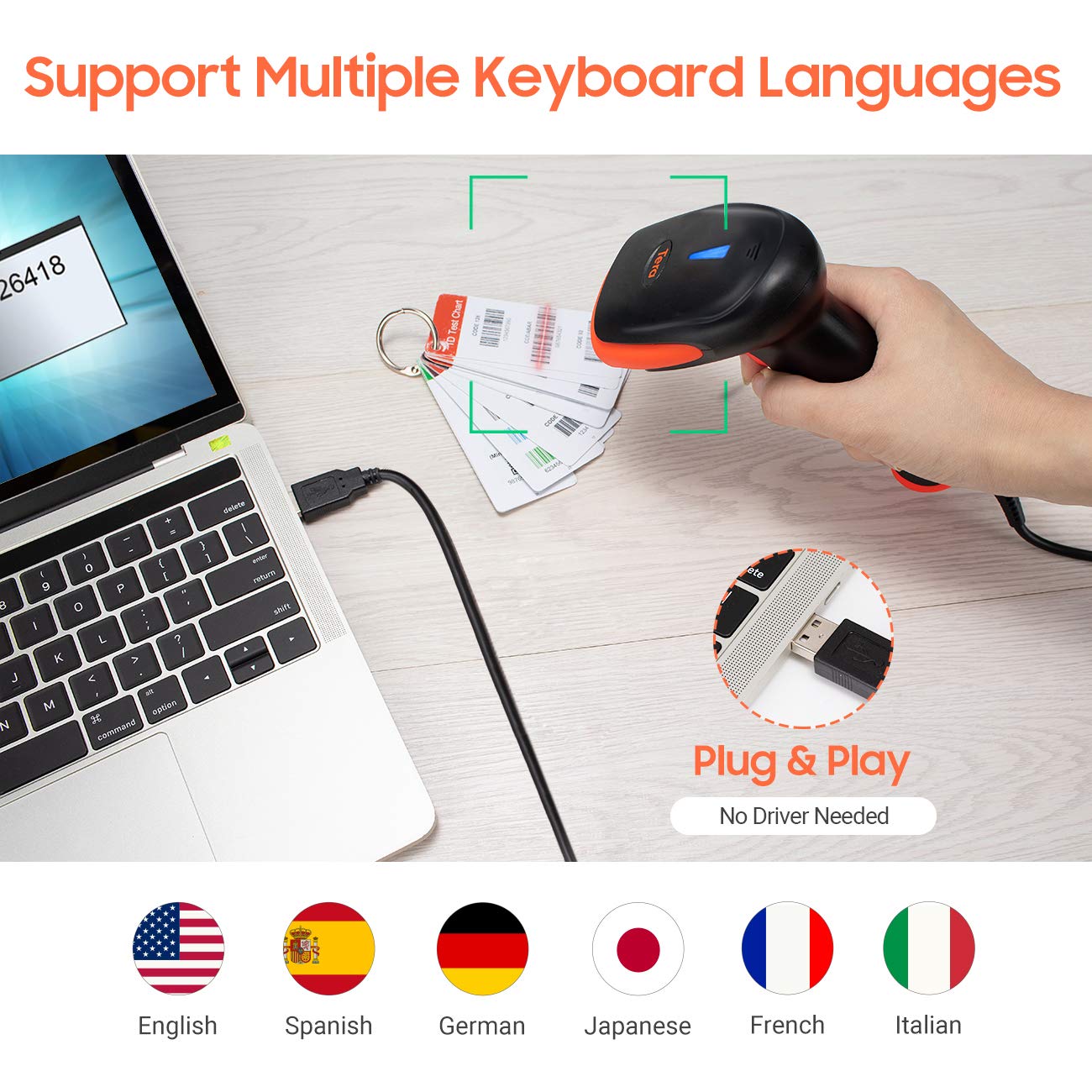
الشكل 6.1: The scanner supports multiple keyboard languages for diverse international use.

الشكل 6.2: Customize barcode output by adding prefixes, suffixes, or hiding specific digits.
7. الباركودات المدعومة
This scanner is compatible with a wide range of 1D barcode symbologies, including but not limited to:
- UPC&EAN (UPC-A, UPC-E, EAN-8, EAN-13)
- Code 39, CODE32, Code 93, CODE11, Code 128, UCC-EAN128
- ISSN, ISBN
- CODABAR, MSI
- Interleaved 2 of 5, Matrix 2 of 5, Industrial 2 of 5
- و اكثر.
The scanner also supports reading 1D barcodes directly from digital screens.
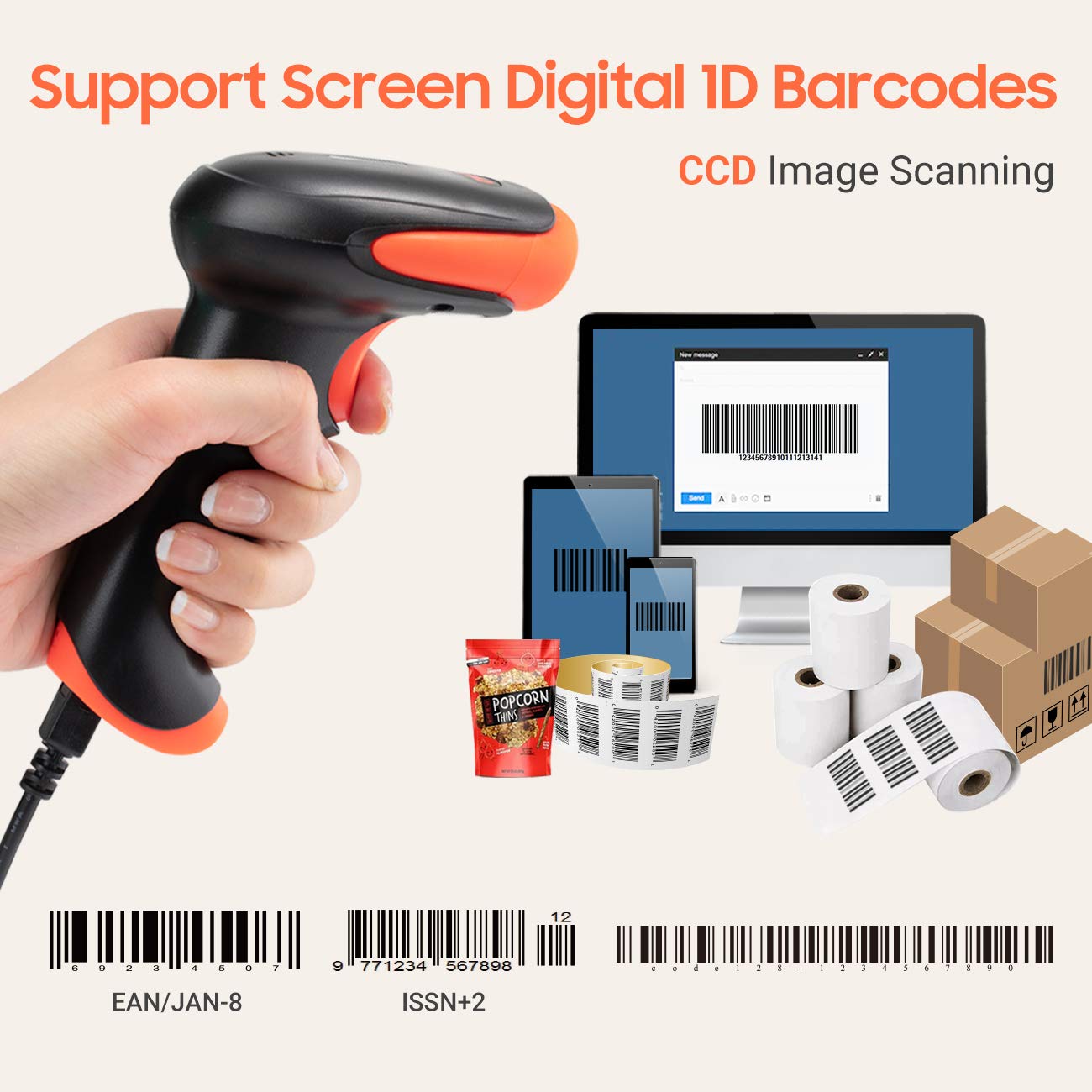
الشكل 7.1: The scanner supports reading 1D barcodes from various sources, including digital screens and printed labels.
8. الصيانة
- تنظيف: استخدم قطعة قماش ناعمة وجافة لتنظيف الجزء الخارجي من الماسح الضوئي. بالنسبة لنافذة المسح الضوئي، استخدم قطعة قماش ناعمة وخالية من الوبر وامسحها برفق.ampيُنظف بالماء أو بمنظف خفيف غير كاشط. تجنب استخدام المواد الكيميائية القاسية.
- تخزين: قم بتخزين الماسح الضوئي في مكان بارد وجاف بعيدًا عن أشعة الشمس المباشرة ودرجات الحرارة القصوى.
- التعامل: Avoid dropping the scanner or subjecting it to strong impacts. Do not attempt to disassemble the device.
9. استكشاف الأخطاء وإصلاحها
| مشكلة | السبب المحتمل | حل |
|---|---|---|
| الماسح الضوئي لا يعمل أو لا يستجيب. | كابل USB غير متصل بشكل صحيح أو منفذ USB معيب. | تأكد من توصيل كابل USB بإحكام بكل من الماسح الضوئي والكمبيوتر. جرب منفذ USB آخر. |
| Scanner reads barcodes slowly or inaccurately. | Barcode is damaged, blurred, or poorly printed. Insufficient lighting. Scanner window is dirty. | Ensure the barcode is clear and well-lit. Clean the scanner window. Try scanning from a different angle or distance. |
| Scanner does not read barcodes from digital screens. | Screen brightness is too low or glare is present. | Increase screen brightness. Adjust the angle of the scanner to minimize glare. Ensure the barcode is fully displayed on the screen. |
| Scanned data appears incorrectly (e.g., wrong characters, missing digits). | Incorrect keyboard language setting. Prefix/suffix or other data formatting settings are active. | Verify the keyboard language setting matches your computer's keyboard layout. Review and adjust prefix/suffix or other data formatting settings using the configuration barcodes. |
| يصدر الماسح الضوئي صوت تنبيه ولكن لا يتم إرسال أي بيانات. | التطبيق غير مُفعّل أو لا يقبل المدخلات. | Ensure the cursor is in the desired input field of your application. Test with a simple text editor like Notepad. |
10. المواصفات
| ميزة | التفاصيل |
|---|---|
| نموذج | 3106-2 |
| نوع المسح | 1D Laser (Eye Safe) |
| الاتصال | USB Wired (USB 2.0) |
| سرعة المسح | Up to 300 scans per second |
| معدل الخطأ | 1 in 5 million scans |
| الأجهزة المتوافقة | سطح المكتب، الكمبيوتر المحمول |
| الأنظمة المتوافقة | Windows, Linux, macOS, iOS, Android |
| مصدر الطاقة | كهرباء سلكية (عبر USB) |
| أبعاد المنتج (العمق × العرض × الارتفاع) | 7.9 × 19.3 × 10.4 سنتيمتر |
| الرموز الشريطية أحادية الأبعاد المدعومة | UPC&EAN, UPC-A, UPC-E, Code 39, CODE32, Code 93, CODE11, Code 128, UCC-EAN128, EAN-8, EAN-13, ISSN, ISBN, CODABAR, MSI, Interleaved 2 of 5, Matrix 2 of 5, Industrial 2 of 5, etc. |
11. الضمان والدعم
For warranty information, technical support, or service inquiries, please refer to the contact details provided with your purchase documentation or visit the official Tera webيرجى الاحتفاظ بإثبات الشراء الخاص بك للمطالبة بالضمان.