
1. الإعداد والتجميع
This section guides you through unboxing and assembling your Dyson V15 Detect Cordless Vacuum Cleaner, ensuring it is ready for first use.
1.1 محتويات الصندوق
Carefully unpack all components. The package should contain the following items:
- Dyson V15 Detect Total Clean Vacuum
- رأس تنظيف عالي العزم
- رأس التنظيف Laser Slim Fluffy ™
- أداة الجمع
- أداة الشقوق
- أداة برغي الشعر
- فرشاة الأوساخ العنيدة
- فرشاة تنظيف الغبار الصغيرة الناعمة
- مشبك العصا
- شاحن
- محطة الإرساء

Image: All components of the Dyson V15 Detect vacuum cleaner, including the main unit, various cleaner heads, tools, charger, and docking station, are displayed.
1.2 الشحن الأولي
Before first use, fully charge the vacuum cleaner's battery. Connect the charger to the docking station or directly to the vacuum. A full charge typically takes approximately 4.5 hours. The LCD screen will indicate the charging status.
2. تعليمات التشغيل
Learn how to effectively use your Dyson V15 Detect for optimal cleaning performance across various surfaces and situations.
2.1 أوضاع الطاقة
The Dyson V15 Detect offers three power modes to suit different cleaning tasks:
- نمط الصدى: For longer run time and lighter cleaning tasks.
- نظام آلي: Automatically adjusts suction power based on dust levels and floor type, providing a balance of power and run time.
- وضع التعزيز: For intensive spot cleaning and stubborn dirt, offering maximum suction power.

Image: Visual representation of the three power modes: Eco, Auto, and Boost, with corresponding battery level indicators.
2.2 Illuminated Cleaner Head and Dust Sensing
The Laser Slim Fluffy™ cleaner head features an integrated laser that illuminates microscopic dust particles on hard floors, making invisible dust visible. The vacuum's Piezo sensor continuously measures dust particles, and the LCD screen displays real-time data on the size and quantity of dust collected, allowing the vacuum to automatically adjust suction power in Auto mode.

Image: The Laser Slim Fluffy cleaner head in action, showing a green laser beam highlighting dust particles on a dark floor surface.

الصورة: تفصيلية view of the Dyson V15 Detect's LCD screen, displaying a graph of dust particle sizes and counts, along with remaining run time.
2.3 تنظيف متعدد الاستخدامات
The V15 Detect is designed for comprehensive cleaning:
- تنظيف الأرضيات: Use the High Torque cleaner head for carpets and the Laser Slim Fluffy™ cleaner head for hard floors.
- High-Up Cleaning: The lightweight design allows for easy cleaning of ceilings and high shelves.
- الوضع المحمول: Detach the wand to transform the vacuum into a handheld unit for cleaning furniture, car interiors, and tight spaces.
- إزالة شعر الحيوانات الأليفة: The Hair Screw Tool is specifically designed to pick up long hair and pet hair without tangling.

Image: A woman demonstrates the versatility of the Dyson V15 Detect, cleaning floors, reaching high areas, and using it as a handheld vacuum for pet hair on a sofa.
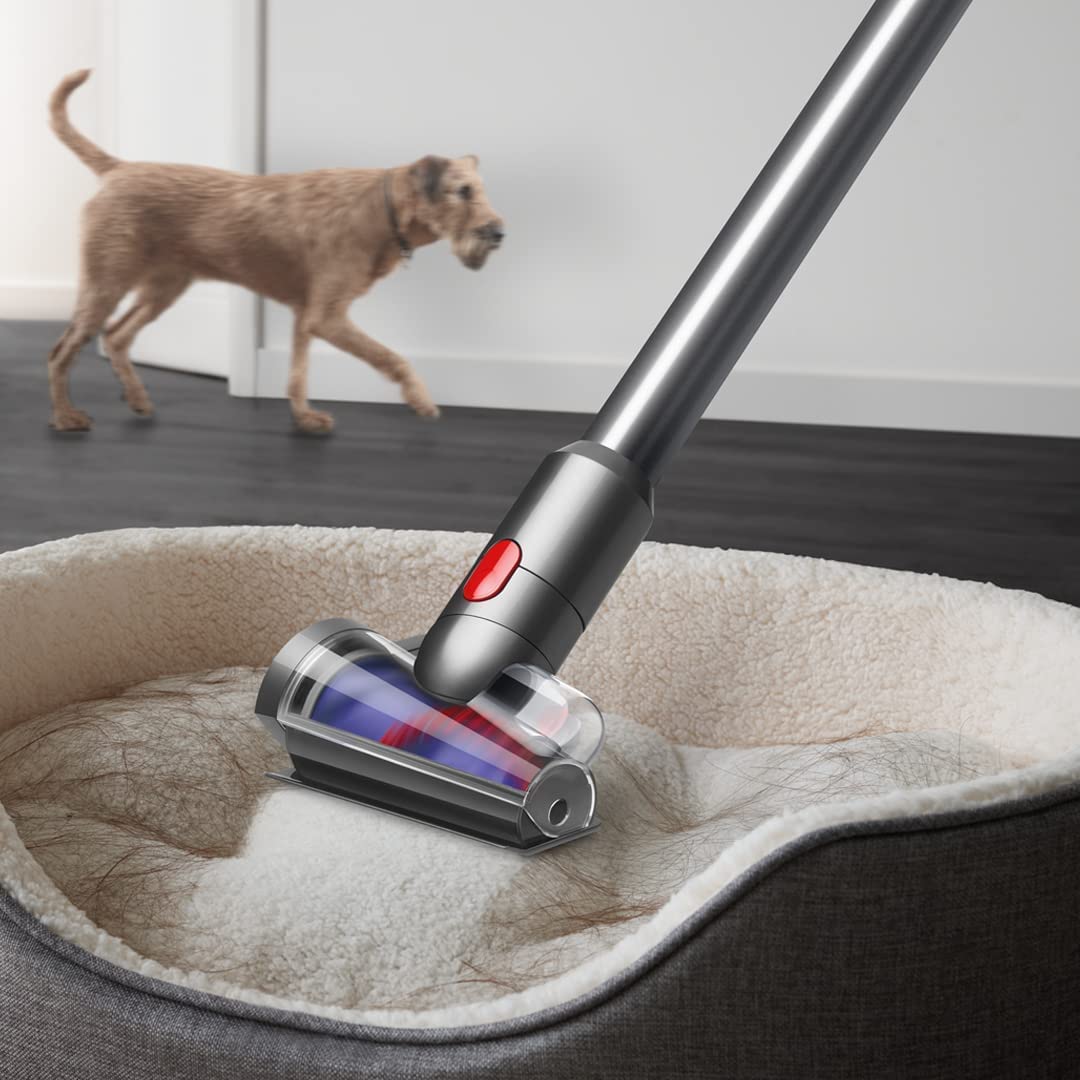
Image: The Hair Screw Tool attachment is shown effectively removing pet hair from a pet bed.
3. الصيانة
Regular maintenance ensures your Dyson V15 Detect continues to perform efficiently.
3.1 Bin Emptying
Empty the bin when the dirt reaches the MAX fill line. To empty, hold the vacuum over a waste bin and push the red lever to release the dirt. This is a no-touch process.

Image: A person demonstrates the no-touch bin emptying mechanism, releasing collected debris directly into a waste bin.
3.2 صيانة المرشح
The vacuum features an advanced filtration system. Regularly check and clean the filter according to the instructions provided in the full manual to maintain suction power and air quality.

الصورة: داخلية view illustrating the multi-stage advanced filtration system within the vacuum, designed to capture fine dust and allergens.
3.3 Cleaner Head Maintenance
The cleaner heads, especially the Laser Slim Fluffy™ head, can be washed. Ensure they are completely dry before reattaching. The High Torque cleaner head is engineered to de-tangle hair automatically during cleaning, reducing manual maintenance.

Image: A hand is shown rinsing the soft roller of the Fluffy Optic cleaner head under running water, indicating it is washable for easy maintenance.
4. استكشاف الأخطاء وإصلاحها
If you encounter issues with your Dyson V15 Detect, refer to these common troubleshooting tips.
- لا توجد طاقة/لا يتم الشحن: Ensure the charger is properly connected to a working power outlet and the vacuum. Check for any damage to the charger cable or battery.
- انخفاض الشفط: Check if the bin is full and needs emptying. Inspect cleaner heads and wand for blockages. Ensure the filter is clean and correctly installed.
- رأس المنظف لا يدور: Check for obstructions in the cleaner head brush bar. Ensure the cleaner head is securely attached to the wand or main body.
- LCD Screen Errors: Refer to the full Dyson V15 Detect manual for specific error codes and their solutions.
5. المواصفات
| ميزة | التفاصيل |
|---|---|
| ماركة | دايسون |
| اسم الموديل | كشف V15 |
| ميزة خاصة | Bagless, Cord-free, Handheld, LCD Screen, Motorized Tools |
| نوع الفلتر | خرطوشة |
| توصية السطح | جميع الطوابق |
| مصدر الطاقة | تعمل بالبطارية |
| المجلدtage | 50 فولت |
| وزن العنصر | 2.74 كيلوغرام |
| سعة الحاوية | 0.77 لتر |
| وقت التشغيل | حتى 60 دقيقة |
| مستوى الضوضاء | 82 ديسيبل |
| واتtage | 240 واط |
| الأبعاد (الطول × العرض × الارتفاع) | 26.5 طول × 25 عرض × 107.5 ارتفاع بالسنتيمتر |
| طريقة التحكم | يلمس |
6. معلومات الضمان
Your Dyson V15 Detect Cordless Vacuum Cleaner comes with a ضمان الشركة المصنعة لمدة 2 سنواتيغطي هذا الضمان عيوب المواد والتصنيع في ظل الاستخدام العادي. يُرجى الاحتفاظ بإيصال الشراء للمطالبة بالضمان.
7. دعم العملاء
For further assistance, technical support, or warranty inquiries, please contact Dyson customer service:
- جهة اتصال الشركة المصنعة: 1800-258-6688
- للتواصل مع المستورد: شركة Dyson Technology India Pvt. المحدودة.
You can also visit the official Dyson webالموقع للحصول على مزيد من المعلومات وموارد الدعم عبر الإنترنت.