
ATOMSTACK ATOMSTACK A5 PRO BK US
دليل التعليمات ATOMSTACK A5 Pro Laser Engraver
Model: ATOMSTACK A5 PRO BK US
1. انتهى المنتجview
The ATOMSTACK A5 Pro is a versatile commercial-grade laser engraver and cutter designed for precision work on a wide range of materials. Featuring a 5W output power laser module and a 32-bit MCU motherboard, it offers efficient and stable performance for both engraving and cutting tasks. Its robust aluminum alloy construction ensures durability and a longer service life, making it suitable for continuous 7x24H operation in commercial and DIY environments.

Figure 1.1: The ATOMSTACK A5 Pro Laser Engraver, a robust machine designed for commercial and DIY engraving and cutting.
المميزات الرئيسية:
- أداء تجاري عالي الجودة: Supports 7x24H continuous engraving, ideal for mass production and commercial DIY needs.
- بناء متين: Made of aluminum alloy with a black anti-oxidation and anti-rust coating for enhanced stability and longevity.
- Upgraded Laser Technology: Equipped with a 5-5.5W powerful laser module and a 0.08mm x 0.08mm compressed spot for precise engraving and clear patterns.
- التوافق الواسع للمواد: Capable of engraving and cutting metal, wood, stainless steel, cylinder, rubber, leather, glass (requires blackening), PCB boards, acrylic, and more.
- Advanced Motherboard: 32-bit MCU motherboard ensures faster data processing and smoother operation.
- توافق البرامج: Compatible with LaserGRBL (Windows XP/7/8/10) and LightBurn (Windows/Mac OS).
- تصميم حماية العين: Features an eye protection cover to reduce laser exposure.
- مروحة تبريد مدمجة: Ensures optimal performance during extended use.
الشكل 1.2: انتهىview of the ATOMSTACK A5 Pro's key features, including its durable aluminum alloy body, 32-bit MCU, eye protection, and continuous engraving capability.
2. معلومات السلامة
Operating a laser engraver involves inherent risks. It is crucial to read and understand all safety warnings and instructions before using the ATOMSTACK A5 Pro. Failure to follow these guidelines may result in serious injury, fire, or damage to the equipment.
احتياطات السلامة العامة:
- حماية العين: Always wear the provided protective glasses or equivalent laser safety goggles (OD4+) when the laser is active. Never look directly at the laser beam.
- تهوية: Operate the engraver in a well-ventilated area to dissipate fumes and smoke produced during engraving and cutting. Consider using an exhaust fan or air purifier.
- خطر الحريق: قد تتسبب عمليات النقش والقطع بالليزر في اشتعال المواد القابلة للاشتعال. لذا، احرص على وجود مطفأة حريق في مكان قريب، ولا تترك الجهاز دون مراقبة أثناء التشغيل.
- سلامة المواد: Only engrave or cut materials that are safe for laser processing. Avoid materials that produce toxic fumes (e.g., PVC, vinyl) or are highly reflective.
- الأطفال والحيوانات الأليفة: Keep children and pets away from the laser engraver at all times.
- سطح مستقر: Place the engraver on a stable, level, and non-flammable surface.
- التوقف في حالات الطوارئ: Familiarize yourself with the location of the power switch and be prepared to turn off the machine immediately in case of an emergency.
- السلامة الكهربائية: Ensure the power supply is correctly rated for your region and the machine. Do not operate with damaged cables or plugs.
- فئة الليزر: This product is a Class 4 laser device. Exercise extreme caution.
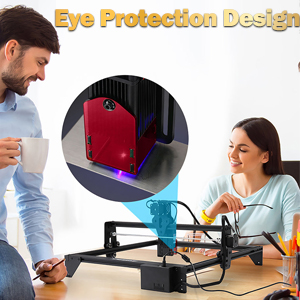
Figure 2.1: The ATOMSTACK A5 Pro features an eye protection cover, but users must still wear protective glasses during operation.
3. محتويات العبوة
Before beginning assembly, please verify that all components listed below are present in your package. If any parts are missing or damaged, contact ATOMSTACK customer service immediately.

Figure 3.1: Visual representation of the ATOMSTACK A5 Pro package contents.
قائمة المكونات:
- Support Beam (Top)
- صندوق التحكم
- Foot Bracket (x3)
- رأس الليزر
- مجموعة أدوات
- Y-axis Left Slide Rail
- Support Beam (Bottom)
- Y-axis Right Slide Rail
- X-axis Rail
- صفائح الأكريليك
- Focusing Sheet
- ربط الأسلاك
- فرشاة
- حزام متزامن
- Test Wooden Board
- نظارات واقية
- كابل الطاقة
- محول
- Data Line (USB Cable)
- مسامير التثبيت
- دليل المنتج
4. الإعداد والتجميع
The ATOMSTACK A5 Pro is designed for easy assembly. Follow these steps to set up your laser engraver.
4.1 Mechanical Assembly:
Refer to the included product manual for detailed step-by-step assembly instructions and diagrams. The machine features an all-metal structure for stability.
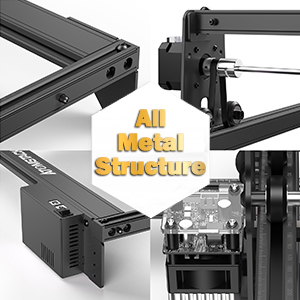
Figure 4.1: The ATOMSTACK A5 Pro boasts an all-metal structure for enhanced durability and precision.
4.2 Software Installation and Connection:
The ATOMSTACK A5 Pro is compatible with popular laser control software. It is recommended to use the latest versions of the software for optimal performance.
- ليزرGRBL: A free, open-source software suitable for new laser users. Supports Windows XP/7/8/10. Download from the official LaserGRBL webموقع.
- لايت بيرن: A paid, professional laser control software offering advanced features. Supports Windows/Mac OS/Linux. Download from the official LightBurn webموقع.
Connect the engraver to your computer using the provided Data Line (USB Cable). Ensure the power adapter is connected and the machine is powered on before launching the software.
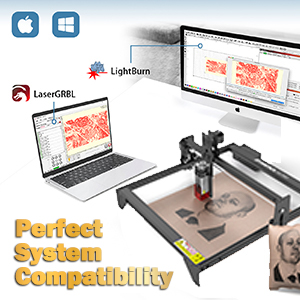
Figure 4.2: The ATOMSTACK A5 Pro offers perfect system compatibility with LaserGRBL and LightBurn software.
4.3 Focusing the Laser:
Proper focusing is critical for achieving precise engraving and cutting results. Use the provided focusing sheet to set the correct focal length for the laser module. The laser module features a quick-release design for easy height adjustment.
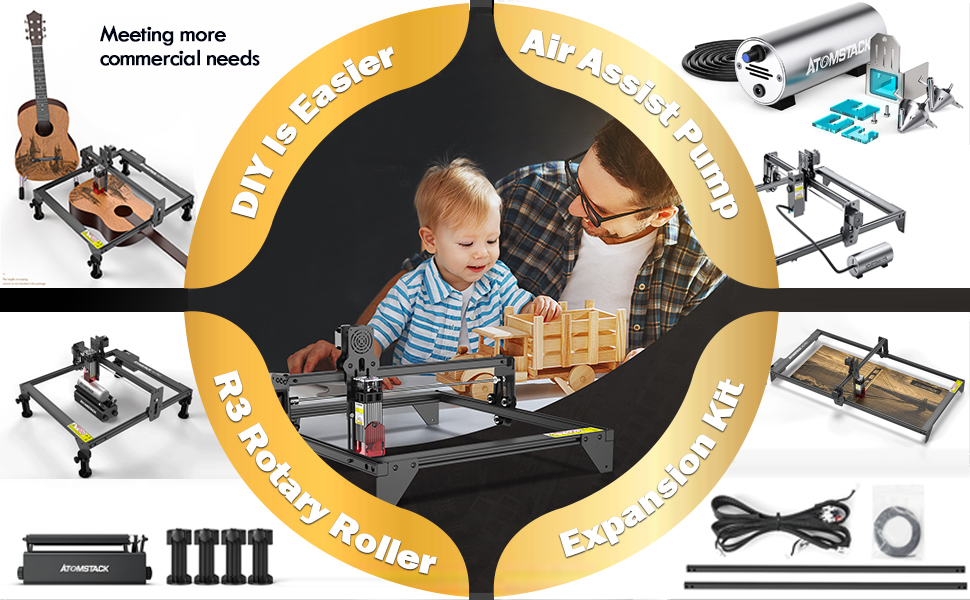
Figure 4.3: The laser module utilizes quadruple lens compression technology for a fine, compressed spot, requiring accurate focusing for optimal performance.
5. دليل التشغيل
This section provides guidance on operating your ATOMSTACK A5 Pro for various engraving and cutting tasks.
5.1 Preparing Your Design:
Use your chosen software (LaserGRBL or LightBurn) to import or create your design. The engraver supports various file formats including NC, DXF, BMP, JPG, PNG, etc.
5.2 Material Selection and Parameter Settings:
The ATOMSTACK A5 Pro is capable of working with a wide array of materials. Optimal results depend on selecting the correct laser power, speed, and number of passes for each material. Refer to the material parameter settings table for recommended values. For materials like glass and ceramics, blackening the surface may be required for effective engraving.

الشكل 5.1: مثالample of material parameter settings for various materials, crucial for achieving desired engraving and cutting quality.

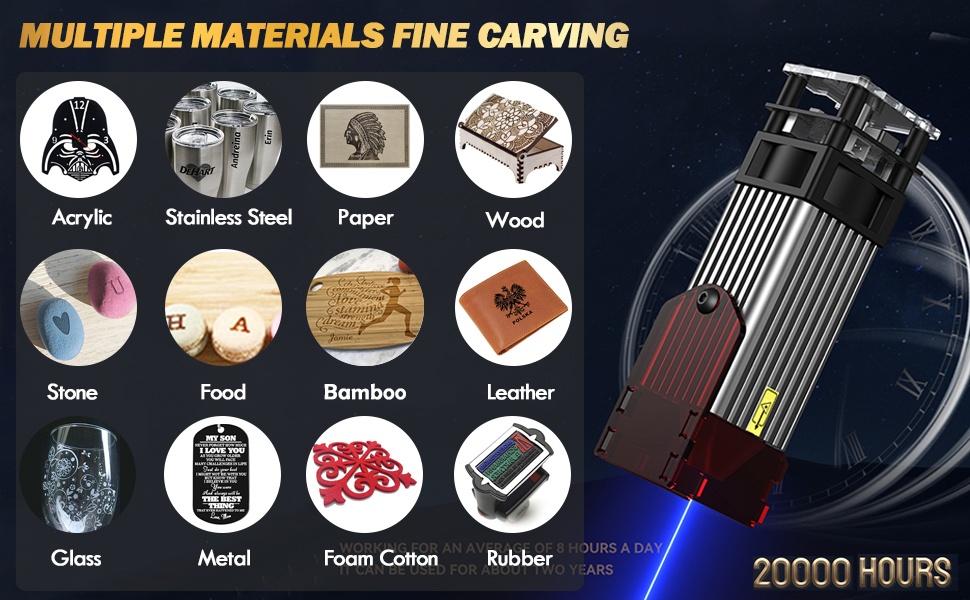
Figure 5.2: The ATOMSTACK A5 Pro supports fine carving on multiple materials including acrylic, stainless steel, paper, wood, leather, glass, and more.
5.3 Starting an Engraving/Cutting Job:
- Place your material securely on the working area.
- Adjust the laser focus according to the material thickness.
- قم بتحميل التصميم الخاص بك file في البرنامج.
- Set the appropriate laser parameters (power, speed, passes) based on your material and desired outcome.
- Perform a frame test to ensure the design fits within your material.
- Initiate the engraving/cutting process from the software.
- Monitor the process closely and ensure proper ventilation.
5.4 Commercial Use and Accessories:
The ATOMSTACK A5 Pro is built for commercial use, supporting continuous operation. For enhanced capabilities, consider compatible accessories:
- مضخة مساعدة الهواء: Improves cutting performance by blowing away smoke and debris, resulting in cleaner cuts and reduced charring.
- R3 Rotary Roller: يُمكّن من النقش على الأجسام الأسطوانية مثل الأكواب والزجاجات.
- مجموعة التوسعة: Extends the working area for larger projects.
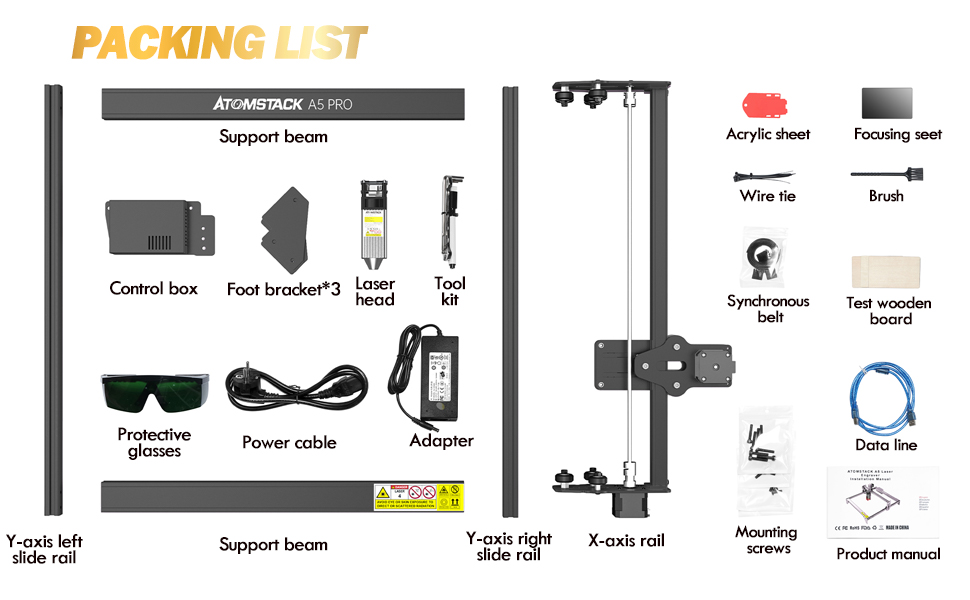
Figure 5.3: Various accessories like the Air Assist Pump, R3 Rotary Roller, and Expansion Kit can enhance the functionality of your ATOMSTACK A5 Pro.
5.5 فيديو توضيحي للمنتج:
Video 5.1: A demonstration of the ATOMSTACK laser engraver's capabilities, showcasing the engraving of a motorcycle model. This video highlights the precision and detail achievable with the machine.
6. الصيانة
Regular maintenance ensures the longevity and optimal performance of your ATOMSTACK A5 Pro.
6.1 التنظيف:
- عدسة الليزر: Gently clean the laser lens with a lint-free cloth and lens cleaning solution specifically designed for optics. A dirty lens can significantly reduce laser power and engraving quality.
- Rails and Belts: Periodically inspect and clean the guide rails and synchronous belts to remove dust and debris. This ensures smooth movement of the laser head.
- النظافة العامة: Wipe down the machine's frame and components with a soft, dry cloth. Avoid using abrasive cleaners or solvents.
6.2 تزييت:
Apply a small amount of machine lubricant to the guide rails and lead screws (if applicable) every few months, or as needed, to ensure smooth operation.
6.3 تحديثات البرامج الثابتة:
Check the official ATOMSTACK website periodically for firmware updates. Keeping your firmware up-to-date can improve performance, add new features, and resolve potential issues. Follow the instructions provided with the firmware update carefully.
7. استكشاف الأخطاء وإصلاحها
يتناول هذا القسم المشكلات الشائعة التي قد تواجهها ويقدم حلولاً محتملة.
| مشكلة | السبب المحتمل | حل |
|---|---|---|
| الليزر لا يعمل أو أن إشارته ضعيفة. |
|
|
| الجهاز لا يتصل بالبرنامج. |
|
|
| Engraving quality is poor (blurry, inconsistent). |
|
|
| Air assist not working (if applicable). |
|
|
8. المواصفات الفنية
| ميزة | التفاصيل |
|---|---|
| رقم الموديل | ATOMSTACK A5 PRO BK US |
| طاقة خرج الليزر | 5 واط - 5.5 واط |
| Laser Engraving Power | 40W (Machine Power) |
| حجم البقعة | 0.08mm x 0.08mm (Compressed Spot) |
| اللوحة الأم | شنومكس بت مكو |
| أبعاد المنتج | 23.23 × 13.39 × 4.8 بوصة |
| وزن العنصر | 11.77 رطل |
| البرامج المدعومة | ليزر GRBL، لايت بيرن |
| مدعوم File التنسيقات | NC, DXF, BMP, JPG, PNG, etc. |
| دورة الليزر | الصف الثاني |
| التشغيل المستمر | 7x24 H. |
9. الضمان ودعم العملاء
ATOMSTACK is committed to providing excellent customer service and support for your A5 Pro laser engraver.
9.1 معلومات الضمان:
نحن نقدم 12 أشهر of free parts replacement from the date of purchase. This warranty covers manufacturing defects and malfunctions under normal use conditions.
9.2 الدعم الفني:
ATOMSTACK offers دائم professional technical customer service. If you encounter any issues, have questions about operation, or require assistance with your engraver, please do not hesitate to contact our support team.
معلومات الاتصال:
- Refer to the contact details provided in your product manual or on the official ATOMSTACK webموقع.
- For Amazon purchases, you can also contact the seller "FKX-ATOMSTACK" through the Amazon platform.
Ask a question about this manual
Ask about setup, troubleshooting, compatibility, parts, safety, or missing instructions. Manuals+ will review the question and use this page’s manual context to help answer it.