
مقدمة
Thank you for choosing the AVMTON Wireless Gaming Mouse. This manual provides detailed instructions on how to set up, operate, and maintain your new mouse, ensuring optimal performance and an enhanced gaming and work experience. Designed for comfort and precision, this ergonomic wireless mouse features adjustable DPI, customizable buttons, and vibrant RGB lighting.
المنتج انتهىview
The AVMTON Wireless Gaming Mouse is engineered for both gaming and office use, offering a comfortable ergonomic design and responsive control. It features a honeycomb hollow design with RGB backlighting, providing both aesthetic appeal and lightweight performance.
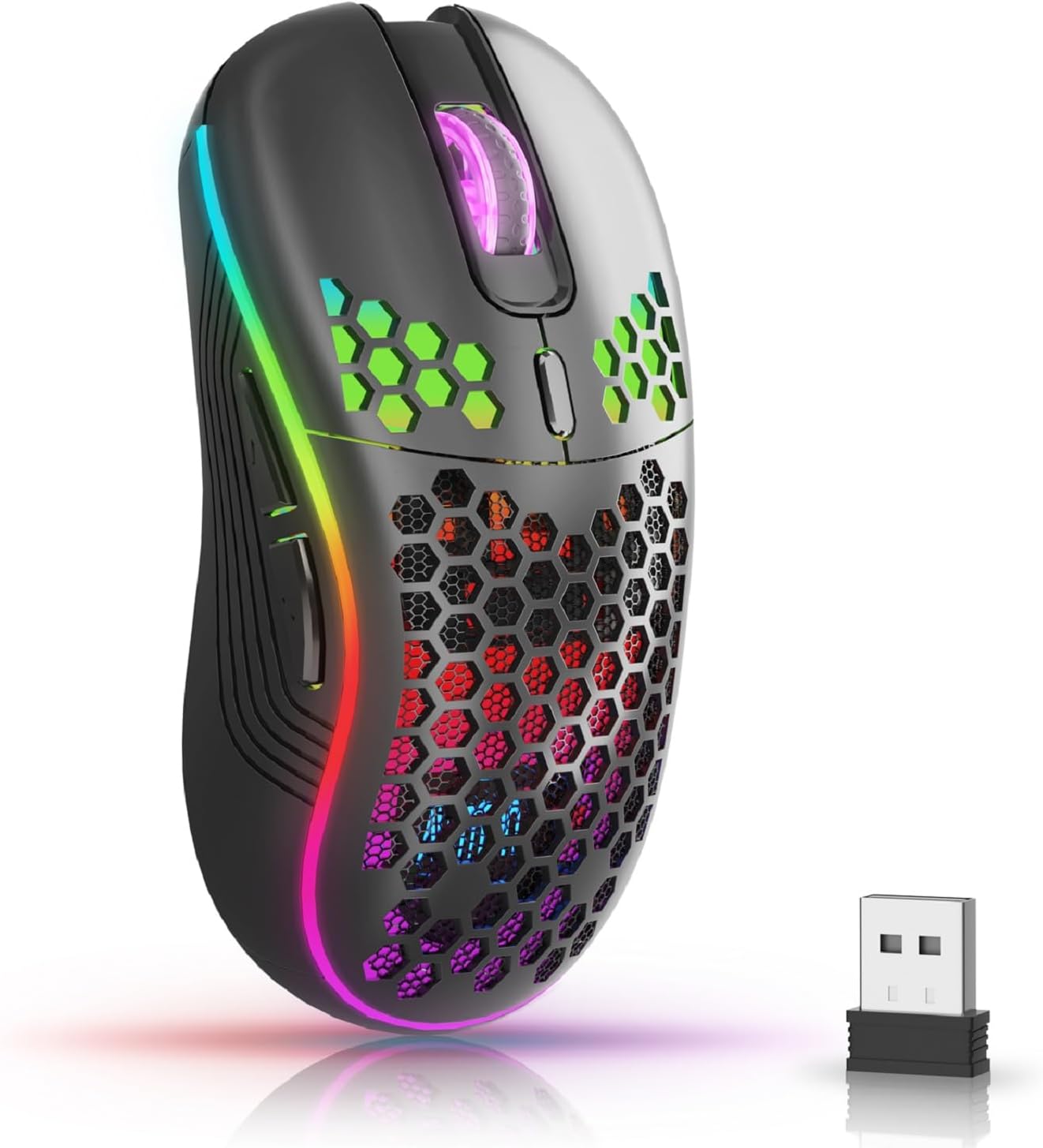
The AVMTON Wireless Gaming Mouse in black, featuring RGB lighting and a honeycomb design, shown alongside its compact USB receiver.

Illustration of the mouse's connectivity modes, including Type-C charging, 2.4G wireless receiver, and a 10m sensing range, suitable for home, gaming, and office environments.
المميزات الرئيسية:
- تصميم مريح: Shaped to fit the hand comfortably, reducing strain during extended use.
- DPI قابل للتعديل: Easily switch between 800/1200/1600/2400/4800 DPI settings for precise control.
- 6 أزرار قابلة للبرمجة: Includes forward/backward, left/right click, scroll wheel, and DPI adjustment button.
- بطارية قابلة لإعادة الشحن: Built-in lithium battery with USB-C charging, offering 15-20 days of use on a single charge.
- تصميم بنقرة صامتة: Ideal for quiet environments like libraries or offices.
- التوافق الواسع: Supports Windows 2000/ME/XP/7/8/10/Vista/98, Mac OS, Linux, and compatible with laptops, PCs, desktops, and Macbooks.
- بناء متين: Tested for over 5 million clicks, ensuring long-lasting performance.
دليل الإعداد
Follow these steps to set up your AVMTON Wireless Gaming Mouse:
- شحن الماوس: Before first use, fully charge the mouse using the provided USB-C charging cable. Connect the cable to the mouse's Type-C port and a USB power source (e.g., computer USB port, USB wall adapter). The charging indicator will show the charging status.
- حدد موقع جهاز استقبال USB: The compact USB 2.4G wireless receiver is typically stored in a compartment on the underside of the mouse for safe keeping during transport.
- توصيل جهاز الاستقبال: Insert the USB receiver into an available USB port on your computer (laptop, PC, desktop, Macbook).
- تشغيل الطاقة: قم بتشغيل الماوس باستخدام مفتاح الطاقة الموجود في الجزء السفلي من الماوس.
- الاتصال التلقائي: The mouse should automatically connect to your computer. No additional drivers are usually required for basic functionality.
تعليمات التشغيل
Understanding the functions of your mouse buttons and settings will enhance your experience.
وظائف الأزرار:
- زر النقر الأيسر: وظيفة النقر الأساسية القياسية.
- زر النقر بالزر الأيمن: وظيفة النقر الثانوية القياسية.
- عجلة التمرير: قم بالتمرير لأعلى أو لأسفل خلال المستندات و web الصفحات. يمكن أيضًا الضغط عليها لوظيفة النقر بالزر الأوسط.
- زر تعديل DPI: Located near the scroll wheel. Press this button to cycle through available DPI settings (800/1200/1600/2400/4800). Each press changes the cursor speed and sensitivity.
- زر للأمام: Typically located on the side of the mouse. Used for navigating forward in web المتصفحات أو file المستكشفون.
- زر الرجوع: Typically located on the side of the mouse. Used for navigating backward in web المتصفحات أو file المستكشفون.
التحكم في الإضاءة الخلفية RGB:
The mouse features dynamic RGB backlighting. If you prefer to turn off the backlight, refer to the specific instructions provided with your mouse or check the manufacturer's website for software utilities, if available. Some models allow toggling RGB with a combination of buttons (e.g., DPI button + another button).
صيانة
Proper maintenance ensures the longevity and performance of your mouse.
- الشحن: Recharge the mouse when the battery indicator shows low power. A full charge provides approximately 15-20 days of use. It is recommended to fully charge the mouse before extensive use.
- تنظيف: استخدم قطعة قماش ناعمة وجافة لتنظيف سطح الفأرة. بالنسبة للأوساخ المستعصية، استخدم قطعة قماش مبللة قليلاً.amp يمكن استخدام قطعة قماش، ولكن يجب التأكد من عدم دخول الرطوبة إلى المكونات الداخلية. تجنب استخدام المواد الكيميائية القاسية أو المواد الكاشطة.
- تخزين: عند عدم استخدام الماوس لفترات طويلة، قم بإيقاف تشغيله لتوفير طاقة البطارية. خزّنه في مكان بارد وجاف.
استكشاف الأخطاء وإصلاحها
If you encounter issues with your AVMTON Wireless Gaming Mouse, try the following solutions:
- الماوس لا يستجيب:
- تأكد من تشغيل الماوس.
- تأكد من توصيل جهاز استقبال USB بشكل آمن بمنفذ USB يعمل على جهاز الكمبيوتر الخاص بك.
- Recharge the mouse. A low battery can cause unresponsiveness.
- حاول توصيل مستقبل USB بمنفذ USB مختلف.
- أعد تشغيل الكمبيوتر الخاص بك.
- اتصال متقطع أو متقطع:
- Ensure the mouse is within the 10-meter sensing range of the USB receiver.
- Remove any large metallic objects or other wireless devices that might be causing interference between the mouse and the receiver.
- Try moving the USB receiver to a port closer to the mouse.
- DPI Adjustment Not Working:
- Ensure you are pressing the dedicated DPI adjustment button.
- إذا استمرت المشكلة، فحاول إعادة تشغيل الماوس وجهاز الكمبيوتر.
- أضواء RGB لا تعمل:
- Check if the RGB backlight has been intentionally turned off (refer to "RGB Backlight Control" in Operating Instructions).
- تأكد من أن بطارية الماوس مشحونة بشكل كافٍ.
If these steps do not resolve the issue, please contact AVMTON customer support for further assistance.
تحديد
| ميزة | التفاصيل |
|---|---|
| ماركة | أفمتون |
| رقم الموديل | AV-DDMB-1 |
| لون | أسود |
| تكنولوجيا الاتصال | لاسلكي بتردد 2.4 جيجا هرتز (مستقبل USB) |
| إعدادات DPI | 800 / 1200 / 1600 / 2400 / 4800 |
| عدد الأزرار | 6 |
| اتجاه اليد | يمين |
| عمر البطارية | Approx. 15-20 days (on a single charge) |
| منفذ الشحن | يو إس بي من النوع سي |
| أنظمة التشغيل المتوافقة | Windows 2000/ME/XP/7/8/10/Vista/98, Mac OS, Linux |
| الأجهزة المتوافقة | كمبيوتر شخصي، كمبيوتر محمول |
| المميزات الخاصة | Portable, Ergonomic, Rechargeable, RGB Backlight, Silent Click |
الضمان والدعم
AVMTON offers a 12-month worry-free after-sales service for this product. If you encounter any problems with your wireless mouse, please do not hesitate to contact us. Our customer support team is ready to assist you.
For support, please visit the official AVMTON webالموقع أو اتصل بتاجر التجزئة الخاص بك.