
AZATOM AZSPTLSBK1
Spitalfields 2 Portable DAB/DAB+ Digital FM Radio User Manual
Model: AZSPTLSBK1 | Brand: AZATOM
مقدمة
شكرا لك على الشراءasing the AZATOM Spitalfields 2 Portable DAB/DAB+ Digital FM Radio. This manual provides essential information for setting up, operating, and maintaining your new radio. Please read this manual thoroughly before use to ensure proper functionality and to maximize your listening experience.
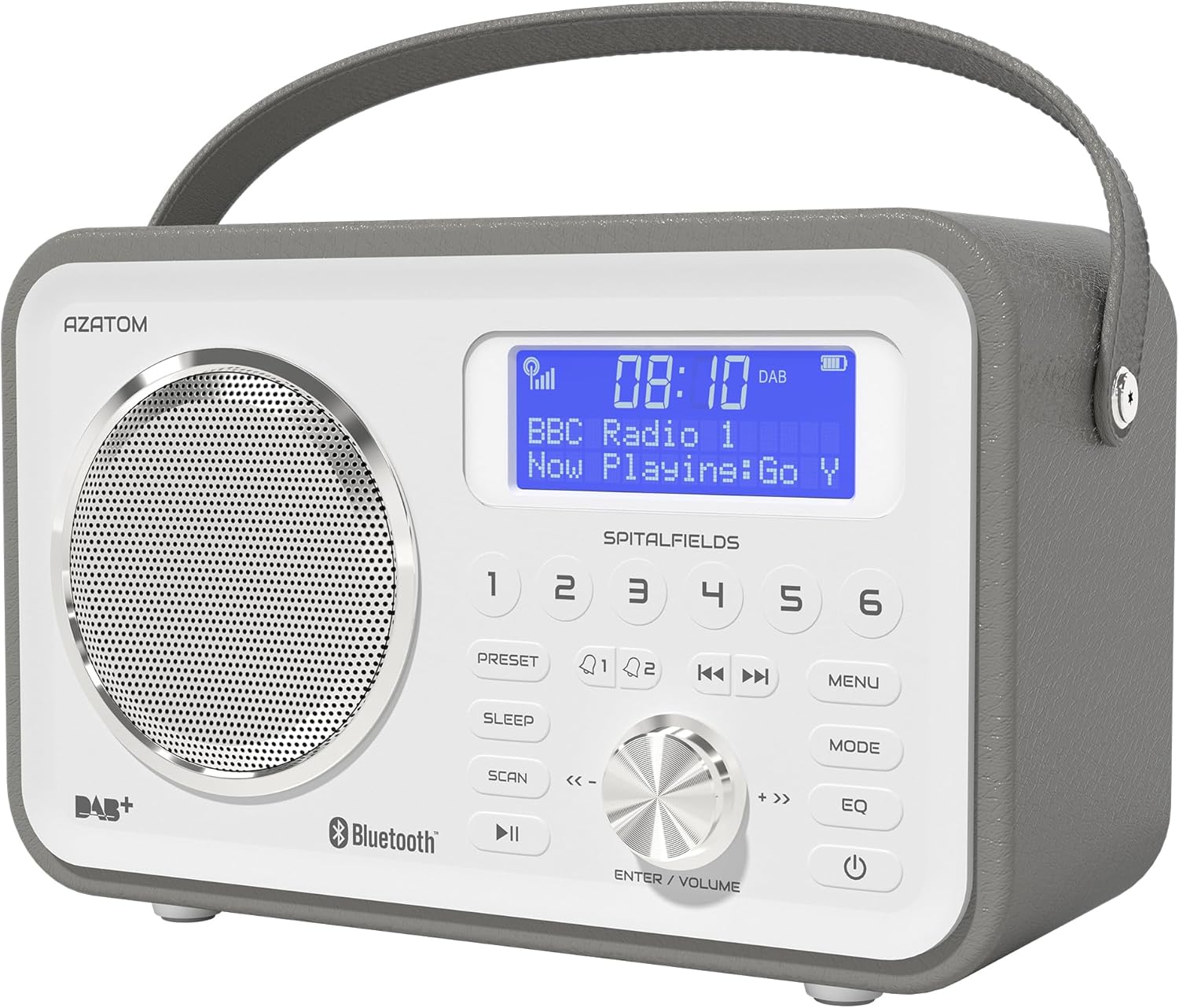
The AZATOM Spitalfields 2 radio features a classic retro design with a modern digital display and intuitive controls.
تعليمات السلامة الهامة
Always follow these basic safety precautions when using your radio:
- لا تعرض الوحدة للمطر أو الرطوبة أو درجات الحرارة العالية.
- لا تقم بتفكيك الوحدة أو تعديلها. قم بإحالة جميع أعمال الصيانة إلى فنيين مؤهلين.
- تأكد من التهوية المناسبة حول الوحدة لمنع ارتفاع درجة الحرارة.
- استخدم فقط محول الطاقة المرفق مع الوحدة.
- أبقِ الوحدة بعيدًا عن المجالات المغناطيسية القوية.
- تجنب الاستماع بمستويات صوت عالية للغاية لفترات طويلة لمنع تلف السمع.
الميزات الرئيسية
- راديو DAB/DAB+ وراديو FM: Enjoy a wide range of digital and analog radio stations.
- اتصال بلوتوث 5.0: Wirelessly stream audio from your compatible devices.
- وظيفة المنبه: Set multiple alarms with snooze and sleep timer features.
- بطارية قابلة لإعادة الشحن: بطارية مدمجة للاستخدام المحمول.
- المحطات مسبقة الضبط: Store your favorite DAB and FM stations for quick access.
- جهاز التحكم عن بعد: Conveniently operate the radio from a distance.
- Quality Stereo Sound: Enhanced audio experience with a built-in subwoofer.
DAB/DAB+/FM Radio

Experience crystal-clear digital radio with DAB/DAB+ or tune into traditional FM broadcasts.
اتصال بلوتوث 5.0

Effortlessly stream music from your smartphone, tablet, or other Bluetooth-enabled devices.
Alarm Clock & Sleep Timer

Wake up to your favorite station or a buzzer with the integrated alarm clock, and drift off to sleep with the adjustable sleep timer.
Pre-set Stations

Quickly access your preferred radio stations by saving them to the dedicated preset buttons.
بطارية قابلة لإعادة الشحن

The built-in rechargeable battery allows for convenient portable use, perfect for any room or on the go.
Premier Control with Remote
Control all functions of your radio from the comfort of your couch using the included remote control.
محتويات الحزمة
يرجى التأكد من وجود جميع العناصر:
- AZATOM Spitalfields 2 DAB/DAB+ Digital FM Radio
- محول الطاقة
- جهاز التحكم عن بعد
- دليل المستخدم (هذا المستند)
المنتج انتهىview
Familiarize yourself with the controls and display of your Spitalfields 2 radio.
The front panel features a clear display, speaker, and various control buttons.
عناصر التحكم في اللوحة الأمامية
- شاشة العرض: Shows time, station information, and menu options.
- الأزرار المحددة مسبقًا (1-6): Store and recall your favorite stations.
- زر الإعداد المسبق: Access preset memory.
- زر النوم: ضبط مؤقت النوم.
- زر المسح الضوئي: Automatically scan for stations.
- زر التشغيل / الإيقاف المؤقت: Play/pause in Bluetooth mode.
- زر القائمة: الوصول إلى إعدادات النظام.
- زر الوضع: التبديل بين أوضاع DAB وFM وBluetooth.
- زر EQ: اضبط إعدادات المعادل.
- زر الطاقة: قم بتشغيل الوحدة / إيقاف تشغيلها.
- ENTER/VOLUME Knob: Rotate to adjust volume or navigate menus; press to confirm selection.
- SKIP Buttons (<<, >>): Navigate tracks in Bluetooth mode or stations in radio mode.
يثبت
تشغيل الطاقة
- قم بتمديد الهوائي التلسكوبي بالكامل للحصول على استقبال مثالي.
- Connect the supplied power adapter to the DC IN port on the back of the radio and plug it into a wall outlet. The internal battery will begin charging.
- اضغط على قوة زر لتشغيل الراديو.
Initial Scan (DAB/FM)
Upon first power-on, the radio will automatically perform a full scan for DAB stations. This may take a few minutes. Once complete, the radio will tune to the first available station.
- To manually initiate a scan in DAB mode, press the مسح ضوئي زر.
- في وضع FM، اضغط مع الاستمرار على مسح ضوئي button to auto-scan for the next available station.
ضبط الوقت والتاريخ
The time and date are usually automatically set via DAB signal. If not, or if you wish to adjust manually:
- اضغط على قائمة طعام زر.
- تدوير ENTER/VOLUME knob to navigate to 'System Settings' and press the knob to confirm.
- Navigate to 'Time/Date' and press to confirm.
- Select 'Set Time/Date' or 'Auto Update' as desired and follow the on-screen prompts.
تعليمات التشغيل
Radio Modes (DAB, FM)
اضغط على وضع زر للتبديل بين وضعي راديو DAB و FM.
وضع DAB
- تدوير ENTER/VOLUME knob to browse available DAB stations. Press the knob to select a station.
- يضعط مسح ضوئي to perform a full scan for new stations.
وضع FM
- تدوير ENTER/VOLUME knob to fine-tune the frequency.
- اضغط مع الاستمرار على مسح ضوئي button to automatically tune to the next strong station.
تشغيل البلوتوث
- اضغط على وضع button until 'Bluetooth' is displayed. The radio will enter pairing mode.
- On your Bluetooth-enabled device (e.g., smartphone), search for 'Spitalfields 2' in the Bluetooth settings and select it to pair.
- Once paired, you can stream audio from your device to the radio. Use the تشغيل/إيقاف مؤقت و يتخطى buttons on the radio or remote to control playback.
وظيفة المنبه
- اضغط على قائمة طعام button and navigate to 'Alarms'.
- Select 'Alarm 1' or 'Alarm 2' to configure.
- Set the alarm time, duration, source (Buzzer, DAB, FM), and frequency (Daily, Once, Weekdays, Weekends).
- Ensure the alarm is set to 'On'.
- عندما يصدر صوت التنبيه، اضغط على قوة button to snooze, or press any other button to turn off the alarm.
مؤقت النوم
يسمح مؤقت النوم بإيقاف تشغيل الراديو تلقائيًا بعد فترة زمنية محددة.
- اضغط على ينام button repeatedly to cycle through sleep timer options (e.g., 15, 30, 45, 60, 90, 120 minutes, Off).
- The selected time will be displayed briefly.
الإعدادات المسبقة
تخزين الإعداد المسبق
- اضبط الجهاز على محطة DAB أو FM المطلوبة.
- Press and hold one of the numbered الإعداد المسبق buttons (1-6) until 'Preset Stored' appears on the display.
استدعاء الإعداد المسبق
- Briefly press the corresponding numbered الإعداد المسبق button (1-6) to recall a stored station.
Audio Settings (EQ)
ضبط الصوت الاحترافيfile حسب تفضيلاتك.
- اضغط على EQ button repeatedly to cycle through equalizer presets (e.g., Normal, Flat, Jazz, Rock, Classical, Pop, News, My EQ).
- If 'My EQ' is selected, you can customize bass and treble settings via the menu.
استخدام جهاز التحكم عن بعد
The remote control provides full functionality of the radio from a distance. Ensure the remote has working batteries and is pointed towards the front of the radio.
- All buttons on the remote correspond to functions available on the radio's front panel.
- Use the numeric buttons (0-9) to directly enter preset numbers or navigate menus.
الصيانة والعناية
- تنظيف: امسح الراديو بقطعة قماش ناعمة وجافة. لا تستخدم المنظفات الكاشطة أو المذيبات.
- العناية بالبطارية: For optimal battery life, avoid fully discharging the battery frequently. If storing the radio for an extended period, charge it fully every few months.
- الهوائي: Handle the telescopic antenna with care to prevent damage.
- تخزين: قم بتخزين الراديو في مكان بارد وجاف بعيدًا عن أشعة الشمس المباشرة ودرجات الحرارة القصوى.
استكشاف الأخطاء وإصلاحها
| مشكلة | السبب المحتمل | حل |
|---|---|---|
| لا يوجد طاقة | Power adapter not connected; battery depleted. | Ensure power adapter is securely connected and plugged in. Charge the battery. |
| لا يوجد صوت / جودة الصوت رديئة | Volume too low; poor signal; incorrect mode. | Increase volume. Extend antenna fully. Re-scan for stations. Ensure correct mode (DAB/FM/Bluetooth). |
| DAB stations not found | Weak DAB signal; no full scan performed. | Ensure antenna is fully extended. Perform a full DAB scan. Try repositioning the radio. |
| البلوتوث غير مقترن | Radio not in Bluetooth mode; device too far; previously paired. | Switch radio to Bluetooth mode. Ensure device is within range. Forget 'Spitalfields 2' on your device and try pairing again. |
| جهاز التحكم عن بعد لا يعمل | Batteries depleted; obstruction; not pointed correctly. | Replace remote control batteries. Ensure no obstruction between remote and radio. Point remote directly at the radio's front panel. |
تحديد
| ميزة | التفاصيل |
|---|---|
| ماركة | عزاتوم |
| رقم الموديل | AZSPTLSBK1 |
| وزن | 750 جرام |
| واجهة الأجهزة | 3.5 mm Audio, Bluetooth, Headphones |
| أقصى طاقة خرج للسماعة | 30 واط |
| رمز المنتج الموحد | 718157745964 |
معلومات الضمان
The AZATOM Spitalfields 2 radio comes with a ضمان لمدة سنتين from the date of purchase. This warranty covers manufacturing defects and faulty workmanship under normal use. Please retain your proof of purchase for warranty claims.
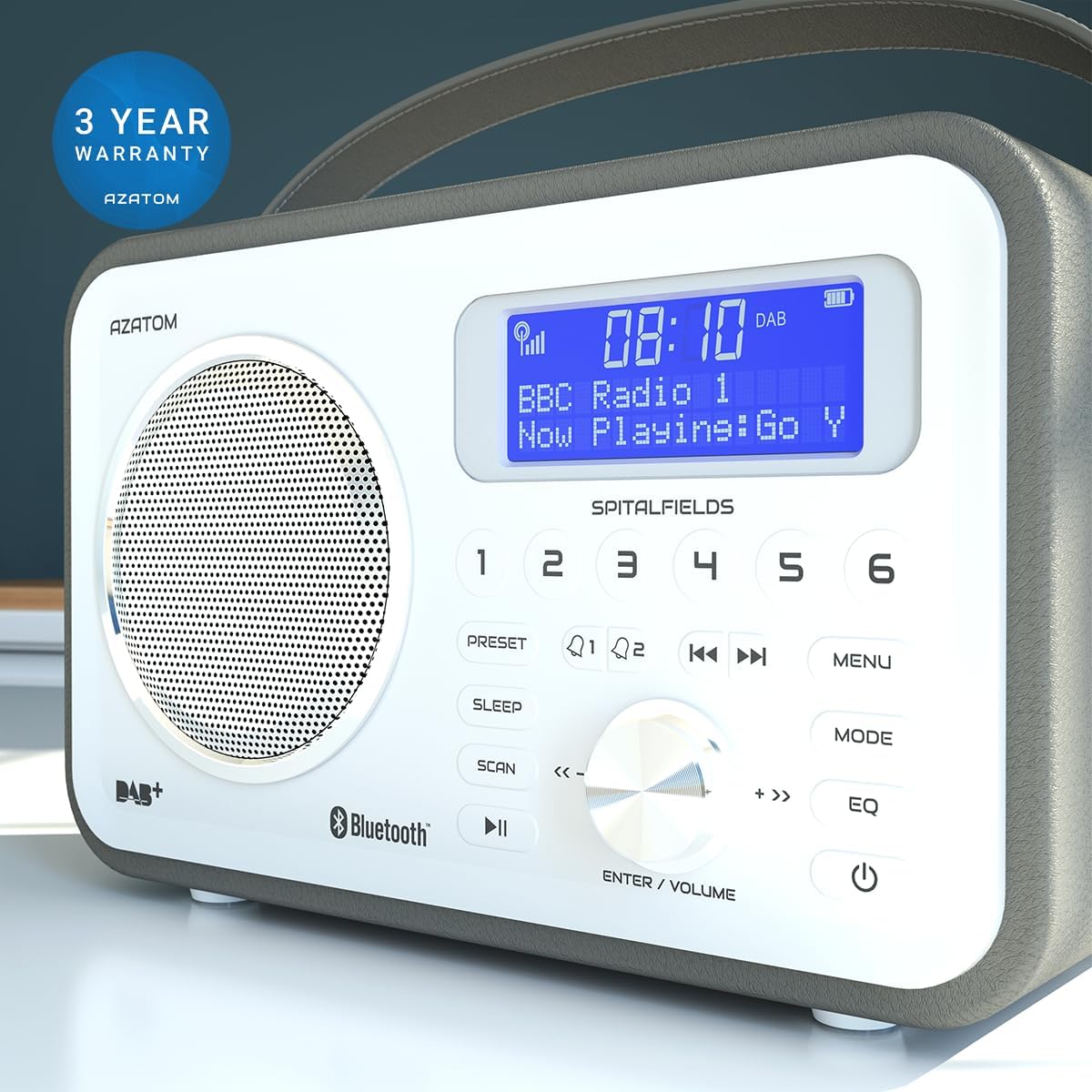
The product is backed by a 3-year warranty, ensuring peace of mind.
The warranty does not cover damage caused by misuse, accident, unauthorized modification, or normal wear and tear. For full terms and conditions, please refer to the AZATOM official webالموقع أو الاتصال بدعم العملاء.
دعم العملاء
If you encounter any issues not covered in this manual or require further assistance, please visit the official AZATOM webالموقع للحصول على موارد الدعم والأسئلة الشائعة ومعلومات الاتصال.
Webموقع: www.azatom.com
Please have your model number (AZSPTLSBK1) and purchase details ready when contacting support.
Ask a question about this manual
Ask about setup, troubleshooting, compatibility, parts, safety, or missing instructions. Manuals+ will review the question and use this page’s manual context to help answer it.